1. Введение
This manual provides detailed instructions for the safe and efficient use of your Baseus Picogo 10000mAh 45W Portable Charger. Please read this manual thoroughly before using the product and retain it for future reference.
The Baseus Picogo portable charger is designed to provide fast and reliable power to a wide range of electronic devices, including smartphones, tablets, and laptops. It features a 10000mAh capacity, 45W Power Delivery (PD) output, multiple charging ports, and a built-in USB-C cable for convenience.

Image 1.1: The Baseus Picogo 10000mAh 45W Portable Charger, showcasing its compact size and built-in cable.
2. Особенности продукта
- Сверхбыстрая зарядка мощностью 45 Вт: Delivers up to 45W Power Delivery (PD) output for rapid charging of compatible devices. The built-in USB-C cable supports this fast charging.
- Высокая емкость 10000 мАч: Provides sufficient power for multiple charges of smartphones and can also charge tablets and some laptops.
- Встроенный кабель USB-C: Features an integrated USB-C cable for convenient charging and recharging, supporting 30W fast recharging for the power bank itself.
- Одновременная зарядка 3 устройств: Equipped with two 45W PD USB-C ports (one built-in cable, one external port) and one 22.5W QC USB-A port, allowing simultaneous charging of up to three devices.
- Умный светодиодный цифровой дисплей: An LED screen displays the remaining battery percentage and real-time input/output power, keeping you informed of the power bank's status.
- Компактная и портативная конструкция: With dimensions of approximately 3.47 × 2.35 × 1.06 inches, it is designed for easy portability and is air-travel friendly.
- Многоуровневая система защиты: Incorporates various safety features including over-voltagе, под-томtagнапример, защита от перезаряда, переразряда, перегрева NTC, перегрузки по току, короткого замыкания и перегрузки по мощности.

Image 2.1: Illustrates the 45W fast charging capability, showing an iPhone 16 Pro charging to 57% and an S24 Ultra to 63% in 30 minutes.

Image 2.2: The power bank simultaneously charging a smartphone, a tablet, and wireless earbuds, demonstrating its multi-device charging capability.
3. Настройка
3.1 Первоначальная зарядка Power Bank
- Before first use, fully charge the Baseus Picogo power bank.
- Connect the built-in USB-C cable to a compatible USB-C wall charger (not included) or use an external USB-C to USB-C cable with the dedicated USB-C input port.
- На светодиодном цифровом дисплее будет отображаться ход зарядки. Power Bank полностью заряжен, когда на дисплее отобразится 100%.
- A full charge typically takes approximately 2 hours with a 30W or higher power adapter.
3.2 Подключение устройств для зарядки
The power bank offers multiple options for connecting your devices:
- Встроенный кабель USB-C: Extend the built-in USB-C cable and plug it directly into your device's USB-C port.
- Выходной порт USB-C: Use your own USB-C to USB-C cable to connect your device to the external USB-C output port.
- Выходной порт USB-A: Use your own USB-A to compatible cable to connect your device to the USB-A output port.
Ensure your device's charging port matches the cable type you are using.
4. Инструкция по эксплуатации
4.1 Зарядка ваших устройств
- Connect your device to the power bank using one of the available output options (built-in USB-C cable, USB-C port, or USB-A port).
- The power bank will automatically detect the connected device and begin charging. The LED display will show the current battery percentagе и выходная мощность.
- Чтобы остановить зарядку, просто отсоедините устройство от внешнего аккумулятора.
4.2 Зарядка портативного зарядного устройства
When the power bank's battery level is low, recharge it using the built-in USB-C cable or an external USB-C cable connected to a power adapter. The LED display will indicate the charging status.

Image 4.1: Demonstrates the simultaneous input and output capability, where the power bank is being recharged from a wall adapter while also charging a smartphone.
4.3. Понимание принципов работы светодиодного цифрового дисплея

Изображение 4.2: Подробный view of the smart digital display, indicating battery percentage and current power output/input.
- Батарея в процентахtage: Shows the remaining charge level of the power bank (e.g., "100%").
- Входная/выходная мощность: Displays the current power being drawn by devices or supplied to the power bank (e.g., "45W").
- Индикатор быстрой зарядки: A small icon (e.g., a lightning bolt) may appear to indicate fast charging is active.
5. Техническое обслуживание
- Уборка: Для очистки поверхности внешнего аккумулятора используйте мягкую сухую ткань. Избегайте использования едких химикатов и абразивных материалов.
- Хранилище: Храните внешний аккумулятор в прохладном, сухом месте, вдали от прямых солнечных лучей, экстремальных температур и влажности.
- Уход батареи: Для продления срока службы батареи полностью заряжайте внешний аккумулятор не реже одного раза в три месяца, если он не используется регулярно. Избегайте частой полной разрядки батареи.
- Избегайте физического урона: Не роняйте, не прокалывайте и не разбирайте внешний аккумулятор. Это может повредить внутренние компоненты и аннулировать гарантию.
6. Поиск Неисправностей
- В: Внешний аккумулятор не заряжает мое устройство.
- A: Ensure the power bank has sufficient charge. Check if the cable is securely connected to both the power bank and your device. Try a different cable or port. Verify your device is compatible with the power bank's output specifications.
- В: Внешний аккумулятор заряжается медленно.
- A: Ensure your device supports fast charging and that you are using a compatible cable. Simultaneous charging of multiple devices may reduce individual charging speeds. Check the power bank's LED display for current output wattage.
- В: Светодиодный дисплей не работает.
- A: Попробуйте нажать кнопку питания (если она есть), чтобы активировать дисплей. Если проблема сохраняется, возможно, внешний аккумулятор полностью разряжен или нуждается в ремонте.
- В: Внешний аккумулятор не заряжается.
- A: Ensure the charging cable is properly connected to a working power adapter and the power bank's input port. Try a different power adapter or cable. Verify the power adapter meets the required input specifications.
If these steps do not resolve the issue, please refer to the warranty and support section for assistance.
7. Технические характеристики
| Особенность | Деталь |
|---|---|
| Номер модели | PPPG-1W45C |
| Емкость аккумулятора | 10000 миллиamp Часы (мАч) |
| Выходная мощность | Up to 45W (USB-C PD) |
| Входная мощность | До 30 Вт (USB-C) |
| Порты | 1x Built-in USB-C Cable, 1x USB-C Port, 1x USB-A Port |
| Размеры продукта | 3.47 × 2.35 × 1.06 дюймов |
| Вес товара | 7.1 унции |
| Цвет | Белый |
| Особые возможности | Built-in USB-C cable, LED digital display, Multi-protection safety system |
8. Информация по технике безопасности
Пожалуйста, соблюдайте следующие правила техники безопасности, чтобы предотвратить повреждение изделия или травмы:
- Не подвергайте внешний аккумулятор воздействию экстремальных температур (жары или холода), прямых солнечных лучей или высокой влажности.
- Держите аккумулятор вдали от воды и других жидкостей.
- Do not disassemble, modify, or attempt to repair the device yourself. This may cause damage, fire, or electric shock.
- Не роняйте аккумулятор и не подвергайте его сильным ударам.
- Хранить в недоступном для детей месте.
- Используйте только совместимые и сертифицированные зарядные кабели и адаптеры.
- If the power bank swells, emits an odor, or becomes excessively hot during use or charging, discontinue use immediately and contact support.
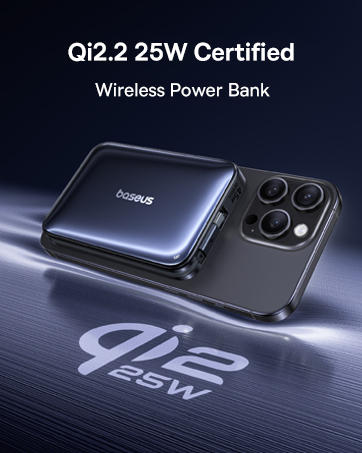
Image 8.1: Visual representation of the multiple safety protections integrated into the power bank, including over-voltagе, под-томtage, overcharge, and short circuit protection.
9. Гарантия и поддержка
Your Baseus Picogo portable charger comes with a Гарантия 2 год and lifetime technical support.
For any product issues, technical assistance, or warranty claims, please contact Baseus customer support through the retailer where you purchased the product or visit the official Baseus webсайт для контактной информации.
Сохраните чек о покупке для гарантийного обслуживания.


