1. Введение
This manual provides detailed instructions for the LOUTOC TCL Smart TV Voice Remote Control, designed for use with TCL Android/Google TV models. It covers setup, operation, maintenance, troubleshooting, and product specifications to ensure optimal performance and user experience.
The remote control features voice functionality and dedicated shortcut buttons for popular streaming services and TV functions.
2. Совместимость
This remote control is compatible with the following TCL TV series and models:
Compatible TV Series:
- С64, С74, С805, С84
- MQLED80, MQLED87
- P74, QLED770, QLED870, UHD870
Совместимые модели телевизоров:
43C645, 43QLED770, 50C645, 50C805, 50MQLED80, 50QLED770, 55C645, 55C745, 55C805, 55C845, 55MQLED80, 55MQLED87, 55MQLED770, 55QLED870, 65C645, 65C745, 65C805, 65C845, 65MQLED80, 65MQLED87, 65MQLED770, 65QLED870, 75C645, 75C745, 75C805, 75C845, 75MQLED80, 75MQLED87, 75QLED770, 75QLED870, 85C645, 85C805, 85C845, 85MQLED80, 85MQLED87, 85P745, 85QLED770, 85UHD870, 98C805, 98MQLED80, 98P745, 98UHD870.
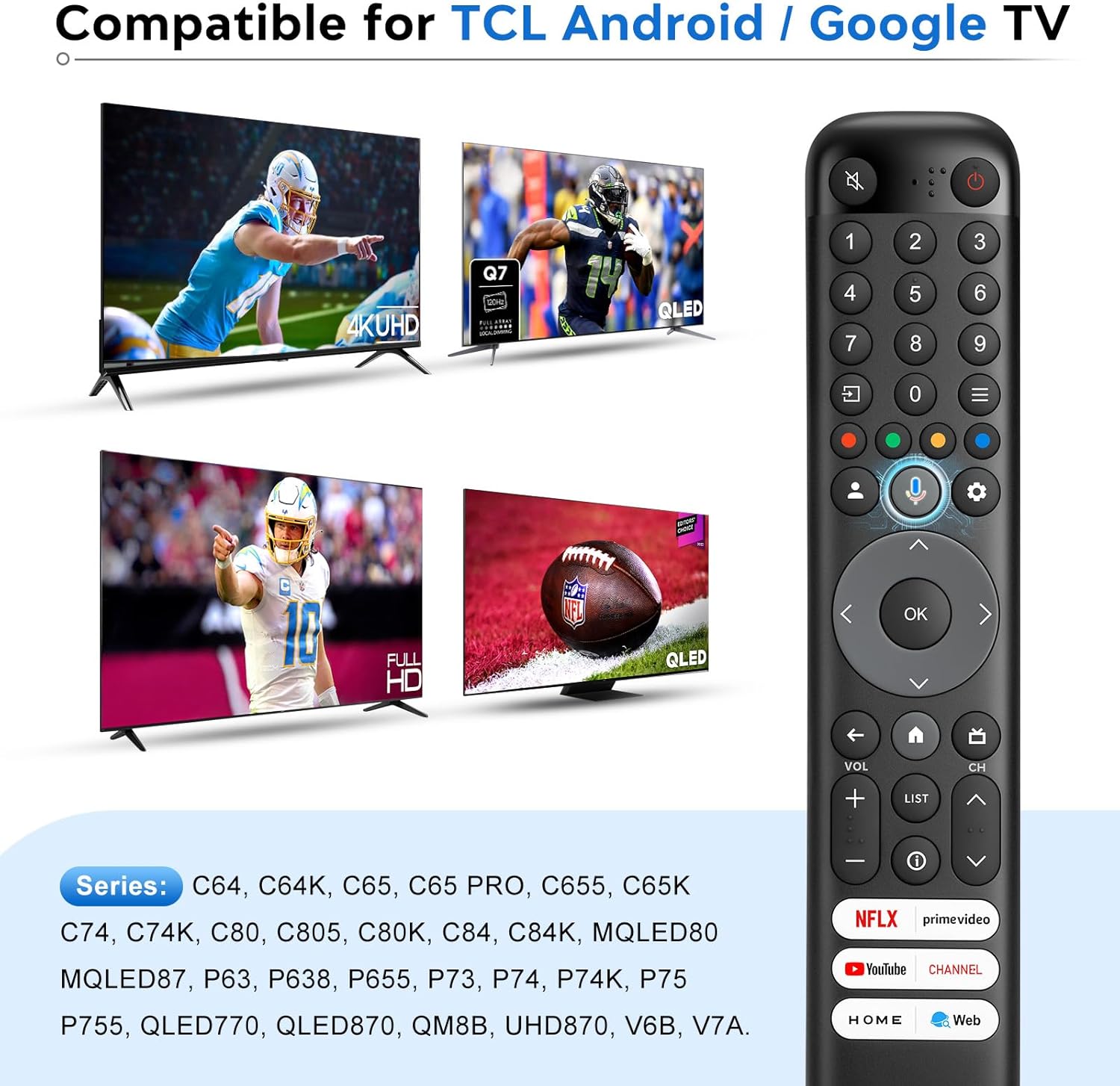
Image: The remote control is compatible with a wide range of TCL Android and Google TV models, including 4K UHD and QLED displays.
3. Настройка и сопряжение
3.1. Установка аккумулятора
The remote control requires 2 x AAA batteries (not included). To install:
- Откройте крышку батарейного отсека на задней стороне пульта дистанционного управления.
- Вставьте две батарейки типа ААА, соблюдая правильную полярность (+ и -).
- Плотно закройте крышку батарейного отсека.
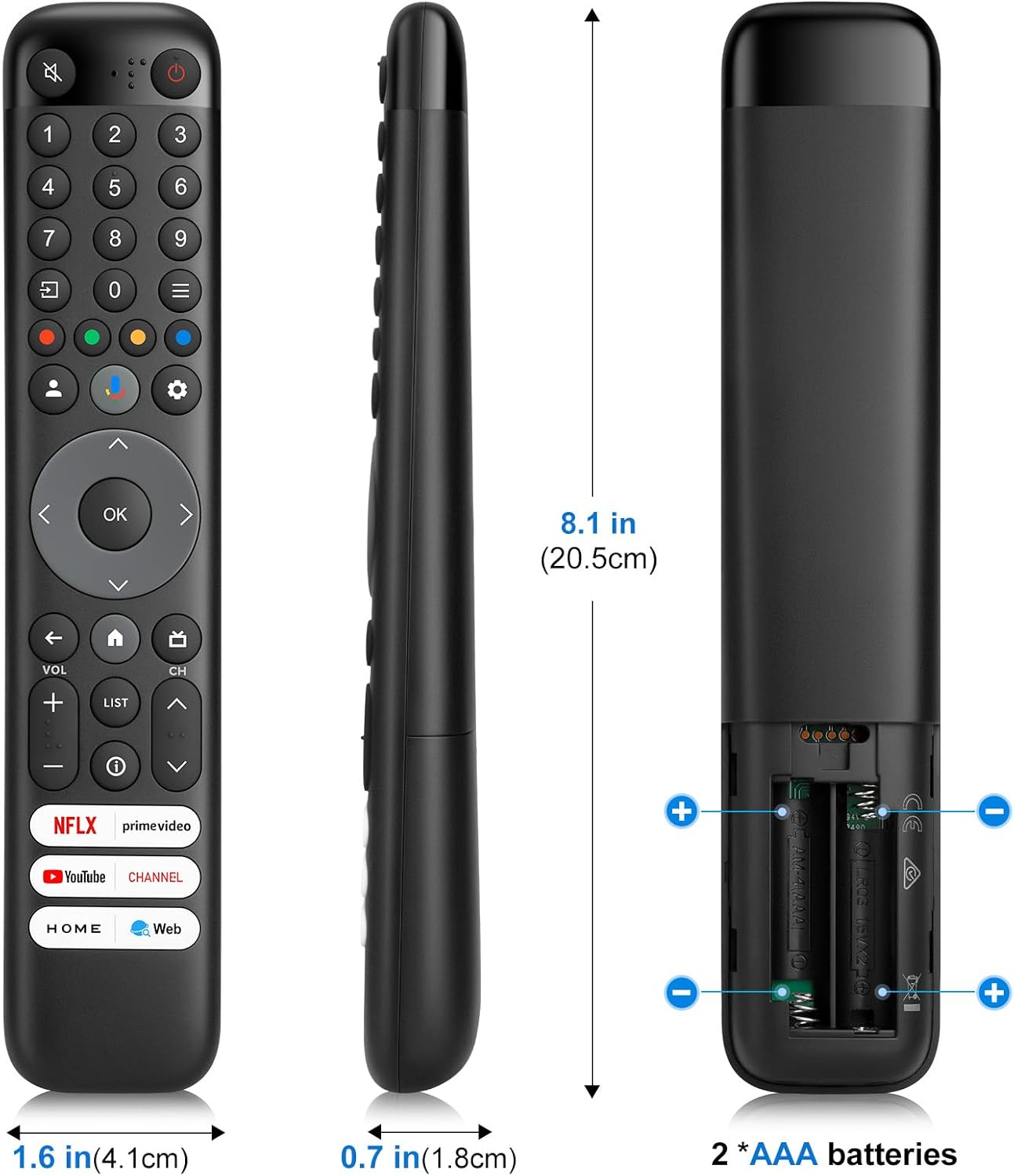
Image: The back of the remote control indicating the battery compartment for two AAA batteries.
3.2. Voice Function Pairing Steps
To enable the voice control feature, the remote must be paired with your TCL Android/Google TV. Follow these steps:
- Нажмите Кнопка «Голос» (microphone icon) on the remote control first.
- Нажмите и удерживайте ДОМ (house icon) and OK (center button) buttons on the remote control simultaneously.
- Keep the remote control within one meter (approximately 3 feet) of the TV during the pairing process.
- When your TV displays "Google Assistant" on the screen, the pairing process is complete, and the voice function is ready for use.

Image: Visual guide for pairing the remote control, illustrating the sequence of button presses and proximity requirement.
Примечание: This remote control is available only for selected models. The remote control type may be changed without notice. The App buttons may differ depending on the model. Follow the on-screen guide to pair the remote control with the TV when pressing the Google Assistant button for the first time. Google TV is the name of this device's software experience and a trademark of Google LLC. The Google Assistant is not available in certain languages and countries.
4. Инструкция по эксплуатации
The LOUTOC remote control provides intuitive access to your TCL Smart TV's features. Below is a guide to its main functions:

Изображение: Оверview of the remote control's buttons and their corresponding functions.
- Кнопка питания (⑂): To switch the TV on and off, or put it in standby.
- Цифровые кнопки (0–9): To enter channel numbers or digits.
- Quick Settings Button (☰): Для отображения панели быстрых настроек.
- Colour Buttons (Red, Green, Yellow, Blue): Used for HbbTV functions or Teletext pages.
- User Center Button (👤): To access the User Center.
- Google Assistant Button (🎤): Press to talk to Google Assistant. (Available only in Google TV mode and when network connection is normal).
- Dashboard Menu Button (⚙): Для отображения меню приборной панели.
- Navigation Direction Buttons (◀, ▲, ►, ▼): Для навигации по меню и параметрам.
- OK Button (OK): To confirm an entry or selection. (Available to display the channel list in TV mode).
- Кнопка «Назад» (←): To return to the previous menu or exit an App.
- Home Button (🏠): Для доступа к домашней странице Smart TV.
- EPG/Guide Button (📺): To access the Electronic Program Guide (EPG) (only available for digital channels). Or access to DTV EPG. (Available only in Google TV mode).
- Кнопки регулировки громкости (VOL +/-): Для регулировки громкости.
- Channel Buttons (CH +/-): Чтобы сменить каналы.
- List Button (LIST): Для доступа к списку каналов DTV.
- Information Button (ⓘ): Для отображения информации о программе, если таковая имеется.
4.1. Кнопки быстрого доступа
The remote control includes dedicated shortcut buttons for quick access to popular streaming services and functions:
- Нетфликс
- Прайм Видео
- Ютуб
- Канал TCL
- TCL Home
- Web
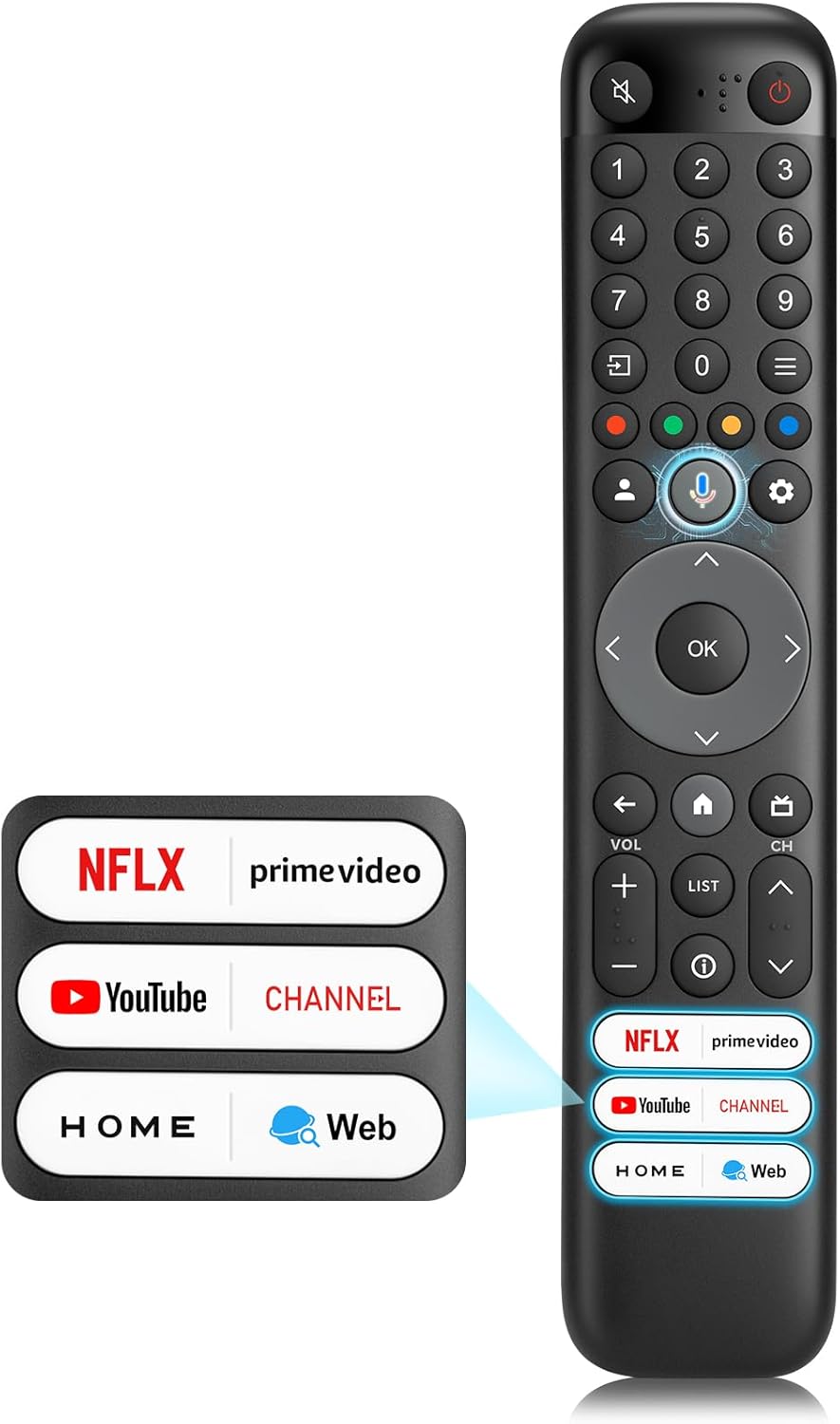
Image: The remote control featuring six dedicated shortcut buttons for popular applications and functions.

Image: A visual representation of the remote control's six shortcut buttons, surrounded by the logos of the applications they access.
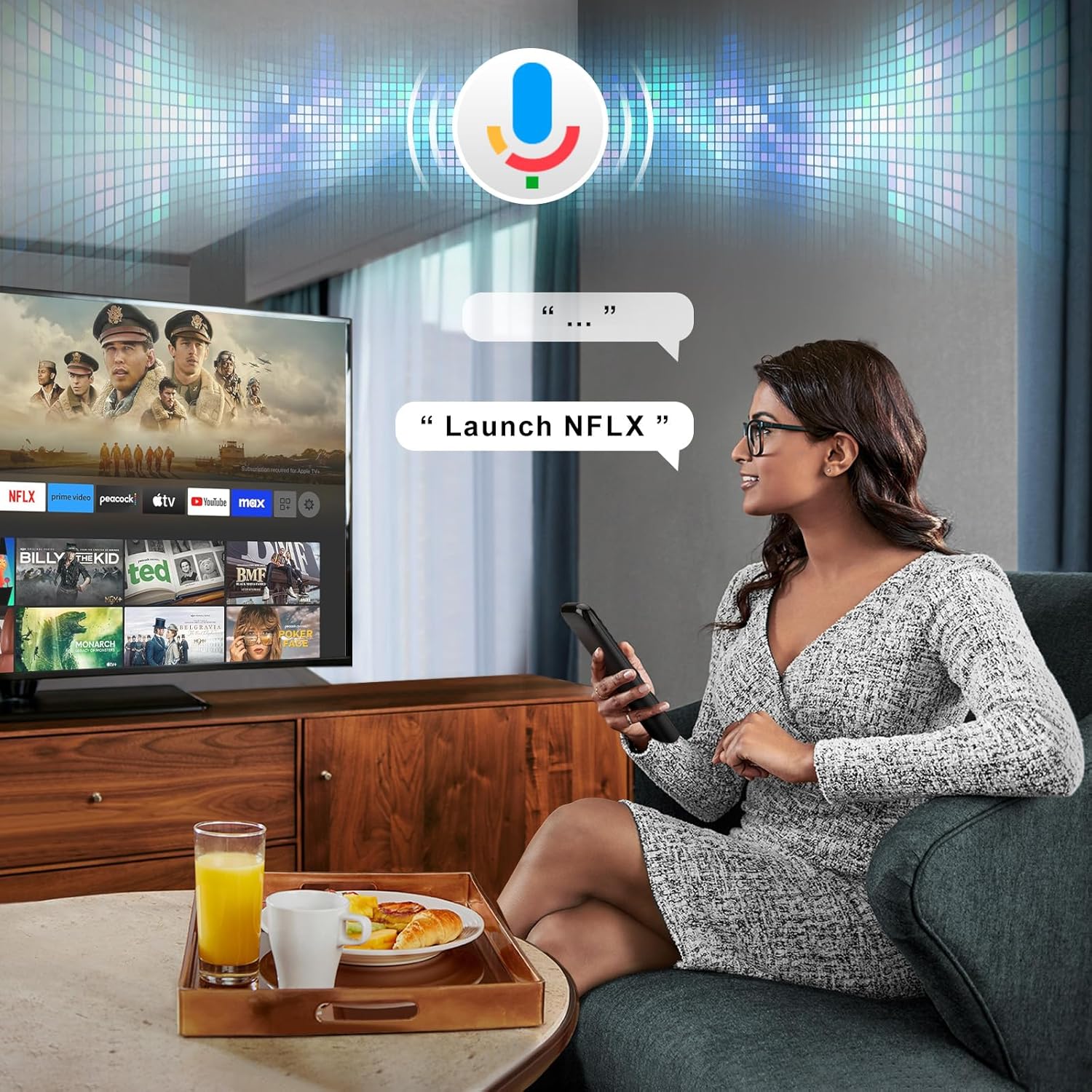
Image: A user demonstrating the voice search feature, speaking a command to the remote control which is then displayed on the TV screen.
5. Техническое обслуживание
- Поддерживайте чистоту пульта дистанционного управления, протирая его мягкой сухой тканью.
- Avoid exposing the remote control to extreme temperatures, humidity, or direct sunlight.
- Не роняйте пульт дистанционного управления и не подвергайте его сильным ударам.
- Если пульт дистанционного управления не будет использоваться в течение длительного времени, извлеките батарейки, чтобы предотвратить их протечку.
6. Поиск Неисправностей
| Проблема | Возможная причина/решение |
|---|---|
| Пульт дистанционного управления не отвечает. |
|
| Voice function not working. |
|
| Limited range or delayed response. |
|
7. Технические характеристики
| Особенность | Деталь |
|---|---|
| Бренд | ЛУТОК |
| Номер модели | RC833 |
| Совместимые устройства | TCL Android/Google TV (Specific series and models listed in Section 2) |
| Источник питания | 2 батареек типа ААА |
| Расстояние передачи | Более 8 метров / 26 футов |
| Цвет | Черный |
| Особые возможности | Digital Display, Ergonomic Design, Voice Search |
| Размеры упаковки | 21 х 5.1 х 2.2 см |
| Вес товара | 90 г |
Image: Detailed dimensions of the remote control and its battery requirements.

Image: An infographic summarizing key performance features such as transmission distance, response time, battery type, and shortcut buttons.
8. Поддержка и гарантия
For any questions regarding your LOUTOC remote control or your order, please contact customer support directly. We aim to respond to inquiries within 12 hours on working days.
Information regarding specific warranty terms may be provided at the point of purchase or within the product packaging. Please retain your proof of purchase for warranty claims.


