1. Введение
Спасибо за покупкуasing the Timex TW14 Alarm Clock with Wireless Charger. This compact device combines a digital alarm clock with a convenient 15W wireless charging pad, suitable for various smartphones and earbuds. This manual provides essential information for setting up, operating, and maintaining your new alarm clock.
2. Содержимое упаковки
Убедитесь, что в посылке присутствуют все предметы:
- Timex TW14 Alarm Clock with Wireless Charger
- Кабель питания с USB-A на USB-C
- Руководство пользователя (этот документ)
Примечание: A 18W QC3.0 adapter and 2 AAA batteries for backup are не включено и его необходимо приобретать отдельно.
3. Продукт закончилсяview
Familiarize yourself with the components and controls of your Timex TW14 alarm clock.

Изображение 3.1: Вершина view of the Timex TW14 alarm clock, highlighting the control buttons and the wireless charging pad. The display shows "10:09". A USB power cable is also shown.
Передняя панель:
- Светодиодный дисплей: Shows time, alarm status, and PM indicator.
Верхняя панель:
- Подушка для беспроводной зарядки: Для зарядки совместимых устройств.
- Кнопка «М»: Mode/Set button for time and alarm settings, also functions as snooze.
- "-" Кнопка: Decrease value, navigate backward, also functions as snooze.
- Кнопка «+»: Increase value, navigate forward, also functions as snooze.
Задняя панель:
- Вход питания USB-C: Подключается к кабелю питания.
Нижняя панель:
- Отсек для батареи: For 2 AAA backup batteries.
4. Настройка
4.1 Подключение питания
- Connect the supplied USB-A to USB-C power cable to the USB-C input port on the rear of the alarm clock.
- Connect the USB-A end of the cable to a compatible 18W QC3.0 USB power adapter (not included).
- Plug the power adapter into a standard wall outlet. The clock display will illuminate.
4.2 Установка резервного аккумулятора
The battery backup system maintains time and alarm settings during a temporary power outage. It does not power the clock display or wireless charging function.
- Найдите батарейный отсек в нижней части устройства.
- Откройте крышку батарейного отсека.
- Insert 2 new AAA batteries (not included), observing the correct polarity (+ and -) as indicated inside the compartment.
- Плотно закройте крышку батарейного отсека.
5. Инструкция по эксплуатации
5.1 Установка времени
- Нажмите и удерживайте M кнопку, пока цифры часа не начнут мигать.
- Используйте - or + Кнопки для регулировки времени. Обратите внимание на индикатор PM, если используете 12-часовой формат.
- Нажмите M Нажмите кнопку еще раз, чтобы подтвердить час, и цифры минут начнут мигать.
- Используйте - or + кнопки для настройки минут.
- Нажмите M Нажмите кнопку еще раз, чтобы подтвердить минуты и выйти из режима настройки времени.
5.2 Установка будильника
- Нажмите M button once (do not hold) to enter alarm setting mode. The alarm time will be displayed, and the alarm icon will flash.
- Нажмите и удерживайте M кнопку до тех пор, пока цифры часа будильника не начнут мигать.
- Используйте - or + кнопки для настройки часа будильника.
- Нажмите M button again to confirm the alarm hour, and the alarm minute digits will flash.
- Используйте - or + кнопки для настройки минут будильника.
- Нажмите M button once more to confirm the alarm minutes and exit alarm setting mode. The alarm icon will remain lit, indicating the alarm is active.
- Чтобы включить/выключить будильник, нажмите кнопку M button briefly when the current time is displayed. The alarm icon will appear or disappear.
5.3 Функция повтора
When the alarm sounds, press any of the M, -, или + buttons to activate the snooze function. The alarm will temporarily stop and sound again after approximately 9 minutes.
To turn off the alarm completely, allow the alarm to ring for its full duration or turn off the alarm via the M button when not ringing.
5.4 Регулировка яркости дисплея
Для регулировки яркости светодиодного дисплея несколько раз нажмите на кнопку. M button (when not in setting mode) to cycle through High, Low, and Off brightness levels.
5.5 Беспроводная зарядка
The Timex TW14 features a 15W wireless charging pad compatible with Qi-enabled devices such as iPhone, Android smartphones, and AirPods.

Изображение 5.1: An iPhone placed on the wireless charging pad of the Timex TW14 alarm clock, indicating active charging.
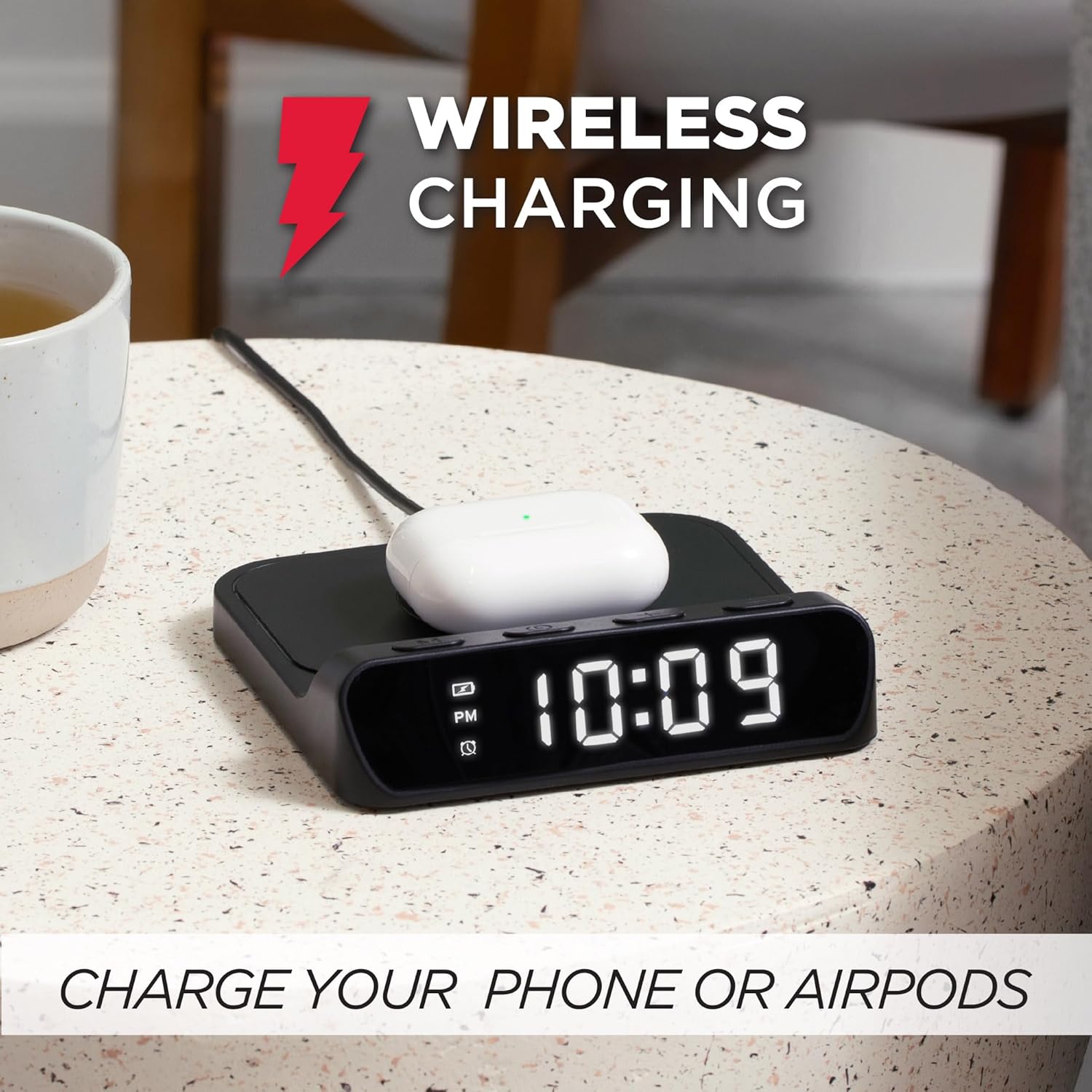
Изображение 5.2: AirPods case placed on the wireless charging pad of the Timex TW14 alarm clock, indicating active charging.
- Place your Qi-enabled device (e.g., smartphone, AirPods case) directly onto the center of the wireless charging pad on the top of the alarm clock.
- Ensure the device is properly aligned with the charging coil. A charging indicator (if available on your device) will confirm charging has begun.
- If charging does not start, slightly reposition your device on the pad.
Важные соображения:
- For optimal charging performance, use an 18W QC3.0 power adapter.
- Thick phone cases or cases containing metal may interfere with wireless charging. Remove such cases if charging issues occur.
- Charging speed may vary depending on the device, its battery level, and environmental factors.
6. Техническое обслуживание
6.1 Очистка
To clean the unit, gently wipe the surfaces with a soft, dry cloth. Do not use liquid cleaners, abrasive materials, or chemical sprays, as these may damage the finish or internal components.
6.2. Замена батареи
Replace the 2 AAA backup batteries annually or if you notice settings are not retained during power outages. Always use new batteries and dispose of old batteries responsibly.
7. Поиск Неисправностей
If you experience issues with your Timex TW14 alarm clock, please refer to the following common problems and solutions:
| Проблема | Возможная причина | Решение |
|---|---|---|
| Отображение времени выключено или не работает. | No power, loose connection, or display dimmer set to "Off". | Ensure the USB-C power cable is securely connected to the clock and a functional power adapter. Check if the adapter is plugged into a live outlet. Press the M button to cycle through display brightness settings (High/Low/Off). |
| Беспроводная зарядка не работает. | Device not Qi-compatible, improper alignment, phone case interference, insufficient power adapter. | Verify your device supports Qi wireless charging. Reposition the device on the center of the charging pad. Remove thick or metallic phone cases. Ensure you are using an 18W QC3.0 power adapter. |
| Беспроводная зарядка медленная. | Power adapter not powerful enough, device alignment, background apps on device. | Use an 18W QC3.0 power adapter for optimal speed. Ensure perfect alignment of the device on the charging pad. Close unnecessary apps on your device. |
| Alarm settings are lost after power outage. | Резервные батареи разряжены или не установлены. | Install 2 new AAA batteries in the battery compartment, ensuring correct polarity. Replace old batteries if necessary. |
| Сложности с настройкой времени/будильника. | Неправильная последовательность нажатия кнопок. | Refer to sections 5.1 and 5.2 for detailed instructions on setting the time and alarm. Ensure you press and hold the M button at the correct steps. |
8. Технические характеристики
| Бренд | Таймекс |
| Номер модели | TW14 |
| Цвет | Черный |
| Тип дисплея | Digital LED (0.8" white) |
| Особые возможности | Alarm, 15W Wireless Charging, Display Dimmer, Battery Backup |
| Размеры продукта | 5" (Width) x 5" (Depth) x 1.2" (Height) |
| Источник питания | USB-A to USB-C power cable (included), requires 18W QC3.0 adapter (not included) |
| Резервная батарея | 2 батарейки типа ААА (не входят в комплект) |
| Материал рамы | Пластик |
| Вес товара | 0.2 килограмма (7 унции) |

Изображение 8.1: Timex TW14 alarm clock with its dimensions (5"W x 5"D x 1.2"H) clearly indicated.
9. Гарантия и поддержка
Timex products are manufactured to high quality standards. For information regarding warranty coverage, technical support, or customer service, please refer to the warranty card included with your purchase or visit the official Timex webсайт. Пожалуйста, сохраните доказательство покупки для гарантийных претензий.


