Введение
This manual provides instructions for the safe and effective use of your Ashfly Portable Handheld Kids Microscope. Please read this manual thoroughly before operating the device and retain it for future reference.
The Ashfly Portable Handheld Kids Microscope is designed to introduce young scientists to the microscopic world. Featuring a 2-inch LCD screen and 200x magnification, it allows for real-time observation of small objects.
Содержимое упаковки
Убедитесь, что в вашей посылке присутствуют все перечисленные ниже предметы:
- Ashfly Portable Handheld Kids Microscope
- USB-кабель для зарядки
- Ремешок/запястье
- Руководство пользователя (этот документ)

Image: Contents of the Ashfly Portable Handheld Kids Microscope package, including the microscope, USB cable, and wrist strap.
Настраивать
1. Зарядка устройства
- Locate the USB charging port on the microscope.
- Connect the provided USB charging cable to the microscope and a compatible USB power source (e.g., computer, wall adapter).
- Загорится индикатор зарядки. Полная зарядка займет около 2–3 часов.
- После полной зарядки отсоедините зарядный кабель.
2. Attaching the Lanyard/Wrist Strap
Thread the lanyard or wrist strap through the designated loop on the microscope to prevent accidental drops during use.
Инструкция по эксплуатации
1. Включение/выключение питания
- To power on, press and hold the power button (usually marked with a power symbol) for a few seconds until the screen illuminates.
- Чтобы выключить устройство, нажмите и удерживайте кнопку питания еще раз, пока экран не погаснет.
2. Observing Objects
- Place the object you wish to observe on a flat surface.
- Position the microscope's lens directly over the object.
- Adjust the focus wheel (if present) or move the microscope closer/further from the object until a clear image appears on the 2-inch LCD screen.
- Use the zoom adjustment button (4x zoom) to further magnify the image up to 200x.

Image: A child holding the Ashfly microscope, observing a small object on a surface, demonstrating its handheld operation.
3. Фото- и видеосъемка
The microscope supports photo and video functions. It comes with built-in memory for storing observations.
- To take a photo: Press the designated photo capture button (refer to device markings).
- To record a video: Press the designated video record button to start recording, and press it again to stop.

Image: The Ashfly microscope's screen displaying a magnified image of an insect, illustrating its digital imaging capability.
4. Dual-Lens Design
This microscope features a dual-lens design. One side is the digital microscope for recording observations, and the other side is a physical magnifier for quick viewинг объектов.
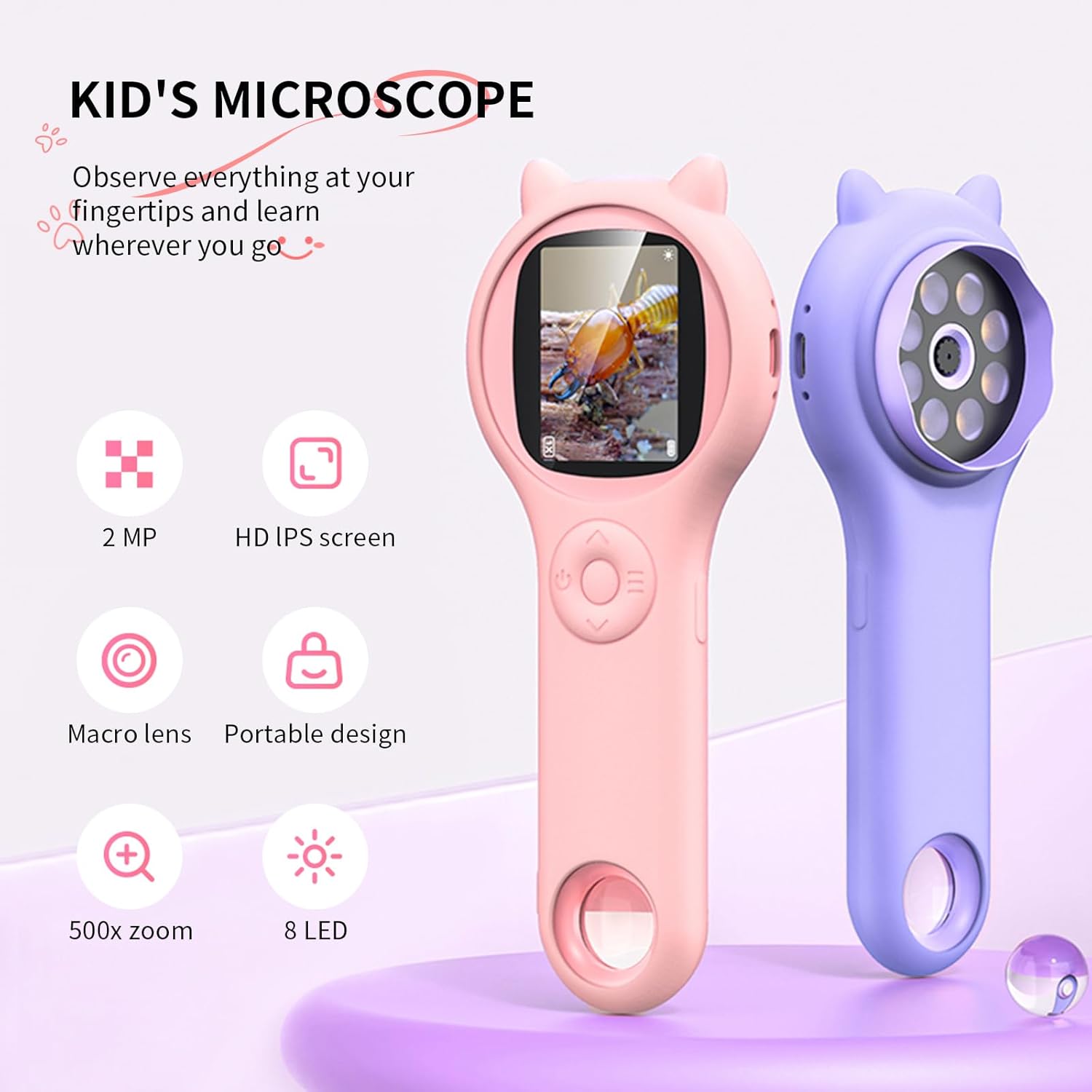
Image: Two Ashfly Kids Microscopes, one pink and one purple, illustrating the compact design and the different lenses/screens on each side.
Обслуживание
- Уборка: Use a soft, dry cloth to clean the exterior of the microscope. For the lens and screen, use a specialized lens cleaning cloth. Do not use abrasive cleaners or solvents.
- Хранилище: Храните микроскоп в прохладном, сухом месте, вдали от прямых солнечных лучей и экстремальных температур.
- Уход батареи: Чтобы продлить срок службы аккумулятора, избегайте его частой полной разрядки. Регулярно заряжайте устройство, даже если оно не используется в течение длительного времени.
Поиск неисправностей
| Проблема | Возможная причина | Решение |
|---|---|---|
| Устройство не включается. | Аккумулятор разряжен. | Зарядите устройство с помощью прилагаемого USB-кабеля. |
| Изображение на экране размыто. | Incorrect focus or distance from object. | Adjust the microscope's distance from the object or use the focus wheel (if applicable) until the image is clear. |
| Невозможно сделать фото/видео. | Внутренняя память заполнена. | Transfer existing photos/videos to a computer to free up space. |
Технические характеристики
| Особенность | Деталь |
|---|---|
| Модель | ASIN B0DBVB3RGT |
| Бренд | Пепельница |
| Увеличение | Up to 200x (with 4x zoom adjustment) |
| Экран | 2-inch LCD, 1080P HD digital imaging |
| Источник света | ВЕЛ |
| Материал | Пластик |
| Цвет | Фиолетовый |
| Источник питания | Питание от батареи |
| Объективная линза | Ахроматический |
Информация о гарантии
Ashfly products are designed for quality and durability. For specific warranty details, please refer to the warranty card included with your product or visit the official Ashfly webСохраните чек о покупке в качестве подтверждения покупки для предъявления гарантийных претензий.
Поддержка клиентов
If you encounter any issues or have questions regarding your Ashfly Portable Handheld Kids Microscope, please contact our customer support team:
- Онлайн поддержка: Посетите Ashfly Store on Amazon для ответов на часто задаваемые вопросы и вариантов связи.
- Электронная почта: Обратитесь к упаковке продукта или официальной информации. webСайт для прямой поддержки по электронной почте.


