Введение
The Raycon Open Headphones are engineered to provide an immersive audio experience while maintaining real-time awareness of your surroundings. Their lightweight, over-ear design ensures comfort for extended wear, making them suitable for various activities from work to exercise. This manual will guide you through the essential steps to set up, operate, and maintain your headphones.
Основные характеристики:
- Real-Time Awareness: Non-intrusive design keeps ear canals free, allowing environmental sounds to be heard.
- Surround Sound Quality: Delivers rich, detailed audio with advanced surround sound technology.
- 12 часа автономной работы: Обеспечивает длительное время прослушивания на одном заряде.
- Двойные микрофоны: Ensures clear call quality with maximum audio pickup.
- 5.3 Bluetooth Technology: Offers a strong and stable wireless connection to your devices.
Что в коробке?
Upon opening your Raycon Open Headphones package, please ensure all the following components are present:
- Raycon Open Headphones (Black)
- Руководство пользователя (Этот документ)
- Charging Cable (Proprietary)
Настраивать
1. Зарядка наушников
Before initial use, fully charge your Raycon Open Headphones. Connect the provided charging cable to the charging port on the headphones and plug the other end into a compatible USB power source. The LED indicator will show charging status and turn off when fully charged.
2. Включение и выключение
- Включение питания: Press and hold the Power button until the LED indicator lights up and you hear an audible prompt.
- Выключение: Press and hold the Power button until the LED indicator turns off and you hear an audible prompt.
3. Сопряжение по Bluetooth
- Убедитесь, что наушники выключены.
- Нажмите и удерживайте кнопку питания примерно 5-7 секунд, пока светодиодный индикатор не начнет быстро мигать, указывая на режим сопряжения.
- На вашем устройстве (смартфоне, планшете, компьютере) включите Bluetooth и выполните поиск доступных устройств.
- Select "Raycon Open Headphones" from the list of found devices.
- Once connected, the LED indicator will stop flashing and remain solid, and you will hear a confirmation tone.
4. Ношение наушников
The Raycon Open Headphones are designed for a comfortable and secure fit. Place the ear hooks over your ears, ensuring the speakers are positioned just outside your ear canals. Adjust the band around the back of your neck for optimal comfort and stability.
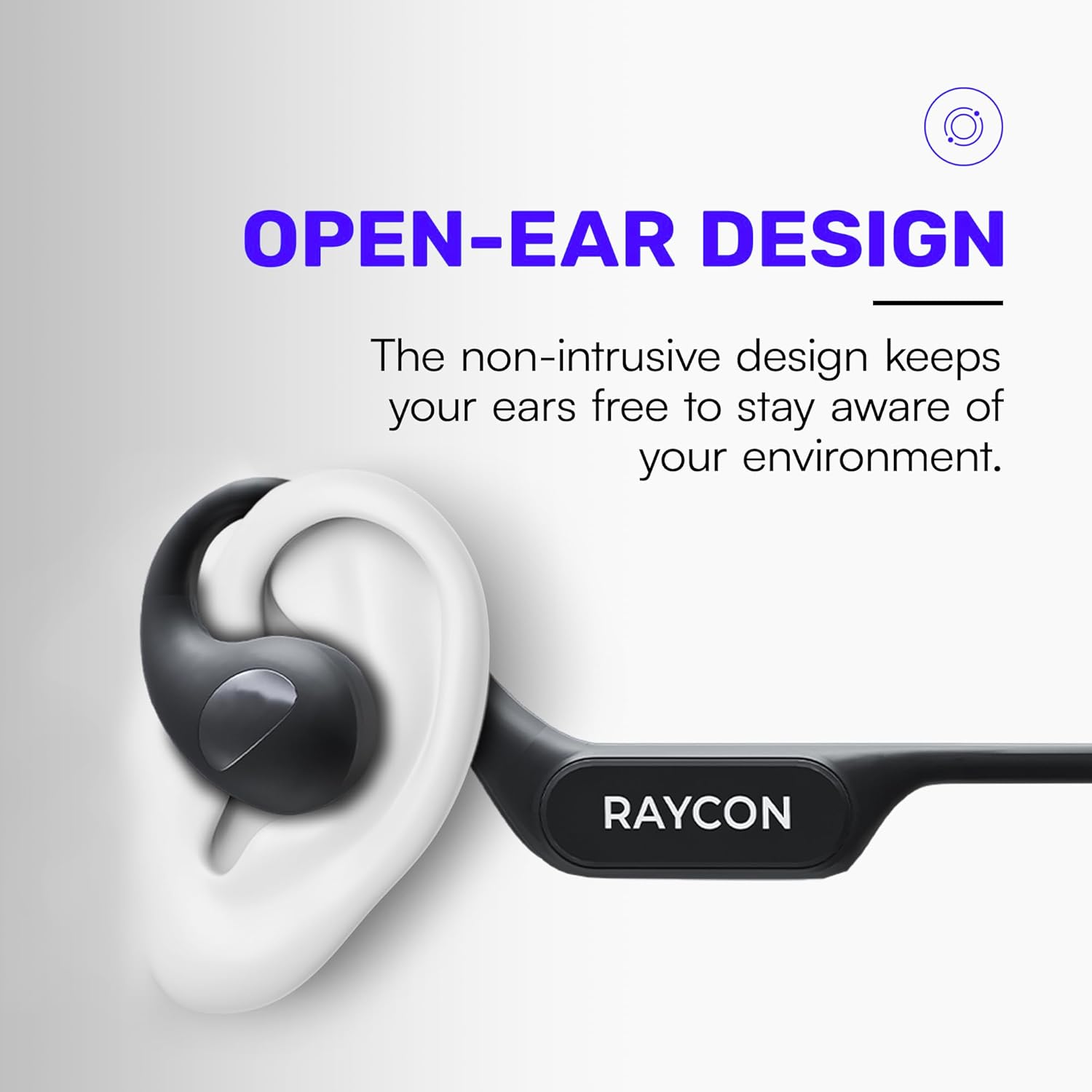
Image: Proper placement of the Raycon Open Headphones, highlighting the open-ear design for comfort and awareness.
Инструкция по эксплуатации
Контролируетview

Image: The control buttons are located on the left side of the headphone band.
- Кнопка питания: Нажмите и удерживайте для включения/выключения питания.
- Увеличение громкости (+): Короткое нажатие для увеличения громкости.
- Звук тише (-): Короткое нажатие для уменьшения громкости.
- Воспроизведение/Пауза: Double-tap the main control button to play or pause audio.
- Следующий трек: Triple-tap the main control button to skip to the next track.
- Предыдущий трек: (Functionality may vary, refer to device settings or specific app controls).
- Ответить/завершить вызов: Double-tap the main control button during an incoming call.
- Отклонить вызов: Press and hold the main control button during an incoming call.
- Активировать голосового помощника: Quadruple-tap the main control button to activate your device's voice assistant (e.g., Siri, Google Assistant).
Многоточечное соединение
The Raycon Open Headphones support multi-point connection, allowing you to connect to two devices simultaneously. This feature enables seamless switching between audio sources without re-pairing.

Image: The headphones can connect to multiple devices simultaneously for versatile use.
To use multi-point connection:
- Pair the headphones with your first device as described in the "Bluetooth Pairing" section.
- Отключите Bluetooth на первом устройстве. Наушники снова перейдут в режим сопряжения.
- Подключите наушники ко второму устройству.
- Снова включите Bluetooth на первом устройстве. Наушники должны автоматически подключиться к обоим устройствам.
- Звук будет воспроизводиться с устройства, которое активно передает звук.
Обслуживание
Уборка
Regularly clean your headphones to ensure optimal performance and hygiene. Use a soft, dry, lint-free cloth to wipe down the surfaces. For stubborn dirt, slightly dampen the cloth with water. Avoid using harsh chemicals, cleaning solvents, or strong detergents.
Хранилище
When not in use, store your headphones in a cool, dry place away from direct sunlight and extreme temperatures. Avoid placing heavy objects on top of the headphones to prevent damage.
Уход за аккумулятором
To prolong battery life, avoid fully discharging the headphones frequently. Charge them regularly, even if not in constant use. If storing for an extended period, charge the battery to approximately 50% before storage.

Image: The headphones offer up to 12 hours of battery life for extended use.
Поиск неисправностей
If you encounter any issues with your Raycon Open Headphones, please refer to the following common solutions:
- Нет звука: Ensure the headphones are powered on, paired correctly, and the volume is turned up on both the headphones and the connected device. Check if the audio source is playing.
- Проблемы с сопряжением: Turn off Bluetooth on all previously paired devices. Power off the headphones, then re-enter pairing mode and try connecting again. Ensure the headphones are within the Bluetooth range of your device.
- Проблемы с зарядкой: Verify that the charging cable is securely connected to both the headphones and the power source. Try a different USB port or power adapter. Ensure the charging cable is not damaged.
- Плохое качество звука: Ensure the headphones are fully charged. Check for any obstructions between the headphones and your device. Move closer to your device to reduce interference.
- Микрофон не работает: Ensure the headphones are properly connected. Check the microphone settings on your connected device to ensure the Raycon headphones are selected as the input device.
If the issue persists after trying these steps, please contact Raycon customer support for further assistance.
Технические характеристики
| Особенность | Деталь |
|---|---|
| Название модели | RBO841-24E-BLA |
| Технология связи | Беспроводной |
| Технология беспроводной связи | Блютус 5.3 |
| Срок службы батареи | 12 часов |
| Форма наушника | Над ухом |
| Расположение ушей | Открытое ухо |
| Форм-фактор | Над ухом |
| Контроль шума | Звукоизоляция |
| Вес товара | 5.6 унции |
| Производитель | RAYCON |
| СКП | 811162032347 |
Гарантия и поддержка
Your Raycon Open Headphones are covered by a return policy allowing for a refund or replacement within 30 days of purchase. For detailed warranty information or technical support, please contact Raycon customer service directly.


