1. Введение
The Wellue 24-Hour Ambulatory Blood Pressure Monitor (ABPM) is designed for continuous, automatic blood pressure measurement over a 24-hour period. This device helps to provide a comprehensive overview of blood pressure fluctuations, including during sleep, and can assist in identifying conditions such as white coat hypertension or masked hypertension. It is a clinically accurate device, certified by ESH IP 2010, and recommended by the European Society of Hypertension (ESH) and the British and Irish Hypertension Society (BIHS).

Image 1.1: The Wellue ABPM device enables continuous blood pressure monitoring throughout the day and night.
2. Что включено
Пожалуйста, проверьте содержимое упаковки, чтобы убедиться в наличии всех предметов:
- 24-Hour Ambulatory Blood Pressure Monitor Unit
- USB Disk (containing ABPM software and user manual)
- Зажим для устройства
- Adult Cuff (22-36 cm)
- Extra Large Cuff (33-43 cm)
- Силиконовый чехол
- Disposable Sweat-Absorbing Inner Cuff
- USB-кабель для передачи данных
- Fast Charger (EU standard)

Изображение 2.1: оконченоview of all items included in the Wellue ABPM package.
3. Настройка
3.1 Зарядка устройства
Before first use, fully charge the monitor using the provided USB data cable and fast charger. Connect the USB cable to the monitor and the charger, then plug the charger into a power outlet. A full charge takes approximately 2.5 hours and supports up to 200 measurements.
3.2 Installing the Cuff
- Select the appropriate cuff size (22-36 cm or 33-43 cm) for your arm. The cuff should fit snugly but not too tightly.
- Attach the cuff to the monitor's air tube connector.
- Wrap the cuff around your upper arm, ensuring the artery mark on the cuff aligns with your brachial artery. The bottom edge of the cuff should be approximately 2-3 cm above the elbow joint.
- Secure the cuff firmly using the hook-and-loop fastener.
3.3 Установка программного обеспечения
The ABPM software is provided on the included USB disk. Insert the USB disk into your PC and follow the on-screen instructions to install the software. The software is compatible with Microsoft Windows operating systems (Win2003/WinXP/Win7/Win10/Win11).
3.4 Подключение к ПК
To transfer data or program the device, connect the monitor to your PC using the provided USB data cable. Ensure the software is running on your PC.

Image 3.1: Connecting the ABPM device to a PC for data transfer and programming.
4. Управление устройством
4.1 Starting a Measurement Session
Once the cuff is correctly applied and the device is charged, press the power button to turn on the monitor. The device will automatically begin measurements according to the programmed schedule. You can also initiate a manual measurement by pressing the designated button on the device.
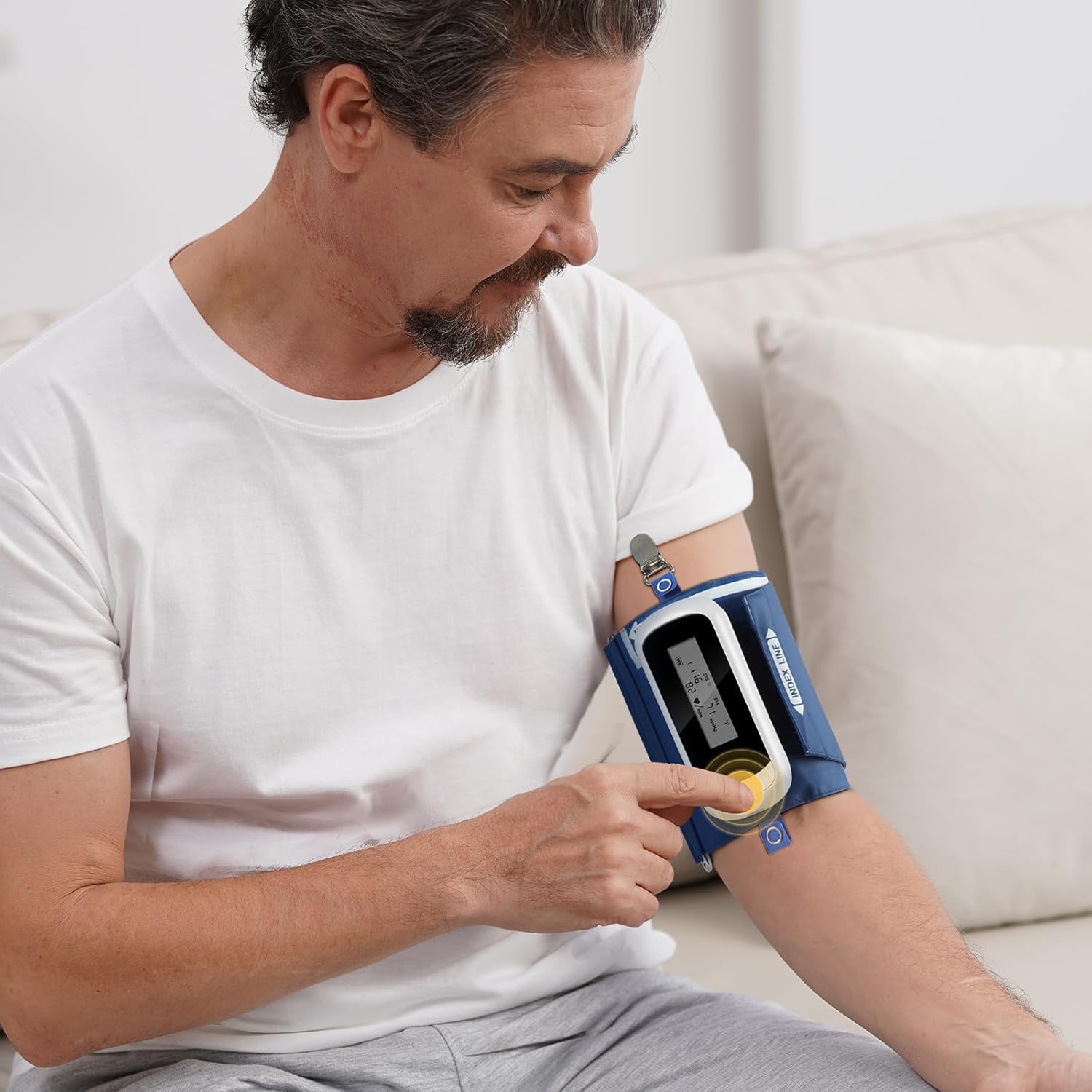
Image 4.1: Initiating a measurement on the Wellue ABPM device.
4.2 Programming Measurement Intervals
The device can be programmed via the PC software to take measurements at various intervals:
- Standard intervals: 5, 10, 15, 20, 30, 45, 60, 90, 120 minutes.
- You can define specific wake and sleep periods, as well as three special periods, for customized measurement schedules.
4.3 Data Transfer and Analysis with PC Software
After completing a monitoring session, connect the device to your PC to transfer the stored data. The software allows for comprehensive analysis:
- Advanced ABPM Analysis: Gain insights into nocturnal hypertension, morning surges, and correlations between DIA vs SYS and HR vs SYS. The Ambulatory Arterial Stiffness Index (AASI) can also be analyzed.
- Trend Graphs: Visualize up to 72 hours of data, showing blood pressure variations over time.
- Настраиваемые отчеты: Generate professional PDF reports. You can define report content, set hospital logos, and include signatures.
- Управление данными: User-defined data saving paths, patient search function, and comparison of BP between different measurements for the same patient.
- Visual Customization: Set colors for systolic, diastolic, sleep period, and BP limits to suit individual preferences.
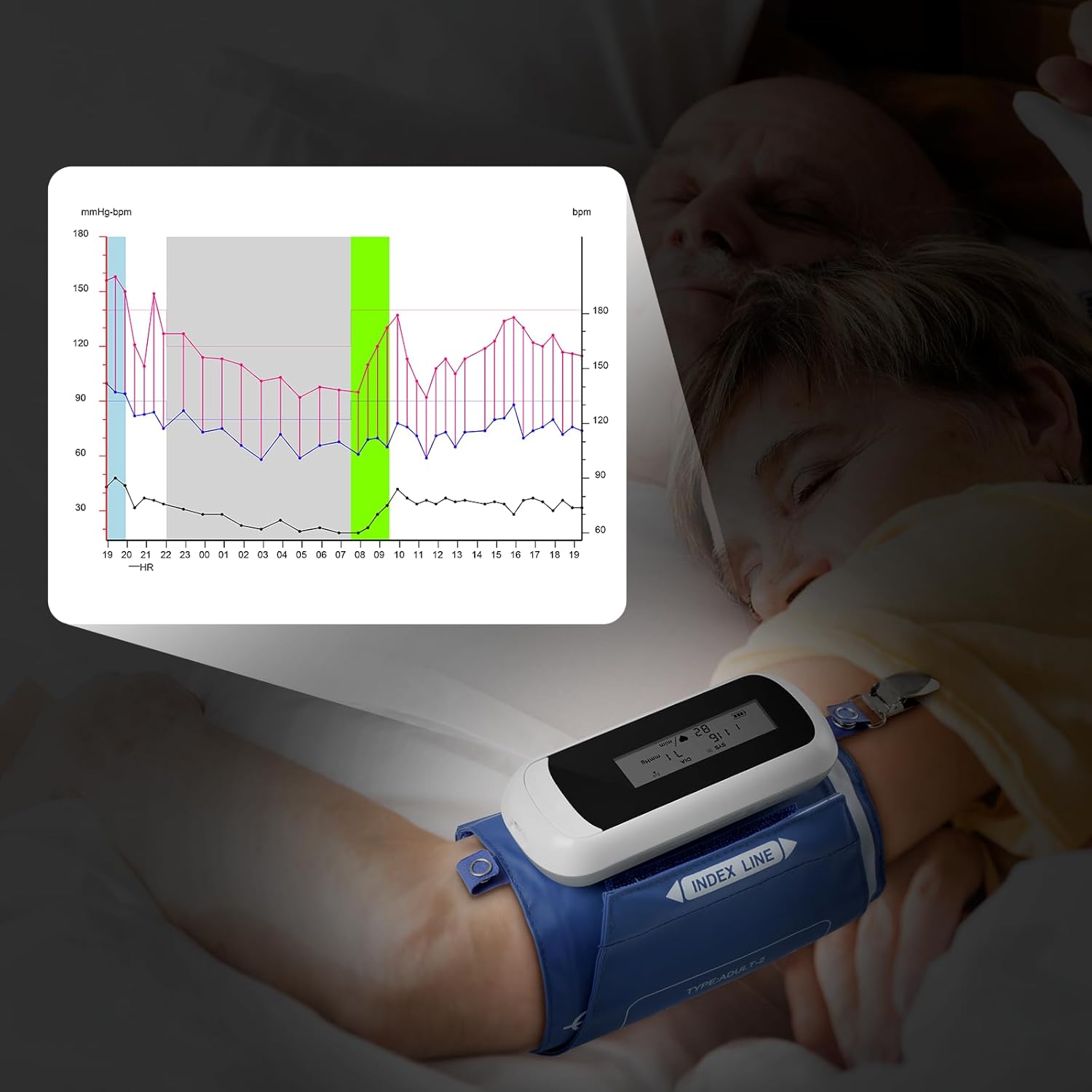
Image 4.2: Monitoring blood pressure during sleep and visualizing data trends.

Image 4.3: Analyzing comprehensive blood pressure data with the Wellue PC software.
5. Техническое обслуживание
5.1 Cleaning the Device and Cuffs
Wipe the monitor and cuffs with a soft, dry cloth. For disinfection, use a cloth lightly dampened with a mild disinfectant. Do not immerse the device in water or use abrasive cleaners.
5.2 Уход за аккумулятором
The device uses a rechargeable Li-ion battery. To prolong battery life, avoid fully discharging the battery frequently. Recharge the device when the battery indicator is low. Store the device with a partial charge if not used for extended periods.
5.3 Калибровка
For continued accuracy, the device requires calibration at least once every two years. Please contact Wellue customer support for calibration services.
5.4 Условия хранения
Store the device in a clean, dry place away from direct sunlight and extreme temperatures. Ensure the storage area is well-ventilated and free from corrosive gases. Recommended storage temperature: -20℃ to +55℃; Relative humidity: below 95%; Atmospheric pressure: 70KPa to 106KPa.
6. Поиск Неисправностей
If you encounter issues with your Wellue ABPM, please refer to the following common problems and solutions:
- Устройство не включается: Убедитесь, что батарея заряжена. Подключите устройство к зарядному устройству и попробуйте снова.
- Cuff not inflating or deflating: Check that the cuff is securely connected to the monitor and that there are no kinks in the air tube. Ensure the cuff is correctly applied to the arm.
- Неточные показания: Ensure the cuff size is correct and applied properly. Avoid movement or talking during measurements. Consult a healthcare professional if readings consistently seem incorrect.
- Software not detecting device: Verify the USB cable connection. Ensure the ABPM software is installed correctly and running. Try a different USB port on your PC.
- На экране отображаются сообщения об ошибках: Refer to the detailed user manual on the USB disk for specific error code explanations and troubleshooting steps.
If problems persist, please contact Wellue customer support for assistance.
7. Технические характеристики
| Особенность | Спецификация |
|---|---|
| Модель | WBP02A |
| Размеры | 119 x 52 x 21 мм (4.7” x 2.1” x 0.8”) |
| Масса | 105 g (3.7 oz) (including battery) |
| Размеры манжет | Adult: 22-36 cm (8”-14”); Extra Large: 33-43 cm (13”-17”) |
| Требования к ПК | USB port; Microsoft Win2003/WinXP/Win7/Win10/Win11 |
| Отображать | светодиодный экран |
| Условия труда | Temperature: 5℃~40℃; RH: 10%~95%; Atmospheric Pressure: 70KPa~106KPa |
| Условия хранения | Temperature: -20℃~+55℃; RH: <95%; Atmospheric Pressure: 70KPa~106KPa |
| Максимальное давление накачки | 290 мм рт.ст. |
| Метод измерения | Осциллометрия |
| Режим работы | Automatic continuous operation |
| Measurement Intervals | 5, 10, 15, 20, 30, 45, 60, 90, 120 min (programmable) |
| Measurement Range (Systolic) | 40-260 мм рт.ст. |
| Measurement Range (Diastolic) | 20-210 мм рт.ст. |
| Measurement Range (Pressure) | 0-290 мм рт.ст. |
| Measurement Range (Heart Rate) | 40-200 уд / мин |
| Measurement Accuracy (Pressure) | ± 3 мм рт. |
| Measurement Accuracy (Pulse) | ± 3 уд / мин |
| Внутренняя память | До показаний 300 |
| Подключение к данным | USB-кабель для передачи данных |
| Уровень шума | 45 дБ |
| Защита от проникновения | IP22 |
| Срок службы батареи | Supports 200 measurements per charge |
| Время зарядки | 2.5 часа |
| Номинальная мощность | 1000 мАч |
| Источник питания | 3.7V Li battery |

Image 7.1: Clinical accuracy certifications for the Wellue ABPM.
8. Гарантия и поддержка
8.1 Информация о гарантии
The Wellue 24-Hour Ambulatory Blood Pressure Monitor comes with a three-year warranty from the date of purchase. This warranty covers manufacturing defects and ensures reliable operation under normal use. Please retain your proof of purchase for warranty claims.
8.2 Поддержка клиентов
For technical assistance, troubleshooting, calibration services, or warranty inquiries, please contact Wellue customer support. Contact details can typically be found on the Wellue official website or within the full user manual provided on the USB disk.


