1. Введение
The Triplett WS230 Wall Scanner is a versatile and compact tool designed for accurately detecting hidden objects behind walls. It features advanced capabilities to locate wood studs, metal objects (ferrous and non-ferrous), and live AC wiring, providing essential information for construction, home improvement, and maintenance tasks. This manual provides detailed instructions for safe and effective use of your WS230 Wall Scanner.
2. Информация по технике безопасности
Перед использованием устройства внимательно ознакомьтесь со всеми предупреждениями и инструкциями по технике безопасности. Несоблюдение этих инструкций может привести к поражению электрическим током, пожару или серьезным травмам.
- Always assume that live electrical wires are present behind walls. Exercise extreme caution.
- Do not rely solely on the detection results. Always verify findings through other means if possible.
- Храните устройство в сухом и чистом месте. Не подвергайте его воздействию влаги или экстремальных температур.
- Не пытайтесь вскрывать или модифицировать устройство. По всем вопросам обслуживания обращайтесь к квалифицированному персоналу.
3. Содержимое упаковки
Проверьте наличие всех предметов в посылке:
- Triplett WS230 Wall Scanner
- 3.7V/300mAh Lithium Ion Battery (pre-installed)
- Soft Protective Pouch Case
- Руководство пользователя (этот документ)
- USB Type C Зарядный кабель

Figure 3.1: WS230 Wall Scanner with Pouch and USB-C Cable
4. Продукт закончилсяview
Familiarize yourself with the components of your Triplett WS230 Wall Scanner.

Рисунок 4.1: Передняя часть View of WS230 Wall Scanner

Рисунок 4.2: Назад View of WS230 Wall Scanner (QR Code: C242594011)
4.1 ключевых компонента
- Цветной ЖК-экран: Displays detection mode, depth, battery status, and object location.
- Кнопка питания: Включает/выключает устройство.
- Кнопки выбора режима: Allows switching between Stud, Metal, and AC Voltage detection modes.
- Площадь датчика: Эта область, расположенная на задней панели устройства, должна соприкасаться со стеной для точного сканирования.
- Порт зарядки USB-C: For recharging the internal Lithium-ion battery.
5. Настройка и зарядка
5.1 Зарядка аккумулятора
The WS230 is equipped with a rechargeable 3.7V/300mAh Lithium-ion battery. Before first use, ensure the device is fully charged.
- Connect the provided USB Type C charging cable to the charging port on the device.
- Другой конец USB-кабеля подключите к стандартному USB-адаптеру питания (не входит в комплект) или к USB-порту компьютера.
- Индикатор заряда батареи на ЖК-экране будет показывать состояние зарядки. Полная зарядка обычно занимает несколько часов.
5.2 Включение/выключение питания
- Чтобы включить, нажмите и удерживайте Кнопка питания (red button) until the screen illuminates.
- Чтобы выключить, нажмите и удерживайте Кнопка питания пока экран не погаснет.
6. Операция
6.1 Общие правила использования
- Убедитесь, что поверхность стены чистая и сухая.
- Avoid scanning over freshly painted or wallpapered surfaces until they are completely dry, as moisture can affect accuracy.
- Hold the scanner flat against the wall, ensuring the sensor area is in full contact.
- Move the scanner slowly and steadily across the surface.
6.2 Автоматическая калибровка
The WS230 features automatic calibration for accurate results. Calibration occurs automatically upon power-on or when switching detection modes.
- Place the scanner flat against the wall in an area where you are certain there are no studs, metal, or live wires.
- Нажмите Кнопка питания or select your desired mode. The screen will display "Calibrating, please wait."
- Keep the device still against the wall until calibration is complete.

Figure 6.1: Calibration in Progress
6.3 Режимы обнаружения
The WS230 offers three primary detection modes:

Figure 6.2: Multiple Detection Mode Displays
6.3.1 Stud Detection
This mode locates the center and edges of wood or metal studs behind walls.
- Select the Stud Detection mode using the appropriate button.
- Place the scanner flat against the wall and slowly move it horizontally.
- The display will indicate the presence of a stud, its center, and depth (up to 1.5 inches / 38mm). Audio alerts will also sound.

Figure 6.3: Wood Stud Detection
6.3.2 Обнаружение металла
This mode identifies ferrous and non-ferrous metals, such as pipes and electrical wiring (even if not live).
- Select the Metal Detection mode.
- Scan the wall slowly. The display will show "Detect metal" and indicate the object's location and type (magnetic/non-magnetic).
- Maximum detection depth is 4.0 inches (100mm).

Figure 6.4: Metal Detection

Figure 6.5: Non-Magnetic Metal Detection
6.3.3 Напряжение переменного токаtage Обнаружение
This mode specifically detects live AC wires behind walls, providing an essential safety feature.
- Выберите громкость переменного токаtage Detection mode.
- Scan the wall slowly. The display will show a lightning bolt icon and indicate the presence of live AC wiring.
- Maximum detection depth is 2 inches (50mm).
7. Техническое обслуживание
- Протирайте устройство мягкой сухой тканью. Не используйте абразивные чистящие средства или растворители.
- Store the device in its protective pouch in a cool, dry place when not in use.
- Regularly charge the battery to maintain its health, even if the device is not used frequently.
8. Поиск Неисправностей
If you encounter issues with your WS230 Wall Scanner, try the following:
- Неточные показания: Ensure the device is properly calibrated on a clear section of the wall. Check for moisture on the wall surface.
- Нет питания: Verify the battery is charged. Connect the USB-C cable and allow it to charge for at least 30 minutes before attempting to power on again.
- Периодическое обнаружение: Ensure the sensor area is in full contact with the wall and you are moving the device slowly and steadily.
If problems persist, contact Triplett customer support.
9. Технические характеристики
| Особенность | Спецификация |
|---|---|
| Размеры продукта | 4.8 x 1 x 2.4 дюйма |
| Вес товара | 4 унции |
| Номер модели | WS230 |
| Аккумуляторы | 1 литий-ионный аккумулятор (входит в комплект) |
| Источник питания | Питание от батареи |
| Stud Detection Depth | До 1.5 дюймов (38 мм) |
| Metal Detection Depth | До 4.0 дюймов (100 мм) |
| том переменного токаtage Detection Depth | До 2 дюймов (50 мм) |
| Оптимальная рабочая температура | от 0 до 40°С |
| Температура хранения | -20 до 60°С |
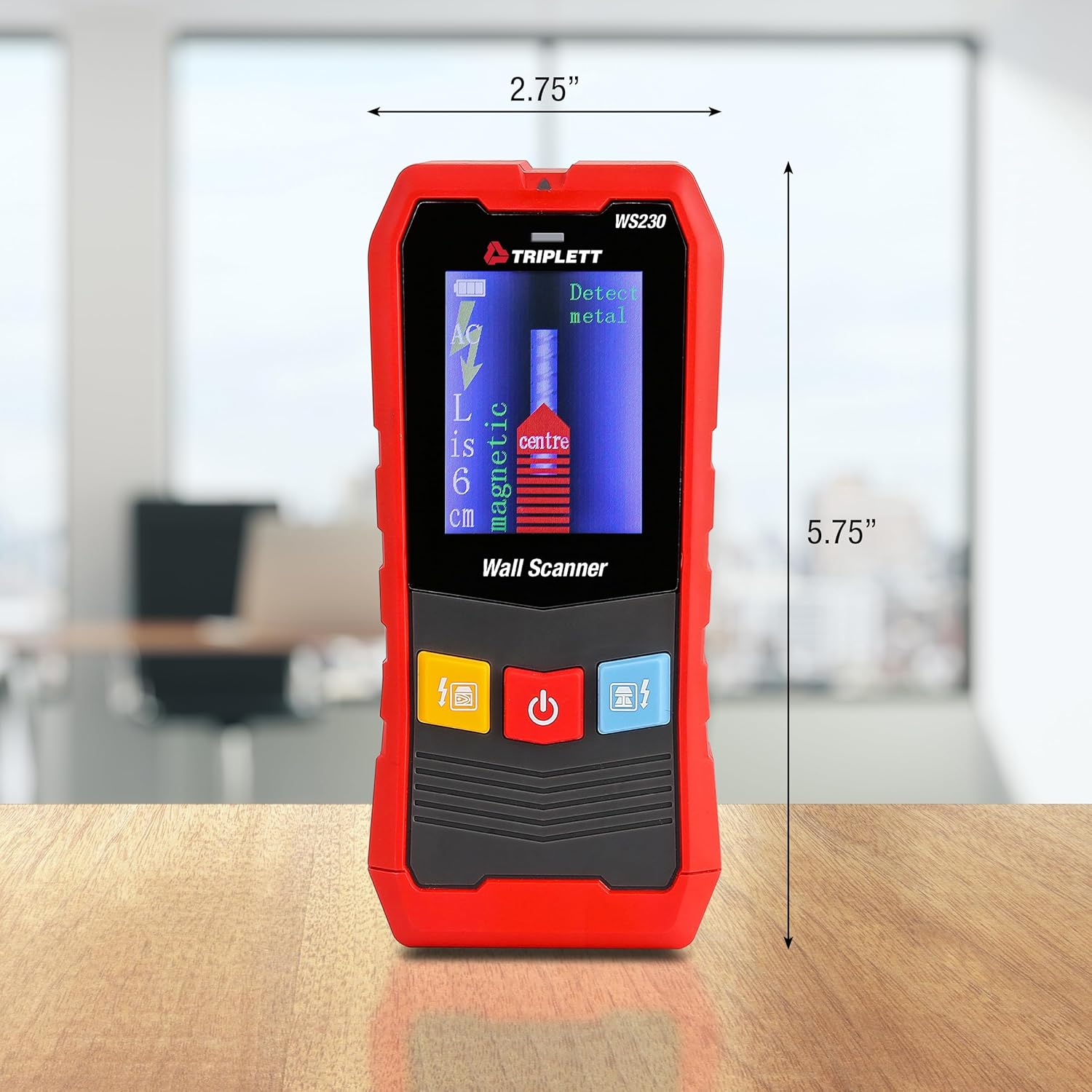
Figure 9.1: WS230 Dimensions
10. Гарантия и поддержка
For warranty information or technical support, please refer to the official Triplett webили обратитесь в службу поддержки клиентов. Сохраните чек в качестве подтверждения покупки.
Visit the official Triplett Store: Triplett Store on Amazon


