1. Введение
This manual provides detailed instructions for the installation, operation, and maintenance of your Inateck FE3003 RGB 3.5-Inch USB 3.0 Hard Drive Enclosure. Please read this manual thoroughly before use to ensure proper functionality and to maximize the lifespan of your device.
2. Содержимое упаковки
- 1x Inateck FE3003 USB 3.0 3.5'' Hard Drive Enclosure
- 1x Type A/C to B Data Cable (100cm)
- Адаптер питания 1x 12V / 2A
- 1x Руководство по эксплуатации
- Screws and Screwdriver (for optional securing)
- Rubber Feet (for stability and shock absorption)
3. Продукт закончилсяview
The Inateck FE3003 enclosure is designed for both 2.5-inch and 3.5-inch SATA HDDs and SSDs, supporting capacities up to 20TB. It features USB 3.0 for high-speed data transfer, RGB lighting effects, and additional expansion ports.

Рисунок 1: Внутренний view of the Inateck FE3003 enclosure, demonstrating compatibility with both 2.5-inch and 3.5-inch SATA drives.
4. Настройка и установка
The Inateck FE3003 enclosure offers tool-free installation for convenience.
- Откройте приложение: Gently slide open the enclosure cover to reveal the internal tray.
- Подключите диск: Align your 2.5-inch or 3.5-inch SATA HDD or SSD with the internal SATA connector on the tray and firmly push it into place. Ensure a secure connection.
- Insert the Drive Assembly: Slide the tray with the connected drive back into the enclosure until it clicks securely into place.
- Apply Rubber Feet (Optional): For added stability and shock absorption, attach the provided rubber feet to the bottom of the enclosure.
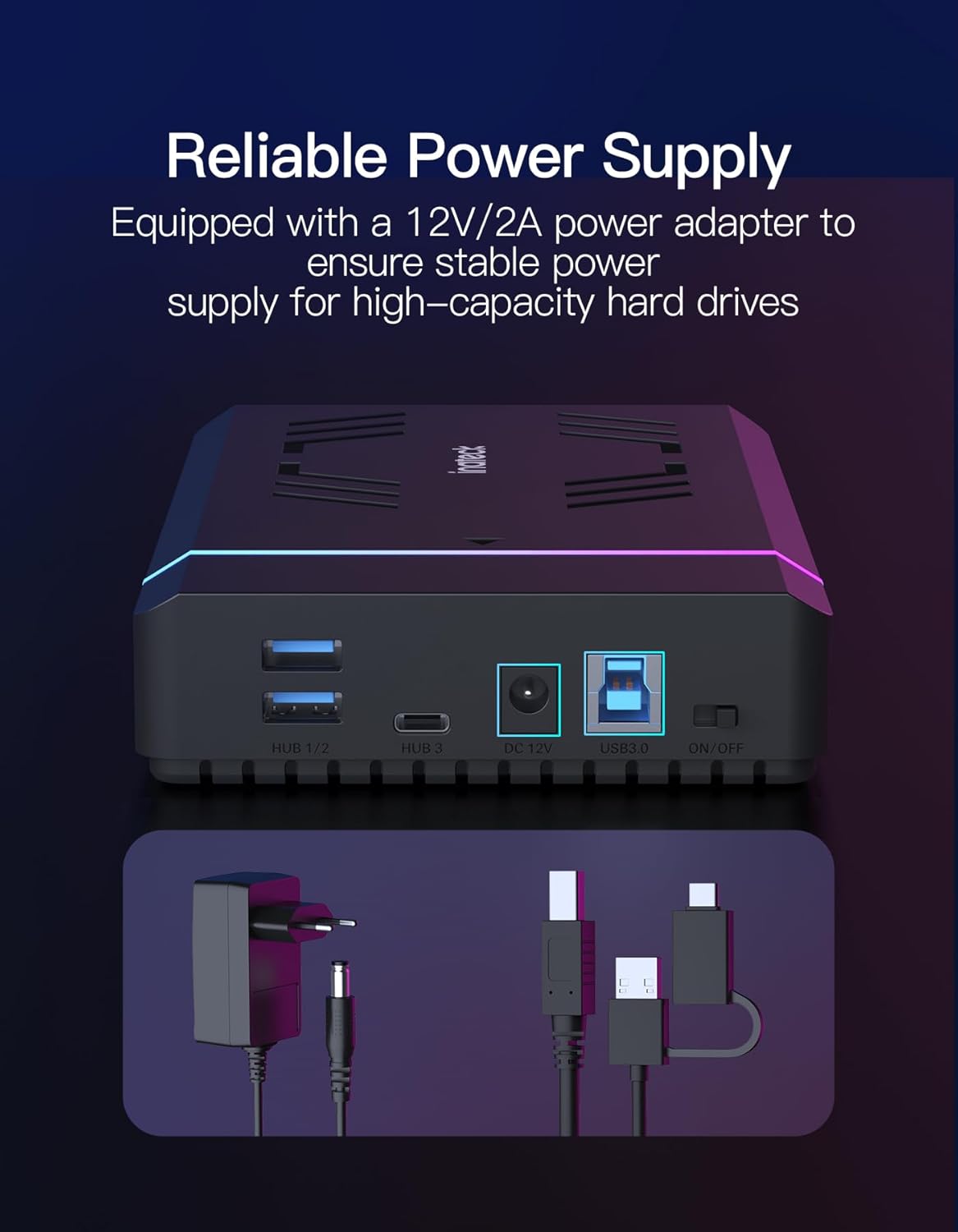
- Подключите питание: Plug the 12V/2A power adapter into the DC 12V port on the enclosure and then into a power outlet.
- Подключиться к компьютеру: Use the provided Type A/C to B Data Cable to connect the enclosure's USB 3.0 port to an available USB port on your computer.

Figure 2: Tool-free installation of a hard drive into the Inateck FE3003 enclosure.
5. Инструкция по эксплуатации
Once the hard drive is installed and the enclosure is connected to your computer, follow these steps:
- Включение питания: Flip the ON/OFF switch on the back of the enclosure to the 'ON' position. The RGB lighting will activate, and the power indicator LED will illuminate.
- Распознавание привода: Your operating system should automatically detect the new external drive. If it's a new drive, you may need to initialize and format it through Disk Management (Windows) or Disk Utility (macOS) before it appears in 'My Computer' or 'Finder'.
- Передача данных: You can now access and transfer files to and from the installed hard drive. The data transfer indicator LED will flash during activity.
- Автоматический сон: The enclosure is designed to enter sleep mode after 30 minutes of inactivity (no read/write operations) to conserve power and extend the hard drive's lifespan. It will automatically wake up upon access.
Video 1: A demonstration of connecting and powering on the Inateck FE3003 RGB 3.5-Inch Hard Drive Enclosure, showing the drive being recognized by a computer.
6.Основные характеристики
6.1 световых эффектов RGB
The enclosure features dynamic RGB lighting that activates when connected and in use, offering both 'Fast Flash Effect' and 'Breathing Effect' modes to enhance your workspace aesthetics.

6.2 Высокоскоростная передача данных
Equipped with a USB 3.0 interface, the enclosure supports data transfer speeds of up to 5Gbps. The internal SATA III interface further supports bandwidth up to 6Gbps, ensuring efficient and fast file transfers. It is backward compatible with SATA I and SATA II.

6.3 портов расширения
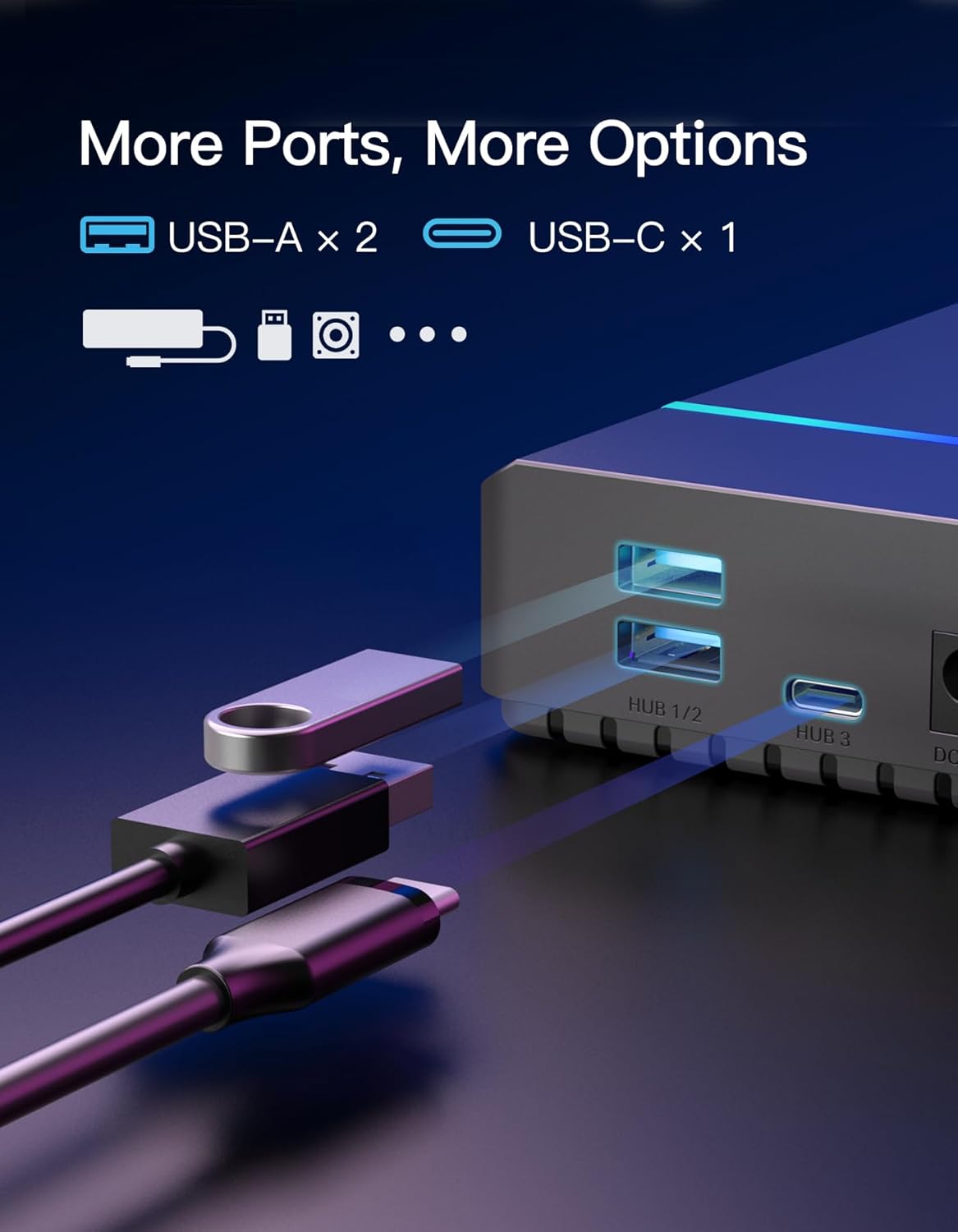
Beyond its primary function, the enclosure includes additional ports for enhanced connectivity: two USB-A ports and one USB-C port, catering to various peripheral needs.
6.4 Эффективное охлаждение
The enclosure features a rear fan-shaped vent design to facilitate efficient heat dissipation, helping to maintain optimal operating temperatures for your hard drive and prolong its lifespan.
6.5 Reliable Power Supply
A dedicated 12V/2A power adapter is included to ensure a stable and sufficient power supply, especially crucial for high-capacity 3.5-inch hard drives.

7. Совместимость
- Типы приводов: Supports 2.5-inch and 3.5-inch SATA I/II/III HDDs and SSDs.
- Максимальная вместимость: Up to 20TB.
- Операционные системы: Compatible with Windows XP/7/8/10/11 and Mac OS 10.3 and above.
- Устройства: Desktop PCs, Laptops, Gaming Consoles.
8. Технические характеристики
| Особенность | Деталь |
|---|---|
| Номер модели | ФЕ3003 |
| аппаратный интерфейс | USB 3.0 |
| Скорость передачи данных | 5000 мегабит в секунду (USB 3.0) |
| Форм-фактор жесткого диска | 2.5 / 3.5 дюйма |
| Емкость памяти | 20 ТБ (макс.) |
| Максимальное количество поддерживаемых устройств | 1 |
| Адаптер питания | 12В/2А |
| Размеры продукта | 7.68 x 4.53 x 1.3 дюйма |
| Вес товара | 7.7 унции |
| Материал | Пластик |
9. Поиск Неисправностей
- Диск не обнаружен:
- Убедитесь, что адаптер питания надежно подключен и корпус включен.
- Убедитесь, что USB-кабель надежно подключен как к корпусу, так и к компьютеру. Попробуйте использовать другой USB-порт.
- Проверьте внутренний разъем SATA жесткого диска внутри корпуса.
- For new drives, ensure they are initialized and formatted via your operating system's Disk Management (Windows) or Disk Utility (macOS).
- Для исключения проблемы с диском проведите тест с другим жестким диском.
- Медленная передача данных:
- Для оптимальной скорости убедитесь, что ваш компьютер подключен к порту USB 3.0.
- Verify the data cable is the original or a high-quality USB 3.0 compatible cable.
- Закройте все ненужные приложения, работающие в фоновом режиме, которые могут потреблять системные ресурсы.
- Check the health of your hard drive using appropriate diagnostic tools.
- RGB-подсветка не работает:
- Ensure the enclosure is powered on and connected to your computer.
- Проверьте подключение адаптера питания.
10. Техническое обслуживание
- Содержите корпус в чистоте и не допускайте попадания пыли. Для чистки используйте мягкую сухую ткань.
- Не подвергайте устройство воздействию экстремальных температур, влажности или прямых солнечных лучей.
- Do not attempt to disassemble or repair the enclosure yourself, as this may void the warranty and cause damage.
- Always safely eject the hard drive from your operating system before disconnecting the enclosure to prevent data corruption.
11. Гарантия и поддержка
Inateck products come with a standard manufacturer's warranty. For detailed warranty information, technical support, or service inquiries, please refer to the warranty card included in your package or visit the official Inateck webсайт. Пожалуйста, сохраните доказательство покупки для гарантийных претензий.


