Введение
Спасибо за покупкуasing the AFEXOA ZH083K Digital Sunrise Alarm Clock. This device is designed to enhance your waking and sleeping experience with its natural sunrise simulation, customizable alarm sounds, multi-color night light, and sleep aid features. Please read this manual carefully to ensure proper use and optimal performance of your new alarm clock.
Содержимое упаковки
- AFEXOA ZH083K Digital Sunrise Alarm Clock
- Кабель питания USB
- Руководство пользователя
Продукт болееview
Familiarize yourself with the components and controls of your AFEXOA ZH083K alarm clock.

Изображение 1: Передний view of the AFEXOA ZH083K Digital Sunrise Alarm Clock, showing the digital time display and control buttons on the top panel. The light dome is visible above the fabric-covered speaker base.
Кнопки управления:
- ДИММЕР: Adjusts the brightness of the clock display.
- ВРЕМЯ: Используется для установки текущего времени.
- ТРЕВОГА: Используется для установки и активации сигнализации.
- ТРЕВОГА ВКЛ / ВЫКЛ: Включает/выключает функцию будильника.
- ТАЙМЕР СНА: Activates and adjusts the sleep timer function.
- +/-: Adjusts values (time, brightness, volume) up or down.
- Значок лампочки: Controls the night light/mood light.
- Кнопка повтора: Located on the bottom, activated by pressing down the clock.
Настраивать
1. Подключение питания
Connect the provided USB power cable to the alarm clock and plug it into a suitable USB power adapter (not included) or a USB port. The clock display will illuminate.
2. Установка текущего времени
- Нажмите и удерживайте ВРЕМЯ button until the hour display starts flashing.
- Используйте +/- кнопки для настройки часов.
- Нажмите ВРЕМЯ Нажмите кнопку еще раз, чтобы подтвердить час и перейти к настройке минут.
- Используйте +/- кнопки для настройки минут.
- Нажмите ВРЕМЯ Нажмите кнопку еще раз, чтобы сохранить настройку времени.
Инструкция по эксплуатации
1. Настройка будильника и имитация восхода солнца
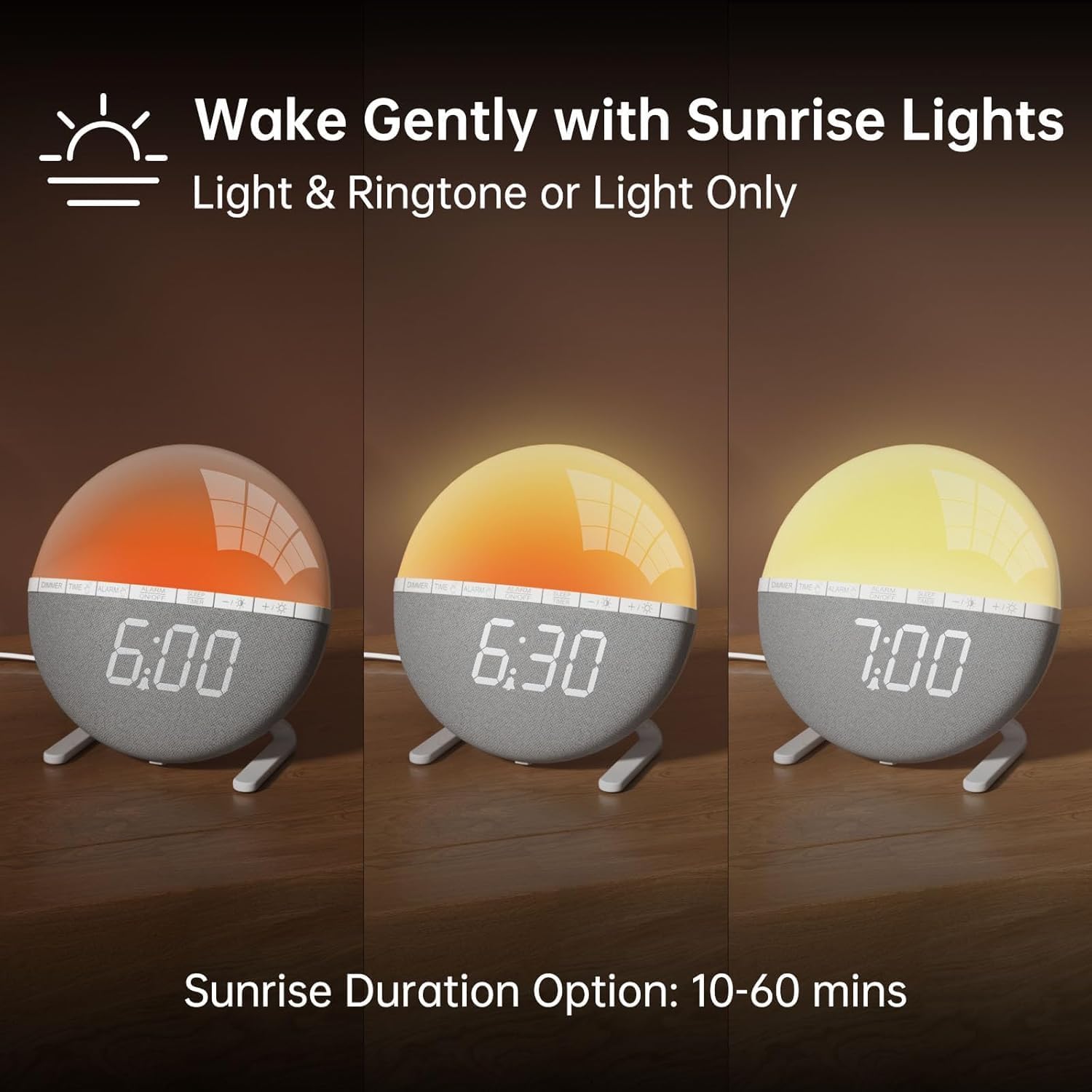
Изображение 2: Illustration of the sunrise simulation feature, showing the light gradually changing from dim red to bright yellow over a period, with time indications of 6:00, 6:30, and 7:00.
- Нажмите и удерживайте ТРЕВОГА Нажимайте кнопку до тех пор, пока не начнет мигать индикатор времени будильника.
- Используйте +/- кнопки для установки желаемого времени срабатывания будильника.
- Нажмите ТРЕВОГА Кнопка для подтверждения часа и перехода к минутному режиму.
- Используйте +/- кнопки для установки желаемого количества минут будильника.
- Нажмите ТРЕВОГА button to confirm the minutes and proceed to sunrise duration setting.
- Используйте +/- buttons to select the sunrise simulation duration (10-60 minutes). This is the period before your set alarm time when the light will gradually brighten.
- Нажмите ТРЕВОГА button to confirm the duration and proceed to alarm sound selection.
- Используйте +/- buttons to cycle through the 7 available alarm sounds or select "OFF" for light-only alarm.
- Нажмите ТРЕВОГА button to confirm the sound and proceed to volume adjustment.
- Используйте +/- buttons to set the alarm volume (10 levels).
- Нажмите ТРЕВОГА button once more to save all alarm settings.
Для включения или выключения сигнализации нажмите кнопку. БУДИЛЬНИК ВКЛ / ВЫКЛ кнопка. При активации на дисплее появится значок будильника.

Изображение 3: A visual representation of the seven built-in wake-up ringtones, including icons for Beep, Bell, Birds, and four types of Soft Music. It also shows a 10-level volume adjustment bar.
2. Функция повтора сигнала
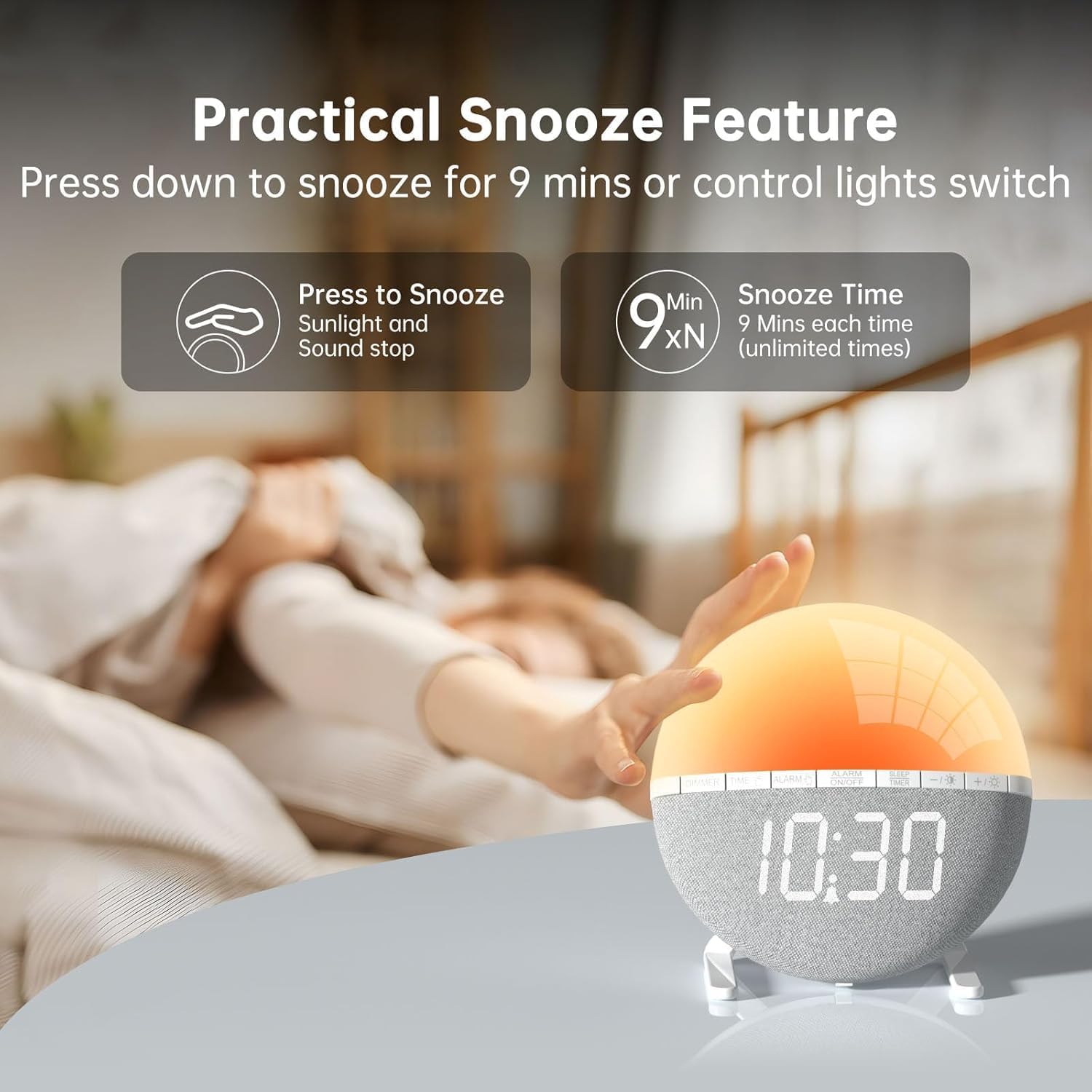
Изображение 4: A hand pressing down on the top of the alarm clock to activate the snooze function. Text indicates that pressing down snoozes for 9 minutes and can also control the light switch.
When the alarm sounds, gently press down on the top of the alarm clock to activate the snooze function. The alarm will pause for 9 minutes and then sound again. This can be repeated an unlimited number of times.
3. Night Light / Mood Light

Изображение 5: A display of the various solid color and RGB mood light options available on the alarm clock, shown as a spectrum of colors from light blue to purple, with the clock displaying each color.
- Нажмите Значок лампочки кнопка включения ночника.
- Нажмите Значок лампочки button repeatedly to cycle through the 7 solid colors and 2 mixed RGB mood light options.
- Используйте +/- buttons to adjust the brightness of the selected light (10 levels).
- Нажмите и удерживайте Значок лампочки кнопка для выключения ночника.
4. Таймер сна

Изображение 6: An image illustrating the sleep aid function with an auto-off timer, showing options for 15m, 30m, 60m, 90m, and 120m. The alarm clock is shown emitting a soft, warm light.
The sleep timer allows the light to gradually dim and turn off after a set period, aiding in sleep.
- Нажмите ТАЙМЕР СНА кнопка.
- Используйте +/- buttons to select the desired sleep timer duration (15, 30, 60, 90, or 120 minutes). The light will gradually dim and turn off after the selected time.
- Чтобы отменить таймер сна, нажмите кнопку ТАЙМЕР СНА button repeatedly until the timer is off, or press and hold the button.
5. Регулировка яркости дисплея

Изображение 7: Four images of the alarm clock demonstrating different display brightness levels, from off to full brightness, highlighting the dimmable and eye-caring features.
Нажмите ДИММЕР button to cycle through the 4 display brightness levels: 0% (off), 5%, 50%, and 100%. This allows you to adjust the display visibility according to your preference, especially at night.
Обслуживание
- Протирайте устройство мягкой сухой тканью. Не используйте абразивные чистящие средства или растворители.
- Держите устройство подальше от воды и высокой влажности.
- Не роняйте устройство и не подвергайте его сильным ударам.
- Не пытайтесь разбирать или ремонтировать устройство самостоятельно. При возникновении проблем обратитесь в службу поддержки клиентов.
Поиск неисправностей
| Проблема | Возможная причина | Решение |
|---|---|---|
| Отображение времени выключено или не работает. | No power connection or power adapter issue. Display brightness set to 0%. | Ensure the USB cable is securely connected and the power adapter is working. Press the ДИММЕР кнопка для увеличения яркости дисплея. |
| Сигнализация не срабатывает. | Alarm not activated. Alarm volume set to 0 or sound option set to "OFF". | Нажимать БУДИЛЬНИК ВКЛ / ВЫКЛ to activate. Check alarm settings to ensure a sound is selected and volume is not 0. |
| Sunrise simulation does not work. | Sunrise duration not set or set to 0. | Verify the sunrise duration is set to a value between 10-60 minutes in the alarm settings. |
| Night light is not turning on. | Light function not activated. | Нажмите Значок лампочки кнопку, чтобы включить свет. |
Технические характеристики
- Модель: ZH083K
- Бренд: АФЕКСОА
- Размеры: 9.5 х 3.81 х 9.5 см
- Масса: 400 г
- Материал: Пластик
- Тип дисплея: Цифровой
- Источник питания: Electric Cable (USB)
- Особые характеристики: Sunrise Simulation, Mood Light, Color-Changing Night Light, Loud Alarm, Snooze, Sleep Timer, Dimmable Display
Гарантия и поддержка
The AFEXOA ZH083K Digital Sunrise Alarm Clock comes with a standard manufacturer's warranty. For detailed warranty information, please refer to the product packaging or contact your retailer. If you encounter any issues or have questions regarding your product, please contact AFEXOA customer support through the retailer's platform or the official brand webсайт для получения помощи.
Сохраните чек о покупке в качестве подтверждения покупки для предъявления гарантийных претензий.


