1. Введение
Спасибо за покупкуasing the AceGamer RGB Charging Dock for PlayStation Portal. This portable charging station is designed to provide a stable and efficient charging solution for your PlayStation Portal console, featuring customizable RGB lighting and essential protection features. Please read this manual carefully before use to ensure proper operation and maintenance.
2. Содержимое упаковки
- AceGamer RGB Charging Dock (1 unit)
- Зарядный кабель Type-C (1 шт.)
- Руководство пользователя (Этот документ)
3. Особенности продукта
- Dedicated Charging: Specifically designed for the PlayStation Portal console.
- RGB-подсветка: Features 7 distinct lighting modes for personalized aesthetics.
- Быстрая зарядка: Efficient power delivery for fast charging.
- Защиты безопасности: Встроенная перегрузка по току, перегрузкаtagе и под-объемtagэлектронная охрана.
- Эргономичный дизайн: 30-degree comfortable viewing angle for the PlayStation Portal.
- Стабильная база: Equipped with anti-slip mats for secure placement.
- Связь: USB Type-C input for power.
4. Инструкции по настройке
- Подключите питание: Insert the provided Type-C charging cable into the charging dock's input port and connect the other end to a suitable USB power adapter (not included).

Figure 4.1: Connecting the Type-C power cable to the charging dock.
- Place PlayStation Portal: Carefully align your PlayStation Portal console with the charging connector on the dock and gently place it into position. Ensure a secure connection for charging. The dock is designed to hold the Portal at a 30-degree angle for optimal viewинж.

Figure 4.2: PlayStation Portal placed on the charging dock at a 30-degree angle.
- Anti-slip Stability: The base of the charging dock is equipped with anti-slip mats to prevent accidental movement. Ensure the dock is placed on a flat, stable surface.
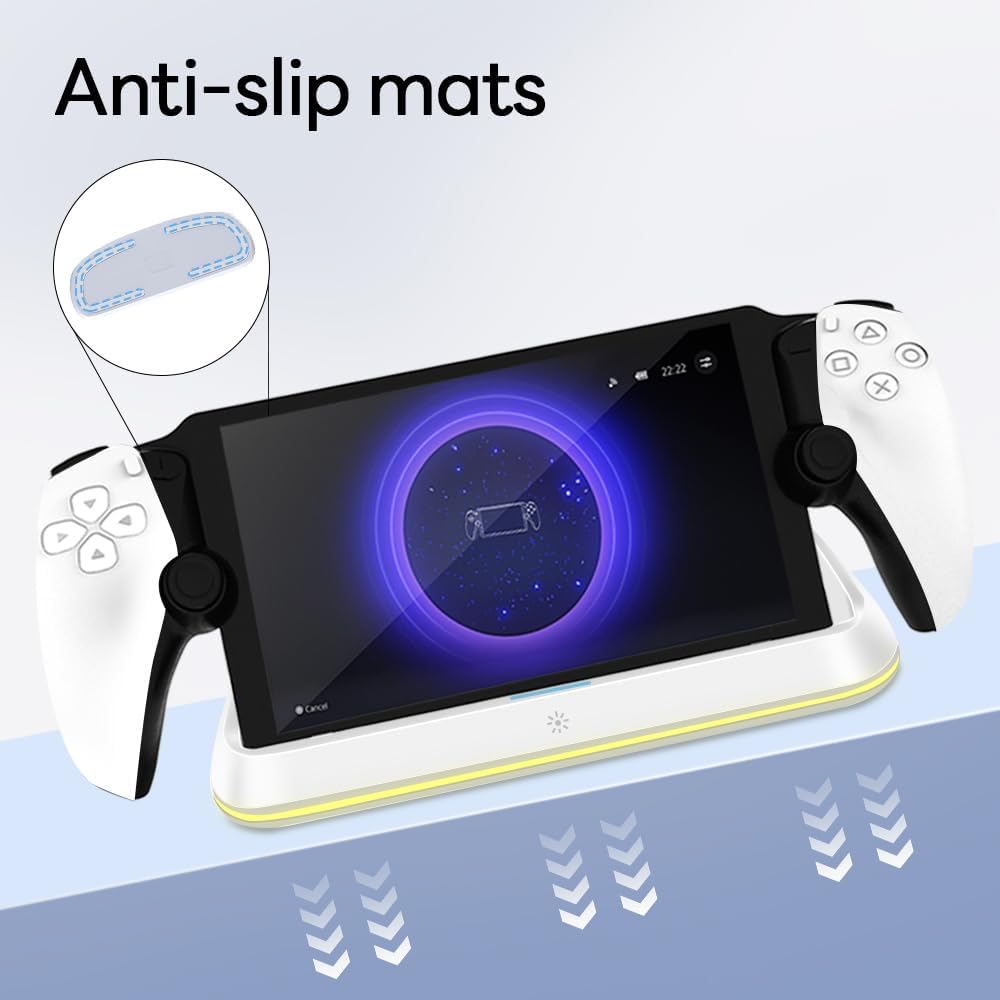
Figure 4.3: Anti-slip mats on the charging dock for enhanced stability.
- Визуальное руководство: For a visual demonstration of the setup process, please refer to the video below.
Video 4.1: Demonstration of connecting the power supply and placing the PlayStation Portal onto the charging dock.
5. Инструкция по эксплуатации
- Charging the PlayStation Portal: Once the PlayStation Portal is correctly seated on the dock and the dock is powered, charging will begin automatically. A full charge typically takes approximately 3.5 hours. The dock includes protection against over-current, over-voltagе и под-объемtage to safeguard your device.

Figure 5.1: Charging indicators and safety protection features.
- Управление RGB-освещением: The charging dock features a touch-sensitive button to control the RGB lighting. Press the button to cycle through 7 different lighting modes or to turn the lights off.

Figure 5.2: RGB lighting modes and touch control button.
6. Техническое обслуживание
- Поддерживайте зарядную док-станцию в чистоте и не допускайте попадания пыли. Для чистки используйте мягкую сухую ткань.
- Не подвергайте устройство воздействию экстремальных температур, влажности или прямых солнечных лучей.
- Не используйте абразивные чистящие средства или растворители, так как они могут повредить поверхность.
- Ensure the charging port and connector are free of debris before placing the PlayStation Portal.
7. Поиск Неисправностей
- Устройство не заряжается:
- Ensure the Type-C cable is securely connected to both the dock and the power adapter.
- Убедитесь, что адаптер питания исправен и подключен к работающей розетке.
- Check if the PlayStation Portal is properly seated on the charging connector.
- Попробуйте использовать другой кабель Type-C или адаптер питания.
- RGB-подсветка не работает:
- Убедитесь, что зарядная док-станция включена.
- Press the touch light button to cycle through modes or turn the lights on.
- Unstable placement:
- Ensure the dock is placed on a flat, level surface.
- Check if the anti-slip mats are clean and intact.
8. Технические характеристики
| Бренд | AceGamer |
| Номер модели | PS-P-White |
| Совместимые устройства | PlayStation Portal |
| Vol входtage | 5 Вольт |
| Ватtage | 7 Вт |
| Тип разъема | USB Type-C (for power input) |
| Особые возможности | RGB Lighting, Fast Charging, Over-current Protection, Over-voltage Protection, Under-voltagЭлектронная защита |
| Размеры | Приблизительно 22.5 х 8.9 х 8.4 см |
| Масса | Около 290 г. |
9. Гарантия и поддержка
AceGamer products are designed and manufactured to the highest quality standards. For warranty information or technical support, please contact the retailer where you purchased the product or visit the official AceGamer webНа сайте вы найдете контактные данные службы поддержки клиентов. Пожалуйста, сохраните чек о покупке для предъявления гарантийных претензий.


