1. Продукт закончилсяview
The Dzees Wireless Security Camera is designed to provide robust and reliable home security with its advanced features and flexible installation options. This battery-powered camera offers 4MP resolution for clear imaging, AI motion detection, two-way audio communication, and color night vision, ensuring comprehensive surveillance day and night.

Image: Dzees Wireless Security Cameras with Magnetic Mount. The image shows two white security cameras, one attached to a black magnetic base, and a smartphone screen above them displaying a live video feed of children playing outdoors.
Основные характеристики:
- No-Hole Magnetic Mount: Offers easy installation and repositioning without drilling.
- Real-Time Siren & Two-Way Talk: Deter intruders and communicate with visitors directly via the built-in siren and two-way audio.
- Advanced AI Motion Detection: Accurately tracks people and objects, sending instant notifications to your app.
- High-Definition 2.5K Resolution: Provides clear and detailed images with a 120-degree wide field of view.
- Цветное ночное видение: Ensures clear, full-color images even in low-light conditions.
- Гибкие варианты хранения: Supports both cloud storage (including a 2-year free 3-day rolling cloud option) and local SD card storage (up to 128GB).
- Степень защиты IP66: Designed to withstand harsh outdoor conditions, including dust, rain, and snow.
2. Содержимое упаковки
Пожалуйста, отметьте галочкой следующие пункты:
- Dzees Wireless Security Camera Unit(s)
- Magnetic Mount(s)
- USB-кабель для зарядки
- Mounting Screws and Anchors (for optional screw mount)
- Краткое руководство пользователя
3. Настройка и установка
3.1 Зарядка камеры
Перед первым использованием полностью зарядите камеру с помощью прилагаемого USB-кабеля. Подключите кабель к зарядному порту камеры и стандартному USB-адаптеру питания (не входит в комплект). Индикатор зарядки покажет состояние зарядки.
3.2 Установка приложения и создание учетной записи
Download the "DzeesHome" or "Vicohome" app from your smartphone's app store (iOS or Android). Follow the on-screen instructions to create an account and log in.
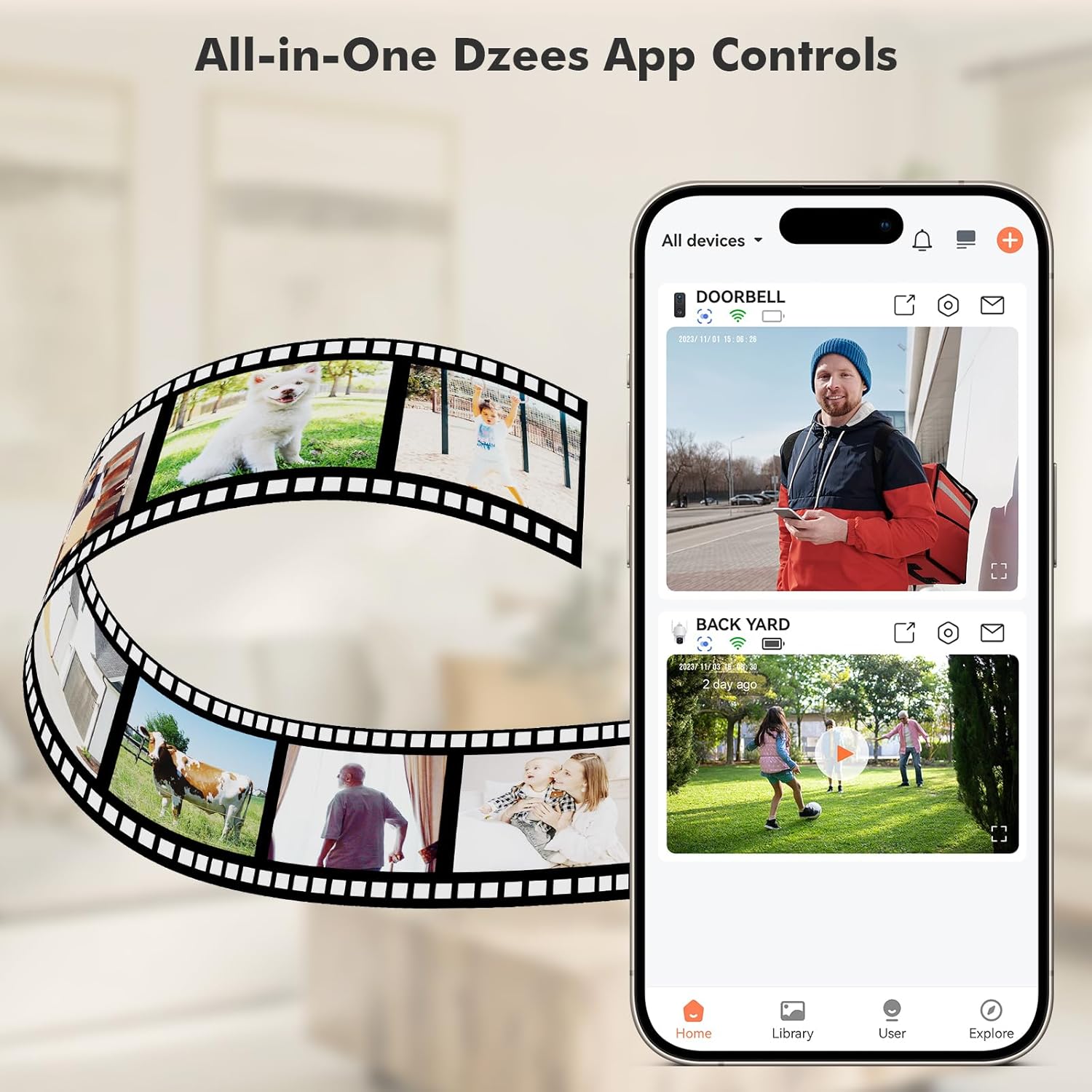
Image: All-in-One Dzees App Controls. The image shows a smartphone displaying the DzeesHome application, with a list of connected devices and live video feeds, demonstrating centralized control.
3.3 Подключение камеры к Wi-Fi
- Open the DzeesHome/Vicohome app and tap the "+" icon to add a new device.
- Выберите модель вашей камеры из списка.
- Power on the camera. The camera will enter pairing mode (indicated by a flashing LED).
- Следуйте инструкциям приложения, чтобы подключить камеру к вашему устройству. 2.4GHz Wi-Fi сеть. Note: This camera is not compatible with 5GHz Wi-Fi networks.
- Scan the QR code displayed on your phone screen with the camera lens. You will hear a confirmation sound once connected.

Image: 2.4GHz Wifi Only. This diagram shows a house with a Wi-Fi router and a Dzees camera, indicating that the camera only supports 2.4GHz Wi-Fi, not 5GHz.
3.4 Установка камеры
The Dzees camera offers versatile mounting options:
- Магнитное крепление: For easy, drill-free installation and repositioning. Simply attach the magnetic base to a clean, flat surface using the adhesive pad, then snap the camera onto the magnetic ball joint.
- Screw Mount: For a more permanent installation, use the provided screws and anchors to secure the mount to a wall or ceiling.

Image: Flexibility In Installation. A woman is shown adjusting a Dzees security camera mounted on an outdoor wall, while holding a smartphone, illustrating the ease of installation and positioning.

Image: Stand, Wall Mount, Ceiling Mount. This composite image displays three different ways to install the Dzees camera: on a flat surface using its base, mounted on a wall, and mounted on a ceiling.
4. Операция
4.1 Прямой эфир View и запись
Access the DzeesHome/Vicohome app to view жить фуtagВы можете записывать видео вручную или делать скриншоты непосредственно из прямой трансляции с вашей камеры. view интерфейс.
4.2 Обнаружение движения и оповещения
The camera features advanced AI motion detection. When motion is detected, the camera will automatically record and send instant notifications to your smartphone. You can customize activity zones within the app to minimize unwanted alerts.

Image: Instant Security Alerts. A smartphone screen shows a notification from the Dzees app indicating motion detection, with a person standing at a front door in the background.

Image: Customizable Zone to Minimize Unwanted Alerts. This image illustrates a house with its surrounding area divided into three distinct zones (Zone 1, Zone 2, Zone 3), demonstrating how users can customize detection areas to reduce false alarms.
4.3 Двусторонняя аудиосвязь и сирена
Use the two-way talk feature in the app to communicate with people near the camera. You can also remotely activate the built-in siren to deter unwanted visitors.
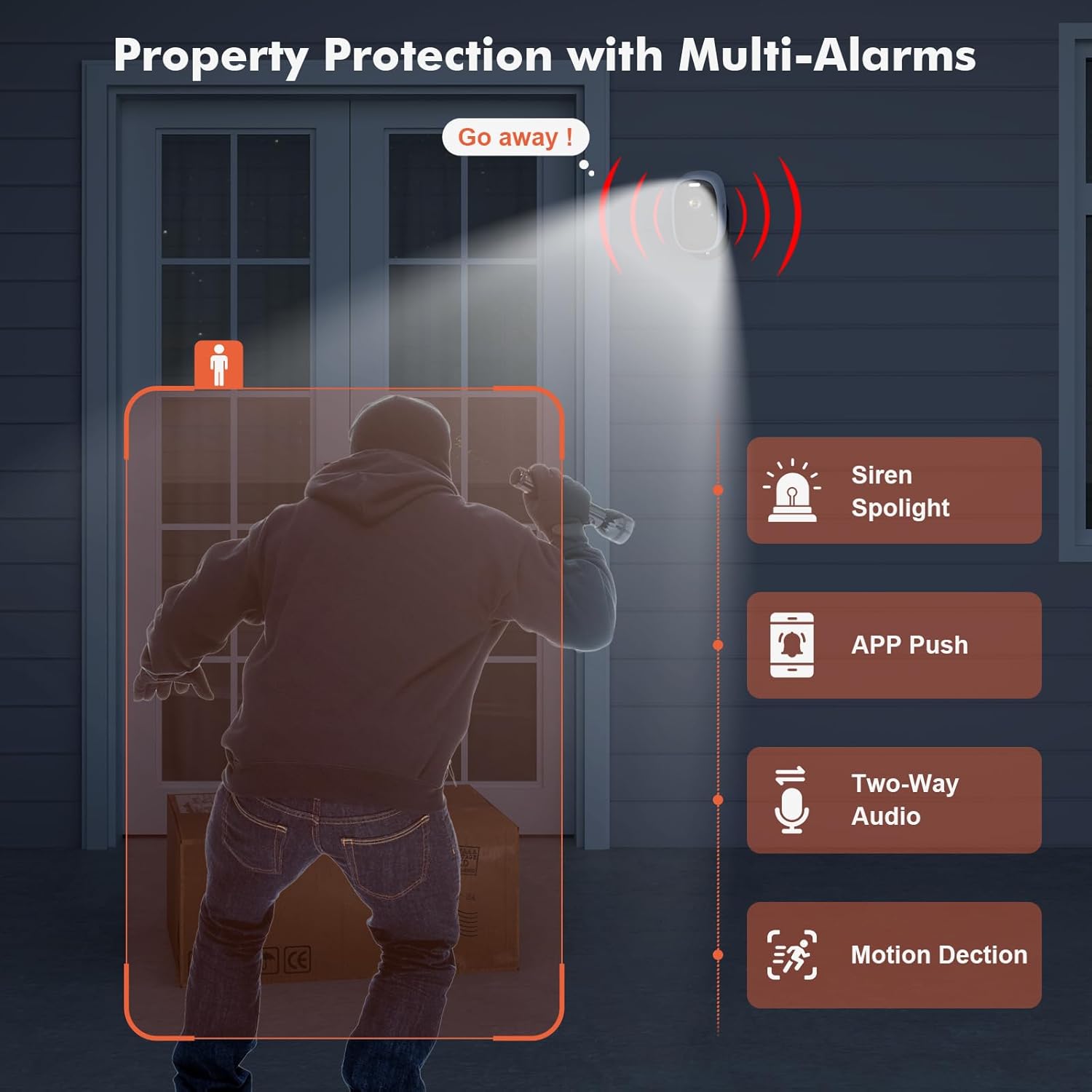
Image: Property Protection with Multi-Alarms. This image depicts a security camera deterring an intruder with a spotlight and siren, alongside icons representing app push notifications, two-way audio, and motion detection.
4.4 Ночное видение
The camera is equipped with color night vision, providing clear, full-color images even in very low light conditions, enhancing visibility and identification at night.
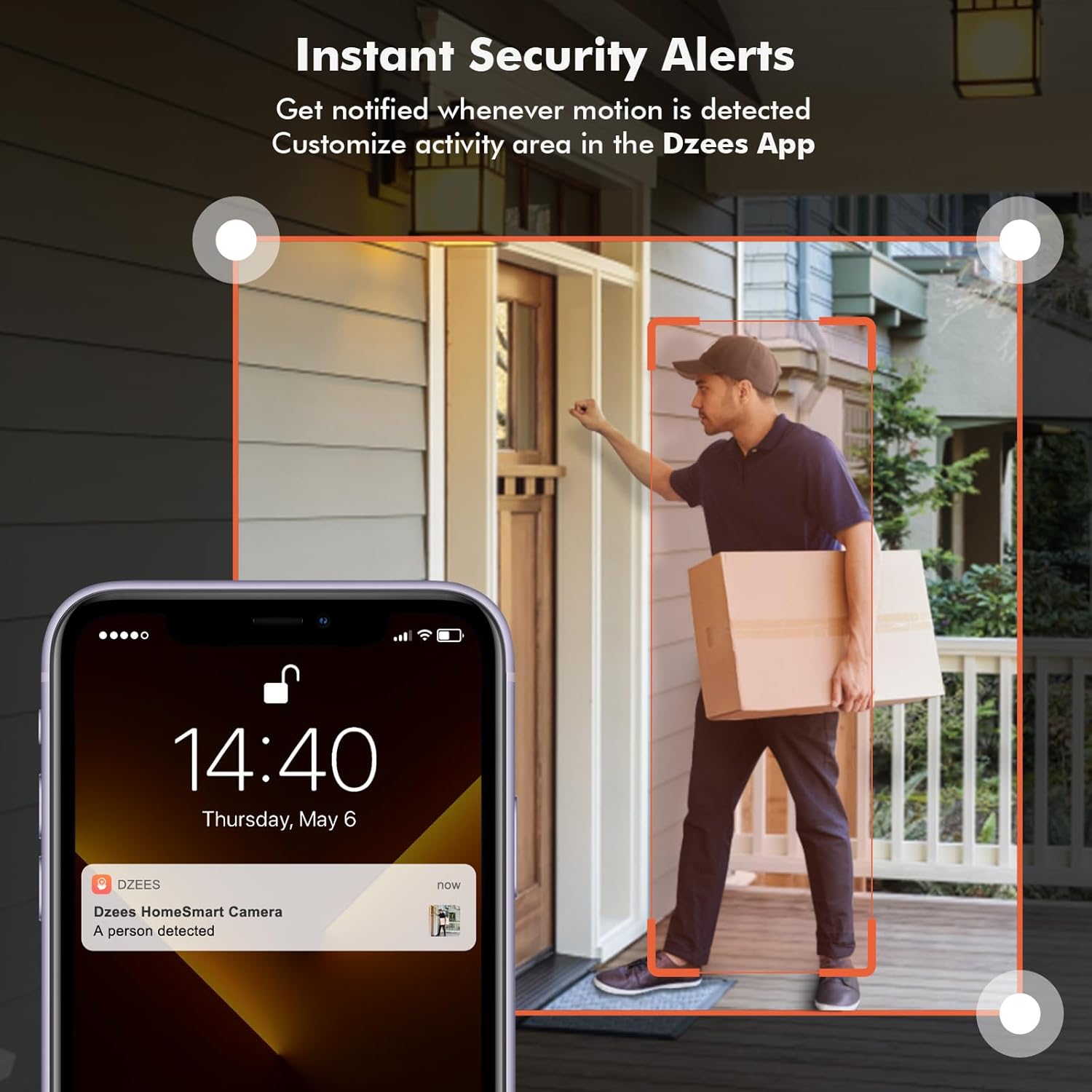
Image: Color Night Vision. This split image compares traditional black-and-white night vision with the Dzees camera's color night vision, showing a house at night in both modes.
4.5 Управление хранением
Ваша камера поддерживает два способа хранения данных:
- Облачное хранилище: Enjoy a 2-year free 3-day rolling cloud storage cycle. Optional paid plans are available for extended storage and AI recognition features.
- Хранение на SD-карте: Insert a microSD card (up to 128GB, not included) into the camera's SD card slot for local video storage.

Image: Dzees Cloud, Privacy, Storage Card. This image shows three distinct panels: one for Dzees Cloud storage with a "FREE 3 DAYS Video History" label, another for privacy protection with a shield icon, and a third for "Up to 128 GB" storage via an SD card.
5. Техническое обслуживание
5.1 Управление аккумулятором
The camera is powered by a 6700 mAh rechargeable battery. Battery life varies based on usage (e.g., frequency of motion detection, live view access). Recharge the camera when the battery level is low, typically every few weeks to months depending on activity.
5.2 Очистка
To ensure optimal performance, periodically clean the camera lens and body with a soft, dry cloth. Avoid using harsh chemicals or abrasive materials.
5.3 Устойчивость к атмосферным воздействиям
With an IP66 rating, your Dzees camera is designed to withstand dust, rain, and snow. However, avoid submerging the camera in water or exposing it to extreme temperatures beyond its operating range.

Image: IP66 for harsh outdoor conditions. This image shows a Dzees camera, with one half depicting it in rainy and dusty conditions and the other half in snowy conditions, emphasizing its IP66 weather resistance.
6. Поиск Неисправностей
| Проблема | Возможная причина | Решение |
|---|---|---|
| Камера не подключается к Wi-Fi. | Неверный диапазон Wi-Fi (5 ГГц), слабый сигнал, неверный пароль. | Ensure your router is broadcasting a 2.4GHz network. Move the camera closer to the router. Double-check your Wi-Fi password. |
| Короткое время работы батареи. | Frequent motion detection, extensive live view usage, cold weather. | Уменьшите чувствительность или частоту обнаружения движения. Ограничьте время в реальном времени. view sessions. Ensure camera is fully charged. Consider a solar panel accessory if available. |
| Нет оповещений об обнаружении движения. | Motion detection disabled, incorrect sensitivity, app notifications off. | Check motion detection settings in the app. Adjust sensitivity. Enable app notifications for DzeesHome/Vicohome. |
| Плохое качество изображения. | Загрязнённый объектив, условия низкой освещённости, проблемы с пропускной способностью сети. | Clean the camera lens. Ensure adequate lighting for optimal color night vision. Check your internet connection speed. |
7. Технические характеристики
| Особенность | Деталь |
|---|---|
| Название модели | G1-D |
| Использование внутри и снаружи помещений | В помещении, на открытом воздухе |
| Разрешение видеозахвата | 4 МП (2.5К) |
| Технология связи | Беспроводная связь (только Wi-Fi 2.4 ГГц) |
| Источник питания | Питание от батареи |
| Емкость аккумулятора | 6700 миллиampдо часа (мАч) |
| Тип контроллера | DzeesHome, Vicohome |
| Тип крепления | Magnetic, Screw (anywhere) |
| Особые возможности | 2-Way Audio, Built-In Light, HD Resolution, Motion Sensor, Night Vision (Color) |
| Международный рейтинг защиты | IP66 |
| Размеры продукта | 4.84 x 3.7 x 5.94 дюйма |
| Вес товара | 2.64 фунта |
| Варианты хранения | Cloud, SD Card (up to 128GB) |
8. Гарантия и поддержка
Dzees is committed to providing excellent customer service and product support.
- Пожизненная гарантия: Dzees offers a lifetime warranty on its products, ensuring long-term reliability.
- Lifetime Trade-in: Benefit from a lifetime trade-in program for future upgrades.
- Профессиональная техническая поддержка: Access a professional technical team for assistance.
- Быстрый ответ: Ожидайте оперативных ответов на ваши запросы.
For further assistance, please visit the official Dzees Store on Amazon: Dzees Store.


