1. Введение
This manual provides essential instructions for the safe and efficient use of your Trevi XR 8A44 DOUBLE Portable Speaker System. Please read this manual thoroughly before operating the device and retain it for future reference.
2. Продукт закончилсяview
The Trevi XR 8A44 DOUBLE is a versatile portable speaker system designed for high-quality audio playback. It features two independent, separable speaker units that can function together as a stereo pair or individually. Each unit delivers 10W of power, totaling 20W when combined. The system supports Bluetooth 5.3, Micro SD card playback, and AUX-IN connectivity. It is also IPX5 water resistant, making it suitable for various environments.
2.1 Основные характеристики
- Separable wireless speaker design, forming two independent units.
- Total output power of 2 x 10W (20W combined).
- IPX5 water resistance for protection against water jets.
- Clear sound with 2 stereo speakers and 2 passive bass radiators.
- Volume, playback, and pause controls integrated.
- Wireless audio via Bluetooth v5.3.
- Two independent MP3 players for Micro SD card playback (one per unit).
- Two AUX-IN inputs for wired connections.
- Удобный ремешок для переноски.
- Light disc illumination for visual effects.
- Светодиодный индикатор состояния зарядки аккумулятора.
- Rechargeable high-capacity lithium battery via TYPE-C port.
2.2 Содержимое упаковки
- Trevi XR 8A44 DOUBLE Speaker Units (x2)
- Зарядный кабель (USB Type-C)
- Руководство пользователя (этот документ)
- Гарантийный сертификат
2.3 Product Diagram and Controls
Refer to the images below for an understanding of the speaker's physical components and controls.


3. Настройка
3.1 Зарядка аккумулятора
Before first use, fully charge both speaker units. Use the provided USB Type-C charging cable and connect it to a compatible USB power adapter (not included).
- Locate the Type-C charging port on each speaker unit.
- Connect the Type-C end of the cable to the speaker and the USB-A end to a power source.
- Светодиодный индикатор будет показывать состояние зарядки. Обычно он гаснет или меняет цвет, когда зарядка завершена.
Примечание: Для обеспечения оптимального срока службы аккумулятора избегайте его частой полной разрядки.
3.2 Включение/выключение питания
To power on or off each speaker unit:
- Включение питания: Press and hold the Power button (usually integrated with the Play/Pause button) for a few seconds until you hear an audible prompt or see the light disc illuminate.
- Выключение: Нажмите и удерживайте кнопку питания еще несколько секунд, пока динамик не выключится.
3.3 Separating and Connecting Speakers
The Trevi XR 8A44 DOUBLE consists of two units that can be magnetically connected or separated for different audio experiences.
- Чтобы отделить: Gently pull the two speaker units apart. They are held together by magnets.
- Для подключения: Align the magnetic ends of the two speaker units and push them together until they snap into place.

4. Инструкция по эксплуатации
4.1 Сопряжение по Bluetooth (режим одного динамика)
To connect a single speaker unit to your Bluetooth-enabled device:
- Ensure the speaker is powered on and not connected to another device. It should enter pairing mode automatically (indicated by a flashing LED or audible prompt).
- На вашем устройстве (смартфоне, планшете и т. д.) включите Bluetooth и выполните поиск доступных устройств.
- Select "Trevi XR 8A44 DOUBLE" from the list of found devices.
- Once connected, the speaker will provide an audible confirmation, and the LED indicator will stabilize.
4.2 True Wireless Stereo (TWS) Pairing (Two Speaker Mode)
To use both speaker units together for a stereo experience:
- Ensure both speaker units are powered on and not connected to any Bluetooth device.
- On one of the speakers (this will be the primary unit), double-press the Power/Play/Pause button. The speakers will attempt to pair with each other.
- Once successfully paired, you will hear an audible confirmation. One speaker will act as the left channel and the other as the right.
- Now, on your Bluetooth-enabled device, search for "Trevi XR 8A44 DOUBLE" and connect. Only one entry will appear for the combined system.
Примечание: TWS pairing is typically automatic when speakers are separated and powered on, but manual initiation might be required if they don't connect automatically.
4.3 Воспроизведение с карты Micro SD
Each speaker unit has an independent Micro SD card slot for MP3 playback.
- Insert a Micro SD card (pre-loaded with MP3 audio files) into the designated slot on the speaker unit.
- The speaker should automatically switch to Micro SD playback mode.
- Use the Play/Pause and Volume (+/-) buttons to control playback.
Примечание: If both speakers are in TWS mode, inserting a Micro SD card into one speaker will play audio only through that speaker, overriding the TWS Bluetooth connection for that unit. To use both speakers with Micro SD, each would need its own card and would play independently.
4.4 Подключение AUX-IN
For wired audio playback, use the AUX-IN port on each speaker unit.
- Подключите один конец аудиокабеля 3.5 мм (не входит в комплект) к порту AUX-IN на динамике.
- Другой конец подключите к аудиовыходу вашего устройства (например, MP3-плеера, ноутбука).
- The speaker should automatically switch to AUX-IN mode.
- Регулировать громкость можно как с помощью динамика, так и с помощью подключенного устройства.
4.5 Регуляторы громкости и воспроизведения
The speaker units feature integrated controls:
- Воспроизведение/Пауза: Коротко нажмите кнопку питания/воспроизведения/паузы.
- Увеличить громкость: Коротко нажмите кнопку «+».
- Убавить звук: Коротко нажмите кнопку «-».
- Следующий трек: Нажмите и удерживайте кнопку «+».
- Предыдущий трек: Нажмите и удерживайте кнопку «-».
4.6 Light Disc Illumination
The speaker units feature an illuminated light disc. The operation of the light disc may vary:
- Toggle Lights: A dedicated button (if present) or a long press of a specific control button (e.g., Play/Pause) might cycle through light modes or turn them on/off. Refer to the quick start guide included in your package for exact button functionality.
5. Техническое обслуживание
5.1 Очистка
- Протрите внешнюю поверхность динамика мягкой тряпкой.amp ткань.
- Не используйте абразивные чистящие средства, спирт или химические растворители.
- Перед зарядкой или подключением кабелей убедитесь, что все порты сухие.
5.2 Водонепроницаемость (IPX5)
The Trevi XR 8A44 DOUBLE is rated IPX5 water resistant. This means it is protected against low-pressure water jets from any direction. It is нет Предназначен для погружения в воду.
- Do not submerge the speakers in water.
- Перед попаданием воды убедитесь, что крышка зарядного порта (если она есть) надежно закрыта.
- Dry the speakers thoroughly after exposure to water before charging.

5.3 Уход за аккумулятором
- Регулярно заряжайте аккумулятор, даже если он не используется, чтобы поддерживать его работоспособность.
- Храните колонки в прохладном, сухом месте, вдали от прямых солнечных лучей и экстремальных температур.
- Do not attempt to replace the battery yourself. Contact qualified service personnel.
6. Поиск Неисправностей
| Проблема | Возможная причина | Решение |
|---|---|---|
| Динамик не включается. | Аккумулятор разряжен. | Полностью зарядите колонку с помощью прилагаемого кабеля Type-C. |
| Невозможно подключиться через Bluetooth. | Speaker is not in pairing mode; device Bluetooth is off; speaker is connected to another device. | Ensure speaker is in pairing mode (flashing LED). Turn off and on Bluetooth on your device. Disconnect from other devices. Try TWS pairing steps if using two speakers. |
| Нет звука с карты Micro SD. | Карта вставлена неправильно; не поддерживается. file формат; карта пуста или повреждена. | Re-insert Micro SD card. Ensure files are in MP3 format. Check card content on a computer. |
| Сопряжение TWS не удалось. | Динамики расположены слишком далеко друг от друга; один динамик уже подключен к устройству Bluetooth. | Убедитесь, что динамики расположены близко друг к другу. Перед началом сопряжения TWS отключите оба динамика от всех устройств Bluetooth. |
| Искажения звука или низкая громкость. | Volume too low on speaker or source device; low battery; poor Bluetooth connection. | Increase volume on both speaker and source device. Charge the battery. Move source device closer to the speaker. |
7. Технические характеристики
| Название модели: | Trevi XR 8A44 DOUBLE |
| Бренд: | Треви |
| Выходная мощность: | 2 x 10 Вт (всего 20 Вт) |
| Связь: | Bluetooth v5.3, Micro SD, AUX-IN (3.5mm) |
| Источник питания: | Rechargeable Lithium Battery (via Type-C USB) |
| Водостойкость: | IPX5 (защита от водяных струй) |
| Режим аудиовыхода: | Stereo (when TWS paired) |
| Frequency Response (Lower Limit): | 100 Гц |
| Метод контроля: | Сенсорные кнопки |
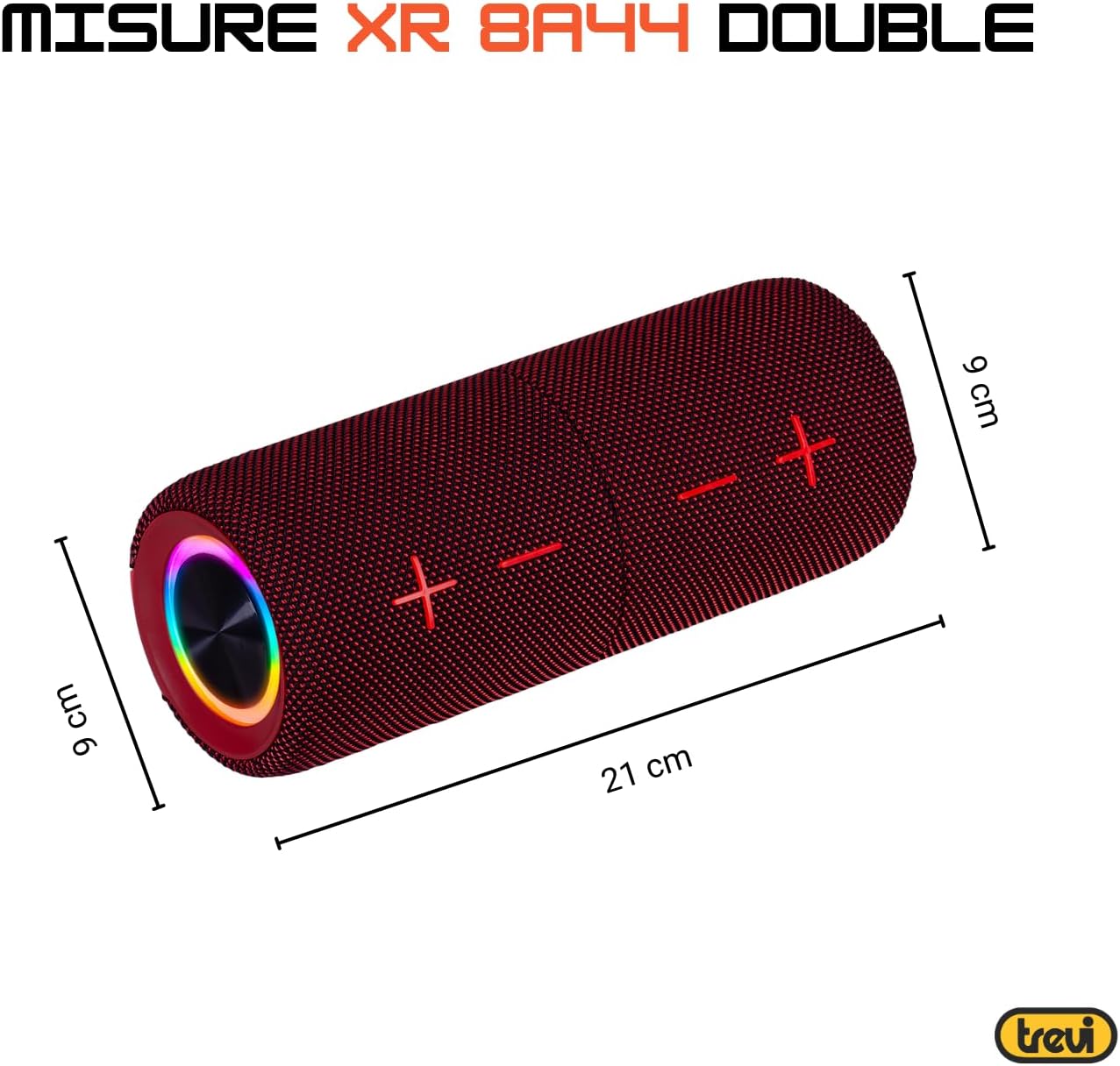
| Размеры (за единицу): | Approx. 8D x 21W x 8H cm (based on image: 21cm length, 9cm diameter) |
| Вес (за единицу): | Примерно 200 грамм |
| Материал: | Синтетический |
| Совместимые устройства: | Laptop, MP3 Player, Smartphone, Game Console, Tablet, TV |
| Включенные компоненты: | Speakers, Charging Cable, User Manual, Warranty Certificate |
8. Гарантия и поддержка
8.1 Ограниченная гарантия
Your Trevi XR 8A44 DOUBLE Portable Speaker System comes with a limited warranty. Please refer to the included warranty certificate for specific terms, conditions, and duration of coverage. Keep your proof of purchase for warranty claims.
8.2 Поддержка клиентов
If you encounter any issues not covered in the troubleshooting section or require further assistance, please contact Trevi customer support. Contact information can typically be found on the official Trevi website or on the warranty certificate.
- Онлайн поддержка: Visit the official Trevi webСайт с часто задаваемыми вопросами, информацией о регистрации продукта и контактными данными службы поддержки.
- Электронная почта/Телефон: Refer to your warranty documentation for direct contact methods.


