Введение
This manual provides essential information for the safe and efficient use of your REOLINK Home Hub with 2x E1 Outdoor 5MP PTZ WiFi Security Camera System. Please read these instructions carefully before installation and operation.
The REOLINK Home Hub system offers a comprehensive surveillance solution with two 5MP PTZ outdoor cameras featuring auto-tracking, plug-in power, and microSD card storage for 24/7 offline recording. The Home Hub acts as a central management and storage unit, supporting up to 8 Reolink IP cameras (excluding 4G models).
Что в коробке?
- Домашний концентратор x1
- E1 Outdoor Camera x2
- Адаптер питания x1
- Карта MicroSD (в комплекте)
- Монтажный кронштейн и винты
- Ethernet-кабель
Настраивать
1. Кабельное соединение
Connect the Reolink Home Hub to your router and power source using the provided cables. Ensure a stable network connection for optimal performance.
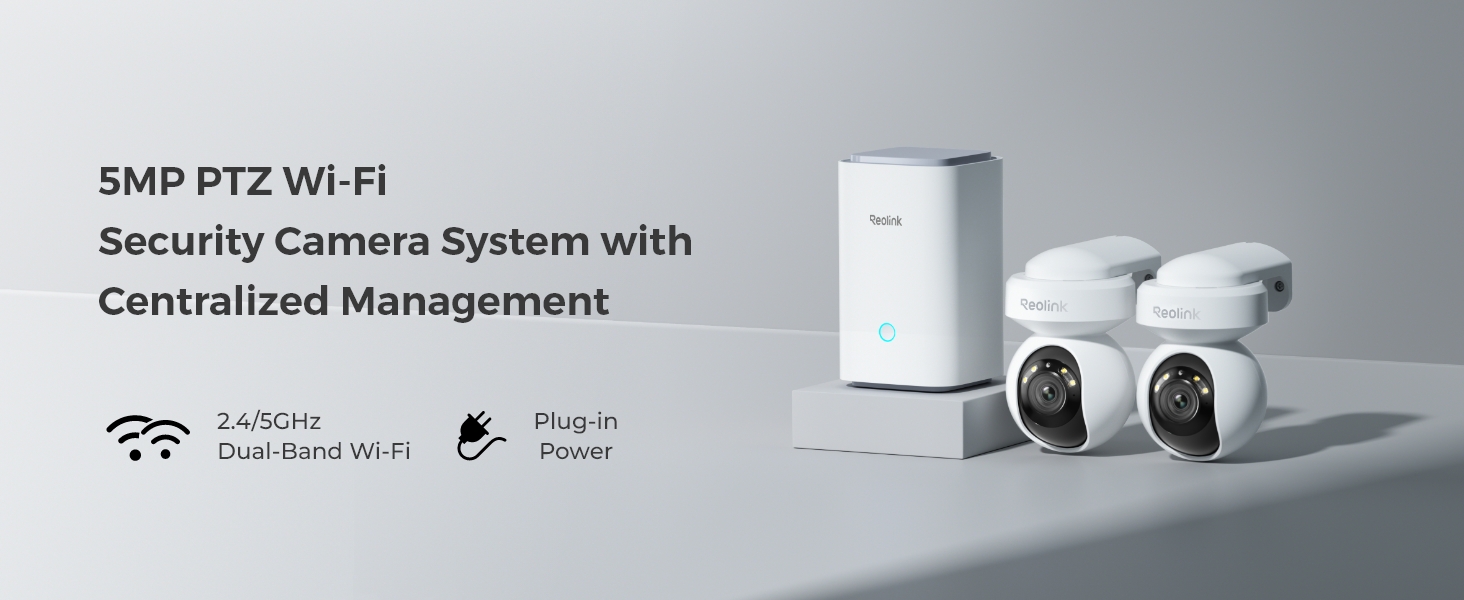
Image: Reolink Home Hub connected to a router and power source.
2. Установка приложения и настройка сети
Download the Reolink App from your mobile device's app store. Connect your phone to the same Wi-Fi network as your router. Follow the in-app instructions to add the Home Hub by scanning its QR code.
Video: Learn How to Set up Home Hub and How to Add Reolink Cameras. This video demonstrates the initial setup process for the Home Hub and connecting cameras via the Reolink app.
3. Adding Cameras to Home Hub
Once the Home Hub is set up in the app, you can add your E1 Outdoor cameras. Power on each camera, then use the Reolink App to scan the QR code on the camera. Select "Use with Home Hub" and follow the on-screen prompts to connect and initialize each camera.

Image: Reolink E1 Outdoor camera mounted for surveillance.
Инструкция по эксплуатации
1. Основные характеристикиview
- 5MP High-Definition Video: Снимайте четкие и подробные изображения еды.tage with 5-megapixel resolution.
- Функциональность PTZ: Enjoy 355° pan and 55° tilt capabilities, allowing for wide area coverage and up to 64 preset positions.
- 3-кратный оптический зум: Get a closer look at distant objects without losing image quality.
- Интеллектуальное обнаружение на основе искусственного интеллекта: Reduce false alarms with intelligent detection of persons, vehicles, and animals.
- Автоматическое отслеживание: Cameras can automatically follow detected subjects within their field of view.
- Color Night Vision with Spotlight: Powerful spotlights enable full-color video recording even in low-light conditions.
- Двустороннее аудио: Общайтесь напрямую через камеру, используя встроенный микрофон и динамик.
- Локальное хранилище: Записьtage directly to the included microSD card, expandable up to 2x 512GB.
- Централизованное управление: The Home Hub manages up to 8 Reolink IP cameras, providing a unified system.
2. Using the Reolink App
The Reolink App is your primary interface for controlling and monitoring your security system. After adding your cameras to the Home Hub, you can access various functions:
- Жить View: Watch real-time video streams from your cameras.
- Управление PTZ: Use the on-screen joystick or swipe gestures to pan, tilt, and zoom the camera.
- Двусторонний разговор: Нажмите на значок микрофона, чтобы говорить через динамик камеры.
- Запись и воспроизведение: Доступ к записанному footage stored on the microSD card. Filter events by person, vehicle, or animal detection.
- Alerts & Notifications: Customize alert settings, including push notifications, email alerts, and siren activation.
- Управление прожектором: Manually activate or set the spotlight to trigger upon motion detection for enhanced visibility and deterrence.
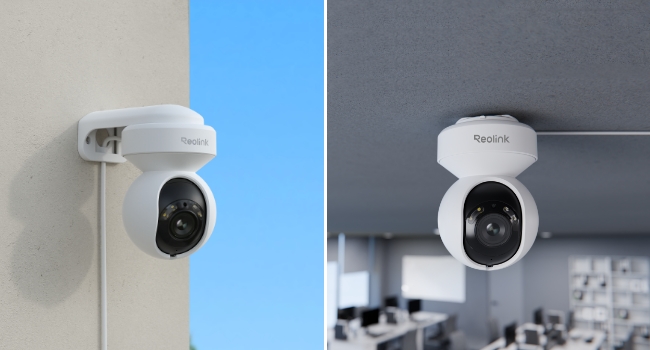
Image: Smart Detection and Auto Tracking features of the E1 Outdoor camera.
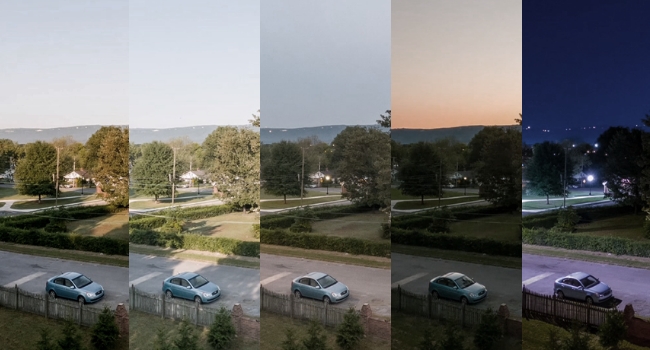
Image: 5MP Super HD and 3x Optical Zoom capability.

Image: Spotlight Color Night Vision in action.
Обслуживание
- Уборка: Регулярно протирайте объектив камеры мягкой сухой тканью, чтобы обеспечить чёткое изображение. Не используйте едкие химикаты.
- Обновления прошивки: Check the Reolink App periodically for firmware updates to ensure your devices have the latest features and security enhancements.
- Проверка кабеля: Периодически осматривайте силовые и сетевые кабели на предмет износа или повреждений, особенно при наружной установке.
- Управление хранилищем: Monitor the microSD card storage capacity via the app. The system will automatically overwrite older footagе когда заполнено.
Поиск неисправностей
- Нет питания: Ensure the power adapter is securely connected to both the camera/hub and a working power outlet.
- Нет подключения к сети: Verify that the Home Hub is connected to the router via Ethernet and that your Wi-Fi network is active. For cameras, ensure they are within Wi-Fi range and connected to the correct network.
- Плохое качество изображения: Check the camera lens for dirt or obstructions. Ensure the camera is positioned correctly and there are no strong light sources directly facing the lens.
- Ложные тревоги: Adjust the motion detection sensitivity and set up detection zones in the Reolink App to minimize unwanted alerts.
- Невозможно добавить устройство: Double-check the QR code scan. Ensure the device is powered on and follow the in-app instructions carefully. If issues persist, try resetting the device using the reset needle.
Технические характеристики
| Особенность | Деталь |
|---|---|
| Бренд | РЕОЛИНК |
| Название модели | Home Hub with 2x E1 Outdoor |
| Источник питания | Проводной электрический |
| Протокол подключения | Wi-Fi (2.4/5GHz Dual-Band) |
| Тип крепления | Настенное крепление |
| Разрешение видеозахвата | 5МП |
| Включенные компоненты | Home Hubx1; E1 Outdoorx2 |
| Размеры товара Д x Ш x В | 9 x 9 x 9 дюйма |
| Вес товара | 5.68 фунта |
| Метод контроля | Приложение |
| Совместимость с умным домом | Smart Home Compatible |
| Специальная характеристика | 2-Way Audio, Local Recording, PTZ Technology |
| Использование внутри и снаружи помещений | На открытом воздухе |
Гарантия и поддержка
Информацию о гарантии и технической поддержке можно получить на официальном сайте REOLINK. website or contact REOLINK customer service directly. Details are typically available on the product packaging or within the Reolink App's support section.
REOLINK offers a standard manufacturer's warranty. Please retain your proof of purchase for any warranty claims.


