1. Введение
Thank you for choosing the ASD Security Flood Light Camera Outdoor. This smart floodlight camera is designed to provide enhanced security and illumination for your outdoor spaces. Featuring a 180° motion sensor, adjustable light heads, and smart app control, it integrates seamlessly with your smart home ecosystem, including Alexa and Google Assistant. This manual provides essential information for safe installation, operation, and maintenance of your device.
2 Важная информация по безопасности
Внимательно прочтите все инструкции перед установкой и использованием. Сохраните это руководство для дальнейшего использования.
- Электробезопасность: Монтаж должен выполняться квалифицированным электриком или лицом, обладающим знаниями в области электротехники. Перед установкой или обслуживанием убедитесь, что питание отключено на автоматическом выключателе.
- Томtage: This product is designed to operate on 120V circuits.
- Монтаж: Mount the fixture securely to a junction box. Ensure the mounting surface can support the weight of the fixture.
- Мокрые места: This product is Wet Locations rated (IP54), suitable for outdoor use. However, avoid submerging the unit in water.
- Нагревать: Do not operate the fixture near flammable materials. Allow the fixture to cool before handling.
- Объектив камеры: Avoid touching the camera lens directly to prevent smudges or damage.
3. Содержимое упаковки
Перед началом установки убедитесь, что все компоненты присутствуют:
- ASD Security Flood Light Camera Outdoor (1 unit)
- Mounting Crossbar
- Крепежные винты
- Проволочные гайки
- Подушка из ЭВА
- Руководство пользователя (этот документ)
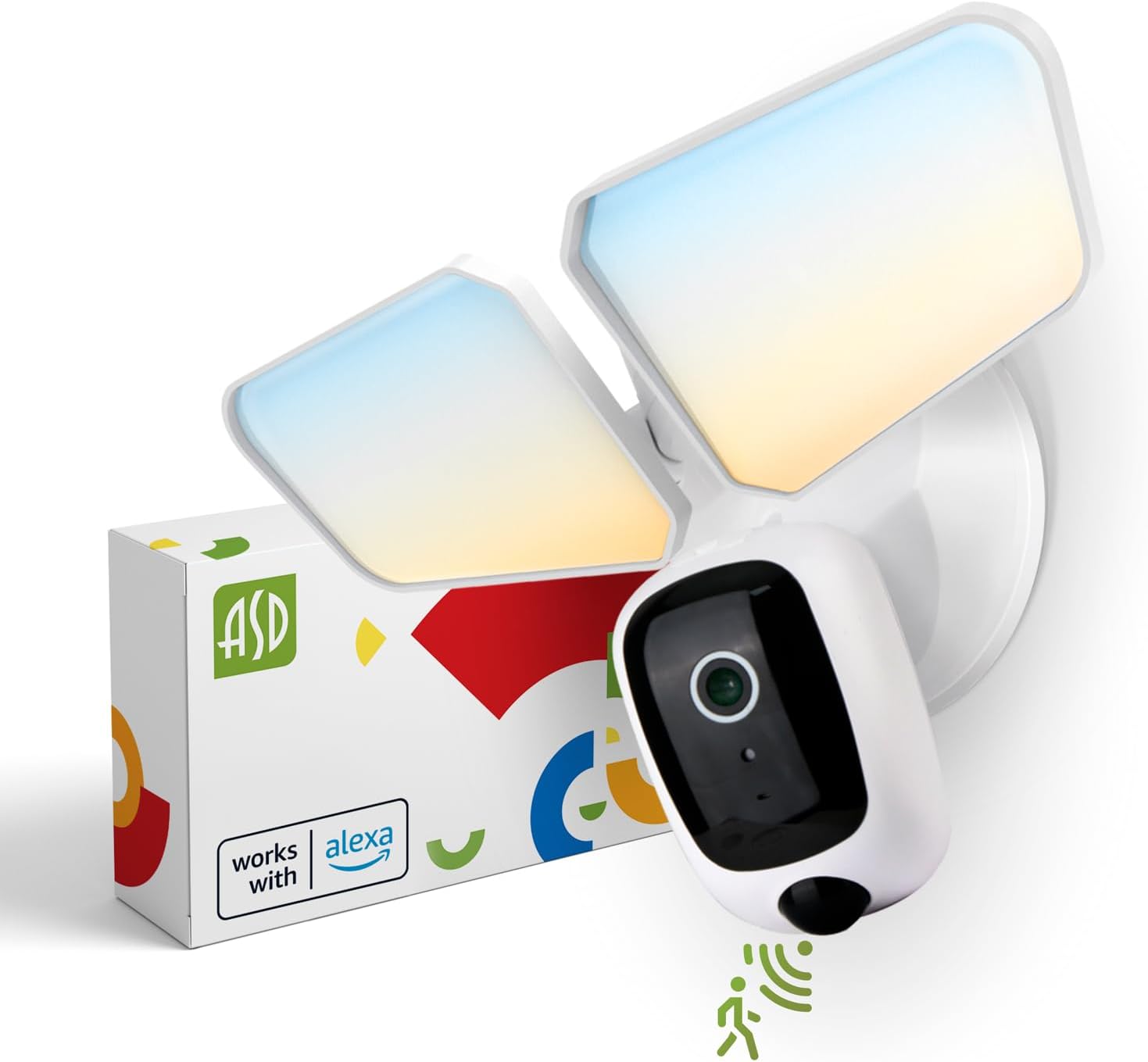
Image 1: ASD Security Flood Light Camera Outdoor and its packaging.
4. Особенности продукта
- Регулируемые световые головки: Side-to-side (150°) and up-and-down (180°) rotatable light heads for directional illumination.
- Integrated Smart Camera: Monitor, record, and engage in two-way audio communication.
- 180° Motion Sensor: Automatically activates light and camera recording upon motion detection.
- Фотоэлемент, работающий от заката до рассвета: Автоматически включает свет с наступлением сумерек и выключает на рассвете.
- Color Selectable: Choose from 5 color temperatures: 2700K (Soft White), 3000K (Warm White), 3500K (Neutral White), 4000K (Cool White), or 5000K (Daylight).
- Интеграция с умным домом: Совместимо с Amazon Alexa и Google Assistant для голосового управления.
- Управление приложениями: Управление настройками, view live feed, and receive motion-activated push notifications via the dedicated app.
- Варианты хранения: Records can be stored on a Micro SD card (not included) or in a Cloud service (subscription may be required).
- Прочная конструкция: Made from Aluminum and Polycarbonate.
- Сертификации: UL and DLC Premium certified, ensuring quality and safety.

Image 2: Key features of the ASD Security Flood Light Camera.
5. Технические характеристики
| Спецификация | Деталь |
|---|---|
| Номер модели | A-SFL-20WH-SC |
| Источник питания | Зашитый |
| Томtage | 120 Вольт |
| Ватtage | 20 Вт |
| Тип источника света | ВЕЛ |
| Цветовая температура (ЦТ) | 2700K, 3000K, 3500K, 4000K, 5000K (на выбор) |
| Угол обнаружения датчика движения | 180° |
| Расстояние обнаружения датчика движения | 16.4–32.9 фута (5–10 м) |
| Угол луча | 100° |
| Материал | Алюминий, Поликарбонат |
| Размеры продукта | 10.24"Д x 4.45"Ш x 7.68"В |
| Вес товара | 1.2 фунта |
| Использование внутри и снаружи помещений | На открытом воздухе |
| Классификация зонального освещения | IP54 (Wet Locations Rated) |
| Протокол подключения | Wi-Fi |
| Тип контроллера | Amazon Alexa, Google Assistant, приложение |
| Продолжительность жизни | 145,000 часа |

Изображение 3: Подробные технические характеристики и размеры изделия.
6. Этапы установки
Прежде чем начать: Turn off power at the circuit breaker. Ensure you have the necessary tools (screwdriver, wire strippers, etc.).
- Подготовьте приспособление:
Attach the crossbar to the outlet box using two mounting screws. Remove the cover on the top of the camera. Insert a Micro SD card (sold separately) into the slot until it clicks. Place the cover back on. Change the position of the CCT switch on the housing to the desired color temperature (2700K, 3000K, 3500K, 4000K, or 5000K). - Mount and Wire:
Tear off the EVA pad adhesive and stick it on the rear cover (pay attention to the direction of the gap). Thread the fixture wire through the gasket. Connect the wires: Black to Black, White to White, and Green to Green (ground). Secure the connection with wire nuts. - Закрепите приспособление:
Drive the bracket screw through the center hole of the fixture base to the crossbar and secure it by tightening.

Изображение 4: Визуальное руководство по процессу установки.
7. Инструкция по эксплуатации
7.1 Работа датчика движения
The built-in 180° motion sensor detects movement within its range (16.4-32.9 ft or 5-10 m). When motion is detected, the floodlight will illuminate, and the camera will begin recording. You can adjust the sensitivity and duration settings via the ASD SMART app.

Image 5: The built-in motion sensor detects movement.
7.2 Dusk-to-Dawn Photocell
The integrated photocell automatically senses ambient light levels. It will turn the floodlight on when it gets dark and turn it off when daylight returns, ensuring efficient operation without manual intervention.

Image 6: Built-in dusk-to-dawn photocell for automatic operation.
7.3 Выбор цветовой температуры (ЦТ)
Before final installation, you can select your preferred color temperature using the switch located on the fixture's housing. Choose from 2700K (Soft White), 3000K (Warm White), 3500K (Neutral White), 4000K (Cool White), or 5000K (Daylight) to match your aesthetic and lighting needs.

Image 7: Selectable color temperature options.
8. App Control and Smart Integration
8.1 ASD SMART App Setup
To unlock the full potential of your floodlight camera, download and set up the ASD SMART app:
- Загрузить ASD SMART app из App Store (iOS) или Google Play Store (Android).
- Зарегистрируйтесь или войдите в свою учетную запись.
- Select "Add a device" and choose "Camera and lock".
- Follow the on-screen instructions to connect your device to your Wi-Fi network.
- Отсканируйте QR-код на своей камере, когда появится соответствующий запрос.
For a detailed guide, please refer to the full manual PDF: ASD Security Flood Light Camera Manual PDF
Загрузите приложение:
- Магазин приложений iOS: ASD SMART on App Store
- Android-Google Play: ASD SMART on Google Play

Image 8: App control interface and smart assistant compatibility.
8.2 Remote Monitoring and Two-Way Audio
Through the ASD SMART app, you can:
- View live video feed from your camera anytime, anywhere.
- Engage in two-way audio communication with visitors or deter intruders.
- Receive instant motion-activated push notifications on your smartphone.
8.3 Recording Storage
Видеозаписи можно хранить двумя способами:
- Микро SD-карта: Вставьте карту Micro SD (до 128 ГБ, не входит в комплект) в предназначенный для этого слот на камере для локального хранения.
- Облачный сервис: Opt for a cloud storage subscription (available through the app) for secure, remote access to your recordings.

Image 9: Remote monitoring and recording storage options.
8.4 Интеграция с интеллектуальным помощником
Connect your ASD Security Flood Light Camera to Amazon Alexa or Google Assistant for convenient voice control. Follow the instructions within the ASD SMART app to link your accounts and enable features like turning the light on/off or viewвывод видеопотока с камеры на совместимые смарт-дисплеи.
9. Техническое обслуживание
- Уборка: Перед чисткой убедитесь, что питание отключено. Протрите светильник мягкой тряпкой.amp Ткань. Не используйте абразивные чистящие средства или растворители.
- Уход за объективом: Для поддержания четкости изображения аккуратно протрите объектив камеры салфеткой из микрофибры.
- Регулярные проверки: Periodically check for any loose connections or damage to the wiring and housing.
10. Поиск Неисправностей
| Проблема | Возможная причина | Решение |
|---|---|---|
| Свет не включается. | No power, faulty wiring, photocell issue, CCT switch not set. | Check circuit breaker. Verify wiring connections. Ensure photocell is not obstructed. Confirm CCT switch is set. |
| Датчик движения не обнаруживает. | Incorrect sensitivity settings, obstruction, improper installation height. | Adjust motion sensor sensitivity in the app. Clear any obstructions. Ensure installation height is appropriate (approx. 9.8 ft / 3 m). |
| Камера не подключается к Wi-Fi. | Неверный пароль от Wi-Fi, слабый сигнал, проблемы с роутером. | Double-check Wi-Fi password. Move router closer or use a Wi-Fi extender. Restart router. Ensure 2.4GHz Wi-Fi network is used. |
| Плохое качество видео. | Dirty lens, poor Wi-Fi signal, low light conditions. | Clean camera lens. Improve Wi-Fi signal strength. Ensure adequate lighting. |
| Двусторонняя аудиосвязь не работает. | Проблемы с микрофоном/динамиком, разрешениями приложения. | Check app permissions for microphone. Ensure volume is up on your device. |
11. Информация о гарантии
ASD обеспечивает Ограниченная гарантия сроком на 5 год for this Security Flood Light Camera. This warranty covers defects in materials and workmanship under normal use. Please retain your proof of purchase for warranty claims. For full warranty terms and conditions, please refer to the official ASD webсайт или обратитесь в службу поддержки клиентов.
12. Поддержка клиентов
For additional assistance, technical support, or warranty inquiries, please visit the ASD Lighting Corporation website or refer to the comprehensive manual available online.
- ASD Lighting Corporation Store: Visit ASD Store on Amazon
- Full Product Manual (PDF): Инструкция по эксплуатации Скачать PDF


