Введение
This manual provides detailed instructions for the safe and efficient use of your TCL 58V6B 58-inch 4K Ultra HD Smart TV. Please read this manual thoroughly before operating the device and retain it for future reference. This television integrates 4K HDR technology, Google TV, Dolby Audio, and Chromecast built-in, offering an enhanced viewопыт.
Настраивать
1. Распаковка
Carefully remove the television and all accessories from the packaging. Ensure all components listed in the packing list are present. Retain the packaging for potential future transport or service.
2. Установка подставки
If using the included stand, place the TV screen-down on a soft, flat surface to prevent scratches. Attach the stand components to the designated slots on the bottom of the TV using the provided screws. Ensure the stand is securely fastened before placing the TV upright.
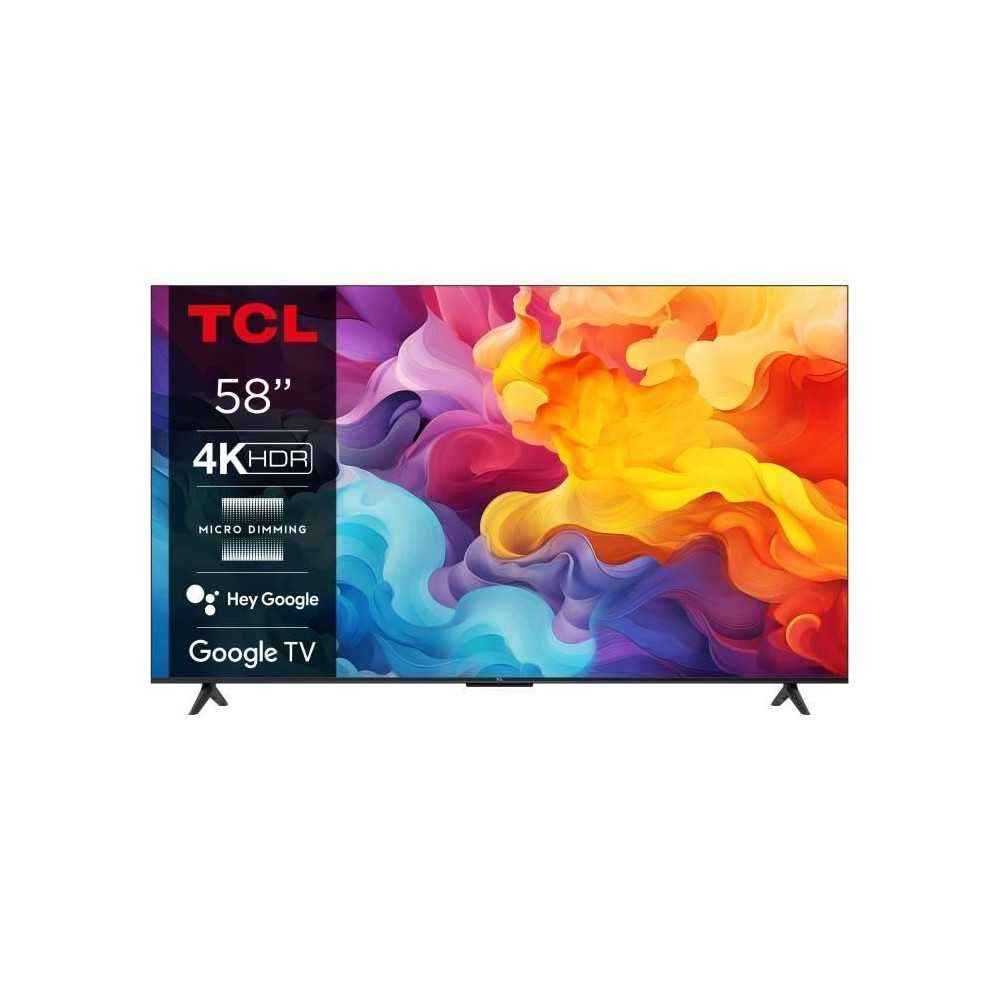
Image: The TCL 58V6B 58-inch Smart TV shown with its stand, ready for placement.
3. Настенный монтаж (опционально)
For wall mounting, consult a professional installer and use a VESA-compatible wall mount kit (not included). Refer to the wall mount kit's instructions for proper installation. Ensure adequate ventilation around the TV when wall-mounted.
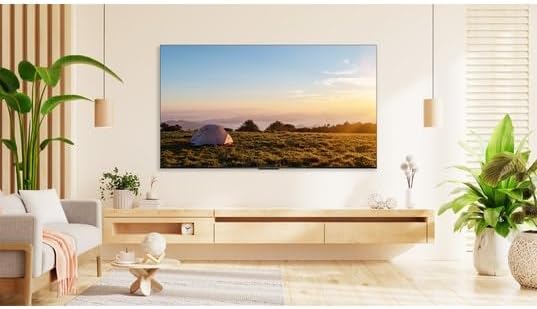
Image: The TCL 58V6B TV displayed mounted on a wall in a modern living room environment.
4. Подключение периферийных устройств
Connect your external devices such as set-top boxes, gaming consoles, or sound systems to the TV's ports. The TV features multiple HDMI inputs, a USB port, LAN, and optical audio output.
- HDMI: Для видео и аудио высокой четкости.
- USB: Для воспроизведения мультимедиа с USB-накопителей.
- LAN: Для проводного подключения к Интернету.
- Оптический: Для вывода цифрового звука на саундбары или системы домашнего кинотеатра.
- AV-вход: Для старых устройств, использующих композитное видео и стереозвук.
- Наушники: Для частного прослушивания.

Image: A detailed diagram illustrating the placement and types of connectivity ports available on the TCL 58V6B television.
5. Первоначальное включение и первоначальная настройка
After connecting the power cable, press the power button on the remote control or the TV. Follow the on-screen instructions to complete the initial setup, which includes language selection, network connection (Wi-Fi or LAN), and Google TV account login. This process will guide you through setting up Google Assistant and Chromecast.
Операционная
1. Дистанционное управлениеview
The remote control allows access to all TV functions. Familiarize yourself with the buttons for power, volume, channel, input selection, navigation, and dedicated app buttons.
2. Навигация по интерфейсу Google TV
The Google TV interface organizes content from various streaming services and live TV into a personalized home screen. Use the directional pad on your remote to navigate through menus, select apps, and browse content. The "For You" tab provides personalized recommendations.

Image: The TCL 58V6B TV screen showing the Google TV home interface with popular streaming applications and content recommendations.
3. Умные функции
- Приложения для потоковой передачи данных: Access pre-installed apps like Netflix, Prime Video, Disney+, and YouTube. More apps can be downloaded from the Google Play Store.
- Встроенный Chromecast: Cast content from your compatible smartphone, tablet, or computer directly to the TV screen.
- Голосовое управление (Google Assistant): Нажмите кнопку Google Assistant на пульте дистанционного управления и произносите команды, чтобы искать контент, управлять устройствами умного дома или получать информацию.

Image: Visual representation of the TCL 58V6B's core features, including 4K HDR, Google TV, and various connectivity options.
4. Настройки изображения и звука
Access the TV settings menu to adjust picture modes (e.g., Standard, Dynamic, Movie), brightness, contrast, color, and sharpness. For audio, select sound modes (e.g., Standard, Music, Movie) and adjust equalizer settings. The TV supports Dolby Audio for an enhanced sound experience.
Обслуживание
1. Cleaning the Screen and TV Body
Before cleaning, unplug the power cord. Use a soft, dry, lint-free cloth to gently wipe the screen and TV body. For stubborn marks, lightly dampen the cloth with water or a specialized screen cleaner. Avoid using harsh chemicals, abrasives, or alcohol-based cleaners, as these can damage the screen or finish.
2. Обновления программного обеспечения
The TV may receive automatic software updates to improve performance and add new features. Ensure your TV is connected to the internet to receive these updates. You can also manually check for updates in the TV's settings menu.
Поиск неисправностей
Если у вас возникли проблемы с телевизором, ознакомьтесь со следующими распространенными проблемами и решениями:
| Проблема | Решение |
|---|---|
| Нет питания | Проверьте, надежно ли вставлен шнур питания как в телевизор, так и в розетку. Убедитесь, что розетка исправна. Попробуйте нажать кнопку питания непосредственно на телевизоре, а не только на пульте дистанционного управления. |
| Нет изображения / Черный экран | Verify the correct input source is selected. Check all cable connections (HDMI, AV). Try restarting the TV and any connected devices. |
| Нет звука | Increase the volume. Check if the TV is muted. Ensure external audio devices (soundbar, receiver) are properly connected and powered on. Check audio output settings in the TV menu. |
| Пульт дистанционного управления не работает | Замените батарейки. Убедитесь, что между пультом и ИК-датчиком телевизора нет препятствий. Если это пульт с Bluetooth, выполните повторное сопряжение. |
| Проблемы с сетевым подключением | Restart your router and modem. Check Wi-Fi password. If using a wired connection, ensure the LAN cable is properly connected. Try connecting to a different Wi-Fi network if available. |
Технические характеристики
Key technical specifications for the TCL 58V6B 58-inch 4K Ultra HD Smart TV:
- Бренд: ТКЛ
- Номер модели: 58В6Б
- Размер экрана: 58 дюйма (147 см)
- Технология отображения: ВЕЛ
- Разрешение: 4K Ultra HD (3840 x 2160 пикселей)
- Частота обновления: 60 Гц
- Операционная система: Гугл ТВ
- Особые характеристики: 4K HDR, HDR10, Dynamic Color Enhancement, Micro Dimming, Dolby Audio, Chromecast built-in, Google Assistant, Voice Control, Motion Clarity, Wi-Fi, Bluetooth
- Связь: 3x HDMI, 1x USB, LAN, Optical Audio Out, AV Input, Headphone Jack, CI Slot
- Размеры (с подставкой): 30.1Г x 128.5Ш x 80.1В см
- Цвет: Brushed Titanium Metal Front
- Включенные компоненты: Remote control, batteries, manual, power cable

Image: The energy efficiency label for the TCL 58V6B television, detailing power consumption and display resolution.
Информация о гарантии
TCL provides a limited warranty for this product. Please refer to the warranty card included in your product packaging or visit the official TCL webПодробные условия гарантии, действующие в вашем регионе, можно найти на соответствующем сайте. Сохраните чек о покупке в качестве подтверждения покупки для предъявления гарантийных претензий.
Поддерживать
For technical assistance, product registration, or further inquiries, please contact TCL Customer Support. You can find contact information on the official TCL webсайте или в документации, прилагаемой к вашему телевизору.
- Онлайн поддержка: Посещать www.tcl.com for FAQs, support articles, and software downloads.
- Горячая линия обслуживания клиентов: Refer to your regional TCL webсайт для получения местных контактных номеров.


