1. Введение
Thank you for choosing Baseus Bowie MA10S and AirNora 2 Wireless Earbuds. These earbuds are designed to provide a superior audio experience with advanced features such as Hybrid Active Noise Cancellation, immersive Spatial Audio, and robust bass performance. The AirNora 2 model also features a lightweight design tailored for comfort and an integrated make-up mirror in its charging case.
This manual will guide you through the setup, operation, and maintenance of your new earbuds, ensuring you get the most out of their capabilities.

Image: Baseus Bowie MA10S (black) and AirNora 2 (orange) wireless earbuds with their respective charging cases. The Bowie MA10S case shows a digital battery display, while the AirNora 2 case features an integrated mirror.
2. Комплектация и настройка
2.1 Что в коробке
- Baseus Bowie MA10S or AirNora 2 Wireless Earbuds (L/R)
- Зарядный футляр
- Зарядный кабель USB-C
- Амбушюры разных размеров
- Руководство пользователя (этот документ)

Image: The AirNora 2 earbuds, their charging case with mirror, USB-C charging cable, and various sizes of ear tips, displayed within their decorative packaging.
2.2 Зарядка наушников и кейса
- Поместите наушники в зарядный футляр, убедившись, что они правильно установлены.
- Подключите зарядный кабель USB-C к зарядному порту на чехле, а другой конец вставьте в USB-адаптер питания (не входит в комплект).
- The indicator lights on the case will show charging status. For Bowie MA10S, the digital display will show battery percentage.
- Fully charge the case and earbuds before first use.
2.3 Сопряжение по Bluetooth
- Откройте зарядный кейс. Наушники автоматически перейдут в режим сопряжения (индикаторы начнут мигать).
- Включите Bluetooth на вашем устройстве (смартфоне, планшете и т. д.).
- Искать available Bluetooth devices and select "Baseus Bowie MA10S" or "Baseus AirNora 2" from the list.
- Once connected, the indicator lights on the earbuds will turn off or show a steady light, and your device will confirm the connection.
2.4 Ношение наушников
Choose the ear tips that provide the best seal and comfort. Gently insert each earbud into your ear canal and twist slightly to secure a snug fit. A proper fit is crucial for optimal sound quality and noise cancellation.
3. Инструкция по эксплуатации
3.1 Сенсорное управление
The earbuds feature touch-sensitive areas for control. Specific functions may vary slightly between models, but common controls include:
- Одно нажатие: Воспроизведение/Пауза музыки, Ответ/Завершение вызова.
- Двойное нажатие (влево/вправо): Next/Previous track (configurable).
- Тройной контакт: Активируйте голосового помощника.
- Длительное нажатие: Switch between ANC/Transparency/Normal modes, Reject call.
3.2 Активное шумоподавление (ANC) и режим прозрачности
The Bowie MA10S and AirNora 2 earbuds feature Hybrid Active Noise Cancellation, reducing external noise by up to -48dB (MA10S) or -42dB (AirNora 2). Transparency mode allows you to hear your surroundings without removing the earbuds.

Image: A man wearing Baseus Bowie MA10S earbuds, illustrating the Hybrid Active Noise Cancellation feature with a graphic indicating -48dB ANC.

Image: A close-up of an AirNora 2 earbud, highlighting its -42dB Active Noise Canceling capability with sound wave graphics.
3.3 Audio Modes (Bowie MA10S)
The Bowie MA10S offers tailored audio modes:
- Басовый режим: Enhanced bass for sports or energetic music.
- Музыкальный режим: Balanced audio for daily immersive listening.
- Режим игры: Low latency audio and video synchronization for gaming.

Изображение: взорванный view diagram illustrating the Titanium-plated PU composite diaphragm, emphasizing 50% punchier bass and 100% clearer treble.
3.4 Immersive Spatial Audio
Both models feature 360° immersive spatial audio. A built-in gyroscope and spatial audio algorithm track your head movements, keeping you at the center of the sound experience.
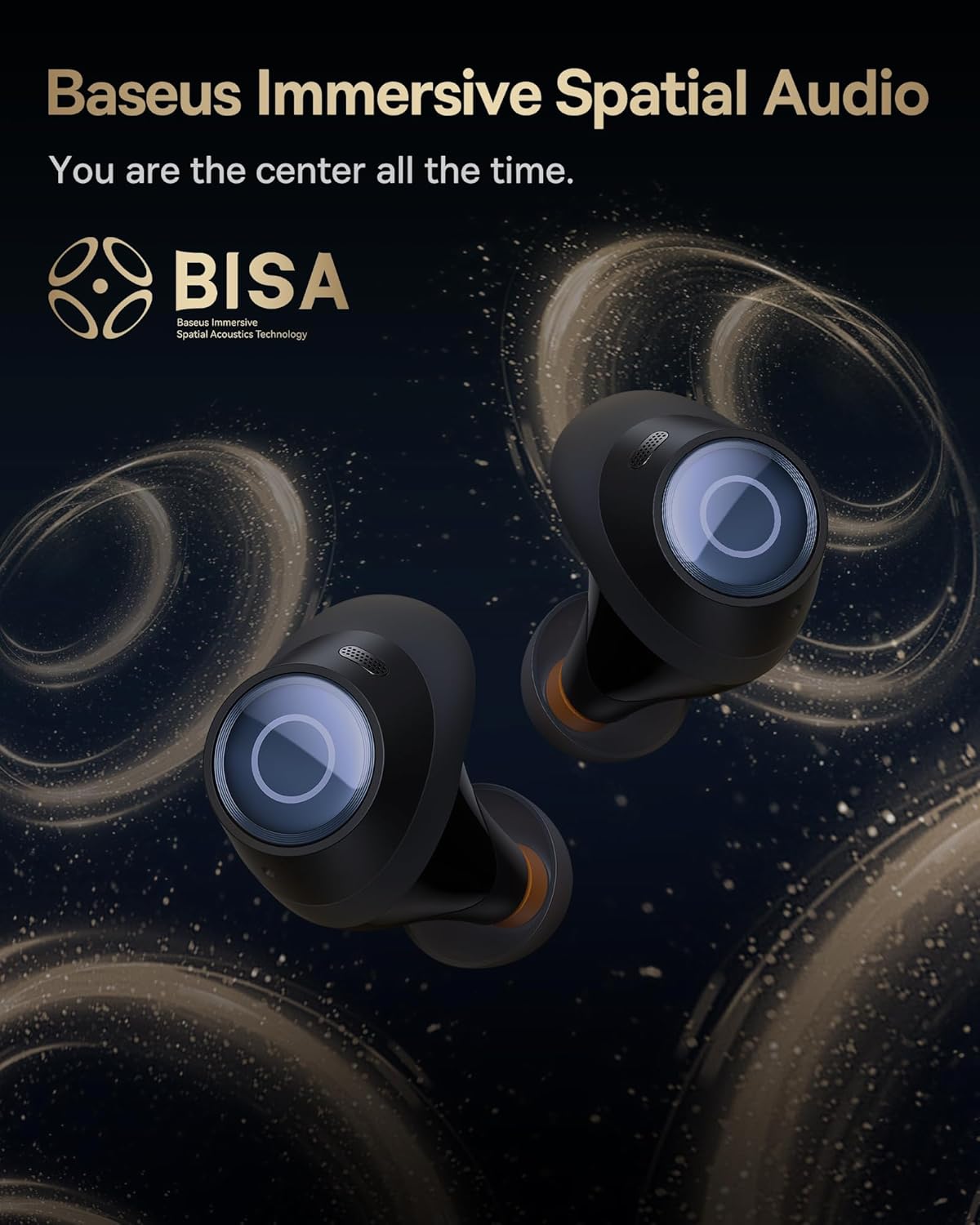
Image: A pair of Baseus Bowie MA10S earbuds with the 'BISA' (Baseus Immersive Spatial Acoustics) technology logo, indicating 360° immersive spatial audio.
4. Техническое обслуживание и уход
4.1 Очистка
- Регулярно очищайте наушники, особенно амбушюры и зарядные контакты, мягкой, сухой тканью без ворса.
- Снимите ушные вкладыши и при необходимости промойте их мягким мылом и водой, убедившись, что они полностью высохли, прежде чем надевать их обратно.
- Протирайте зарядный чехол мягкой сухой тканью. Избегайте использования абразивных материалов и едких химикатов.
4.2 Водонепроницаемость (IPX4)
The earbuds are IPX4 water-resistant, meaning they are protected against splashing water from any direction. This makes them suitable for workouts and light rain. However, they are not designed for swimming or submersion in water.

Image: Baseus Bowie MA10S earbuds shown with water splashing around them, illustrating their IPX4 water resistance rating.
4.3 Хранение и уход за аккумулятором
- Храните наушники в чехле для зарядки, когда они не используются, чтобы защитить их и сохранить заряд.
- Avoid exposing the earbuds or case to extreme temperatures, direct sunlight, or high humidity.
- For long-term storage, charge the case and earbuds to about 50% every few months to preserve battery health.
4.4 AirNora 2 Make-up Mirror
The AirNora 2 charging case includes an integrated make-up mirror. Keep the mirror clean with a soft, dry cloth. Avoid scratching the surface.

Image: The AirNora 2 charging case opened, showcasing the earbuds inside and the integrated vanity mirror on the lid.
5. Поиск Неисправностей
5.1 Наушники не подключаются/не сопрягаются
- Ensure earbuds are charged and in pairing mode (lights flashing).
- Выключите и снова включите Bluetooth на вашем устройстве.
- Забудьте об устройстве в настройках Bluetooth вашего телефона и попробуйте подключиться снова.
- Положите наушники обратно в футляр, закройте крышку, подождите несколько секунд, затем снова откройте.
5.2 Нет звука или низкая громкость
- Проверьте уровень громкости на вашем устройстве и наушниках.
- Убедитесь, что наушники правильно подключены к вашему устройству.
- Очистите сетку динамика наушника от мусора.
5.3 Проблемы с зарядкой
- Убедитесь, что зарядный кабель надежно подключен как к чехлу, так и к источнику питания.
- Убедитесь, что адаптер питания работает правильно.
- Очистите зарядные контакты на наушниках и внутри кейса.
5.4 АНК не работает эффективно
- Ensure the earbuds are properly seated in your ears and you have chosen the correct size ear tips for a good seal.
- Убедитесь, что режим активного шумоподавления (ANC) активирован с помощью сенсорного управления.
6. Технические характеристики
| Особенность | Спецификация |
|---|---|
| Название модели | Baseus Bowie MA10S / AirNora 2 |
| Технология связи | Беспроводная связь (Bluetooth) |
| Версия Bluetooth | 5.0 |
| Контроль шума | Активное шумоподавление (гибридное ANC) |
| Уровень водонепроницаемости | IPX4 |
| Материал | Резина, силикон |
| Диапазон частот | 20 Гц - 20 000 Гц |
| Метод контроля | Трогать |
| Расположение ушей | В ухо |
| Форм-фактор | В ухо |
| Производитель | Базеус |
| Первая доступная дата | 25 марта 2024 г. |
7. Гарантия и поддержка
For warranty information and detailed support, please refer to the official Baseus website or the warranty card included with your product. You may also contact Baseus customer service directly for assistance with product issues or inquiries.
Официальный сайт Baseus Webсайт: www.baseus.com


