Введение
Thank you for choosing the HyperGear Halo Waterproof LED Wireless Speaker. This manual provides essential information for setting up, operating, and maintaining your speaker to ensure optimal performance and longevity. The Halo speaker combines powerful HD sound with a vibrant 360° multicolor LED light show, designed for both indoor and outdoor use. Its IPX6 waterproof rating makes it suitable for various environments, from poolside parties to everyday listening.
Что в коробке?
- HyperGear Halo Waterproof LED Wireless Speaker
- Зарядный кабель USB-C
- 3.5mm Aux Cord
Руководство по настройке
1. Зарядка динамика
Before first use, fully charge your Halo speaker. Connect the included USB-C charging cable to the speaker's charging port and the other end to a USB power adapter (not included). The LED indicator will show charging status and turn off when fully charged.
2. Включение и выключение
Press and hold the Power button on the speaker's top panel to turn it on or off. A sound prompt will indicate the power status.
3. Сопряжение по Bluetooth
- Убедитесь, что динамик включен и находится в режиме сопряжения по Bluetooth (обозначается мигающим светодиодом).
- На вашем устройстве (смартфоне, планшете, компьютере) включите Bluetooth и выполните поиск доступных устройств.
- Select "HyperGear Halo" from the list.
- После сопряжения колонка издаст подтверждающий звук, и светодиод перестанет мигать.
При включении колонка автоматически переподключится к последнему сопряженному устройству, если оно находится в зоне действия сигнала.

The top panel of the HyperGear Halo speaker, showing controls and its connection to a smartphone via Bluetooth.
Инструкция по эксплуатации
Основные элементы управления
| Кнопка / Функция | Действие |
|---|---|
| Кнопка питания | Нажмите и удерживайте, чтобы включить/выключить питание. |
| Воспроизведение/Пауза | Press once to Play/Pause music |
| Увеличение громкости (+) | Нажмите один раз, чтобы увеличить громкость |
| Звук тише (-) | Нажмите один раз, чтобы уменьшить громкость |
| Следующий трек | Press and hold Volume Up (+) |
| Предыдущий трек | Press and hold Volume Down (-) |
| Ответить/Завершить вызов | Нажмите кнопку «Воспроизведение/Пауза» один раз. |
| Отклонить вызов | Press and hold Play/Pause button |
| Кнопка режима освещения | Нажмите для переключения между 6 режимами светодиодного освещения. |
Party Mode (Stereo Pairing)
To achieve immersive stereo sound, you can pair two HyperGear Halo speakers together:
- Ensure both Halo speakers are powered on and not connected to any other Bluetooth device.
- On one speaker (this will be the primary speaker), double-press the Power button. It will enter pairing mode for Party Mode.
- Два динамика автоматически подключатся друг к другу. Звук подтверждения сообщит об успешном сопряжении.
- Now, connect your device to the primary speaker via Bluetooth as described in the 'Bluetooth Pairing' section. Both speakers will play synchronized audio and light shows.

Two HyperGear Halo speakers paired together for Party Mode, offering synchronized audio and light effects.
Alternative Playback Modes

The side panel of the HyperGear Halo speaker, revealing the AUX, microSD, and USB-C ports for versatile connectivity.
- Дополнительный вход: Connect your device using the included 3.5mm Aux cord to the speaker's AUX port for a wired audio connection.
- Карта microSD: Insert a microSD card loaded with audio fileВставьте карту памяти в предназначенный для этого слот. Колонка автоматически начнет воспроизводить музыку с карты.
Особенности болееview
- Класс водонепроницаемости IPX6: Designed to withstand splashes, rain, and spills, making it ideal for outdoor adventures and poolside use.
- Powerful 5W Front-Firing Sound: Equipped with a 52mm full-range driver for rich, dynamic audio with pulse-pounding bass. The front-firing design ensures clearer sound projection.
- 360° Multicolor LED Lights: Features a vibrant light ring that synchronizes with your music, offering 6 different lighting modes to enhance your listening experience.
- Встроенный микрофон: Обеспечивает удобную возможность совершения звонков в режиме громкой связи.
- Технология Bluetooth 5.3: Provides a stable, stutter-free wireless connection with a range of up to 33 feet.
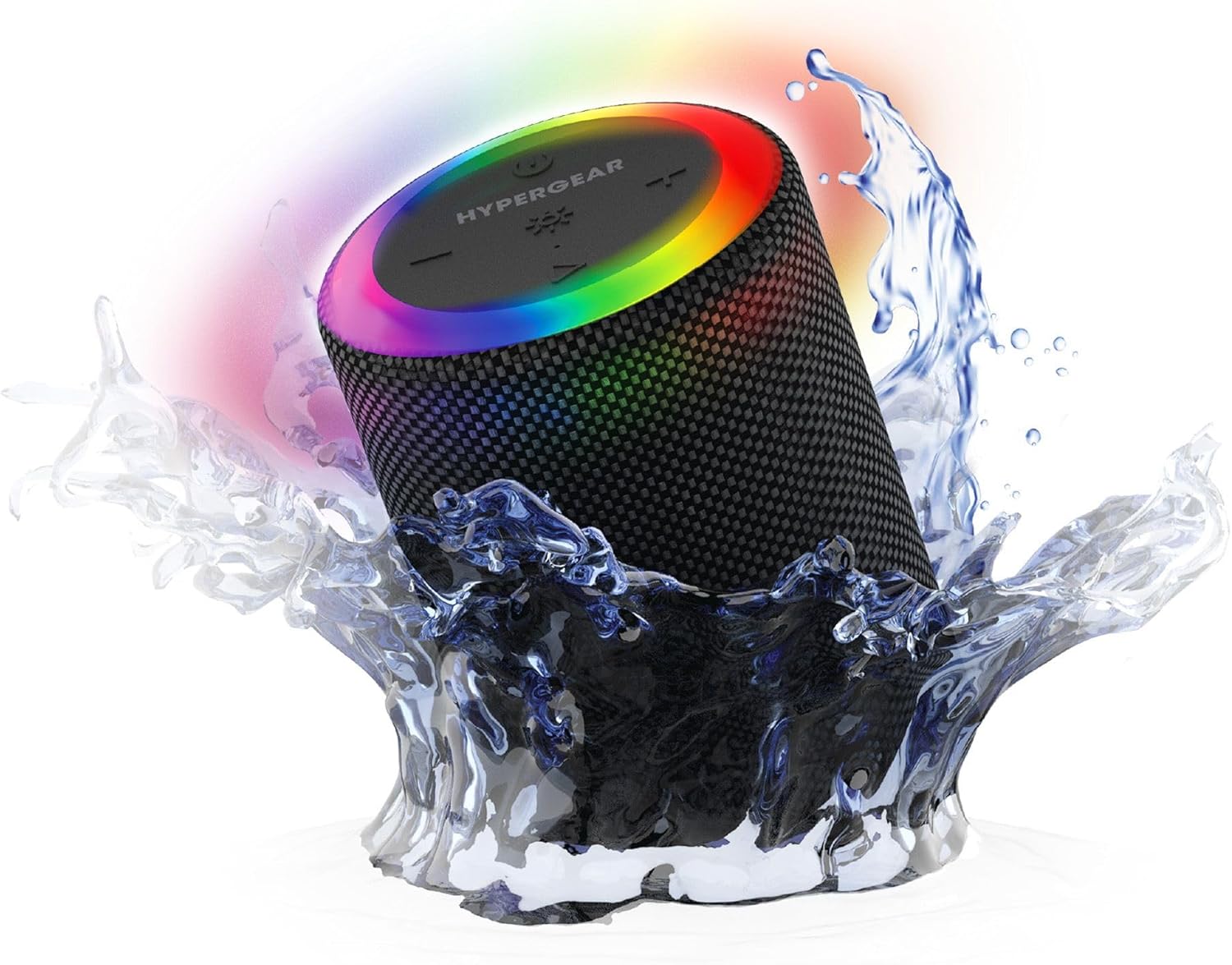
The HyperGear Halo speaker immersed in water, highlighting its robust waterproof design.

Visual representation of the HyperGear Halo speaker's powerful audio features, including its 5W output and 52mm driver.

The HyperGear Halo speaker showcasing its beat-synced 360° multicolor LED light ring with various lighting modes.
Технические характеристики
| Особенность | Деталь |
|---|---|
| Название модели | Halo Waterproof LED Wireless Speaker |
| Тип динамика | Мультимедиа |
| Технология связи | Блютус 5.3 |
| Режим аудиовыхода | Mono (Stereo with Party Mode) |
| Максимальная выходная мощность динамика | 5 Вт |
| Размер аудиодрайвера | 52 миллиметра |
| Уровень водонепроницаемости | Водонепроницаемость IPX6 |
| Размеры продукта | 3.27"Д x 3.27"Ш x 4.13"В |
| Вес товара | 1.05 фунта |
| Источник питания | Питание от батареи |
| Включенные компоненты | USB-C Charging Cable, 3.5mm Aux Cord |
| Метод контроля | Кнопка |
| СКП | 633755158858 |
Обслуживание
- Уборка: Протри динамик мягким, damp ткань. Не используйте агрессивные химикаты или абразивные чистящие средства.
- Хранилище: Храните динамик в прохладном, сухом месте, вдали от прямых солнечных лучей и экстремальных температур.
- Уход батареи: Чтобы продлить срок службы батареи, избегайте частой полной разрядки колонки. Регулярно заряжайте ее, даже если она не используется в течение длительного времени.
- Водонепроницаемое уплотнение: Ensure the silicone cover for the charging and AUX ports is securely closed when near water to maintain its IPX6 rating.
Поиск неисправностей
| Проблема | Возможное решение |
|---|---|
| Динамик не включается. | Убедитесь, что динамик заряжен. Подключите его к источнику питания и повторите попытку. |
| Невозможно выполнить сопряжение с устройством Bluetooth. | Make sure the speaker is in pairing mode (flashing LED). Turn off and on Bluetooth on your device. Ensure no other devices are connected to the speaker. Move speaker closer to your device. |
| Нет звука из динамика. | Check volume levels on both the speaker and your device. Ensure the correct input mode (Bluetooth, Aux, MicroSD) is selected. If using Aux, ensure the cable is fully inserted. |
| Party Mode not working. | Ensure both speakers are fully charged and not connected to any other Bluetooth devices. Try resetting both speakers by powering them off and on, then re-attempt Party Mode pairing. |
| Светодиодные фонари не работают. | Press the Light Mode button to cycle through modes. Ensure the speaker is powered on. |
Гарантия и поддержка
The HyperGear Halo Waterproof LED Wireless Speaker comes with a Ограниченная гарантия. For specific details regarding warranty coverage, duration, and claims, please refer to the warranty card included with your product or visit the official HyperGear website. For technical support or further assistance, please contact HyperGear customer service through their official channels.


