1. Введение
Thank you for choosing the OTIC 10.1-inch Portable Dual Screen Car DVD Player. This device is designed to provide versatile entertainment on the go, featuring two synchronized screens, a long-lasting rechargeable battery, and broad media compatibility. This manual will guide you through the proper setup, operation, and maintenance of your new DVD player to ensure optimal performance and longevity.
2. Содержимое упаковки
Пожалуйста, внимательно проверьте упаковку, чтобы убедиться в наличии всех товаров и их исправности. Если какие-либо товары отсутствуют или повреждены, пожалуйста, свяжитесь с продавцом.
- 1 x Main DVD Player Unit
- 1 x Slave Monitor Unit
- 1 х адаптер питания переменного/постоянного тока
- 1 x DC to DC Connection Cable
- 1 x AV Connection Cable
- 1 x Автомобильный адаптер для зарядного устройства
- 1 пульт дистанционного управления (батарейки включены)
- 2 x Earbuds
- 2 х монтажных ремня
- 1 x Руководство пользователя (этот документ)
- 1 х Краткое руководство пользователя

Примечание: The remote control requires 2 AAA batteries, which are included.
3.Основные характеристики
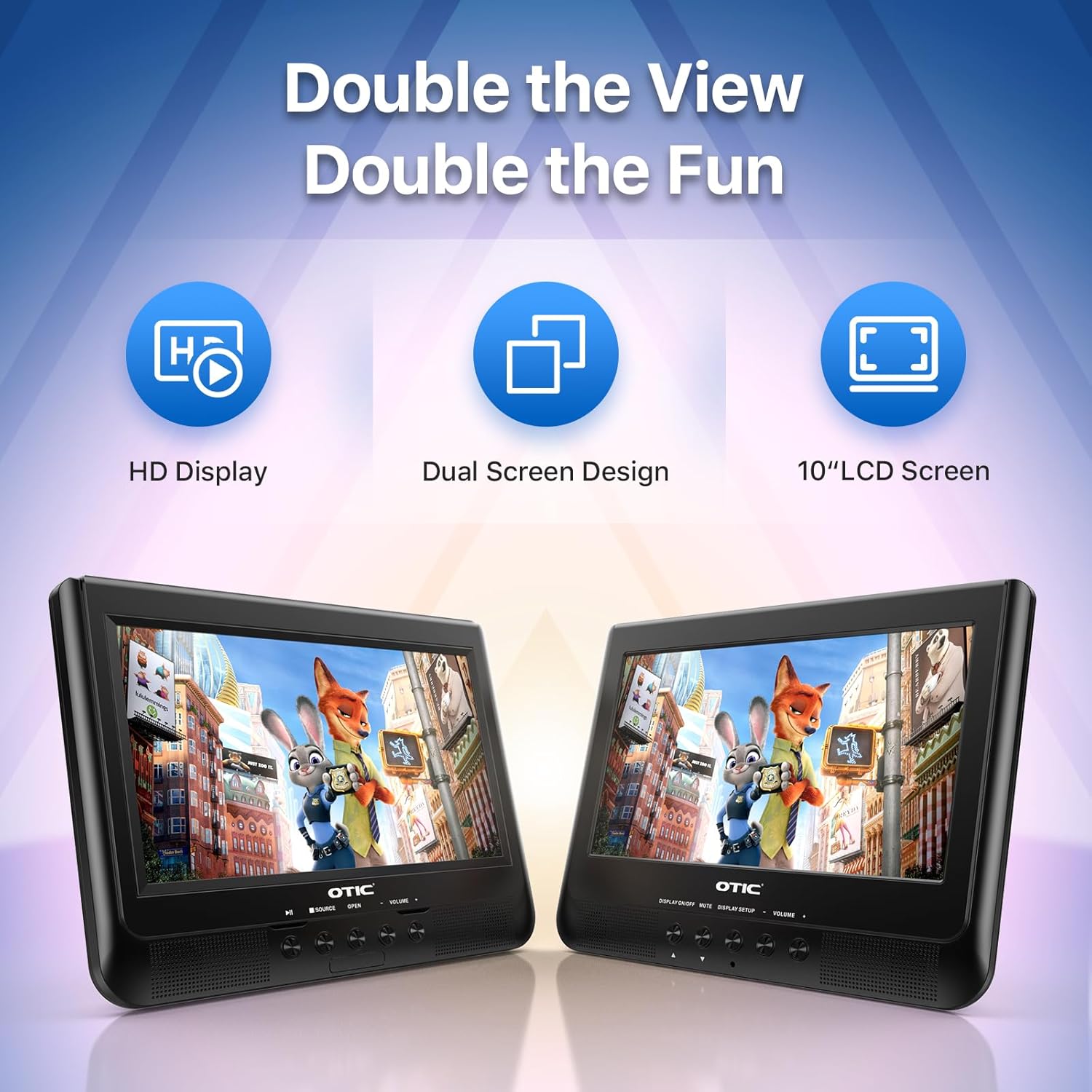
- Dual Display Capability: Connect the host DVD player to the slave monitor using the included AV cable for synchronized viewing of the same content.
- High-Resolution Screens: Both 10.1-inch displays feature a resolution of 1024 x 600 pixels. The main unit's screen can rotate 270° and flip 180° for optimal viewуглы.
- Увеличенный срок службы батареи: Equipped with a built-in 2500 mAh rechargeable battery, providing 3-5 hours of continuous video playback.
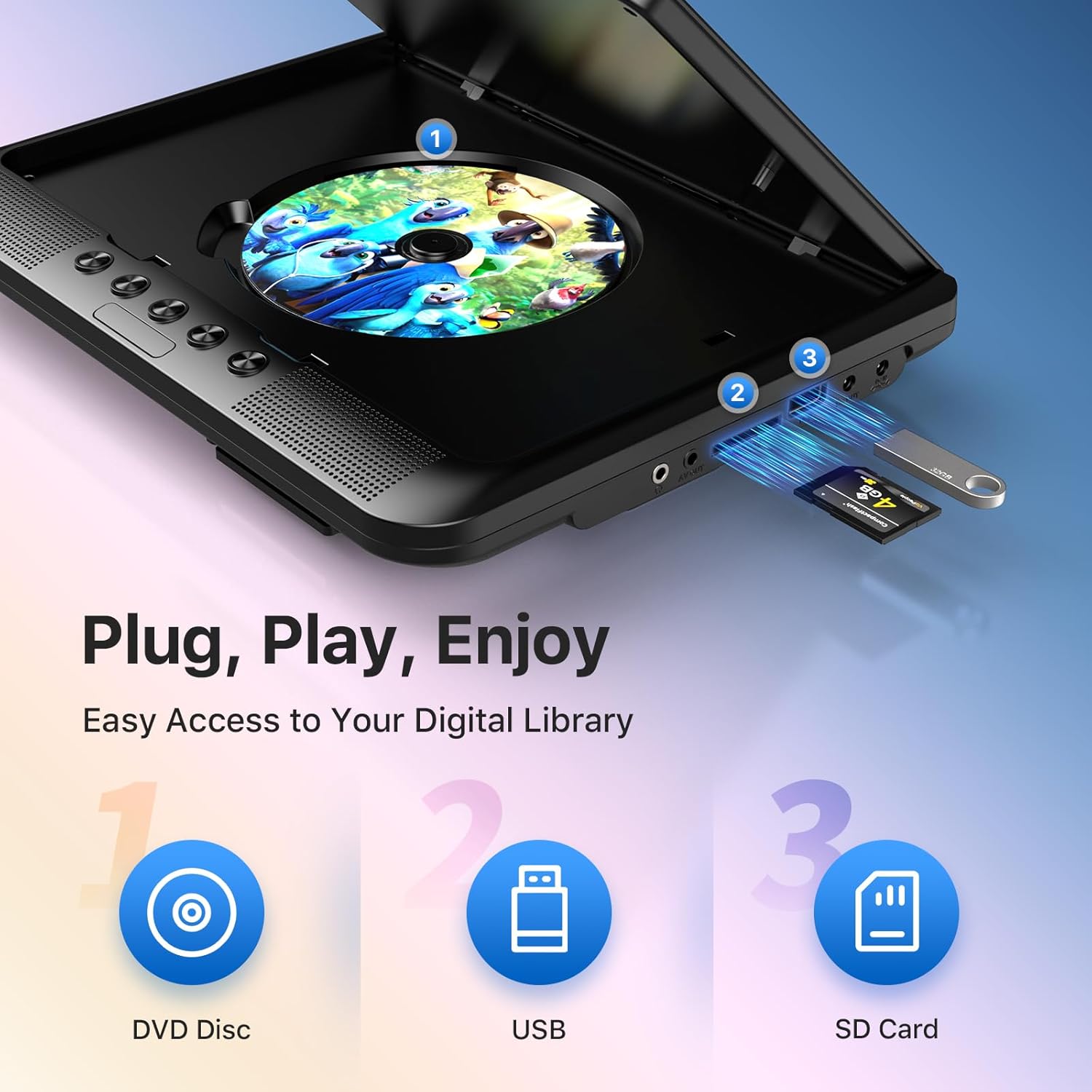
- Универсальная поддержка мультимедиа: Plays various formats including CD, DVD, CD-R/RW, DVD±R/±RW, VCD/SVCD. Supports USB drives and SD cards up to 32GB for video (VOB, AVI, MPEG1, MPEG2, XVID), audio (MP3, WMA), and image (JPG, JPEG) files. (Note: Blu-ray DVDs are not supported.)
- Последняя функция памяти: Automatically resumes playback from where you left off, ensuring a seamless viewопыт.
- Улучшенное аудио: Integrated dual stereo speakers deliver clear sound. A 3.5mm headphone jack is available for private listening.
- Вход/выход аудио-видеосигнала: Allows connection to larger TV screens for shared viewing or to external video sources.
4. Руководство по установке
4.1 Первоначальная зарядка
Before first use, fully charge the main DVD player unit. Connect the AC/DC power adapter to the player's DC IN port and plug it into a wall outlet. The charging indicator light will typically turn off or change color when fully charged.
4.2 Connecting the Dual Screens
- Locate the AV OUT port on the main DVD player unit.
- Locate the AV IN port on the slave monitor unit.
- Connect the included AV connection cable between the AV OUT of the main unit and the AV IN of the slave unit.
- Connect the DC to DC connection cable from the main unit's DC OUT port to the slave unit's DC IN port to power the slave monitor.
4.3 Питание устройства
- Питание переменного тока: Use the AC/DC power adapter for home use.
- Мощность автомобиля: Use the car charger adapter to power the unit from your vehicle's 12V power outlet.
- Мощность аккумулятора: The built-in rechargeable battery provides portable power for outdoor use.
4.4 Mounting in a Vehicle
Use the provided mounting straps to securely attach the DVD player and slave monitor to the headrests in your car. Ensure they are positioned safely and do not obstruct the driver's view или срабатывание подушки безопасности.

5. Инструкция по эксплуатации
5.1 Базовое воспроизведение
- Включение питания: Press the 'POWER' button on the unit or remote control.
- Вставьте диск: Gently open the disc cover and place a DVD or CD onto the spindle, label side up. Close the cover firmly.
- Воспроизведение через USB/SD: Insert a USB drive into the USB port or an SD card into the SD card slot. The player should automatically detect the media or allow you to select the source using the 'SOURCE' button.
- Управление воспроизведением: Use the 'PLAY/PAUSE', 'STOP', 'NEXT', 'PREVIOUS', 'FF' (Fast Forward), and 'REW' (Rewind) buttons on the unit or remote control to manage playback.
- Регулировка громкости: Для регулировки громкости используйте кнопки «VOL+» и «VOL-».

5.2 Использование пульта дистанционного управления
The included remote control provides full functionality for convenient operation from a distance. Point the remote control directly at the main DVD player unit's IR sensor.
5.3 Последняя функция памяти
The player automatically remembers the last playback point. To resume from where you left off, simply power on the device and press 'PLAY'. This function is active for most disc and digital media formats.
5.4 Connecting to an External Display (TV)
To share your viewing experience on a larger screen, use the AV OUT port on the main DVD player unit and connect it to the AV IN ports of your television using the included AV cable. Select the correct AV input on your TV.

6. Совместимость с медиаконтентом
The OTIC DVD player supports a wide range of media formats:
- Форматы дисков: DVD, DVD+R, DVD-R, DVD+RW, DVD-RW, CD, CD+R, CD-R, CD+RW, CD-RW, VCD, SVCD. (Blu-ray discs are not supported.)
- Video Formats (USB/SD): VOB, AVI, MPEG1, MPEG2, XVID.
- Audio Formats (USB/SD): МП3, WMA.
- Image Formats (USB/SD): JPG, JPEG.
USB drives and SD cards up to 32GB capacity are supported.

7. Техническое обслуживание
7.1 Чистка устройства
Протрите внешнюю поверхность проигрывателя мягкой сухой тканью. Для удаления стойких пятен слегка протрите.ampen the cloth with water. Do not use abrasive cleaners or solvents, as they may damage the surface.
7.2 Уход за дисками
Handle discs by their edges. Keep discs clean and free of scratches. Store them in their cases when not in use. A dirty or scratched disc can cause playback issues.
7.3 Уход за аккумулятором
Для продления срока службы батареи избегайте частой полной разрядки. При длительном хранении устройства заряжайте его примерно до 50% каждые несколько месяцев.
8. Поиск Неисправностей
If you encounter issues with your OTIC DVD player, please refer to the following common problems and solutions:
| Проблема | Возможная причина | Решение |
|---|---|---|
| Плеер не включается. | Батарея разряжена; адаптер питания не подключен или неисправен. | Зарядите аккумулятор; убедитесь, что адаптер питания надежно подключен и исправен. |
| Нет изображения на экране. | Disc is dirty/scratched; Incorrect source selected; AV cable loose (for slave monitor/TV). | Clean or replace disc; Press 'SOURCE' button to select correct input; Check AV cable connections. |
| Ни звука. | Volume too low; Mute function active; Headphone connected. | Increase volume; Press 'MUTE' button on remote; Disconnect headphones if using speakers. |
| Disc skipping or freezing. | Dirty/damaged disc; Player is on an unstable surface; Excessive vibration. | Clean or replace disc; Place player on a stable surface; Reduce vibrations if in a moving vehicle. |
| Пульт дистанционного управления не работает. | Batteries depleted; Obstruction between remote and player; Incorrect angle. | Replace batteries; Ensure clear line of sight to IR sensor; Point remote directly at player. |
If the problem persists after trying these solutions, please contact OTIC customer support for further assistance.
9. Технические характеристики
| Особенность | Спецификация |
|---|---|
| Бренд | ОТИК |
| Номер модели | ДП-2123А |
| Размер экрана | 10.1 Inches (visible display area) |
| Тип экрана | ЖК-дисплей |
| Разрешение дисплея | 1024 x 600 пикселей |
| Емкость аккумулятора | 2500 mAh (built-in rechargeable) |
| Время воспроизведения от батареи | 3-5 часа |
| Совместимые форматы дисков | CD, CD-R/RW, DVD, DVD+R/RW, DVD-R/RW, VCD, SVCD |
| Compatible Digital Media | USB drives (up to 32GB), SD cards (up to 32GB) |
| Поддерживаемые форматы видео | VOB, AVI, MPEG1, MPEG2, XVID |
| Поддерживаемые аудиоформаты | МР3, WMA |
| Поддерживаемые форматы изображений | JPEG, JPEG |
| Связность | AV In, AV Out, USB, SD Card Slot, 3.5mm Headphone Jack, DC In, DC Out |
| Размеры (основной блок) | Примерно 35.56 х 13.46 х 25.4 см (14 х 5.3 х 10 дюйма) |
| Масса | Приблизительно 2.23 кг (4.92 фунта) |
| Цвет | Черный |
10. Гарантия и поддержка
For information regarding warranty coverage, technical support, or service, please refer to the warranty card included in your package or contact the retailer from whom you purchased the product. You may also visit the official OTIC webсайт для получения последней информации о поддержке.
Пожалуйста, сохраните документ, подтверждающий покупку, для претензий по гарантии.


