1. Введение и окончаниеview
This manual provides comprehensive instructions for the setup, operation, and maintenance of your Maxview Alphatronics SL Line+ Smart TV. Designed for mobile use, this versatile television operates on both 12v and 240v power, making it ideal for motorhomes, caravans, trucks, and boats. It features a Full HD LED display, integrated DVD player, Wi-Fi, Bluetooth, and access to popular streaming services via WebОС.

Изображение: Спереди view of the Maxview Alphatronics SL Line+ Smart TV, highlighting its smart features and integrated DVD player.
Ключевые особенности включают в себя:
- Full HD LED Smart TV with Freeview.
- WebOS for access to Netflix, Amazon Prime, Disney+, iPlayer, ITVX, Sky Store, YouTube, and more.
- Dual power compatibility (12v or 240v).
- Built-in DVD Player, Bluetooth, Wi-Fi, and Ethernet.
- Multiple connectivity options: 2 HDMI ports, USB Port, and AV connections.
2. Что в коробке
Пожалуйста, проверьте содержимое вашей посылки по списку ниже:
- Alphatronics TV (TVSL/22)
- Дистанционное управление
- 240v Mains Lead
- Адаптер питания 12 В
- Руководство пользователя (этот документ)

Image: The included remote control for the Maxview Alphatronics Smart TV.
3. Настройка
3.1. Размещение и монтаж.
Choose a stable and flat surface for your TV. Ensure adequate ventilation around the unit. If mounting, refer to your specific wall mount instructions and ensure the mount is compatible with VESA standards for your TV size.

Изображение: Бывшийample of the TV installed within a caravan interior.
3.2. Подключение питания
The TV can be powered by either 12v DC or 240v AC.
- For 240v AC: Connect the supplied 240v Mains Lead to the TV's AC input and then to a standard wall socket.
- For 12v DC: Connect the supplied 12v Power Adapter to the TV's DC input and then to a 12v power source (e.g., vehicle's 12v socket).
Ensure the correct power source is used to prevent damage.
3.3. Подключение внешних устройств
Телевизор оснащен различными портами для подключения внешних устройств:
- Порты HDMI (x2): For high-definition audio and video devices like satellite receivers, game consoles, or laptops.
- USB-порт: Для подключения USB-накопителей для воспроизведения медиафайлов files.
- AV Connections: Для старых устройств, использующих композитное видео и стереозвук.
- Вход для антенны/спутника: Connect your terrestrial antenna or satellite dish cable for Freeview or satellite TV reception.

Image: Rear panel of the TV displaying available connection ports.
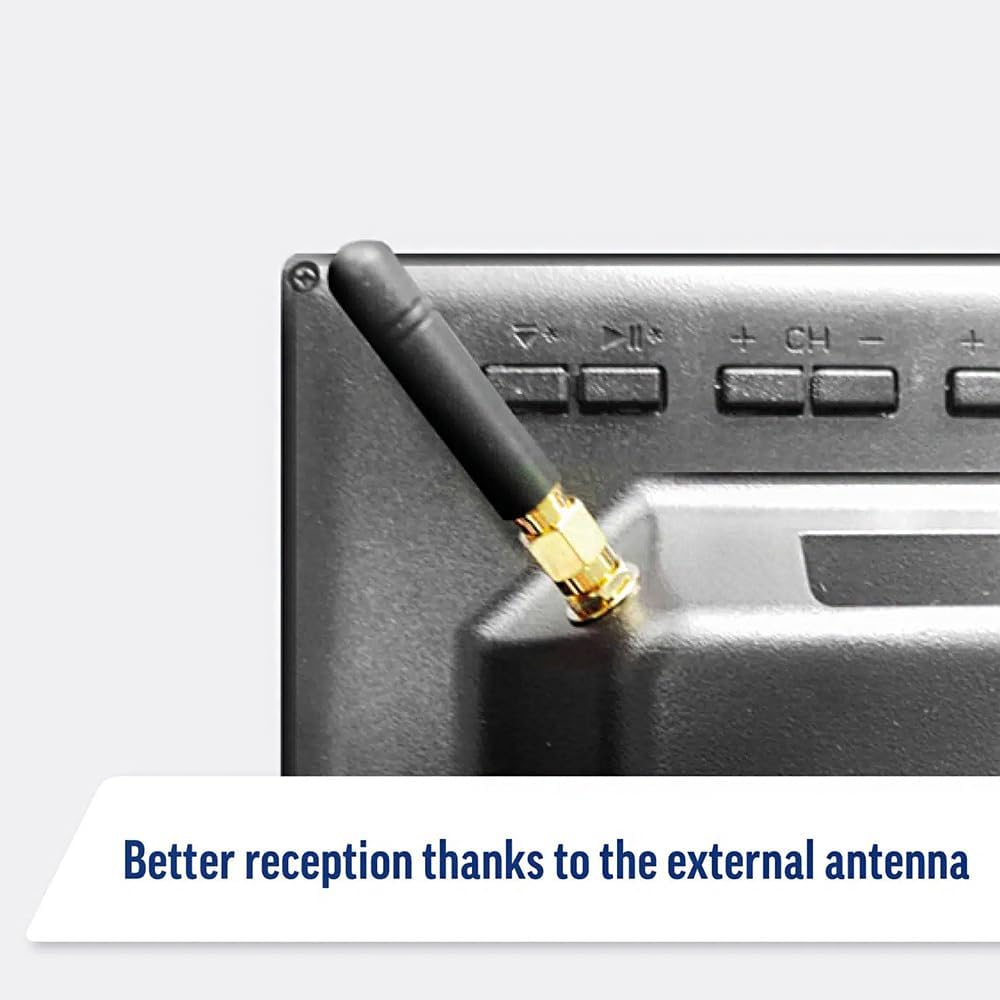
Image: Detail of the external antenna connection for improved signal reception.
3.4. Мастер первоначальной настройки
При первом включении телевизор проведет вас через мастер первоначальной настройки. Он включает в себя:
- Выбор языка: Выберите желаемый язык.
- Подключение к сети: Connect to your Wi-Fi network or via Ethernet for internet access. This is crucial for Smart TV features.
- Сканирование каналов: Scan for available Freeview or satellite channels.
- Настройки времени и даты: Установите правильный часовой пояс и дату.
4. Управление телевизором
4.1. Основные элементы управления
Use the supplied remote control to navigate the TV. Common functions include:
- Кнопка питания: Включает/выключает телевизор или переводит его в режим ожидания.
- Увеличение/уменьшение громкости: Регулирует уровень звука.
- Канал вверх/вниз: Переключает каналы ТВ.
- Источник/Ввод: Selects the input source (HDMI, AV, TV, DVD).
- Навигационные кнопки (клавиши со стрелками, OK): Перемещайтесь по меню и выбирайте нужные параметры.
- Домашняя кнопка: Доступ к WebГлавный экран ОС Smart TV.
- Кнопки быстрого доступа: Dedicated buttons for Netflix and Amazon Prime Video for direct access.
4.2. Функции Smart TV (WebОС)
Your Maxview Alphatronics TV runs on WebOS, providing a user-friendly interface for accessing a wide range of applications and content.
- Домашняя панель: Нажмите Дом button to access the main dashboard, where you can find installed apps, input sources, and settings.
- Магазин приложений: Загрузите и установите дополнительные приложения из встроенного магазина приложений.
- Стриминговые сервисы: Easily access popular services like Netflix, Amazon Prime Video, Disney+, BBC iPlayer, ITVX, and YouTube.
- Совместное использование экрана: Share content from your smartphone or tablet to the TV screen.
Image: Using a smartphone as a remote control for the TV.
4.3. Эксплуатация DVD-плеера
The integrated DVD player allows you to enjoy your movie collection on the go.
- Insert a DVD disc into the slot on the side of the TV.
- Телевизор должен автоматически переключиться на вход DVD. Если этого не происходит, нажмите кнопку. Источник/вход button on your remote and select "DVD".
- Use the remote control's playback buttons (Play, Pause, Stop, Fast Forward, Rewind) to control the DVD.
- To eject the disc, press the Eject button on the remote or the TV.
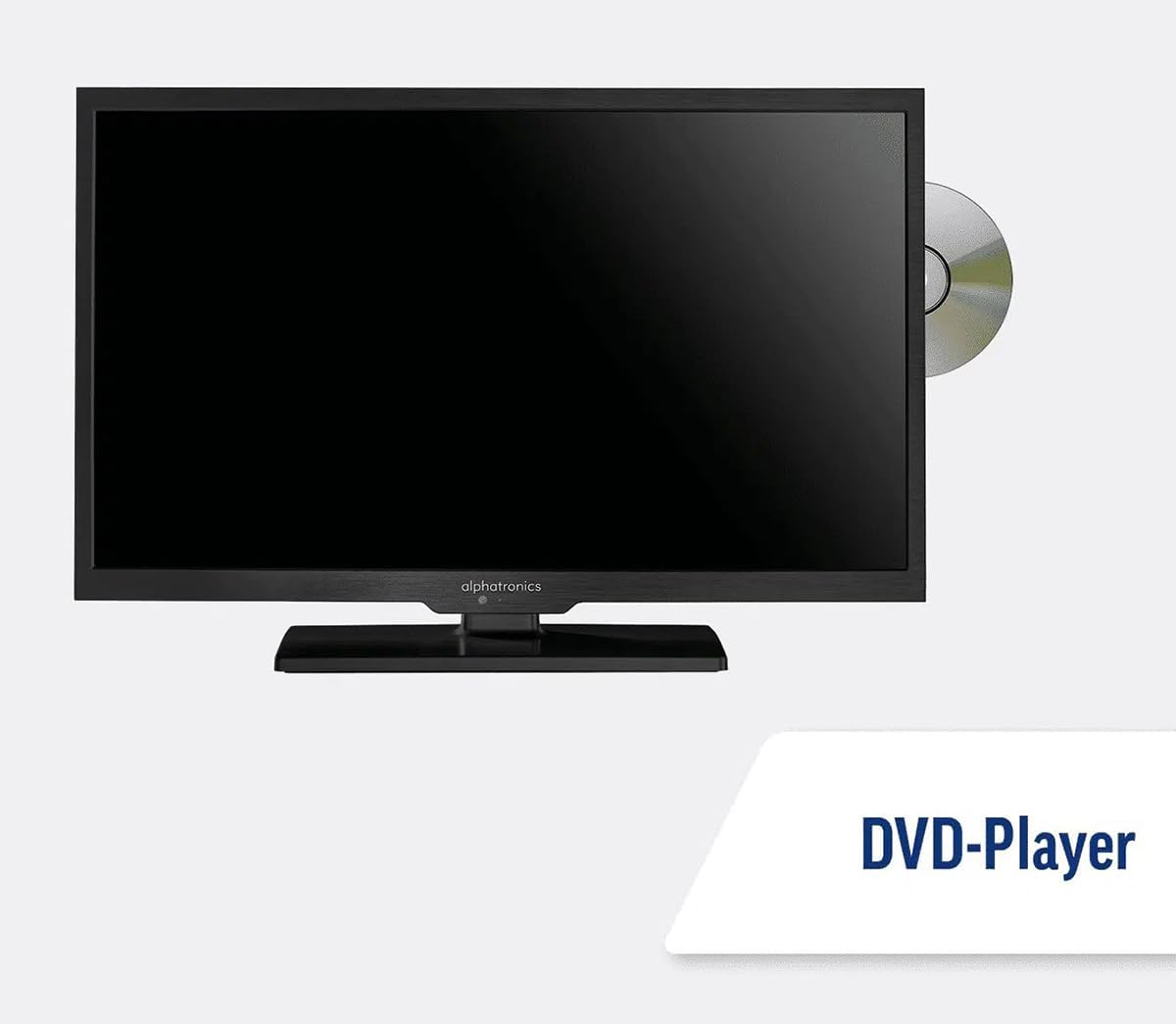
Image: The TV with a DVD disc being inserted into its built-in player.
5. Техническое обслуживание
5.1. Уборка
To clean the TV screen, gently wipe it with a soft, lint-free cloth. For stubborn marks, dampen the cloth slightly with water or a screen-cleaning solution. Do not spray liquid directly onto the screen. Clean the TV casinг сухой мягкой тканью.
Осторожность: Always unplug the TV from the power source before cleaning.
5.2. Обновления программного обеспечения
Your Maxview Alphatronics Smart TV supports automatic software updates via the internet. Ensure your TV is connected to a stable Wi-Fi or Ethernet network to receive the latest firmware and feature enhancements.
- To check for updates manually, navigate to the Настройки menu on your TV, then look for Обновление программного обеспечения or Системная информация.
- Follow the on-screen prompts to download and install any available updates. Do not power off the TV during an update process.

Image: The TV screen indicating a software update in progress.
6. Поиск Неисправностей
If you encounter issues with your TV, please refer to the following common problems and solutions before contacting support.
| Проблема | Возможная причина | Решение |
|---|---|---|
| Нет питания | Power cable disconnected; no power from outlet/source. | Check power connections. Ensure outlet/source is active. Try a different outlet. |
| Нет сигнала | Incorrect input selected; antenna/cable disconnected or faulty. | Нажимать Источник/вход to select correct input. Check antenna/cable connections. Perform a channel scan. |
| Нет подключения к Интернету | Wi-Fi password incorrect; router issue; TV too far from router. | Повторно введите пароль от Wi-Fi. Перезагрузите роутер. Переместите телевизор ближе к роутеру или используйте Ethernet-подключение. |
| DVD не воспроизводится | Disc dirty or scratched; incorrect input selected; region code mismatch. | Clean the disc. Ensure "DVD" input is selected. Check disc region compatibility. |
| Пульт дистанционного управления не работает | Batteries low/dead; obstruction between remote and TV; remote not paired (if Bluetooth). | Replace batteries. Remove obstructions. Re-pair remote if necessary (refer to TV settings). |
If the problem persists after trying these solutions, please contact Maxview поддержка клиентов.
7. Технические характеристики
| Особенность | Деталь |
|---|---|
| Номер модели | TVSL/22 |
| Размер экрана | 22 дюймов (видимая диагональ 56 см) |
| Технология отображения | ВЕЛ |
| Разрешение | 1080p (Full HD) |
| Размеры продукта (Д x Ш x В) | 12D x 58W x 38H сантиметров |
| Входная мощность | 12v DC / 240v AC |
| Связность | Wi-Fi, Bluetooth, Ethernet |
| Порты | 2x HDMI, 1x USB, AV connections, Antenna/Satellite input |
| Особые возможности | Smart TV (WebOS), Built-in DVD Player |
| Соотношение сторон | 16:9 |
| Производитель | Альфатроникс |
8. Гарантия и поддержка
Your Maxview Alphatronics SL Line+ Smart TV comes with a Гарантия 3 год, providing peace of mind regarding your purchase. This warranty covers manufacturing defects and ensures reliable operation.
For warranty claims, technical support, or further assistance, please contact Maxview customer service. You can typically find contact information on the official Maxview webсайте или на упаковочных материалах.
Please have your model number (TVSL/22) and proof of purchase ready when contacting support.
Примечание: В предоставленных данных не удалось найти официальных видеороликов от продавца, которые можно было бы встроить в данное руководство.


