Введение
The ToughTested MOAB 65 is a high-capacity, rugged portable charger designed to provide reliable power for laptops, smartphones, and other USB-powered devices. With its 40,000mAh battery and advanced fast-charging capabilities, it is an ideal companion for outdoor adventures, remote work, and extended travel. This manual provides essential information for the safe and efficient use of your MOAB 65 portable charger.
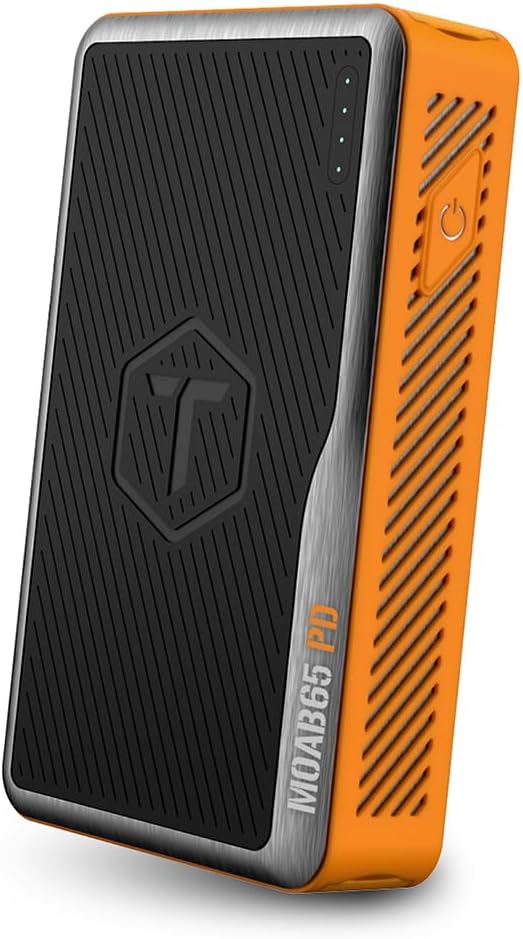
Image: The ToughTested MOAB 65 Portable Charger, showcasing its rugged design and power indicator lights.
Информация по безопасности
Перед использованием данного изделия, пожалуйста, ознакомьтесь со всеми предупреждениями и инструкциями по технике безопасности, чтобы предотвратить травмы или повреждения.
- Не подвергайте внешний аккумулятор воздействию экстремальных температур (выше 60°C/140°F или ниже -10°C/14°F).
- Do not disassemble, modify, or attempt to repair the device. This will void the warranty and may cause harm.
- Keep away from water and liquids. While the MOAB 65 is IP64 rated for dust and water resistance, it is not designed for submersion.
- Не допускайте падений устройства и не подвергайте его сильным ударам.
- Используйте только сертифицированные зарядные кабели и адаптеры.
- Хранить в недоступном для детей месте.
- Утилизируйте портативное зарядное устройство ответственно, в соответствии с местными правилами. Не выбрасывайте его в бытовые отходы.
Содержимое упаковки
Проверьте наличие всех предметов в посылке:
- ToughTested MOAB 65 Portable Charger
- Heavy-duty USB-C to USB-C Power Delivery PET Cable
- Руководство пользователя (этот документ)
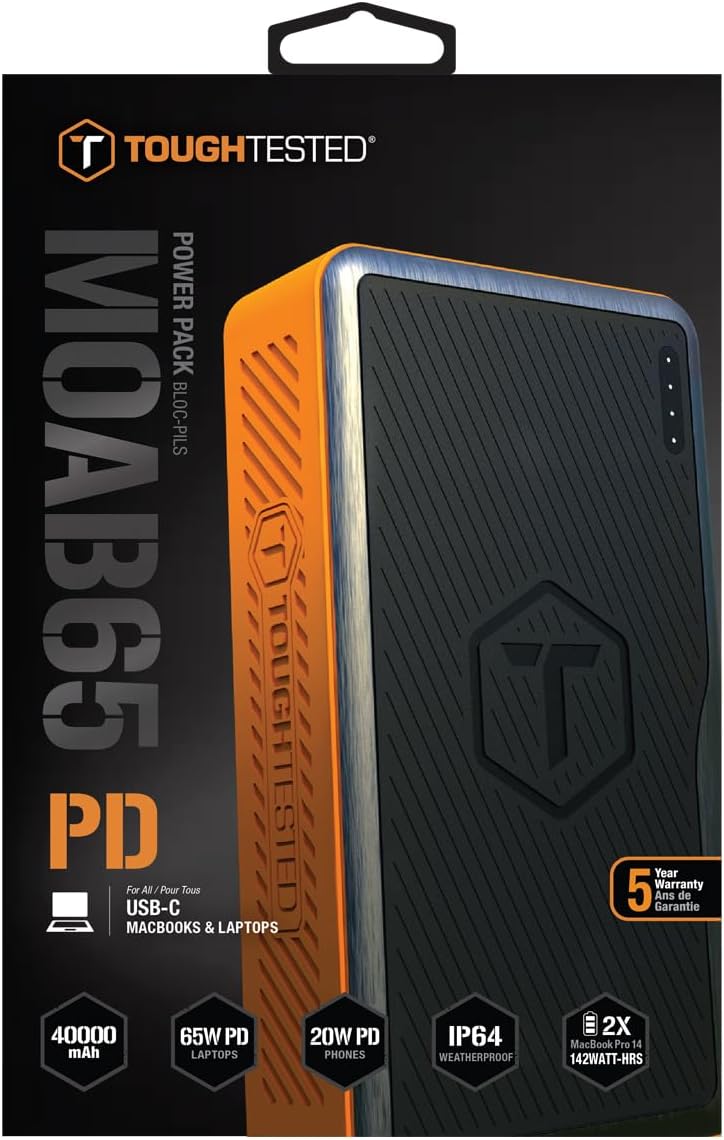
Image: The included heavy-duty USB-C to USB-C Power Delivery PET cable.
Продукт болееview
Familiarize yourself with the components of your MOAB 65 portable charger.
| Компонент | Описание |
|---|---|
| Кнопка питания | Активирует внешний аккумулятор и проверяет уровень заряда батареи. |
| Светодиодные индикаторы питания | Отображает оставшуюся емкость батареи. |
| USB-C PD (Input/Output) Port | 65W Power Delivery for charging laptops and rapid charging of the power bank itself. |
| USB-C PD (Output) Port | 20W Power Delivery for fast charging smartphones and other compatible devices. |
| Порт USB-A QC 3.0 | Quick Charge 3.0 output for fast charging non-Type C devices. |
| Sealed Port Covers | Protects ports from dust and water, maintaining IP64 rating. |

Изображение: сбоку view of the MOAB 65 showing the USB-A and USB-C output ports with their protective covers.
Настраивать
Charging the MOAB 65 Portable Charger
Before first use, fully charge your MOAB 65. It is recommended to use a 65W USB-C PD wall charger (not included) for the fastest charging time.
- Open the sealed port cover for the USB-C PD (Input/Output) port.
- Connect the included USB-C to USB-C cable to the USB-C PD (Input/Output) port on the MOAB 65.
- Connect the other end of the cable to a compatible USB-C PD wall charger.
- The LED power indicators will illuminate and blink to show charging progress. All four LEDs will be solid when fully charged.
A full charge can take several hours depending on the power of your wall charger.
Инструкция по эксплуатации
Проверка уровня заряда батареи
Нажмите кнопку питания один раз, чтобы проверить оставшийся заряд батареи. Загорятся светодиодные индикаторы:
- 4 светодиодов: 75-100%
- 3 светодиодов: 50-75%
- 2 светодиодов: 25-50%
- 1 LED: 0-25% (Recharge soon)
Зарядные устройства
The MOAB 65 features multiple output ports for versatile charging.
- For Laptops (USB-C PD 65W):
Open the sealed port cover for the USB-C PD (Input/Output) port. Connect your laptop's USB-C charging cable to this port and to your laptop. The MOAB 65 will automatically begin charging.

Image: The MOAB 65 connected to a laptop via its USB-C PD port, demonstrating laptop charging capability.

Image: Visual representation highlighting the 65W USB-C Power Delivery input/output for laptops.
- For Smartphones & Tablets (USB-C PD 20W or USB-A QC 3.0):
Open the sealed port cover for the desired output port (USB-C or USB-A). Connect your device's charging cable to the MOAB 65 and to your device. The Instasense Processor will automatically detect your device and deliver optimal charging power.
Image: Close-up of the MOAB 65's output ports, including the 20W USB-C PD and QC3 USB-A, designed for fast phone charging.
- Одновременная зарядка:
You can charge multiple devices simultaneously using the available output ports. The MOAB 65 will intelligently distribute power.

Image: Two MOAB 65 units shown side-by-side, illustrating the capability to fast charge laptops and phones concurrently.
Note: For optimal fast charging, ensure your device and cable support Power Delivery (PD) or Quick Charge (QC) technology.
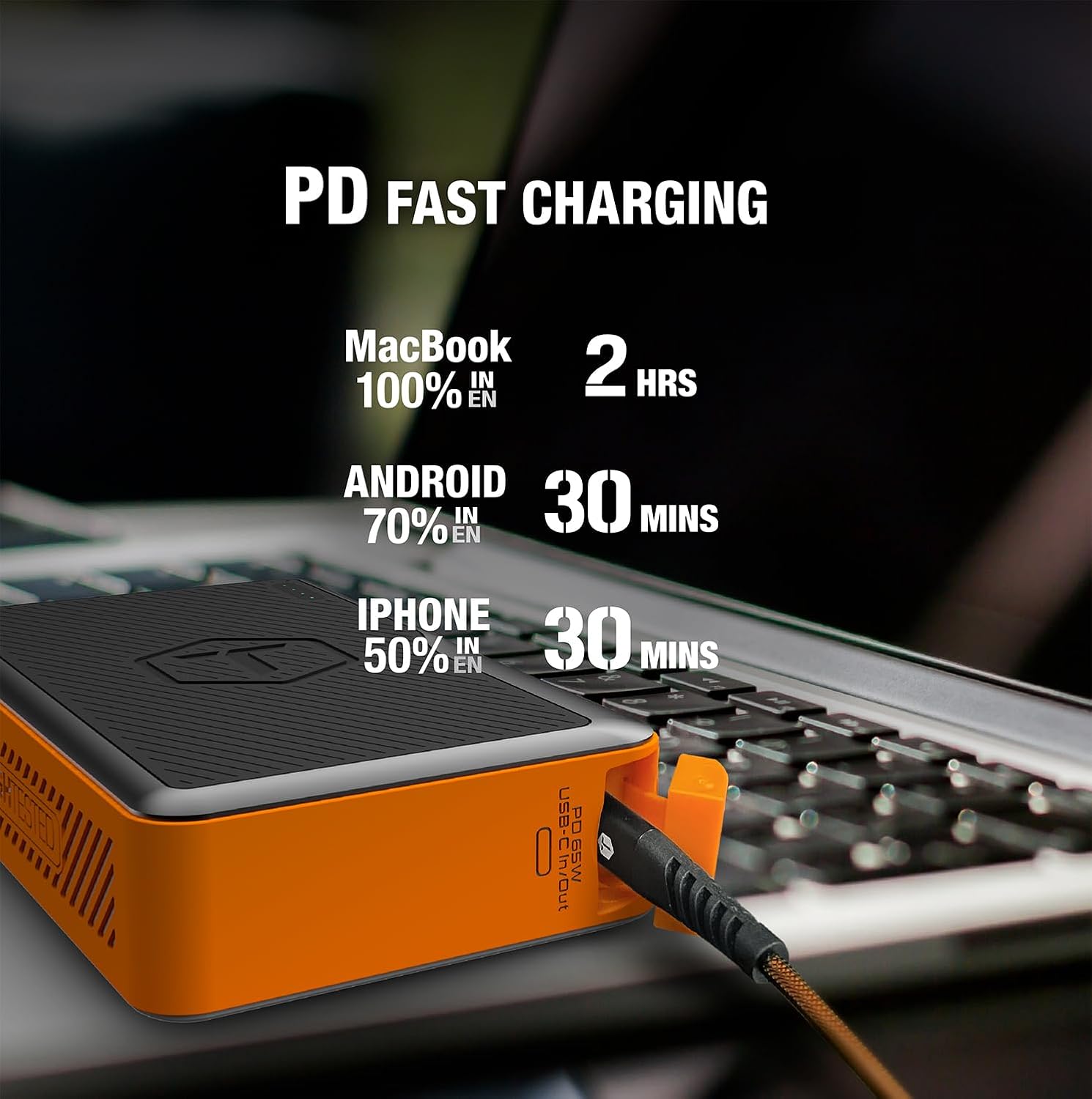
Image: Infographic detailing fast charging times for various devices: MacBook 100% in 2 hours, Android 70% in 30 minutes, iPhone 50% in 30 minutes.
Обслуживание
- Уборка: Wipe the exterior with a soft, dry cloth. Do not use harsh chemicals or abrasive materials. Ensure port covers are closed before cleaning.
- Хранилище: Store the power bank in a cool, dry place away from direct sunlight and extreme temperatures. For long-term storage, charge the power bank to about 50-75% every 3-6 months to maintain battery health.
- Крышки портов: Always ensure the sealed port covers are securely closed when not in use, especially in dusty or wet environments, to maintain the IP64 rating.

Image: The MOAB 65 with water droplets on its surface, illustrating its IP64 weatherproof and dustproof capabilities.
Поиск неисправностей
| Проблема | Возможная причина | Решение |
|---|---|---|
| Повербанк не заряжается | Проблема с кабелем или адаптером; внешний аккумулятор полностью разряжен; неисправный порт. | Try a different USB-C cable and wall adapter. Ensure the adapter is powerful enough (e.g., 65W PD). Allow a few minutes for a deeply discharged unit to respond. |
| Устройство не заряжается от повербанка | Power bank low on charge; incorrect cable; device not compatible; power bank in standby. | Check power bank battery level. Ensure cable is securely connected and functional. Try a different port. Press the power button to activate output. |
| Медленная зарядка | Cable not supporting fast charge; device not supporting fast charge; multiple devices connected. | Use a certified PD/QC compatible cable. Ensure your device supports fast charging. Disconnect other devices if faster charging is needed for one specific device. |
| Светодиодные индикаторы не работают | Minor software glitch; internal issue. | Try fully discharging and then recharging the power bank. If the issue persists, contact customer support. |
Технические характеристики
| Особенность | Деталь |
|---|---|
| Модель | MOAB 65 |
| Емкость аккумулятора | 40,000 мАч (142 Втч) |
| USB-C PD (Input/Output) | Мощность подачи 65 Вт |
| USB-C PD (Output) | Мощность подачи 20 Вт |
| USB-A (выход) | Быстрая зарядка 3.0 |
| Размеры | 7 x 4 x 1.5 дюйма |
| Масса | 1.8 фунта |
| Рейтинг IP | IP64 (Dustproof & Water Resistant) |
| Тип батареи | Литий-ионный |
| Цвет | Черный/Оранжевый |
Гарантия и поддержка
The ToughTested MOAB 65 Portable Charger comes with a Гарантия 5 год, гарантируя надежность и душевное спокойствие. Данная гарантия распространяется на дефекты материалов и изготовления при условии нормального использования.
For warranty claims, technical support, or any questions regarding your MOAB 65, please contact ToughTested customer service:
- Webсайт: Visit the official ToughTested webсайт для получения ресурсов поддержки и контактной информации. www.toughtested.com
- Электронная почта: Refer to the ToughTested webсайт для получения актуального адреса электронной почты службы поддержки.
- Телефон: Refer to the ToughTested webНа сайте вы найдете самый актуальный номер телефона службы поддержки.
Please have your product model (MOAB 65) and proof of purchase ready when contacting support.

Image: ToughTested "Built for Every Adventure" logo, emphasizing the brand's commitment to durability.


