1. Введение
The SCULPFUN IR-2 Infrared Laser Module is a high-precision engraving tool designed for use with various laser engraver machines, including SCULPFUN S9 and S30 series. Featuring a 2000mW output power and a 1064nm wavelength, this module is particularly effective for engraving on plastics and a wide range of metals with exceptional detail.
2. Информация по технике безопасности
WARNING: This is a Class IV laser product. Direct exposure to the laser beam can cause severe eye and skin damage. Always wear appropriate laser safety goggles (specifically rated for 1064nm infrared lasers) when operating this device. Never look directly into the laser beam or its reflection. Ensure the work area is well-ventilated to avoid inhaling fumes from engraved materials.
For detailed safety guidelines, refer to the safety video provided by the manufacturer.
Video: SCULPFUN IR-2 Usage Precautions. This video demonstrates important safety measures and precautions when operating the IR-2 Infrared Laser Module.
3. Особенности продукта
- Высокоточная гравировка: The IR-2 module offers ultra-fine engraving capabilities with a 0.03mm laser spot and pulse energy up to 20,000Hz, allowing for clear and distinct marks on various materials.
- 1064nm Infrared Laser: With a longer wavelength compared to blue lasers, the 1064nm infrared laser is highly effective for engraving plastics and a wide range of metals.
- Универсальная совместимость материалов: Ideal for engraving on metals such as gold, silver, platinum, copper, aluminum, zinc, iron, stainless steel, metal oxides, alloys, plastics, and dark acrylics.
- Broad Engraver Compatibility: Compatible with all SCULPFUN laser engraving machines (e.g., S9, S30 series) and other laser engraving machine accessories like rotary rollers for cylindrical objects.
- Integrated Focusing Post: Includes a focusing post for quick and easy focus adjustment, eliminating the need for additional accessories.

Image: SCULPFUN IR-2 Infrared Laser Module highlighting its 1064nm wavelength, 0.03mm light spot, and 20KHz pulse energy, suitable for engraving plastic and metal.

Image: Comparison demonstrating the superior engraving capability of the 1064nm infrared laser on plastic and various metals compared to a 450nm blue laser.
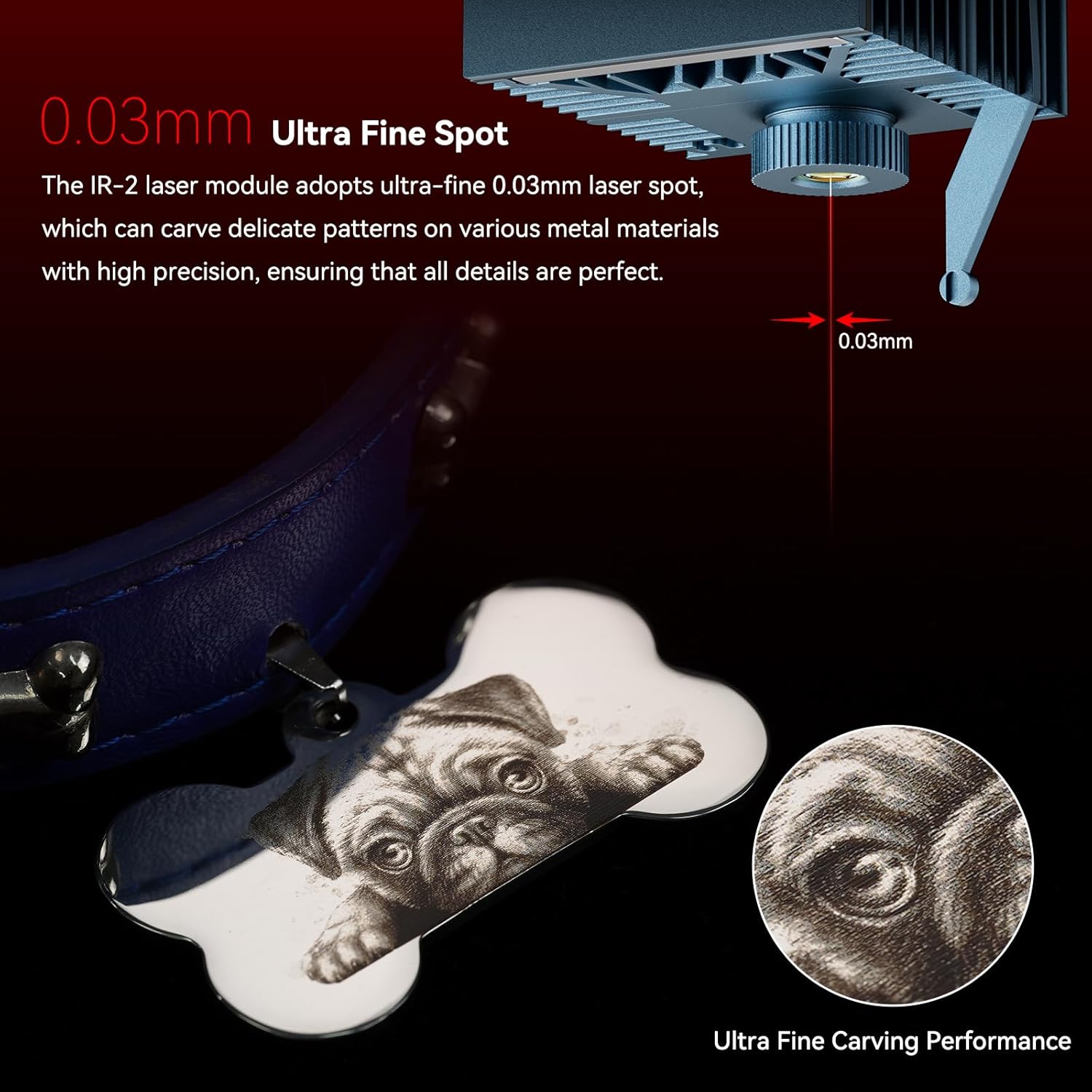
Image: Detailed engraving of a pug on a metal tag, шоуasing the 0.03mm ultra-fine spot for high-precision patterns.
4. Содержимое упаковки
The SCULPFUN IR-2 Infrared Laser Module package includes the following items:
- 1 × 2W Infrared Laser Module
- Адаптер 1 ×
- 1 × S10 Mounting Plate
- 1 × SF-A9 Mounting Plate
- 1 × Universal Mounting Plate for Other Models
- 1 × Accessories Package (including focusing post)

Image: All components included in the SCULPFUN IR-2 Infrared Laser Module package.
5. Инструкции по настройке
Follow these steps to install and set up your SCULPFUN IR-2 Infrared Laser Module.
5.1. Сборка модуля
- Attach the appropriate mounting plate (S10, SF-A9, or universal) to the IR-2 laser module using the provided screws. Ensure a secure fit.
- Mount the assembled laser module onto your SCULPFUN laser engraver machine. Secure it with the thumbscrews.
- Connect the power and data cables from the laser module to your engraver.
5.2. Power Adapter Compatibility
The IR-2 laser module requires a 24V adapter. If your existing laser engraver uses a 12V adapter for its original laser head, you must replace it with the provided 24V adapter when using the IR-2 module. Failure to do so may damage the laser module or the engraver.
Important: If your machine has an air pump, unplug its terminal wire when using a 24V adapter to avoid burning the air pump. When replacing a 12V machine's original laser head with the IR-2, replace the original 12V adapter with the 24V adapter at the same time to prevent damage to the laser head.
Video: SCULPFUN IR-2 Infrared Laser Module 2W. This video provides a visual guide for the installation process, including attaching mounting plates and connecting the module to the engraver.
6. Инструкция по эксплуатации
The SCULPFUN IR-2 module is designed for use with compatible laser engraving software such as LightBurn. Ensure your software is correctly configured for the IR-2 module.
6.1. Фокусировка лазера
Use the integrated focusing post to quickly set the correct focal distance. Lower the laser module until the focusing post touches the material surface, then secure the module.
6.2. Software Settings (LightBurn Exampле)
When using LightBurn, adjust the following parameters for optimal engraving results:
- Скорость: Adjust based on material. For plastic, a speed of 6000mm/min is a reference. For stainless steel, 1000-3000mm/min is a reference.
- Власть: Set to 100% for most engraving tasks.
- Интервал: For fine detail, an interval of 0.01mm to 0.03mm is recommended.
- Режим изображения: Dither is often suitable for detailed images.
Note: Always keep the work area well-ventilated during operation.
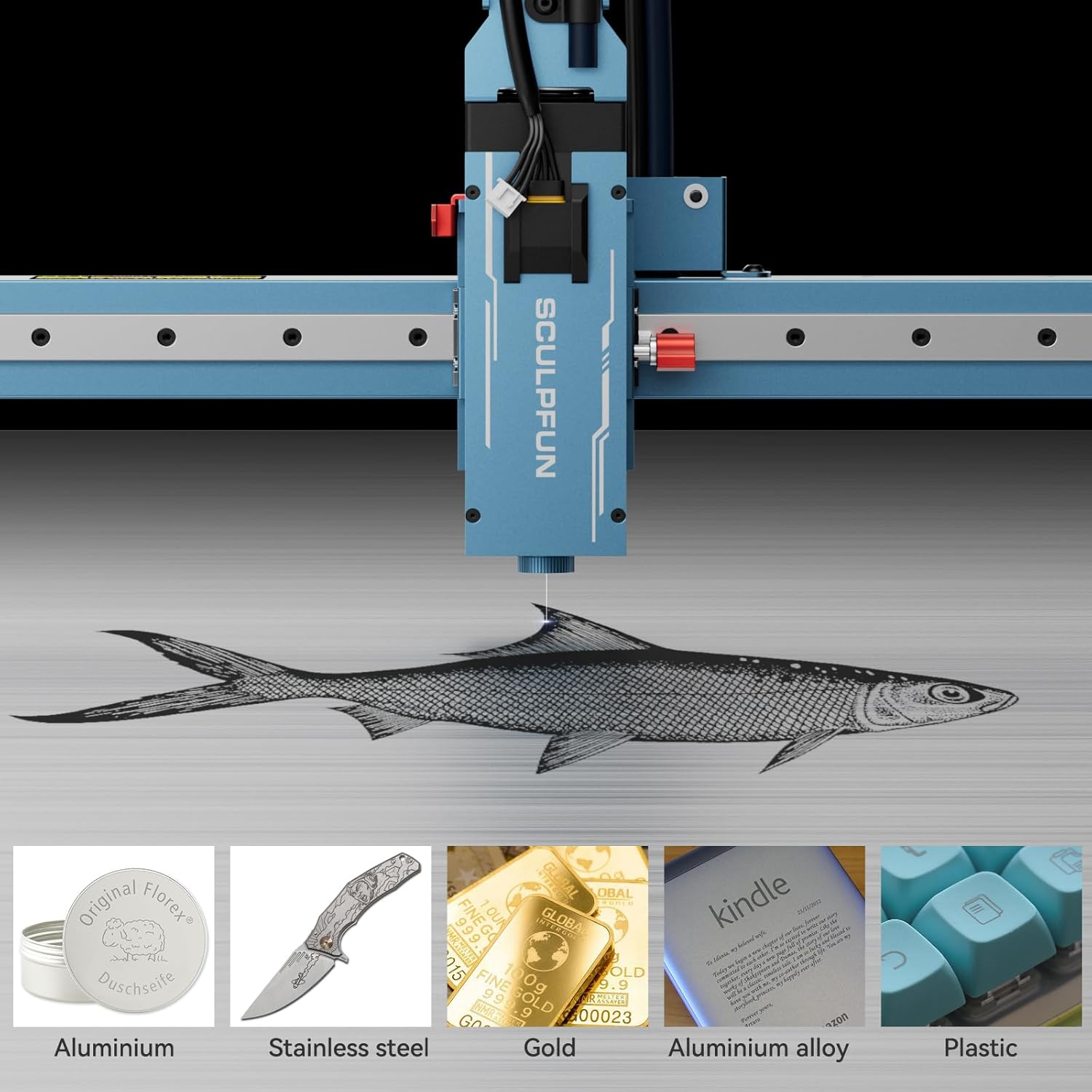
Image: Various materials successfully engraved using the IR-2 module, demonstrating its versatility.

Image: The IR-2 module engraving a metal dog tag, highlighting its ultra-high pulse energy for clear and precise results.
7. Техническое обслуживание
Regular maintenance ensures optimal performance and longevity of your laser module.
- Чистка линз: Для поддержания качества лазерного луча периодически очищайте линзу лазера мягкой безворсовой тканью, смоченной соответствующим раствором для чистки линз.
- Очистка вентилятора: Ensure the cooling fan on the module is free from dust and debris to prevent overheating.
- Проверка кабеля: Regularly check all cables for any signs of wear or damage. Replace damaged cables immediately.
8. Поиск Неисправностей
| Проблема | Возможная причина | Решение |
|---|---|---|
| Лазер не работает или слабый выходной сигнал | Incorrect power adapter, loose connections, dirty lens, incorrect software settings. | Verify 24V adapter is used. Check all cable connections. Clean the laser lens. Review software power and speed settings. |
| Плохое качество гравировки | Incorrect focus, wrong speed/power settings, material not suitable. | Adjust laser focus using the focusing post. Experiment with different speed and power settings for the specific material. Ensure material is compatible with infrared laser engraving. |
| Перегрев модуля | Blocked cooling fan, prolonged high-power operation in poor ventilation. | Clean the cooling fan. Ensure adequate ventilation in the work area. Allow the module to cool down between long engraving sessions. |
9. Технические характеристики
| Параметр | Ценить |
|---|---|
| Модель | ИК-2 |
| Выходная мощность лазера | 2000 мВт (2 Вт) |
| Класс лазера | IV |
| Материал продукта | Алюминиевый сплав |
| Длина волны лазера | 1064 нм |
| Рабочий режим | Импульсный режим работы |
| Размер пятна | X:0.03mm Y:0.003mm |
| Источник питания | DC24V (80 Вт) |
| Температура хранения | -10°С до 50°С |
| Размер продукта | 144*50*58 мм |
| Вес продукта | 0.45КГ |
10. Гарантия и поддержка
Информацию о гарантии и технической поддержке можно получить на официальном сайте SCULPFUN. webна сайте или обратитесь к продавцу. Сохраните чек о покупке для предъявления гарантийных претензий.