Введение
Thank you for choosing the Baseus Bowie MA10S Wireless Earbuds. This manual provides detailed instructions on how to set up, operate, and maintain your earbuds to ensure optimal performance and longevity. Please read this manual thoroughly before using the product.

Image: The Baseus Bowie MA10S Wireless Earbuds, showing both earbuds and their open charging case with a digital battery display.
Содержимое упаковки
Убедитесь, что в упаковке присутствуют все предметы:
- Baseus Bowie MA10S Wireless Earbuds (Left and Right)
- Зарядный футляр
- S/M/L Eartips (Left and Right pairs)
- S/M/L Earwings (Left and Right pairs)
- Зарядный кабель USB-C
- Руководство пользователя (этот документ)

Image: All components included in the Baseus Bowie MA10S package: the earbuds in their charging case, a USB-C charging cable, and various sizes of ear tips and ear wings.
Настраивать
1. Первоначальная зарядка
Before first use, fully charge the earbuds and the charging case. Connect the USB-C charging cable to the charging case and a power source. The digital display on the case will show the battery percentage. Наушники будут заряжаться автоматически, когда их поместят в чехол.

Image: The Baseus Bowie MA10S charging case demonstrating both USB-C wired charging and wireless charging capabilities, with a clear view of the digital power display showing "100%".
The charging case supports both wired USB-C charging and wireless charging. A full charge provides up to 38 hours of total playtime with the charging case, and 8 hours on a single charge for the earbuds.
2. Сопряжение по Bluetooth
- Откройте зарядный кейс. Наушники автоматически перейдут в режим сопряжения.
- Включите Bluetooth на вашем устройстве (смартфоне, планшете, ноутбуке).
- Искать "Baseus Bowie MA10S" in the list of available Bluetooth devices.
- Select "Baseus Bowie MA10S" to connect. Once connected, a voice prompt will confirm the successful pairing.
The earbuds feature Bluetooth 5.3 for instant pairing, stable connection, and better interference resistance. They also support multipoint connection, allowing seamless pairing to two devices simultaneously.

Image: A visual representation of the Bluetooth 5.3 chip, highlighting its role in providing instant pairing and stable connections.

Image: A man seamlessly connected to both a smartphone and a laptop with the Baseus Bowie MA10S earbuds, illustrating the multipoint connection feature.
3. Baseus App Installation
For enhanced features and customization, download the official Baseus App from your device's app store. The app allows you to:
- Adjust Noise Cancelling levels (10 levels available)
- Select from 12 Preset Equalizers (EQs) or create custom ones
- Customize touch gestures for controls

Image: Screenshots of the Baseus App interface, demonstrating options for ambient sound control, equalizer presets, and custom gesture settings.
Инструкция по эксплуатации
Сенсорное управление
The Baseus Bowie MA10S earbuds feature intuitive touch controls. Refer to the following table for default functions. Custom gestures can be configured via the Baseus App.
| Действие | Функция | Примечания |
|---|---|---|
| Put on / Take off | Воспроизведение и пауза | Автоматическое обнаружение |
| Один кран (левый или правый) | Toggle Track / Adjust Volume | Customizable in App |
| Long Press (1.5s, L or R) | Noise Cancellation Cycle | ANC > Normal > Transparency mode (default) |
| Long Press (1.5s, L or R) | Spatial Audio Cycle | Music > Theater > Normal (default) |
| Long Press (1.5s, L or R) | Отклонить вызов | |
| Один кран (левый или правый) | Ответить на звонок / Сбросить звонок |

Image: A visual guide to the easy tap controls on the Baseus Bowie MA10S earbuds, showing functions like play/pause, track/volume adjustment, call management, and mode cycling.
Active Noise Cancellation (ANC) & Transparency Modes
The earbuds feature Hybrid Active Noise Cancelling technology, reducing disturbing noise by up to 95% (-48dB). Long press either earbud to cycle through ANC, Normal, and Transparency modes.
- Режим АНК: Ideal for noisy environments like travel or office, blocking out ambient sound.
- Нормальный режим: Standard audio experience without noise cancellation.
- Режим прозрачности: Allows you to hear your surroundings while listening to audio, useful for safety or conversations.

Image: A man wearing the Baseus Bowie MA10S earbuds, with a visual overlay indicating the -48dB Hybrid Active Noise Cancellation feature, suggesting a quiet listening experience.

Image: A man walking outdoors while wearing the Baseus Bowie MA10S earbuds, illustrating the Transparent Mode feature which allows awareness of surroundings.
Audio Modes & Spatial Audio
The Bowie MA10S offers three tailored audio modes and immersive spatial audio:
- Басовый режим: Enhanced bass for sports or music genres that benefit from powerful low frequencies.
- Музыкальный режим: Balanced audio for daily immersive listening.
- Режим игры: Low-latency audio (0.038s) for synchronized audio and video during gaming.
Activate the Dual Channel Low-Latency (DCLL) mode for gaming to ensure audio and video are in full sync.

Image: The Baseus Bowie MA10S earbuds positioned next to a smartphone displaying a racing game, emphasizing the 0.038s low-latency feature for smooth and seamless gaming.
Experience Baseus Immersive Spatial Audio (BISA) which creates a virtual soundscape, keeping you at the center of the sound. Long press either earbud to cycle through Spatial Audio modes (Music > Theater > Normal).
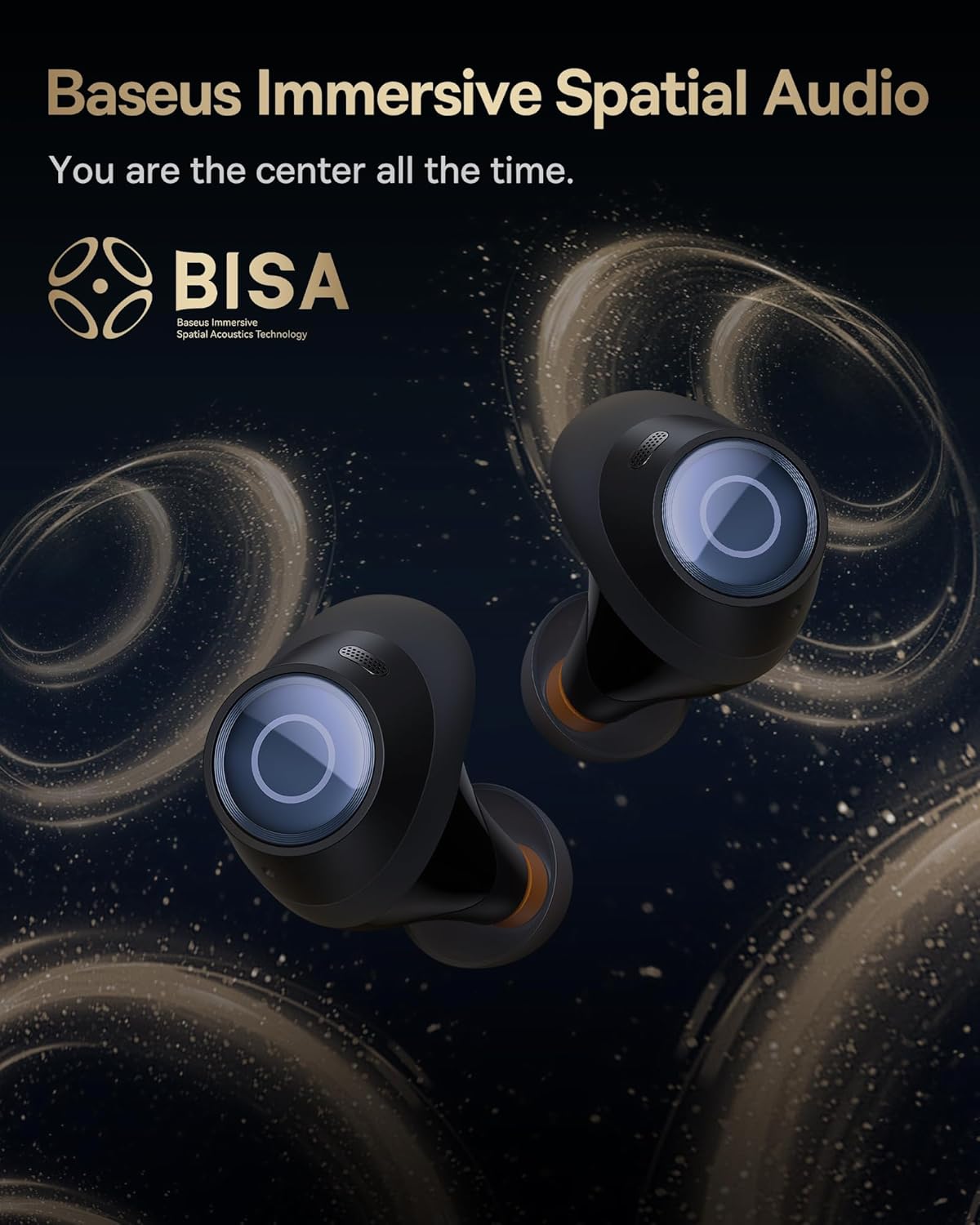
Image: The Baseus Bowie MA10S earbuds highlighted with the "BISA" (Baseus Immersive Spatial Audio) logo, indicating their advanced audio positioning capabilities.
Очистить вызовы
The earbuds are equipped with 4 Environmental Noise Cancelling (ENC) microphones. These mics capture ambient noise, and an AI algorithm cancels it, ensuring crystal-clear call quality even in noisy environments.

Image: An X-ray like view of the Baseus Bowie MA10S earbuds, illustrating the placement of the 4 Environmental Noise Cancelling (ENC) microphones designed for crystal-clear phone calls.
Зарядка
Зарядка наушников
Place the earbuds into the charging case. They will automatically begin charging. The case's digital display will show the charging status and battery level.
Case Charging (Wired & Wireless)
- Проводная зарядка: Connect the provided USB-C cable to the charging port on the case and a USB power adapter.
- Беспроводная зарядка: Simply place the charging case on a compatible wireless charging pad.
The case features a smart power display, showing the exact battery percentage at a glance.

Изображение: крупный план view of the Baseus Bowie MA10S charging case's built-in digital display, clearly showing "100%", indicating a full charge.
A quick 10-minute wired charge can provide up to 2 hours of playtime.

Image: The Baseus Bowie MA10S charging case connected for fast wired charging, with a graphic indicating "10m = 2H", signifying 10 minutes of charge provides 2 hours of playtime.
Обслуживание
Уборка
- Регулярно очищайте наушники, особенно амбушюры и зарядные контакты, мягкой, сухой тканью без ворса.
- Снимите ушные вкладыши и очистите насадки наушников от ушной серы и грязи с помощью небольшой щеточки или ватного тампона.
- Clean the charging case with a soft, dry cloth.
- Не используйте абразивные чистящие средства, спирт или химические растворители.
Хранилище
Когда наушники не используются, храните их в зарядном футляре, чтобы защитить их и поддерживать зарядку. Храните футляр в прохладном, сухом месте, вдали от экстремальных температур.
Водонепроницаемость (IPX4)
The Baseus Bowie MA10S earbuds are IPX4 waterproof, meaning they are resistant to splashing water from any direction. This makes them suitable for workouts and light rain. However, they are not designed for swimming or submersion in water. Do not expose them to pressurized water or high-velocity water, such as showering or bathing.

Image: The Baseus Bowie MA10S earbuds shown with water splashing over them, indicating their IPX4 waterproof rating, suitable for sweat and light rain.
Поиск неисправностей
If you encounter issues with your Baseus Bowie MA10S earbuds, please refer to the following common solutions:
- Наушники не подключаются:
- Убедитесь, что наушники заряжены.
- Выключите и снова включите Bluetooth на вашем устройстве.
- Положите наушники обратно в футляр, закройте крышку, подождите несколько секунд, затем снова откройте, чтобы повторно войти в режим сопряжения.
- Forget "Baseus Bowie MA10S" from your device's Bluetooth list and try pairing again.
- Нет звука или низкая громкость:
- Проверьте уровень громкости на вашем устройстве и наушниках.
- Убедитесь, что наушники правильно вставлены в уши и амбушюры обеспечивают плотное прилегание.
- Очистите насадки наушников от мусора.
- Try resetting the earbuds (refer to Baseus App or online resources for specific reset instructions if needed).
- Проблемы с зарядкой:
- Убедитесь, что кабель USB-C надежно подключен как к корпусу, так и к источнику питания.
- Попробуйте использовать другой кабель USB-C или адаптер питания.
- For wireless charging, ensure the case is correctly placed on the wireless charging pad.
- Очистите зарядные контакты на наушниках и внутри кейса.
- Программа дородового наблюдения неэффективна:
- Ensure ANC mode is activated (long press earbud).
- Check that the ear tips provide a proper seal in your ear canal. Try different sizes of ear tips for a better fit.
Для получения дополнительной помощи обратитесь в официальную службу поддержки Baseus.
Технические характеристики
| Особенность | Деталь |
|---|---|
| Название модели | Baseus Bowie MA10S |
| Технология связи | Беспроводная связь (Bluetooth 5.3) |
| Диапазон Bluetooth | 10 метра |
| Контроль шума | Гибридное активное шумоподавление (до -48 дБ) |
| Микрофоны | 4 ENC Mics for Clear Calls |
| Тип аудиодрайвера | Dynamic Driver (Titanium-plated PU composite diaphragm) |
| Диапазон частот | 20 Гц - 20 000 Гц |
| Срок службы батареи (наушники) | 8 часов (одна зарядка) |
| Срок службы батареи (общий с кейсом) | 38 часов |
| Зарядка | USB-C Wired, Wireless Charging |
| Аудио задержка | 38 миллисекунд (игровой режим) |
| Водостойкость | Водонепроницаемость IPX4 |
| Метод контроля | Сенсорное управление, приложение |
| Совместимые устройства | Cellphones, Devices with Bluetooth Audio Capability (iOS, Android, Windows, Mac OS, Switch), Laptops, Tablets |
| Вес товара | 4.6 унции |
| СКП | 850060076268 |
Гарантия и поддержка
For information regarding product warranty, returns, or technical support, please visit the official Baseus webили обратитесь в службу поддержки напрямую. Сохраните чек о покупке в качестве подтверждения покупки на случай предъявления гарантийных претензий.
Официальный магазин Baseus: Магазин Baseus на Amazon


