1. Продукт закончилсяview
The Timex TW2W25300 is a digital watch featuring a unique design inspired by Utagawa Hiroshige's "Maples at Mama" woodblock print. This watch combines classic artistry with modern digital functionality, offering essential timekeeping features for daily use.
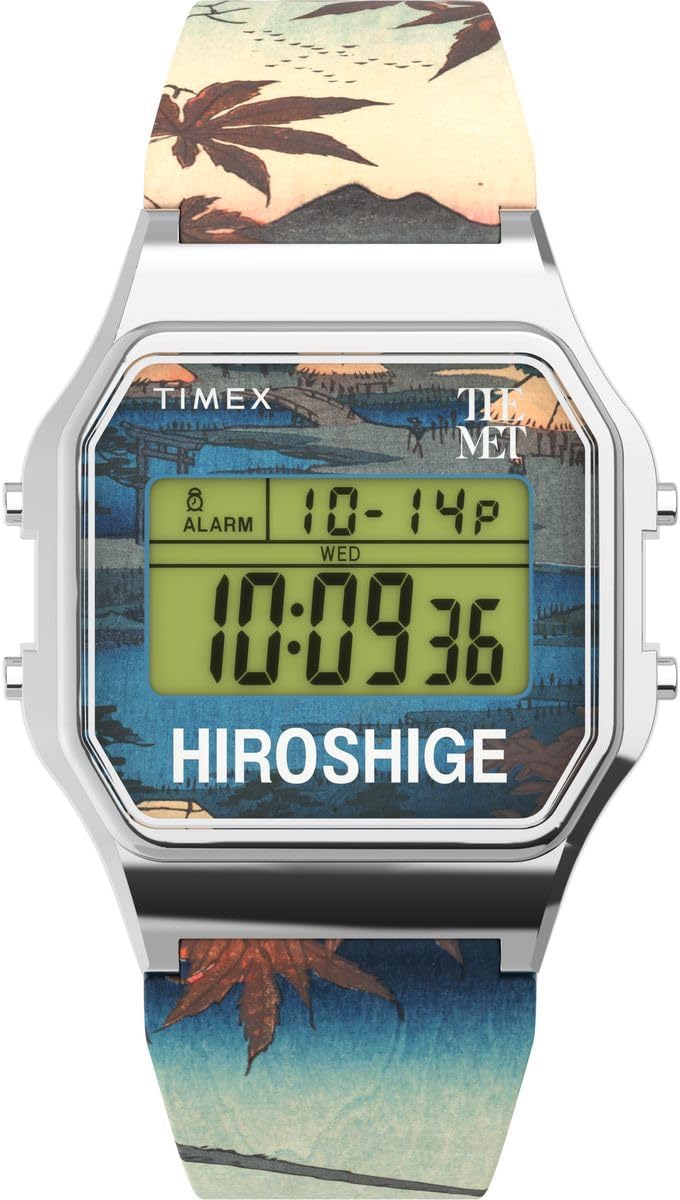
Рисунок 1: Передний view of the Timex TW2W25300 Digital Watch. The watch features a silver-colored case, a digital display, and a strap adorned with a detailed woodblock print.
Основные характеристики:
- Цифровой дисплей: Четкое и легко читаемое цифровое отображение времени.
- Функция календаря: Displays day and date.
- Секундомер: Для отслеживания времени событий.
- Тревога: Программируемая функция будильника.
- Ночной светильник Indiglo: Обеспечивает освещение в условиях низкой освещенности.
- Водостойкость: Rated for 3 bars (30 meters), suitable for splashes or brief immersion.
- Уникальный дизайн: Features artwork from Utagawa Hiroshige's "Maples at Mama" on the strap.
2. Настройка
Before using your Timex TW2W25300 watch, it is recommended to set the correct time and date.
2.1 Установка времени и даты
- Войдите в режим настройки: Нажмите и удерживайте НАБОР button (usually located on the side of the watch) until the time display begins to flash.
- Настроить время: Используйте РЕЖИМ or РЕГУЛИРОВАТЬ button to change the flashing digits (hours, then minutes). Press НАБОР Чтобы перейти к следующему параметру, нужно снова нажать кнопку.
- Установить дату: Продолжайте нажимать НАБОР to cycle through date settings (month, day, year). Use РЕЖИМ or РЕГУЛИРОВАТЬ изменить значения.
- Выход из режима настройки: После того, как все настройки будут правильными, нажмите НАБОР one last time or wait for the display to stop flashing to exit the set mode.
Note: Specific button functions may vary slightly. Refer to the quick start guide included in the watch packaging for precise button layouts.
3. Инструкция по эксплуатации
Your Timex TW2W25300 watch offers several functions accessible via its buttons.
3.1 Using the Indiglo Night-Light
To illuminate the watch face in low-light conditions, press the ИНДИГЛО button (often the top-left button). The light will stay on for a few seconds.
3.2 Функция секундомера
- Активировать секундомер: Нажмите РЕЖИМ button repeatedly until the stopwatch display appears (usually showing "00:00:00").
- Старт/Стоп: Нажмите СТАРТ/СТОП Нажмите кнопку, чтобы начать отсчет времени. Нажмите еще раз, чтобы поставить на паузу.
- Сброс: Пока секундомер находится на паузе, нажмите ПЕРЕЗАГРУЗИТЬ button to clear the time.
- Возвращение во времени: Нажмите РЕЖИМ button to cycle back to the main time display.
3.3 Функция будильника
- Сигнализация доступа: Нажмите РЕЖИМ button until the alarm display appears (often indicated by an alarm icon).
- Установить время будильника: Используйте НАБОР or РЕГУЛИРОВАТЬ Кнопка для установки желаемого часа и минуты будильника.
- Активировать / деактивировать будильник: Нажмите БУДИЛЬНИК ВКЛ / ВЫКЛ button (or a combination of buttons) to toggle the alarm on or off. An alarm icon will typically appear on the display when active.
- Тишина тревоги: Когда сработает будильник, нажмите любую кнопку, чтобы выключить его.
3.4 Отображение календаря
The watch automatically displays the current day and date. This information is typically visible on the main time display or can be accessed by pressing the РЕЖИМ кнопка для переключения между различными режимами отображения.
4. Техническое обслуживание
Proper care will ensure the longevity and performance of your Timex TW2W25300 watch.
4.1 Очистка
- Регулярно протирайте корпус часов и ремешок мягкой тряпкой.amp ткань.
- Избегайте использования агрессивных химикатов, растворителей или абразивных чистящих средств, так как они могут повредить покрытие или ремешок часов.
4.2 Водостойкость
This watch is water resistant to 3 bars (30 meters). This means it is suitable for:
- Случайные брызги
- Дождь
- Brief immersion in water (e.g., washing hands)
Важный: Do not press any buttons while the watch is wet or submerged. This can compromise the water resistance seal. Not suitable for swimming, diving, or showering.
4.3. Замена батареи
The watch uses an Oxide d'argent (Silver Oxide) battery. When the display becomes dim or functions become erratic, it may be time to replace the battery. It is recommended to have the battery replaced by a qualified watch technician to ensure proper sealing and water resistance.
5. Поиск Неисправностей
| Проблема | Возможная причина | Решение |
|---|---|---|
| Дисплей тусклый или пустой. | Низкий заряд батареи. | Замените аккумулятор. |
| Время неверное. | Время установлено неправильно или кнопка нажата случайно. | Для сброса времени обратитесь к разделу 2.1 «Установка времени и даты». |
| Сигнализация не срабатывает. | Сигнализация не активирована или установлена неправильно. | Refer to Section 3.3 "Alarm Function" to ensure the alarm is set and activated. |
| Вода внутри часов. | Нарушена водонепроницаемость (например, нажатие кнопок под водой, разгерметизация). | Немедленно отнесите часы в квалифицированный сервисный центр. Не пытайтесь сушить их самостоятельно. |
6. Технические характеристики
| Особенность | Деталь |
|---|---|
| Бренд | Таймекс |
| Номер модели | TW2W25300 |
| Тип дисплея | Цифровой |
| Размеры корпуса | 34 х 34 мм |
| Высота корпуса | 10 мм |
| Цвет корпуса | Серебро |
| Цвет циферблата | Разноцветный |
| Материал ремешка | Пластик |
| Длина ремешка | 21 см |
| Ширина ремешка | 21 мм |
| Тип застежки | Пряжка |
| Водостойкость | 3 перекладины (30 метров) |
| Масса | 53 г |
| Состав батареи | Оксид серебра |
| Особые возможности | Indiglo Night-Light, Chronograph (Stopwatch), Alarm |

Рисунок 2: Сторона view of the watch, highlighting its slim profile и кнопки управления.
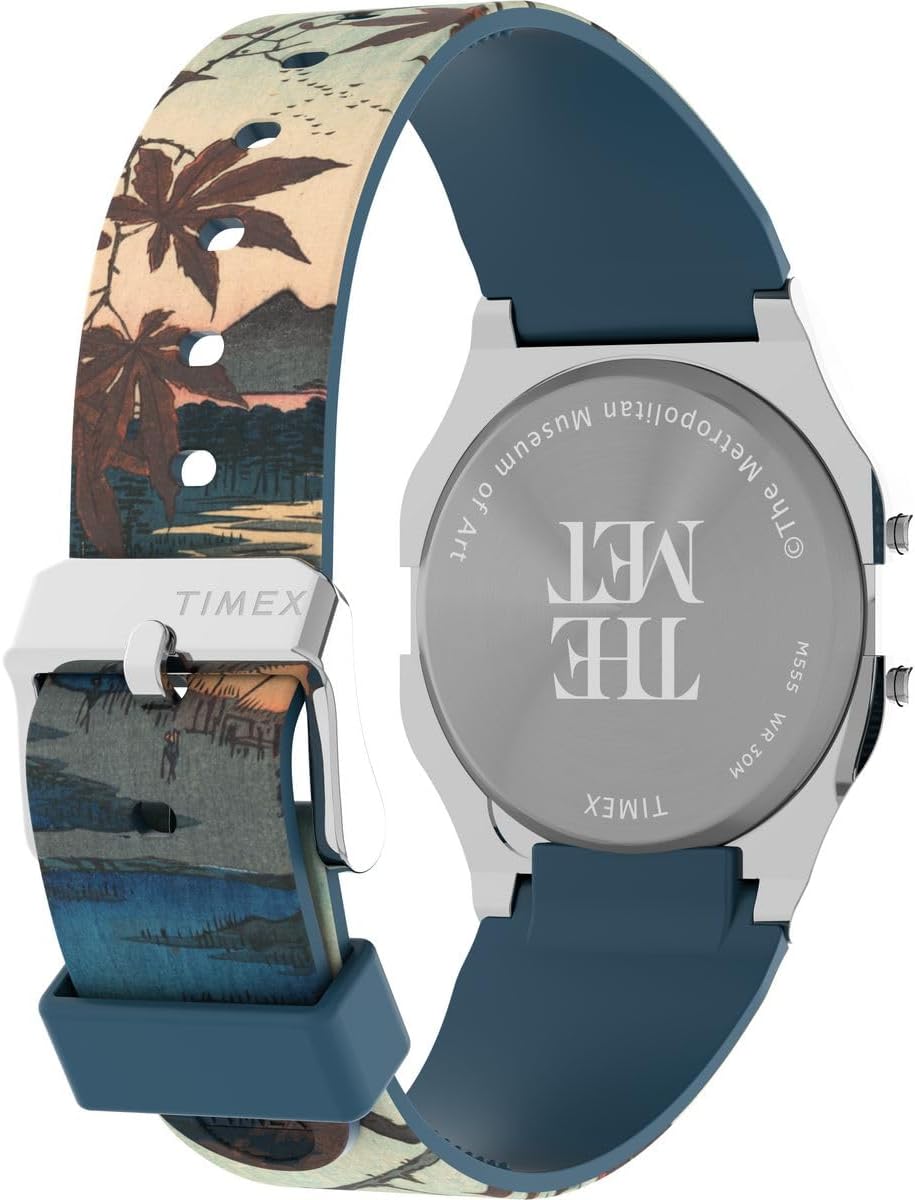
Рисунок 3: Задний view of the watch, displaying the engraved case back with brand and museum collaboration details.
7. Гарантия и поддержка
Your Timex TW2W25300 watch is delivered in an original gift box, which typically contains detailed warranty information and instructions for support.
7.1 Информация о гарантии
Please refer to the warranty card or booklet included in the product packaging for specific warranty terms, conditions, and duration. This document will provide details on coverage for manufacturing defects and how to claim warranty service.

Рисунок 4: Product packaging, including the watch, user guide, and guarantee card.
7.2 Поддержка клиентов
For technical assistance, service, or inquiries regarding your watch, please contact Timex customer support. Contact details can usually be found on the Timex official website or within the warranty documentation.
Официальный представитель Timex Webсайт: www.timex.com


