Введение
This manual provides detailed instructions for setting up, operating, and maintaining your BSIMB W215D 21.5 Inch FHD WiFi Digital Picture Frame. Please read this manual thoroughly before using the product to ensure proper function and longevity.
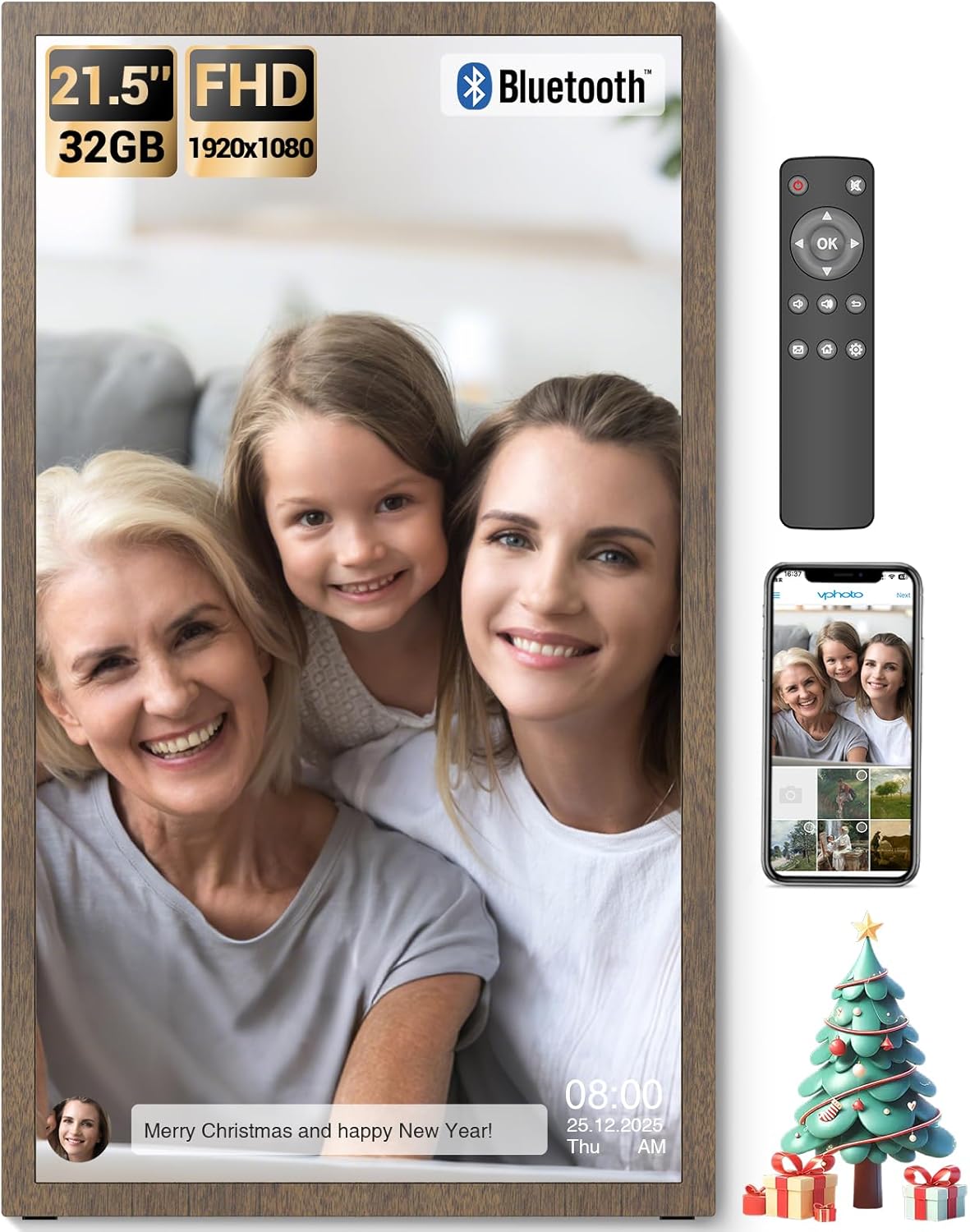
Image: The BSIMB 21.5-inch digital picture frame showcasing a family photo, accompanied by its remote control and a smartphone displaying the companion app interface.
Содержимое упаковки
Пожалуйста, отметьте галочкой следующие пункты:
- BSIMB W215D Digital Picture Frame
- Remote Control (AAA+ batteries not included)
- Wall Adapter with US Plug
- Руководство пользователя
- Краткое руководство пользователя
- Шурупы и настенные анкеры
- Стоять
- USB Flash Drive (32GB)

Image: An illustration detailing the contents of the product package, including the digital frame, remote control, power adapter, user manuals, stand, wall mounting accessories, and a USB flash drive.
Продукт болееview
Familiarize yourself with the components of your digital picture frame.

Изображение: взорванный view diagram of the digital picture frame, highlighting key features such as the non-touch anti-glare FHD display, power button, USB ports, Micro SD slot, DC power input, VESA mounting holes, and speakers.
Основные характеристики:
- 21.5 Inch FHD Matte Screen: 1920x1080 resolution IPS display with a 16:9 aspect ratio for clear image presentation.
- 32 ГБ встроенной памяти: Capable of holding over 80,000 pictures.
- Расширяемое хранилище: Supports Micro SD Card (TF Card) and USB drives.
- Подключение к Wi-Fi: For sharing photos and videos via the VPhoto app and email.
- Дистанционное управление: Для удобной работы.
- Умный датчик освещенности: Automatically adjusts brightness based on ambient light.
- Спящий режим: Schedule on/off times for energy saving.
- Настенный дизайн: Allows for flexible placement (swivel wall mount not included).
Руководство по настройке
1. Первоначальное включение
- Connect the power adapter to the DC IN port on the back of the frame and plug it into a power outlet.
- Press the Power Button on the back of the frame to turn it on.
- Следуйте инструкциям на экране, чтобы выбрать язык и часовой пояс.
2. Подключение к Wi-Fi
- Из главного меню перейдите в Настройки.
- Выбирать Wi-Fi и выберите свою сеть из списка.
- Enter your Wi-Fi password and confirm. The frame will connect to the internet.
3. VPhoto App Installation and Pairing
- Загрузить VPhoto app from the App Store (iOS) or Google Play Store (Android) on your smartphone.
- Open the VPhoto app and create an account.
- On your digital frame, navigate to the Привязать устройство section to find your unique Frame ID or QR code.
- In the VPhoto app, select "Add Device" and enter the Frame ID or scan the QR code to pair your smartphone with the frame.
- Once paired, you can start sharing photos and videos directly from your phone to the frame.

Image: A visual guide illustrating the three main steps for initial setup: downloading the VPhoto app, connecting the frame via its unique ID, and uploading media.
4. Варианты монтажа
The frame can be placed on a flat surface using the included stand or mounted on a wall using the provided screws and wall anchors. The frame supports auto-rotation for both landscape and portrait orientations.

Image: The digital frame positioned on a stand, illustrating its ability to automatically adjust image orientation when rotated between landscape and portrait views.
Инструкция по эксплуатации
1. Использование дистанционного управления
The included remote control allows for easy navigation and setting adjustments. Insert two AAA+ batteries (not included) into the remote before use.
- Кнопки навигации: Use the arrow keys to move through menus and select options.
- Кнопка ОК: Подтверждает выбор.
- Кнопка «Назад»: Возврат к предыдущему экрану.
- Кнопка меню: Accesses main settings and options.
- Кнопки громкости: Регулирует вывод звука.
2. Загрузка фотографий и видео
You can upload media to your frame using several methods:
- Приложение VPhoto: After pairing, use the VPhoto app on your smartphone to send photos and videos directly to the frame. You can also invite friends and family to share.
- Электронная почта: Фоторамка имеет уникальный адрес электронной почты. Отправляйте фотографии и короткие видеоролики (до 15 секунд) на этот адрес, и они появятся на вашей рамке.
- USB Drive / Micro SD Card: Insert a USB drive or Micro SD card into the respective ports on the frame. Navigate to the Files or Хранилище section to browse and import media.

Image: A visual representation of the frame's storage capabilities, with multiple images and video thumbnails surrounding the frame, emphasizing its capacity for a large number of media files.
3. Настройки слайд-шоу
Customize your photo display experience:
- Перейти к Settings > Slideshow.
- Adjust parameters such as display interval, transition effects, and playback order.
- Enable or disable photo captions, weather, and clock display.
4. Smart Light Sensor
The frame features a smart light sensor that automatically adjusts screen brightness according to the ambient light in the room. This feature can be enabled or disabled in the Настройки меню.

Image: A visual representation of the frame's smart light sensor, illustrating how the screen brightness dynamically adapts to changes in room lighting conditions.
5 Спящий режим
To conserve energy, you can schedule the frame to automatically turn off and on at specific times. Access this feature in Settings > Sleep Mode.
6. Аудио Bluetooth
Connect Bluetooth speakers or headphones to enjoy audio with your videos or music files. Navigate to Настройки > Bluetooth to pair devices.

Image: The digital frame displaying an image, with a smartphone showing a Bluetooth connection to the frame, indicating the ability to play music or audio through connected Bluetooth devices.
Обслуживание
1. Очистка рамы
- Перед чисткой убедитесь, что рама выключена и отсоединена от сети.
- Используйте мягкую, сухую, безворсовую ткань, чтобы аккуратно протереть экран и рамку.
- Для удаления стойких пятен слегка потритеampСмочите ткань водой или безопасным для экрана чистящим средством. Избегайте использования агрессивных химикатов и абразивных материалов.
2. Обновления программного обеспечения
Периодически проверяйте наличие обновлений программного обеспечения. Settings > About > Check for Updates to ensure your frame has the latest features and performance improvements. A stable internet connection is required for updates.
Поиск неисправностей
| Проблема | Возможная причина/решение |
|---|---|
| Рама не включается. |
|
| Невозможно подключиться к Wi-Fi. |
|
| VPhoto app cannot connect to the frame. |
|
| Images are not displaying correctly or are blurry. |
|
| Пульт дистанционного управления не работает. |
|
Технические характеристики
| Особенность | Деталь |
|---|---|
| Номер модели | W215D |
| Размер экрана | 21.5 дюйма |
| Разрешение | 1920x1080 (FHD) |
| Соотношение сторон | 16:9 |
| Тип дисплея | IPS Matte Display (Non-Touch) |
| Внутреннее хранилище | 32 ГБ |
| Внешнее хранилище | Micro SD Card (TF Card), USB Drive |
| Связность | Wi-Fi, Bluetooth |
| Метод контроля | Remote Control, VPhoto App |
| Размеры продукта | 19.91 x 11.7 x 0.99 дюйма |
| Вес товара | 8.98 фунта |
Гарантия и поддержка
Информация о гарантии
Your BSIMB Digital Picture Frame comes with a:
- 30-дневная гарантия возврата денег
- 1 года гарантии без проблем
Пожалуйста, сохраните документ, подтверждающий покупку, для претензий по гарантии.
Поддержка клиентов
If you encounter any issues or have questions not covered in this manual, please contact our customer service team. We are committed to ensuring your satisfaction with our products.
For support, visit the official BSIMB webили обратитесь к контактной информации, указанной в вашем кратком руководстве.