1. Введение
The DEPSTECH DS300 Industrial Endoscope is a versatile inspection camera designed for detailed visual inspection in hard-to-reach areas. It features both dual-lens and single-lens probe options, providing high-definition imaging for various applications.
2. Компоненты продукта
The DEPSTECH DS300 Industrial Endoscope package includes the main display unit, a semi-rigid camera cable with either dual or single lens, a USB charging cable, and various accessories.
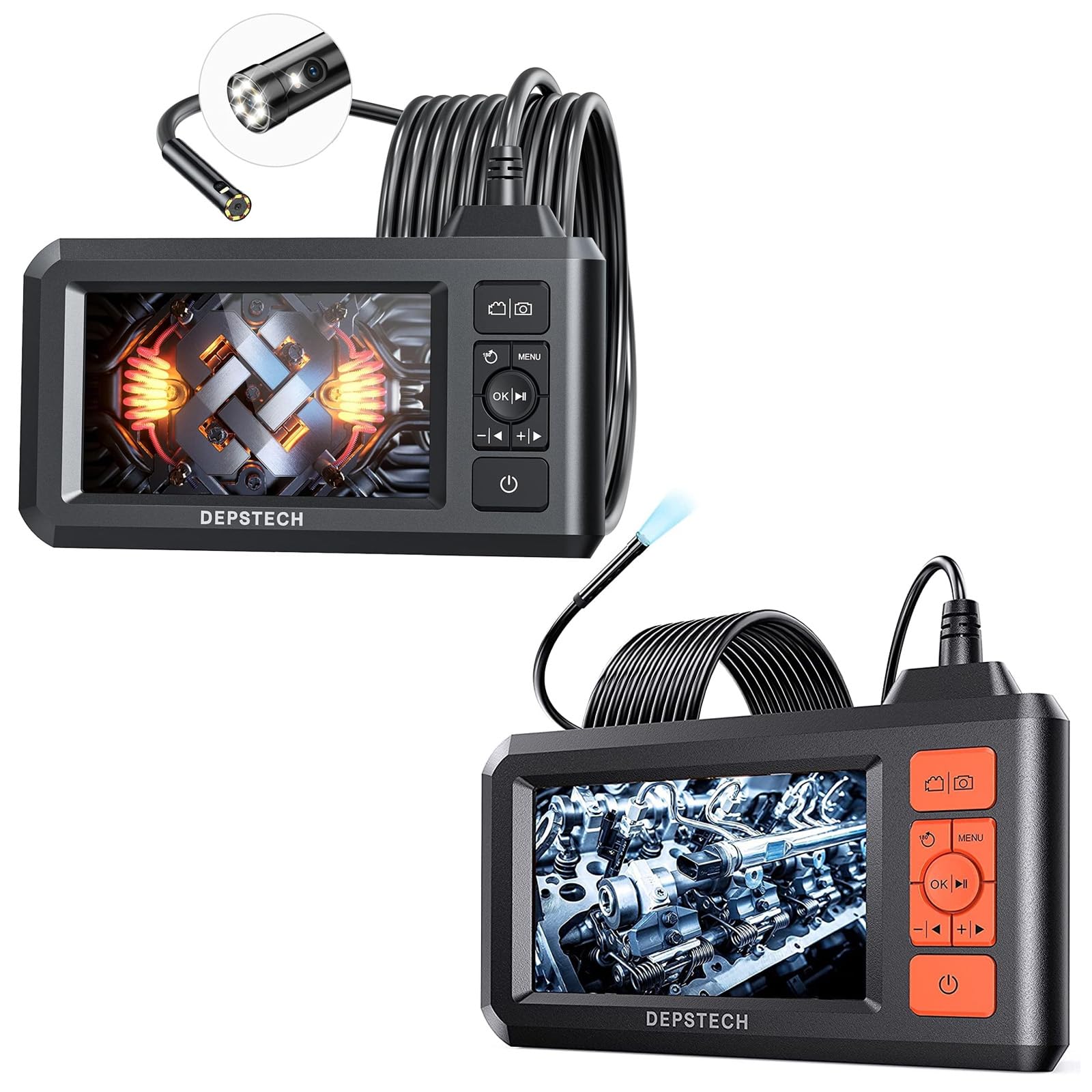
Image: The main display unit of the DEPSTECH DS300 Industrial Endoscope, featuring a 4.3-inch screen, control buttons, and a coiled semi-rigid camera cable connected to the top. Various small accessories are also visible.
Основной дисплей
- 4.3-дюймовый TFT ЖК-экран: Provides a horizontal viewing angle of approximately 170°.
- Кнопки управления: For navigation, settings, photo/video capture, and power.
- Встроенный аккумулятор: Rechargeable, offering approximately 4 hours of continuous operation.
Зонд камеры
- Dual-Lens Technology (DS300 Dual Lens): Позволяет переключаться между передней и боковой сторонами. viewing angles without additional mirrors. Features FOV 70° for wider views.
- Single-Lens Technology (DS300 5.5mm Single Lens): 0.21-inch diameter for accessing very confined spaces.
- 1080P HD Video & 2.0 MP Pictures: Captures clear images and fluent video.
- Регулируемые светодиодные фонари: 7 LED lights with Bluart 2.0 technology for enhanced visibility.
- Водонепроницаемость IP67: Suitable for wet environments like drains or shallow water.
- Полужесткий кабель: 16.5 ft (5M) in length, can be bent and hold its shape for flexible inspection.

Image: The DEPSTECH DS300 Endoscope display unit with the camera probe illustrating the three observation modes: Front Camera, Side Camera, and Dual Camera, which combines both views.

Image: A close-up of the DEPSTECH DS300 camera probe partially submerged in water, highlighting its IP67 waterproof rating. The adjustable LED lights on the probe tip are shown in various brightness settings.
3. Настройка
- Зарядите устройство: Connect the USB charging cable to the device's charging port and a power source. The built-in battery provides approximately 4 hours of use on a full charge.
- Вставьте TF-карту: Locate the TF card slot on the side of the display unit. Insert the provided TF card to enable photo and video recording.
- Прикрепите зонд камеры: Securely connect the semi-rigid camera cable to the designated port on the main display unit.
- Включение питания: Press and hold the power button on the display unit for a few seconds until the screen illuminates and the DEPSTECH logo appears.
4. Инструкция по эксплуатации
Основные элементы управления
The display unit features intuitive buttons for easy operation:
- Кнопка питания: Нажмите и удерживайте, чтобы включить/выключить устройство.
- Кнопка меню: Доступ к настройкам и параметрам.
- Кнопка OK/Воспроизвести: Подтвердите свой выбор или воспроизведите записанный контент.
- Кнопки навигации (вверх/вниз/влево/вправо): Перемещайтесь по меню и настраивайте параметры.
- Кнопка фото/видео: Короткое нажатие — для фотосъемки, длительное нажатие — для начала/остановки видеозаписи.
- Lens Switch Button (for Dual Lens models): Quickly switch between front, side, and combined dual-lens views.
Настройка параметров
From the menu, you can adjust various parameters:
- Разрешение: Select desired video/photo resolution (e.g., 1080P).
- Язык: Выберите желаемый язык.
- Автоматическое отключение: Set the device to automatically power off after a period of inactivity.
- Яркость экрана: Adjust the display's brightness for optimal viewинж.
- Яркость светодиодного освещения: Use dedicated buttons on the display unit to cycle through 3 adjustable brightness levels for the camera's LED lights.
Using the Camera Probe
- Гибкое позиционирование: The semi-rigid cable can be bent and will retain its shape, allowing you to maneuver the camera into tight or angled spaces.
- Переключение Views (Dual Lens models): Utilize the lens switch button to toggle between the front-facing camera, side-facing camera, or a combined dual-view для всесторонней проверки.
- Поворот изображения на 180°: For better observation, the image on the screen can be rotated 180° with a dedicated button.

Image: The DEPSTECH DS300 display unit highlighting its 4.3-inch TFT LCD screen and a 170-degree viewing angle, ensuring clear visibility during inspections.
5. Техническое обслуживание
- Уборка: After each use, especially in wet or dirty environments, gently clean the camera probe with a soft, damp протрите тканью. Убедитесь, что никакие загрязнения не забивают линзу или светодиодные лампы.
- Водонепроницаемый уход: While the probe is IP67 waterproof, avoid prolonged submersion in deep water or exposure to corrosive liquids. Ensure the rubber cover for the charging port is securely closed when not in use.
- Уход батареи: Recharge the device regularly. For long-term storage, ensure the battery is partially charged (around 50%) to prolong its lifespan.
- Хранилище: Храните эндоскоп и его принадлежности в прохладном, сухом месте, вдали от прямых солнечных лучей и экстремальных температур.
6. Поиск Неисправностей
- Нет питания: Ensure the device is fully charged. If it still doesn't power on, try resetting the device (refer to the full manual for reset instructions).
- Нет изображения на экране: Check if the camera probe is securely connected to the display unit. Ensure the device is powered on.
- Плохое качество изображения: Clean the camera lens. Adjust the LED light brightness. Ensure the camera is within its optimal focal range (1.96~3.93 inches or 5-10cm).
- Зависание устройства: Perform a soft reset by pressing the reset button (if available) or powering off and on again.
7. Технические характеристики
| Особенность | Спецификация |
|---|---|
| Модель | ДС300 |
| Тип экрана | 4.3-дюймовый TFT-дисплей |
| Разрешение видеозахвата | 1920 х 1080 (1080P) |
| Разрешение изображения | 2.0 МП |
| Рейтинг водонепроницаемости | IP67 (зонд камеры) |
| Длина кабеля | 16.5 FT (5M) Semi-Rigid |
| Диаметр линзы | 7.9mm (Dual Lens), 5.5mm (Single Lens) |
| Срок службы батареи | Приблизительно 4 часов |
| Светодиодные фонари | 7 adjustable LEDs with Bluart 2.0 tech |
| Фокусное расстояние | 1.96~3.93 inches (5-10cm) |
| Тип управления экспозицией | Автоматический |
| Тип зума | Цифровой зум |
8. Гарантия и поддержка
For detailed warranty information, technical support, or service inquiries, please refer to the official DEPSTECH webсайт или свяжитесь со службой поддержки клиентов напрямую. Сохраните чек о покупке в качестве доказательства покупки для гарантийных претензий.


