1. Введение
Thank you for choosing the Genesis 80GMVS Multi-Functional Vacuum Sealer. This appliance is designed to preserve food, liquids, and dry goods efficiently, making it suitable for food preservation, meal preparation, and sous vide cooking. Please read this manual thoroughly before operating the device to ensure safe and optimal performance.
Важные инструкции по технике безопасности
- Перед использованием прочтите все инструкции.
- Не погружайте прибор, шнур питания или вилку в воду или другие жидкости.
- Хранить в недоступном для детей месте. Данное устройство не предназначено для использования лицами с ограниченными физическими, сенсорными или умственными способностями без присмотра взрослых.
- Отключайте прибор от розетки, когда он не используется, а также перед чисткой.
- Не пользуйтесь прибором с поврежденным шнуром или вилкой, а также после того, как прибор вышел из строя или был поврежден каким-либо образом.
- Используйте только рекомендованные производителем насадки.
- Не использовать на открытом воздухе.
- Всегда устанавливайте прибор на устойчивую, ровную, термостойкую поверхность.
- Избегайте контакта с движущимися частями.
- Do not use for purposes other than its intended use.
2. Компоненты продукта
Familiarize yourself with the main parts of your Genesis 80GMVS Vacuum Sealer:
- Панель управления: Buttons for various sealing modes (Normal, Soft, Seal, External) and Stop.
- Уплотнительная полоса: Heats to create a strong seal on vacuum bags.
- Вакуумный канал: Область, через которую откачивается воздух из мешка.
- Защелка крышки: Надежно фиксирует крышку во время работы.
- Порт аксессуаров: For connecting an external vacuum hose (not included) for containers.
- Шнур питания: Подключает устройство к электрической розетке.
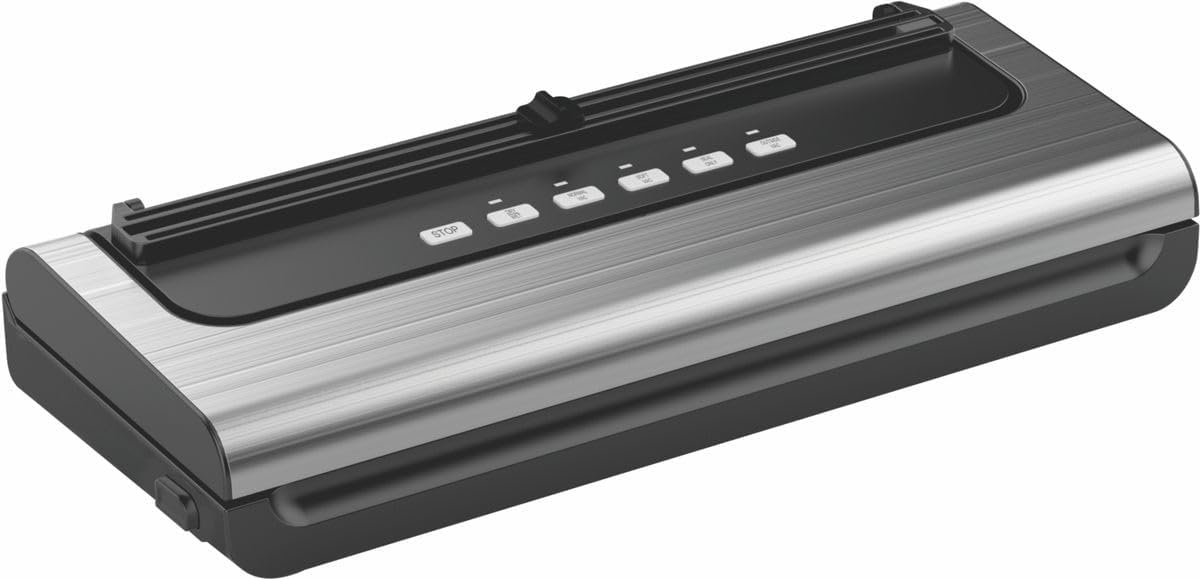
Рисунок 2.1: Болееview of the Genesis 80GMVS Multi-Functional Vacuum Sealer. This image displays the top view of the vacuum sealer, highlighting its sleek design and the control panel with various function buttons.
3. Настройка
- Распаковать: Аккуратно извлеките вакуумный упаковщик из упаковки. Сохраните упаковку для дальнейшего хранения или транспортировки.
- Осмотреть: Проверьте прибор на наличие повреждений. Не используйте его, если он поврежден.
- Размещение: Place the vacuum sealer on a dry, flat, and stable surface, ensuring adequate space around the unit for ventilation.
- Подключение питания: Plug the power cord into a standard electrical outlet. The indicator light may illuminate, indicating the unit is ready.
4. Инструкция по эксплуатации
This section details how to use your vacuum sealer for various food types and sealing methods.
4.1 Preparing Bags and Food
- Используйте только вакуумные пакеты, предназначенные для данного прибора.
- Убедитесь, что пакет чистый и сухой внутри зоны запайки.
- Leave at least 7-10 cm of space between the food and the top of the bag for proper sealing.
- For moist foods, pre-freeze or place a paper towel inside the bag to absorb excess moisture.
4.2 Vacuum Sealing (Dry Mode)
- Place the open end of the bag into the vacuum channel. Ensure it lies flat and smooth over the sealing strip.
- Close the lid firmly until the latches click into place.
- Нажмите НОРМАЛЬНЫЙ button for standard vacuum and seal. The appliance will automatically vacuum the air and then seal the bag.
- Once the process is complete, the indicator light will turn off. Press the lid release buttons (if present) or gently lift the lid to open.
- Remove the sealed bag.
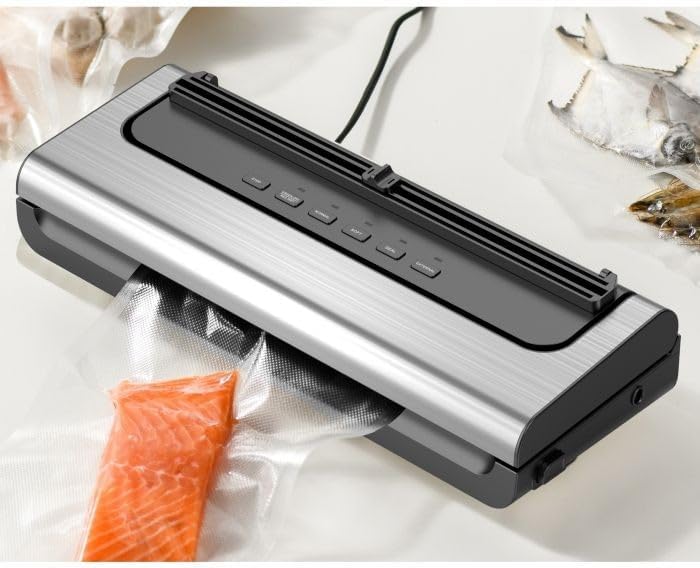
Figure 4.1: The Genesis 80GMVS vacuum sealer in operation, sealing a bag containing salmon. This image demonstrates the appliance actively extracting air from a bag, preparing it for preservation.
4.3 Vacuum Sealing (Wet/Moist Mode)
For foods with moisture, use the ВЛАЖНЫЙ setting (often combined with Normal/Soft depending on model, or indicated by a specific button if available). This mode adjusts the vacuum pressure and sealing time to accommodate liquids, preventing them from being drawn into the vacuum pump.
- Follow steps 1 and 2 from "Vacuum Sealing (Dry Mode)".
- Нажмите ВЛАЖНЫЙ button (if available) or select the appropriate setting for moist food.
- The appliance will proceed with vacuuming and sealing.
- Once complete, open the lid and remove the sealed bag.
4.4 Soft Vacuum Mode
For delicate items like bread, chips, or pastries, use the МЯГКИЙ mode to prevent crushing. This mode reduces the vacuum pressure.
- Follow steps 1 and 2 from "Vacuum Sealing (Dry Mode)".
- Нажмите МЯГКИЙ кнопка.
- Monitor the vacuum process. When the desired air removal is achieved, press the ТЮЛЕНЬ button immediately to stop vacuuming and initiate sealing.
- Once complete, open the lid and remove the sealed bag.

Рисунок 4.2: Крупный план view of the Genesis 80GMVS control panel and the sealing area with meat inside a bag. This image highlights the various control buttons, including 'STOP', 'NORMAL', 'SOFT', 'SEAL', and 'EXTERNAL', providing a clear view of the user interface during operation.
4.5 Seal Only Function
Используйте ТЮЛЕНЬ button to create a seal without vacuuming. This is useful for making custom-sized bags from a roll or for resealing bags of snacks.
- Наденьте открытый конец пакета на уплотнительную ленту.
- Плотно закройте крышку.
- Нажмите ТЮЛЕНЬ button. The sealing indicator light will illuminate.
- Once the light turns off, the seal is complete. Open the lid and remove the bag.
4.6 Функция внешнего вакуума
The ВНЕШНИЙ function is used with an external vacuum hose (sold separately) to vacuum seal canisters, jars, or wine stoppers.
- Connect one end of the external vacuum hose to the accessory port on the vacuum sealer.
- Connect the other end of the hose to the port on your vacuum-sealable container.
- Нажмите ВНЕШНИЙ button. The appliance will begin to extract air.
- The vacuuming will stop automatically or when you press ОСТАНАВЛИВАТЬСЯ.
- Remove the hose from the container and the appliance.

Рисунок 4.3: Examples of various food items, including sliced meat, fish, and dried goods, successfully vacuum-sealed in transparent bags. This image illustrates the effectiveness of the vacuum sealer in preserving different types of food.
5. Техническое обслуживание и чистка
Regular cleaning and maintenance will extend the life of your vacuum sealer.
- Перед чисткой: Всегда отключайте прибор от розетки.
- Экстерьер: Протрите внешнюю часть агрегата рекламой.amp Ткань и мягкое мыло. Не используйте абразивные чистящие средства и не погружайте устройство в воду.
- Вакуумный канал: Clean any food residue or liquids from the vacuum channel using a damp Ткань. Перед следующим использованием убедитесь, что она полностью высохла.
- Уплотнительная полоса: Gently wipe the sealing strip with a soft, dry cloth. Do not scratch or damage the strip, as this can affect sealing performance.
- Хранилище: Store the appliance in a clean, dry place with the lid unlatched to prevent compression of the sealing gaskets, which can lead to poor seals over time.
6. Поиск Неисправностей
Если у вас возникли проблемы с вакуумным упаковщиком, ознакомьтесь со следующими распространенными проблемами и решениями:
| Проблема | Возможная причина | Решение |
|---|---|---|
| Прибор не включается. | Не подключено к сети; неисправна розетка. | Убедитесь, что шнур питания надежно подключен к исправной розетке. |
| Мешок не пылесосит как следует. | Lid not properly closed; bag not positioned correctly; bag is damaged; moisture in vacuum channel. | Ensure lid is latched; reposition bag so opening is flat in vacuum channel; check bag for holes; clean and dry vacuum channel. |
| Пакет не герметичен. | Sealing strip is dirty or damaged; bag is wrinkled; too much moisture. | Clean sealing strip; ensure bag is flat; pre-freeze moist foods or use paper towel. |
| После запечатывания в пакет попадает воздух. | Improper seal; sharp objects in bag; bag material defect. | Re-seal the bag; ensure no sharp edges on food; use high-quality vacuum bags. |
7. Технические характеристики
| Особенность | Деталь |
|---|---|
| Бренд | Бытие |
| Номер модели | 80GMVS |
| Материал | Пластик |
| Режим работы | Руководство |
| Размеры продукта | 44Д x 18.5Ш x 10.5В см |
| Вес товара | 1.4 кг |
| Цвет | Многоцветный |
8. Гарантия и поддержка
For warranty information and customer support, please refer to the documentation provided with your purchase or contact Genesis customer service. Keep your proof of purchase for warranty claims.
Производитель: Бытие


