Введение
This manual provides essential information for setting up, operating, maintaining, and troubleshooting your HP 15 Laptop Computer. Please read this guide thoroughly to ensure optimal performance and longevity of your device. This laptop is equipped with an AMD Ryzen 3 processor, 16GB RAM, and a 512GB SSD, running on Windows 11 Home.

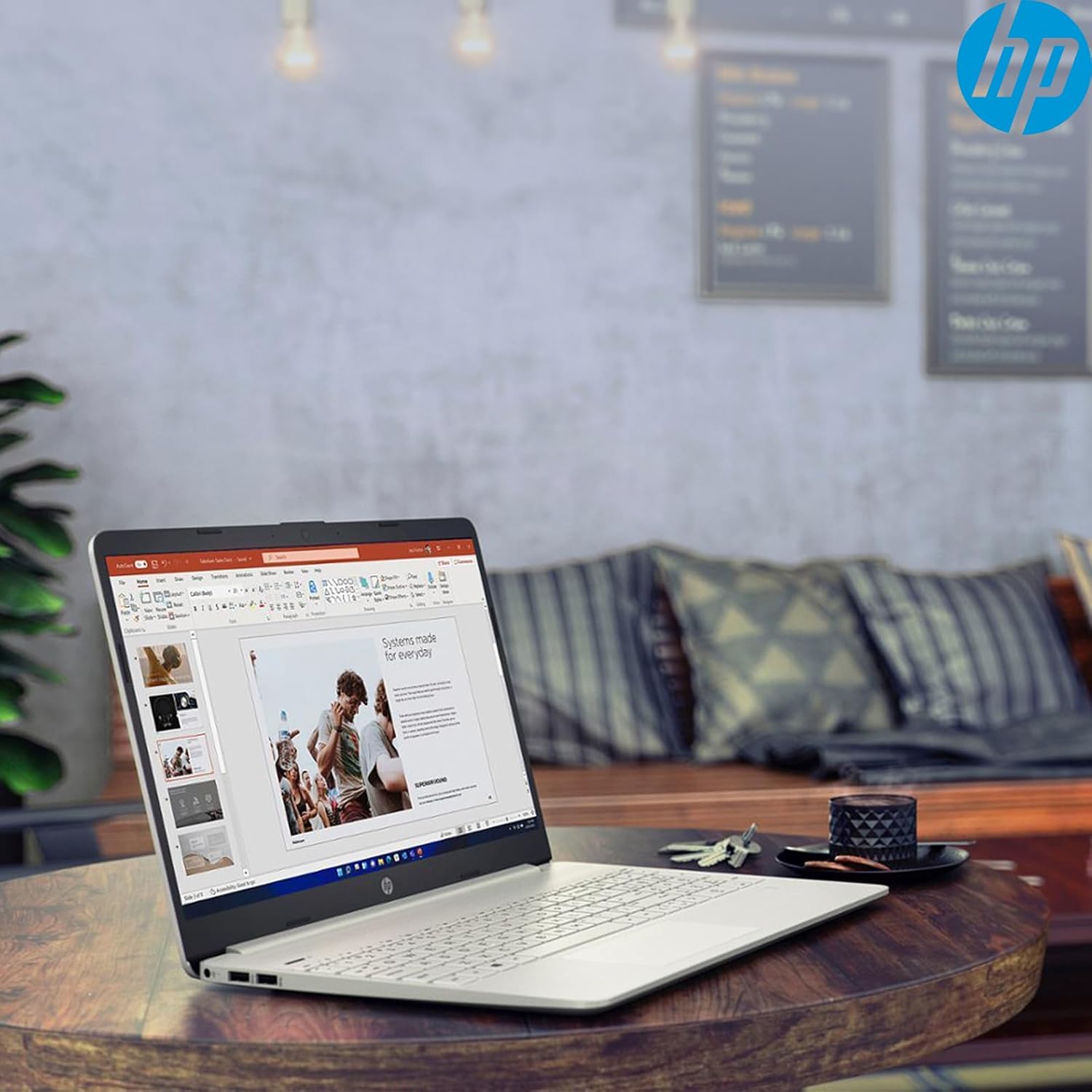
Image: The HP 15 Laptop Computer open, displaying the Windows 11 Home operating system, AMD Ryzen 3 processor, and AMD Radeon Graphics on its screen. An HP earphone case is visible on the palm rest, and the Microsoft Office logo is present on the bottom right.
1. Настройка
1.1 Распаковка и первоначальный осмотр
Carefully remove all components from the packaging. Verify that all items listed in the 'What's in the Box' section are present. Inspect the laptop for any visible damage.
- Ноутбук HP 15
- Адаптер питания
- HP Earphone
- Беспроводная мышь
1.2 Подключение адаптера питания
Connect the power adapter to the laptop's power jack and then plug it into a wall outlet. It is recommended to fully charge the battery before initial use.
1.3 Initial Power On and Windows 11 Setup
Нажмите кнопку питания, чтобы включить ноутбук. Следуйте инструкциям на экране для завершения процесса настройки Windows 11 Домашняя. Это включает в себя выбор региона, подключение к сети Wi-Fi и создание учётной записи пользователя.
2. Operating Your HP 15 Laptop
2.1 Основные функции
- Кнопка питания: Located on the top right of the keyboard deck. Press to turn on/off, or put the laptop to sleep.
- Клавиатура: Features a full-size keyboard with a 10-key numeric keypad for efficient data entry.
- Сенсорная панель: Поддерживает мультитач-жесты для навигации.
Изображение: Крупный план view of the HP 15 laptop's keyboard, clearly showing the integrated 10-key numeric keypad on the right side and the central touchpad below the spacebar.
2.2 Порты и соединения
Your HP 15 laptop is equipped with various ports for connectivity:
- USB-C (5Gbps signaling rate): Для передачи данных.
- USB-А (2 шт.): Стандартные USB-порты для периферийных устройств.
- HDMI 1.4б: Для подключения к внешним дисплеям.
- Устройство чтения SD-карт: Для чтения карт памяти.
- Разъем для гарнитуры: Для подключения наушников или гарнитуры.

Image: This image provides a detailed side view of the HP 15 laptop, illustrating the locations of its various connectivity ports including the power jack, two USB-A ports, an HDMI 1.4b port, an SD card reader, a headset jack, and a SuperSpeed USB Type-C port.
2.3 Webкамера и аудио
The laptop features an HP True Vision 720p HD camera with dual array digital microphones for video calls. Audio is delivered through B&O-tuned stereo speakers.
2.4 Управление аккумулятором
The laptop offers up to 9.75 hours of battery life. HP Fast Charge technology allows for a 50% charge in approximately 45 minutes when the laptop is powered off or in sleep mode.
3. Техническое обслуживание
3.1 Чистка ноутбука
Используйте мягкую, безворсовую ткань, слегкаampened with water or a specialized screen cleaner to clean the display. For the keyboard and chassis, use a soft, dry cloth. Avoid harsh chemicals.
3.2 Обновления программного обеспечения
Regularly check for and install Windows updates and HP driver updates to ensure optimal performance and security. Access Windows updates via Settings > Windows Update.
3.3 Управление хранением
Периодически пересматриватьview и удалить ненужное files to maintain sufficient free space on your 512GB SSD. Utilize cloud storage or external drives for large files.
4. Поиск Неисправностей
4.1 Проблемы с питанием
- Ноутбук не включается: Убедитесь, что адаптер питания надёжно подключён, а розетка исправна. Попробуйте использовать другую розетку.
- Аккумулятор не заряжается: Verify the power adapter connection. Check for any damage to the adapter or charging port.
4.2 Проблемы с отображением
- Пустой экран: Connect an external monitor to check if the laptop is outputting video. If it displays, the laptop screen may be faulty.
- Тусклый дисплей: Adjust brightness settings using the function keys (Fn + F2/F3 typically).
4.3 Проблемы с производительностью
- Slow operation: Закройте ненужные приложения. Проверьте диспетчер задач на предмет чрезмерного использования ресурсов. Убедитесь, что у вас достаточно свободного места на диске.
- Перегрев: Ensure ventilation vents are clear. Use the laptop on a hard, flat surface.
4.4 Проблемы с подключением
- Wi-Fi не подключается: Restart your router and laptop. Check Wi-Fi settings in Windows.
- Устройство Bluetooth не подключается: Ensure the device is in pairing mode and within range. Check Bluetooth settings.
5. Технические характеристики
| Особенность | Деталь |
|---|---|
| Модель | 15 л.с. |
| Операционная система | Windows 11 Домашняя |
| Процессор | AMD Ryzen 3 (up to 3.8GHz, 4 cores, 8 threads) |
| Графика | AMD Radeon Graphics (интегрированная) |
| БАРАН | 16 ГБ DDR4 |
| Хранилище | SSD-накопитель PCIe NVMe M.2 емкостью 512 ГБ |
| Отображать | 15.6" HD (1366 x 768), micro-edge, anti-glare, 250 nits, 45% NTSC |
| Беспроводное подключение | Realtek Wi-Fi 5, Bluetooth 5 |
| Порты | 1x USB-C (5Gbps), 2x USB-A, 1x HDMI 1.4b, 1x SD Card Reader, 1x Headset Jack |
| Webкулачок | HP True Vision 720p HD camera |
| Аудио | Dual B&O-tuned stereo speakers |
| Срок службы батареи | Up to 9.75 hours (HP Fast Charge: 50% in 45 mins) |
| Размеры (ДxШxВ) | 14.11 x 9.53 x 0.78 дюйма |
| Масса | 3.75 фунта |
6. Гарантия и поддержка
6.1 Гарантия на продукт
Your HP 15 Laptop Computer comes with a standard manufacturer's warranty. Please refer to the warranty card included with your product or visit the official HP support webсайт с подробными условиями.
6.2 Техническая поддержка
For technical assistance, driver downloads, or further information, please visit the official HP Support webили обратитесь в службу поддержки клиентов HP. При обращении в службу поддержки будьте готовы указать модель и серийный номер вашего продукта.
Поддержка HP Webсайт: support.hp.com