1. Введение
The Hugolog 3K 5MP Indoor Pan/Tilt Security Camera is designed to provide comprehensive indoor surveillance for your home, ideal for monitoring babies, pets, or general home security. It features advanced capabilities such as 3K 5MP resolution, Starlight Color Night Vision, AI-powered human and pet detection, two-way audio, and smart motion tracking.

Image: The Hugolog 3K 5MP Indoor Pan/Tilt Security Camera shown alongside its mobile application interface, demonstrating live view и параметры управления.
2. Информация по технике безопасности
- Ensure the camera is powered by the original power adapter provided.
- Не подвергайте камеру воздействию экстремальных температур, влажности или прямых солнечных лучей.
- Избегайте размещения камеры вблизи сильных магнитных полей.
- Храните камеру в недоступном для детей и домашних животных месте.
- Не пытайтесь разбирать или модифицировать камеру.
- Только для использования внутри помещений.
3. Содержимое упаковки
Пожалуйста, проверьте наличие всех предметов в вашей посылке:
- Hugolog 3K 5MP Indoor Pan/Tilt Security Camera
- Адаптер питания
- USB-кабель
- Монтажный кронштейн
- Винты и дюбели
- Руководство пользователя (этот документ)
4. Схема продукта
Familiarize yourself with the components of your Hugolog camera:
| Компонент | Описание |
|---|---|
| Объектив камеры | Захватывает видео фуtage. |
| Индикатор состояния | Indicates camera status (e.g., connected, recording). |
| Микрофон | Записывает аудио для двусторонней связи и обнаружения звука. |
| Спикер | Outputs audio for two-way talk and alerts. |
| Слот для карты MicroSD | Для локального хранения видео (поддерживает до 128 ГБ, карта не входит в комплект). |
| Кнопка сброса | Используется для сброса настроек камеры до заводских. |
| Порт питания | Подключается к адаптеру питания. |
5. Настройка
5.1 Включение
Connect the camera to a power outlet using the provided power adapter and USB cable. The camera will power on automatically, and the status indicator light will begin to flash, indicating it is ready for setup.
5.2 Загрузка приложения и создание учетной записи
- Download the Hugolog app from your smartphone's app store (iOS App Store or Google Play Store).
- Откройте приложение и создайте новую учетную запись или войдите в систему, если у вас уже есть учетная запись.
5.3 Подключение к Wi-Fi
- In the Hugolog app, tap the '+' icon to add a new device.
- Выберите модель вашей камеры из списка.
- Следуйте инструкциям на экране, чтобы подключить камеру к сети Wi-Fi 2.4 ГГц. Убедитесь, что пароль Wi-Fi верный.
- The camera will confirm successful connection, and the status indicator light will turn solid blue.
5.4 Варианты монтажа
The camera can be placed on a flat surface or mounted to a wall or ceiling using the included mounting bracket.
- Размещение на столе: Просто установите камеру на устойчивую ровную поверхность в желаемой зоне наблюдения.
- Монтаж на стену/потолок:
- Attach the mounting bracket to the wall or ceiling using the provided screws and wall plugs.
- Надежно закрепите камеру на монтажном кронштейне.
- In the app settings, enable 'Image Rotation' if mounting upside down to ensure correct video orientation.
6. Эксплуатация камеры
6.1 Прямой эфир View
Open the Hugolog app and select your camera to access the live video feed. You can view the area in real-time.

Изображение: Экран смартфона, отображающий прямую трансляцию. view from the Hugolog camera, monitoring a pet.

Image: Multiple devices (laptop, desktop, tablet, smartphone) simultaneously displaying live streams from Hugolog cameras, illustrating multi-device support.
6.2 Управление панорамированием, наклоном и масштабированием
Use the directional controls within the app to remotely pan (355° horizontally) and tilt (90° vertically) the camera lens to adjust the viewing angle. The camera also supports digital zoom up to 3X for closer inspection of details.
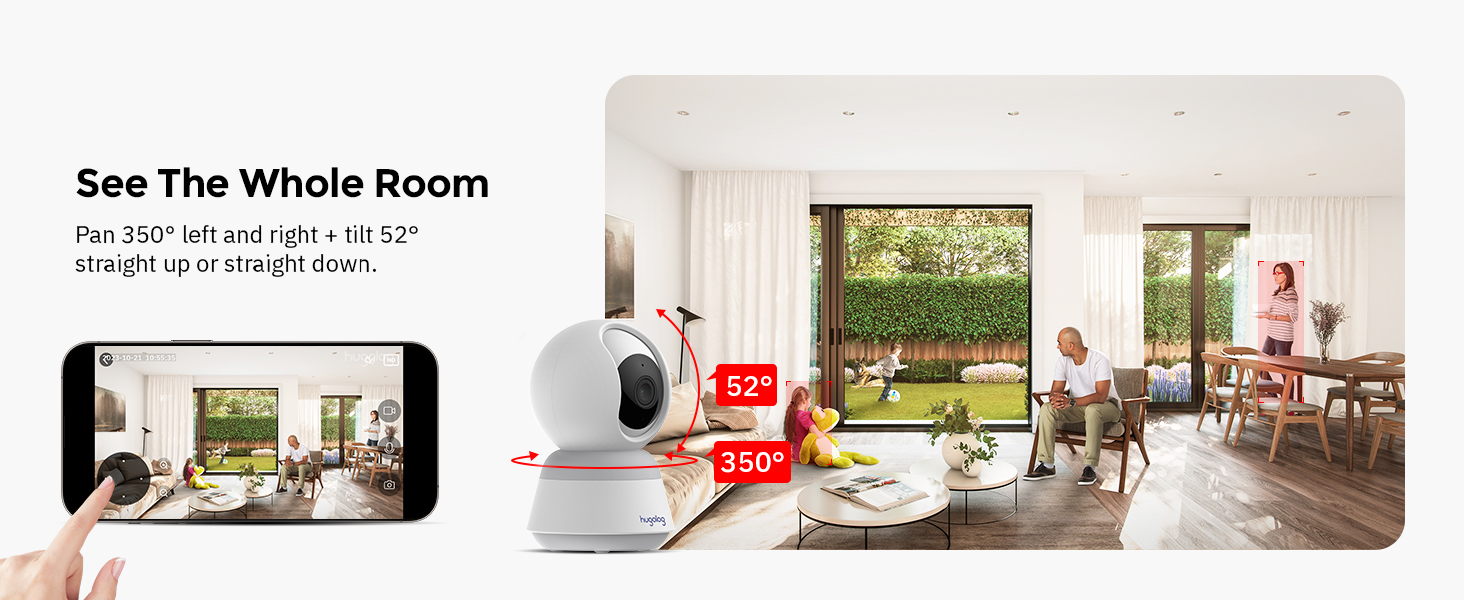
Image: A visual representation of the camera's 355-degree pan and 52-degree tilt capabilities, showing its wide coverage.
6.3 Двусторонняя аудиосвязь
Tap the microphone icon in the app to speak through the camera's speaker. This allows for real-time communication with individuals near the camera. The camera features noise cancellation for clear audio.

Image: A child and a dog at a table, with a speech bubble indicating two-way audio communication via the camera.
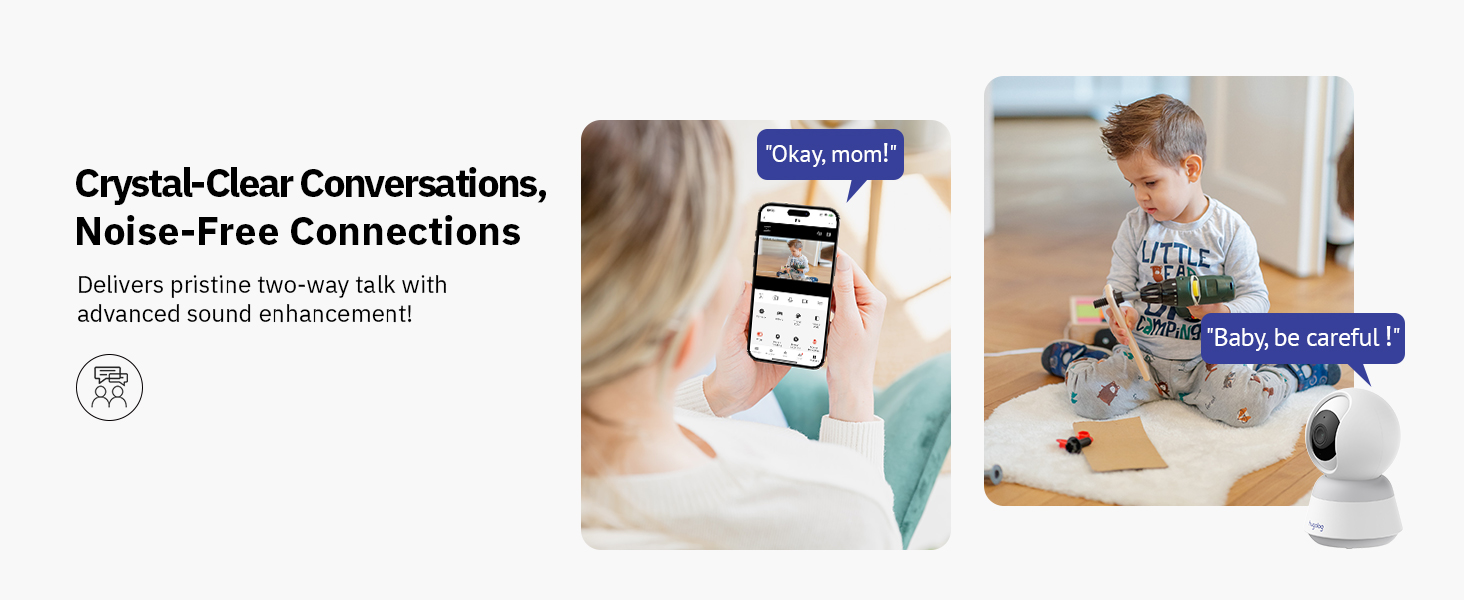
Image: A person interacting with a child and a camera via two-way audio, highlighting clear conversations and noise-free connections.
6.4 Обнаружение движения и оповещения
The camera utilizes advanced AI to detect human and pet movement, reducing false alarms. When motion is detected, the camera records the event and sends instant notifications to your smartphone.

Image: A child on a toy motorcycle and a dog, with overlays indicating the camera's ability to track persons and pets.

Image: A scene with a child and a cat, demonstrating the camera's AI detection capabilities for human and pet movement, with on-screen notifications.
6.5 Обнаружение звука
The camera is equipped with sound detection, alerting you to significant audio events such as a crying baby. Notifications are sent to your device when sound is detected.

Image: A crying baby in a crib, with a smartphone notification indicating that the smart camera has detected sound.

Image: A crying child sitting on the floor, with a smartphone notification showing that sound has been detected by the camera.
6.6 Ночное видение
The camera features Starlight Color Night Vision, providing clear, full-color video even in low-light conditions, superior to traditional infrared night vision.

Image: A split image showing a baby sleeping, comparing the clear color view of Starlight Night Vision on one side with a standard black and white night vision on the other.

Image: A comparison demonstrating the clarity and color retention of Hugolog's Starlight Color Night Vision versus other IR night vision in low-light conditions.
6.7 Запись и воспроизведение
The camera supports both local storage via a microSD card (up to 128GB, not included) and encrypted US cloud storage. You can review записано фуtage through the app's playback feature, with smart event filters for easy navigation.

Image: A close-up of the camera's microSD card slot and illustrations representing 24/7 video recording and 30 days of free cloud storage trial.

Image: The Hugolog app's playback interface, showing a timeline and smart event filters for easily reviewing recorded moments.
6.8 Совместное использование доступа
You can share live view access with up to 20 users, allowing multiple family members to monitor the camera simultaneously.

Image: A collage showing multiple camera feeds on a large monitor and various users accessing the camera feed on their smartphones, illustrating multi-user and multi-camera live view возможности.

Image: A smartphone displaying a live camera feed, surrounded by circular images of various family members, indicating the ability to share camera access.
6.9 Работает с Alexa
Integrate your Hugolog camera with Amazon Alexa for convenient voice control and live view на совместимых смарт-дисплеях.
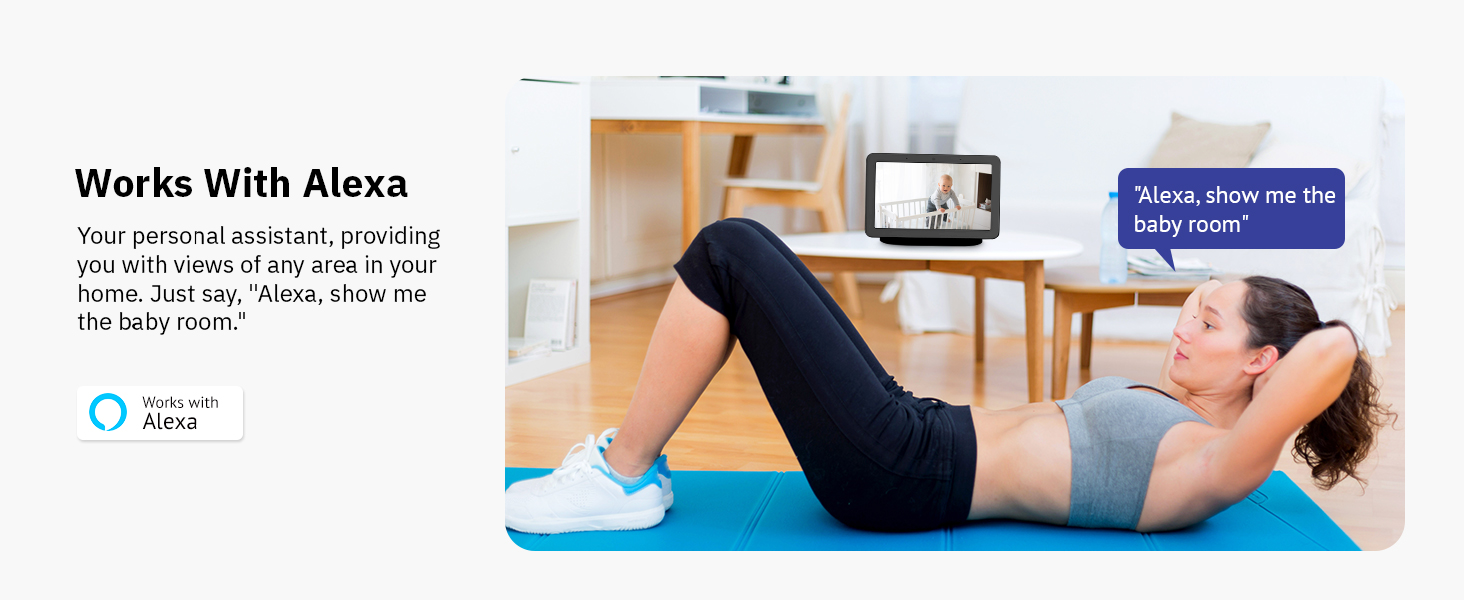
Image: A woman exercising, with an Amazon Echo Show displaying a live camera feed of a baby, demonstrating integration with Alexa for voice commands like "Alexa, show me the baby room."
6.10 Спящий режим
Utilize the Sleep Mode feature in the Hugolog App to set specific periods when the camera is inactive, or manually rotate the camera lens down for privacy when monitoring is not needed.

Image: A woman sleeping in bed, with a smartphone displaying the Hugolog app in 'Sleep Mode', indicating the camera can be set to inactive periods for privacy.
7. Техническое обслуживание
7.1 Очистка
Аккуратно протрите объектив и корпус камеры мягкой сухой тканью. Не используйте жидкие чистящие средства или абразивные материалы.
7.2 обновлений прошивки
Periodically check the Hugolog app for available firmware updates. Keeping your camera's firmware up-to-date ensures optimal performance and access to new features.
7.3 Управление хранением
If using a microSD card, regularly back up important footage and format the card to maintain performance. For cloud storage, manage your subscription and review storage limits within the app.
8. Поиск Неисправностей
| Проблема | Возможное решение |
|---|---|
| Камера оффлайн | Check power connection. Ensure Wi-Fi signal is strong. Restart camera and router. |
| Невозможно подключиться к Wi-Fi | Ensure you are connecting to a 2.4GHz network. Verify Wi-Fi password. Move camera closer to router. Reset camera and try again. |
| Нет оповещений об обнаружении движения | Check motion detection settings in the app. Ensure notifications are enabled on your phone. Adjust sensitivity. |
| Плохое качество видео | Ensure camera lens is clean. Check network speed. Adjust video resolution settings in the app. |
| Проблемы с двусторонней аудиосвязью | Check microphone and speaker permissions for the app. Ensure volume is up on your device. Reduce background noise. |
| Карта MicroSD не записывает | Ensure card is inserted correctly. Format the card in the app. Check card capacity and health. |
9. Технические характеристики
| Особенность | Деталь |
|---|---|
| Номер модели | HU-PWR6P-W |
| Разрешение видео | 3K (эффективное разрешение фото 5 МП) |
| Диапазон панорамирования/наклона | Панорамирование на 355°, наклон на 90° |
| Ночное Видение | Starlight Color Night Vision (up to 50 feet) |
| Связность | Wi-Fi (только 2.4 ГГц) |
| Варианты хранения | Карта MicroSD (до 128 ГБ), облачное хранилище |
| Двусторонняя аудиосвязь | Yes, with Noise Cancellation |
| Обнаружение движения | AI Human/Pet Detection, Auto-Tracking |
| Обнаружение звука | Да |
| Совместимые устройства | Амазон Алекса |
| Источник питания | Электрический с проводом (5 Вт) |
| Размеры (Д x Ш x В) | 3.74 x 3.74 x 6.99 дюйма |
| Вес товара | 13.4 унции |
| СКП | 192728013957 |
10. Гарантия и поддержка
10.1 Информация о гарантии
Your Hugolog camera comes with a limited warranty. Please refer to the warranty card included in your package or visit the official Hugolog webсайт для получения подробных условий гарантии.
10.2 Поддержка клиентов
For technical assistance, troubleshooting, or any product-related inquiries, please contact Hugolog Customer Support:
- Visit the Hugolog Store on Amazon: Hugolog Store
- Refer to the official Hugolog webсайт для контактных данных.


