1. Введение
Thank you for choosing the CRUA 30" Curved Gaming Monitor. This manual provides essential information for setting up, operating, and maintaining your monitor. Please read it thoroughly before use to ensure optimal performance and safety.
This monitor features a 30-inch WFHD (2560x1080) 1500R curved VA screen, offering a 21:9 aspect ratio for an immersive viewing experience. It supports a high refresh rate of up to 200Hz and AMD FreeSync technology for smooth, tear-free visuals. With 120% sRGB color gamut, 300 cd/m² brightness, and a 3000:1 contrast ratio, it delivers vibrant and true-to-life colors.
2. Информация по технике безопасности
Please observe the following safety precautions to prevent damage to your monitor or injury to yourself:
- Не ставьте монитор на неустойчивую тележку, подставку или стол.
- Не закрывайте вентиляционные отверстия.
- Do not use near water or sources of heat.
- Используйте только адаптер питания, предоставленный производителем.
- Отключайте монитор от сети во время грозы или при длительном бездействии.
- По всем вопросам обслуживания обращайтесь к квалифицированному персоналу.
3. Содержимое упаковки
Проверьте наличие всех предметов в посылке:
- 29.5-дюймовый игровой монитор
- Адаптер питания
- DP-кабель
- Base and Support
- Руководство пользователя
4. Настройка
4.1. Сборка подставки
Чтобы собрать подставку для монитора:
- Аккуратно извлеките монитор из упаковки, обеспечив его сохранность.
- Attach the stand base to the stand support using the provided screws.
- Совместите собранную подставку с точками крепления на задней панели монитора.
- Закрепите подставку на мониторе с помощью прилагаемых винтов.

Figure 1: Monitor rear view showing stand attachment points.

Figure 2: Monitor with stand fully assembled.
4.2. Установка настенного крепления
The monitor supports VESA wall mount installation (100x100mm). To install using a wall mount (sold separately):
- Remove the stand from the monitor if it is already attached.
- Attach your VESA-compatible wall mount bracket to the monitor's mounting holes.
- Для надежной установки следуйте инструкциям, прилагаемым к настенному креплению.

Figure 3: Monitor rear view highlighting VESA mount compatibility.
4.3. Подключение к устройствам
Подключите монитор к компьютеру или другим устройствам, используя имеющиеся порты:
- Двойные порты HDMI: Поддерживает частоту обновления до 120 Гц.
- Dual DisplayPort (DP) Ports: Поддерживает частоту обновления до 200 Гц.
- Аудиопорт 3.5 мм: Для подключения наушников или внешних динамиков.
- Вход питания постоянного тока: Подключите здесь прилагаемый адаптер питания.

Рисунок 4: Порты подключения монитора.
5. Инструкция по эксплуатации
5.1. Включение/выключение питания
To power on the monitor, press the power button located on the back or bottom of the monitor. Press it again to power off.
5.2. Навигация по экранному меню (OSD)
The OSD menu allows you to adjust various monitor settings. Buttons for navigation are typically located on the back or bottom of the monitor. Use these buttons to:
- Access the main OSD menu.
- Navigate through menu options (Up/Down, Left/Right).
- Выберите параметры и подтвердите настройки.
- Выйдите из экранного меню.
5.3. Функции дисплея
- Частота обновления: Enjoy ultra-smooth visuals with a refresh rate of up to 200Hz (via DisplayPort) or 120Hz (via HDMI). Adjust this setting in your computer's display settings for optimal performance.
- AMD FreeSync: This technology synchronizes the monitor's refresh rate with your GPU's frame rate, eliminating screen tearing and stuttering for fluid gameplay. Ensure FreeSync is enabled in both your monitor's OSD and your graphics card's control panel.
- Изогнутый экран 1500R: Изгиб 1500R обеспечивает эффект погружения viewing experience by wrapping the display around your field of vision, reducing eye strain during extended use.
- Цветовая гамма: With 120% sRGB color gamut, 300 cd/m² brightness, and a 3000:1 contrast ratio, the monitor delivers vibrant, accurate, and true-to-life colors.
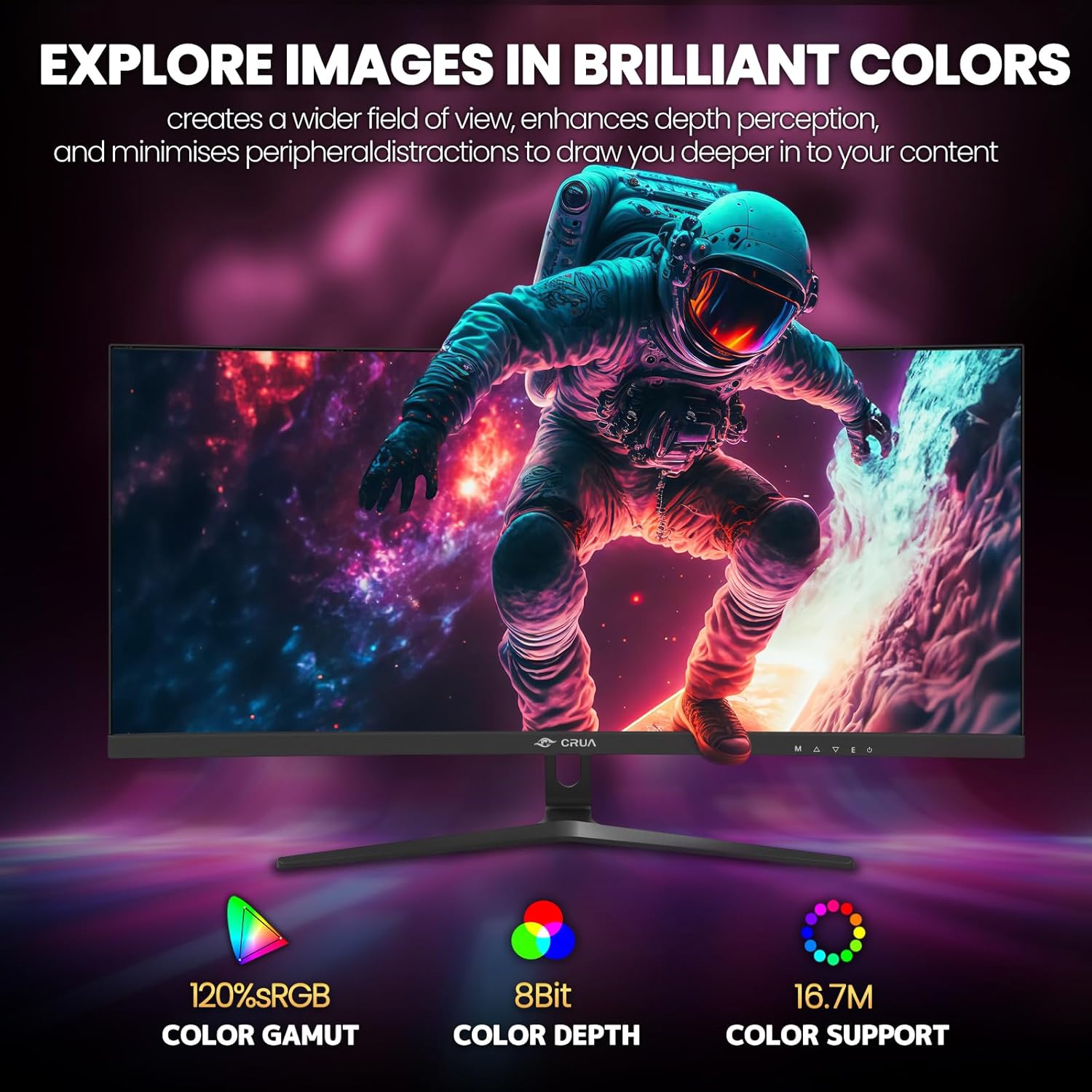
Figure 5: Immersive 1500R curved display.

Figure 6: Brilliant color reproduction with 120% sRGB.
6. Техническое обслуживание
Чтобы обеспечить долговечность и оптимальную производительность вашего монитора:
- Уборка: Аккуратно протрите экран мягкой безворсовой тканью. Для удаления стойких загрязнений используйте чистящее средство, нанося его на ткань, а не непосредственно на экран.
- Уход: Avoid placing heavy objects on the monitor or its cables. Keep the monitor away from direct sunlight, excessive heat, and moisture.
- Вентиляция: Убедитесь, что вентиляционные отверстия на задней панели монитора не заблокированы, чтобы предотвратить перегрев.
7. Поиск Неисправностей
Если у вас возникли проблемы с монитором, воспользуйтесь следующими распространенными решениями:
- Нет питания: Убедитесь, что адаптер питания надежно подключен как к монитору, так и к исправной розетке. Проверьте, горит ли индикатор питания.
- Нет сигнала: Verify that the video cable (HDMI or DisplayPort) is correctly connected to both the monitor and your computer. Ensure the correct input source is selected on the monitor (via the OSD menu).
- Мерцание/разрывы: Ensure AMD FreeSync is enabled in both the monitor's OSD and your graphics card settings. Check your refresh rate settings in your computer's display options.
- Плохое качество изображения: Adjust brightness, contrast, and color settings via the OSD menu. Ensure your display resolution is set to the native 2560x1080.
8. Технические характеристики
| Особенность | Деталь |
|---|---|
| Размер дисплея постоянного экрана | 30 дюйма |
| Разрешение экрана | 2560x1080 |
| Максимальное разрешение экрана | 2560 x 1080 пикселей |
| Бренд | КРУА |
| Ряд | CR300HD |
| Номер модели товара | CR300HD |
| Вес товара | 11.3 фунта |
| Размеры продукта | 27 x 3.3 x 16 дюйма |
| Цвет | Черный |
| Источник питания | DC |
| Размер экрана | 30 дюйма |
| Разрешение | FHD 1080p Ultra Wide + |
| Соотношение сторон | 21:9 |
| Описание поверхности экрана | Матовый |
9. Гарантия и поддержка
CRUA is committed to providing high-quality computer monitors and premium services. If you have any questions or require assistance, please do not hesitate to contact us. We are here to serve you and solve all your problems.
For support, please refer to the contact information provided in your product packaging or visit the official CRUA webсайт.


