Введение
Thank you for choosing the Strex Universal AA/AAA Rechargeable Battery Charger. This device is designed to efficiently and safely charge your rechargeable batteries, ensuring they are always ready for use. This manual provides essential information for the proper setup, operation, and maintenance of your charger.
Информация по безопасности
To ensure safe operation and prolong the life of your charger and batteries, please observe the following safety guidelines:
- Не пытайтесь заряжать неперезаряжаемые батареи. Это может привести к протечке, разрыву или взрыву.
- Use only compatible battery types: NiMH, NiCD, and Lithium-Ion.
- Не подвергайте зарядное устройство воздействию воды или чрезмерной влажности.
- Не разбирайте и не модифицируйте зарядное устройство.
- Keep the charger away from direct sunlight and high temperatures.
- Обеспечьте надлежащую вентиляцию во время зарядки.
- The charger features a smart chip that prevents overheating, overcharging, short circuits, and overvoltage. However, always monitor the charging process.

Image: The Strex charger highlights its comprehensive safety features, including protection against overcharging, overcurrent, flame, voltage fluctuations, and short circuits.
Характеристики продукта
The Strex SP282 charger offers a range of features designed for convenience and safety:
- Универсальная совместимость: Charges AA and AAA size rechargeable batteries.
- Зарядка нескольких батарей: Capable of charging up to four batteries simultaneously.
- ЖК-дисплей: A practical LCD screen provides real-time charging status for each battery, indicating 'CHG' for charging and an error symbol if charging is not possible.
- Несколько входных портов: Connects via Micro USB or USB Type-C (cable included).
- Интеллектуальный процесс зарядки: Automatically detects battery type and optimizes charging for speed and safety, including trickle charging once full.
- Расширенные меры безопасности: Built-in smart chip prevents overheating, overcharging, overcurrent, short circuits, and overvoltage.
- Поддерживаемые типы аккумуляторов: Compatible with NiMH, NiCD, and Lithium-Ion rechargeable batteries.

Изображение: Оверview of the Strex charger, highlighting its key features such as the LCD display, multiple charging slots, and dual USB input options.
Настраивать
Follow these steps to set up your Strex battery charger:
- Подключите питание: Use the provided USB Type-C cable or a Micro USB cable to connect the charger to a 5V-2A USB power adapter (not included) or a compatible USB port.
- Вставьте батареи: Open the battery slots and insert up to four AA or AAA rechargeable batteries. Ensure the positive (+) and negative (-) terminals of the batteries match the markings inside the charger slots. You can mix AA and AAA batteries.
- Проверить соединение: Once batteries are inserted and power is connected, the LCD screen will activate.
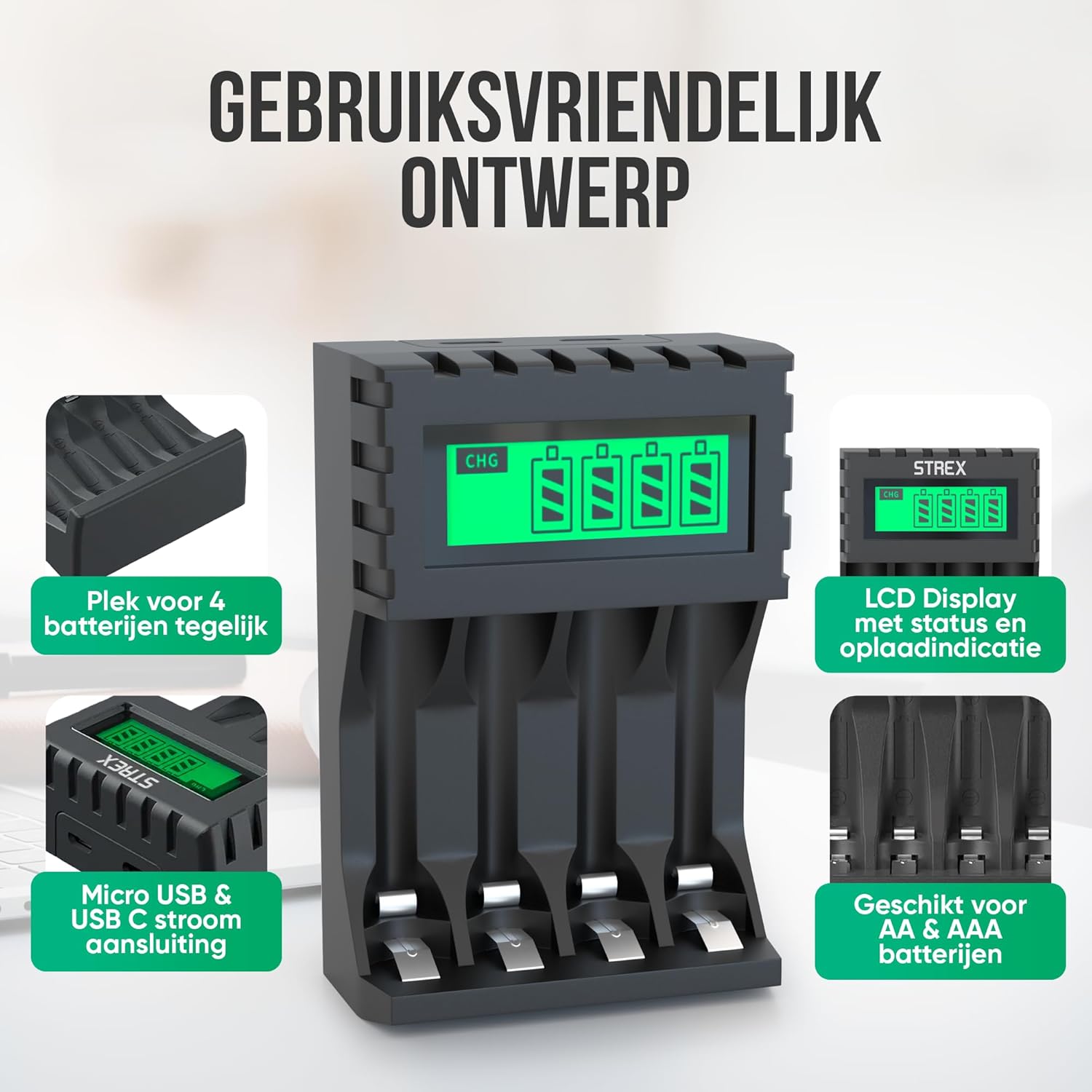
Image: The charger's user-friendly design, illustrating the four battery slots and the Micro USB and USB-C input ports for power connection.
Инструкция по эксплуатации
The Strex battery charger is designed for simple and efficient operation:
- Автоматическое обнаружение: Upon inserting batteries and connecting power, the charger automatically detects the battery type and begins the charging process.
- Мониторинг состояния зарядки: The LCD screen will display the charging status for each individual battery. A flashing 'CHG' symbol indicates that charging is in progress. The screen also shows the approximate charge level (e.g., 30%, 60%, 100%).
- Completion of Charging: When a battery is fully charged, the 'CHG' symbol will stop flashing or indicate 100%. The charger will then switch to a trickle charging mode to maintain optimal battery health.
- Время зарядки:
- Approximately 4 hours for four AA batteries.
- Approximately 3 hours for four AAA batteries.
- Удаление батарей: Once charging is complete, disconnect the power and remove the batteries from the charger.

Image: The LCD display of the Strex charger, illustrating how it shows charging status ('CHG' flashing) and error indications (error symbol) for each battery.

Image: The smart charging process, showing how each charging port is independently managed and charged, with both Micro USB and USB-C input options visible.
Обслуживание
Правильное техническое обслуживание обеспечивает долговечность и оптимальную работу вашего зарядного устройства:
- Уборка: Disconnect the charger from power before cleaning. Use a soft, dry cloth to wipe the exterior. Do not use liquid cleaners or solvents.
- Хранилище: Когда зарядное устройство не используется, храните его в прохладном, сухом месте, вдали от прямых солнечных лучей и экстремальных температур.
- Уход батареи: Always use high-quality rechargeable batteries. Avoid mixing old and new batteries or different types of batteries in the same charging cycle if possible, although the charger supports mixed types.
Поиск неисправностей
Если у вас возникли проблемы с зарядным устройством, ознакомьтесь со следующими распространенными проблемами и решениями:
- Зарядное устройство не включается: Ensure the USB cable is securely connected to both the charger and a working power source. Verify the power source is active (e.g., wall adapter is plugged in).
- Batteries not charging / Error symbol on LCD:
- Проверьте правильность установки батареек и соблюдение полярности (+/-).
- Ensure the batteries are rechargeable (NiMH, NiCD, or Li-ion). Non-rechargeable batteries will cause an error.
- The battery might be faulty or severely discharged. Try a different battery.
- Clean the battery contacts and charger terminals with a dry cloth.
- Медленная зарядка: Ensure your USB power adapter provides sufficient output (recommended 5V-2A). Lower current adapters may result in slower charging.
Технические характеристики
| Бренд | Стрекс |
| Номер модели | СП282 |
| Размеры продукта | 15.1 х 6.8 х 3 см |
| Вес товара | 85 грамм |
| Цвет | Черный |
| Vol входtage | 5V |
| Входной ток | 2A |
| Выход Voltage | 1.2 В постоянного тока |
| Максимальный выходной ток | 1800мАч |
| Поддерживаемые размеры батарей | АА, ААА |
| Поддерживаемые типы батарей | NiMH, NiCD, Lithium-Ion |
| Порты для зарядки | 4 независимых слотов |
| Входной интерфейс | Micro USB, USB Type-C |
| Материалы | Heat-resistant ABS, Stainless Steel |
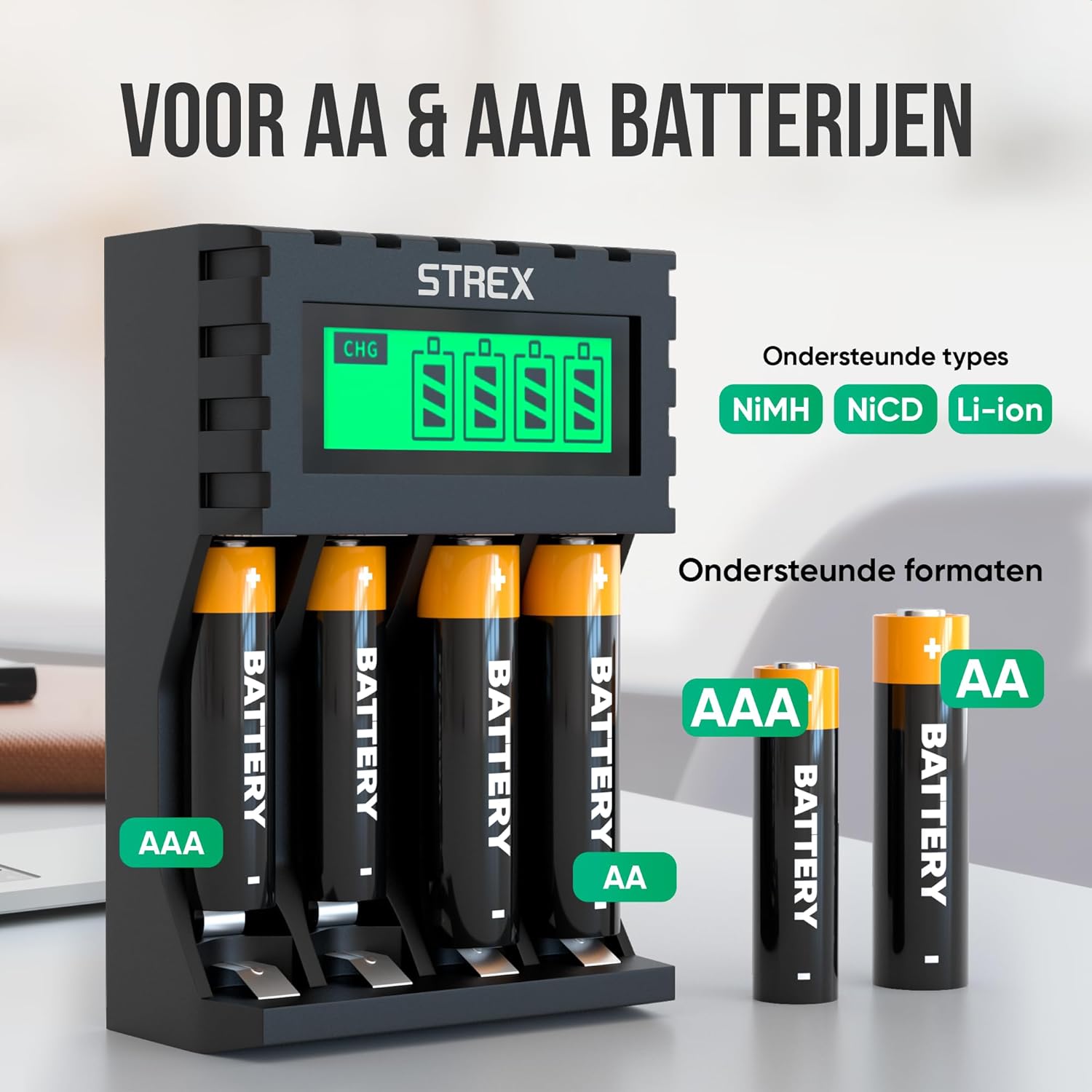
Image: The charger's compatibility with both AA and AAA battery sizes, and a list of supported battery types (NiMH, NiCD, Li-ion).
Гарантия и поддержка
For warranty information or technical support, please refer to the contact details provided with your purchase or visit the official Strex webСохраните чек о покупке для предъявления гарантийных претензий.
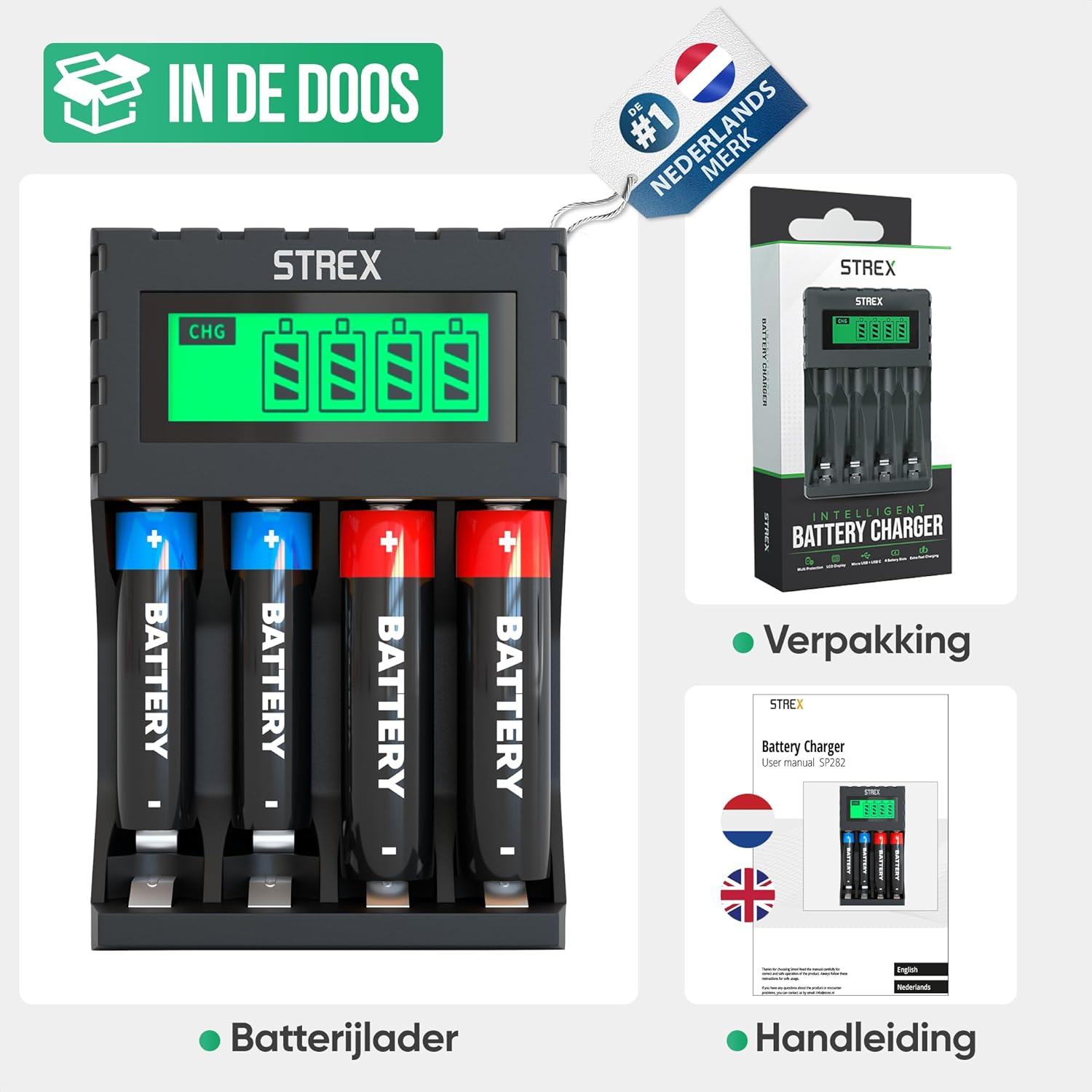
Image: What's included in the box: the battery charger, a user manual, and the product packaging.


