1. Информация по технике безопасности
Read and understand all instructions before operating the Hyper Toys 24V Go Kart Ride On. Failure to follow safety guidelines may result in serious injury.
- Требуется присмотр взрослых: This product is intended for use under direct adult supervision.
- Защитное снаряжение: Always wear a helmet and appropriate safety gear (e.g., knee pads, elbow pads) when operating the Go Kart.
- Максимальный вес: Do not exceed the maximum rider weight of 154 фунта (70 кг).
- Рабочая поверхность: Operate the Go Kart only on hard, flat, dry surfaces. Avoid loose dirt, sand, gravel, steep inclines, or wet conditions.
- Чистая область: Ensure the operating area is free from obstacles, traffic, and other hazards.
- Безопасность аккумулятора: Handle the battery according to instructions. Do not modify or expose to extreme temperatures.
- Пассажиров нет: This Go Kart is designed for a single rider only.
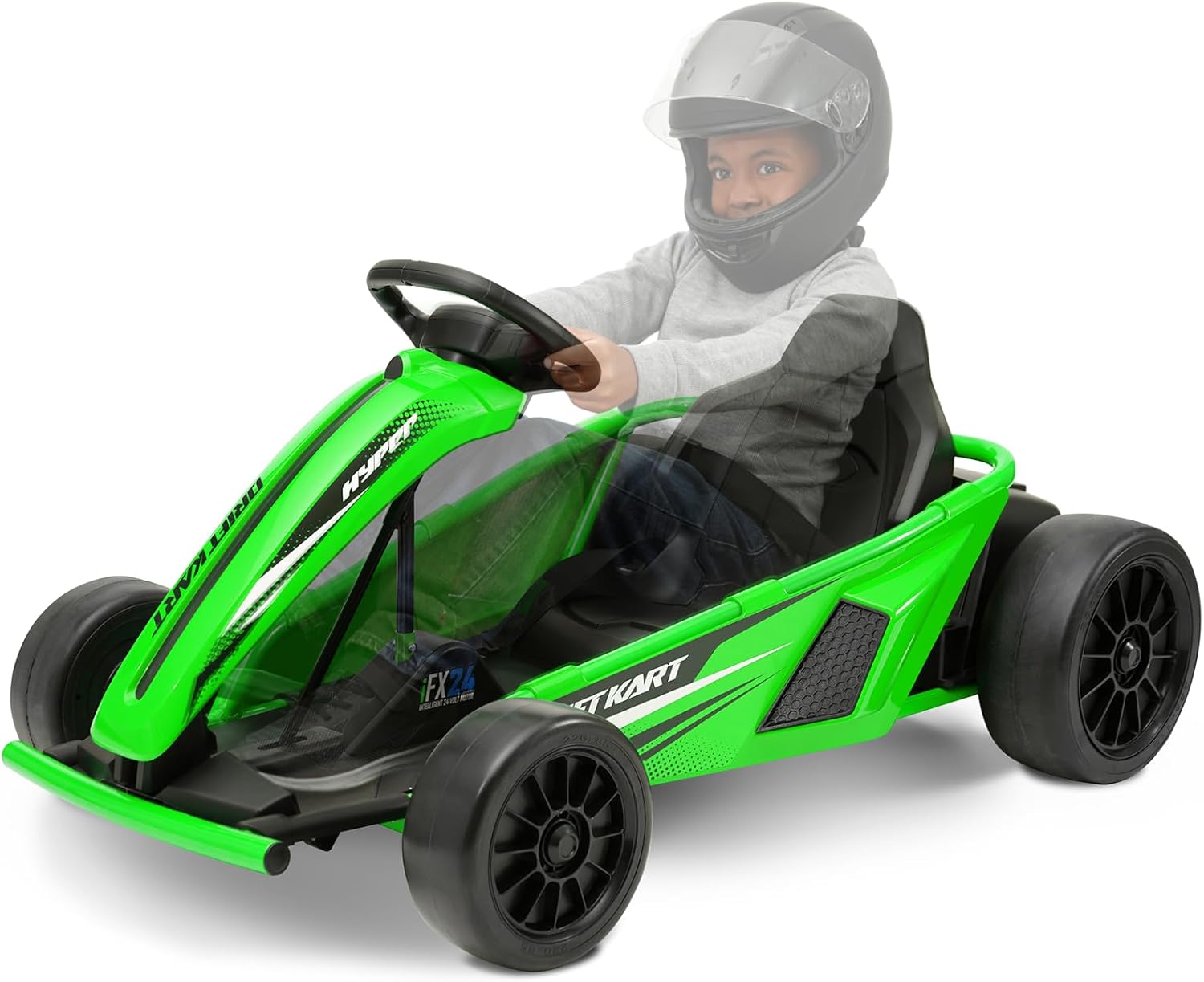
2. Продукт закончилсяview
The Hyper Toys 24V Go Kart Ride On is an electric vehicle designed for recreational use on appropriate surfaces. It features multiple speed settings and a drift driving mode for an engaging experience.
Основные характеристики:
- Простое кнопочное управление
- Forward low speed: 5 mph
- Reverse speed: 5 mph
- Forward maximum speed: 9 mph
- Drift driving mode
- Realistic racing-style steering wheel
- Durable construction with a racing bucket seat


3. Инструкция по сборке
The Hyper Toys 24V Go Kart requires some assembly before first use. Please follow these general steps. Refer to the detailed assembly manual included in the product packaging for specific diagrams and instructions.
Необходимые инструменты:
- Wrench (size may vary)
- Отвертка (крестовая)
Этапы сборки:
- Распаковываем компоненты: Carefully remove all parts from the packaging and verify against the parts list in your manual.
- Прикрепите передние колеса: Securely attach the front wheels to the axle using the provided hardware.
- Прикрепите задние колеса: Securely attach the rear wheels to the drive axle.
- Установка рулевой колонки: Insert the steering column and connect it to the steering mechanism.
- Занять место: Attach the racing bucket seat to the Go Kart frame.
- Подключить батарею: Locate the battery compartment, typically under the seat or chassis. Connect the battery terminals as instructed. Ensure connections are secure.
- Окончательные проверки: Before first use, ensure all bolts, nuts, and connections are tight and secure.
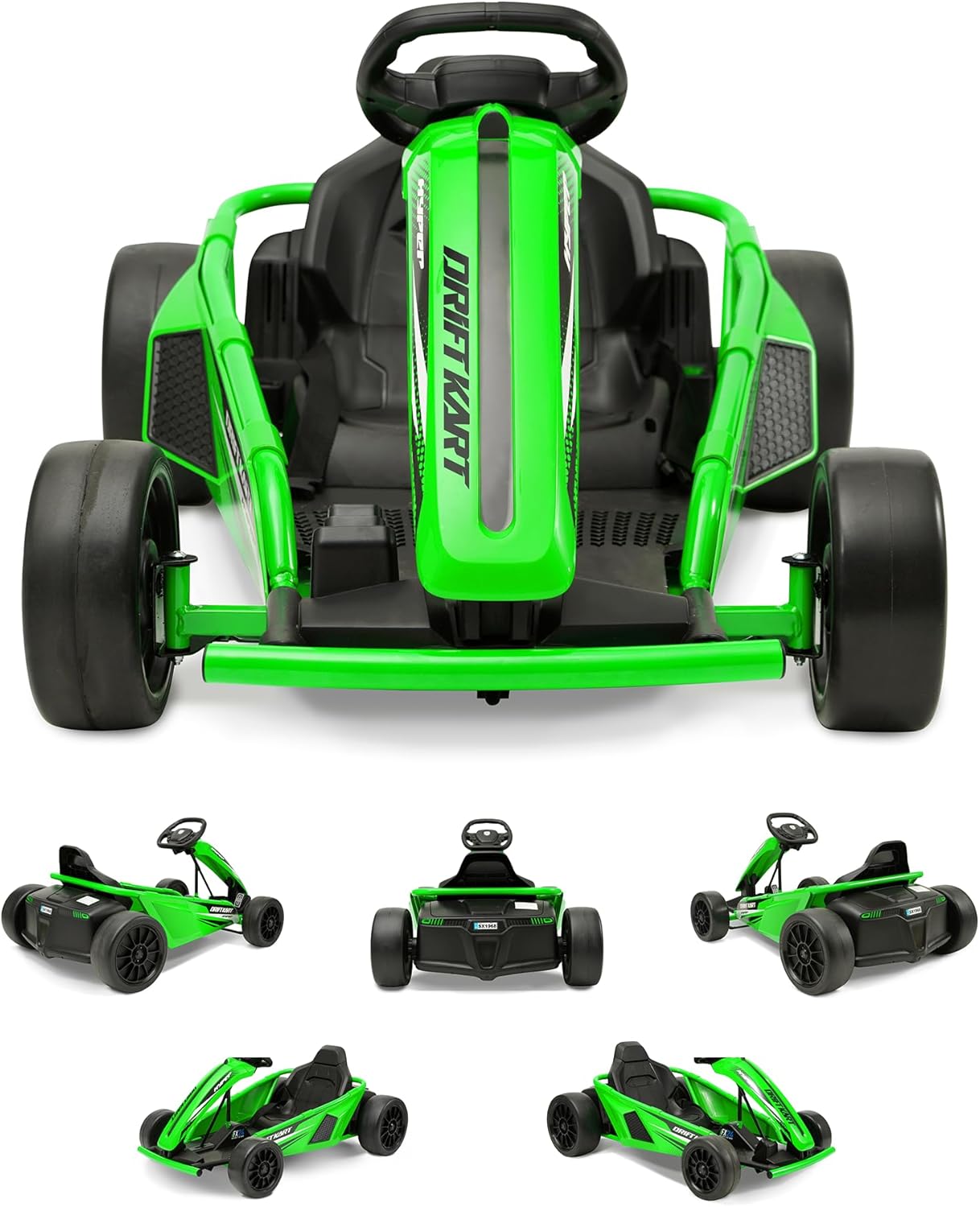
4. Operating the Go Kart
Familiarize yourself with the controls before operating the Go Kart.
Управление:
- Кнопка питания: Located on the dashboard or near the steering wheel. Press to turn the Go Kart on or off.
- Педаль акселератора: Located on the right footrest. Press to move forward.
- Педаль тормоза: Located on the left footrest. Press to slow down or stop.
- Селектор скорости: A switch or button to select between low speed (5 mph), reverse (5 mph), and maximum speed (9 mph).
- Drift Mode Switch: Activates the drift function, typically affecting the rear wheels for controlled sliding.
Запуск и вождение:
- Ensure the Go Kart is fully charged.
- Sit securely in the racing bucket seat.
- Press the power button to turn on the Go Kart.
- Select your desired speed setting (low, reverse, or max).
- Gently press the accelerator pedal to begin moving.
- Используйте руль для управления направлением движения.
- To activate drift mode, engage the drift mode switch while driving. This mode is best used on smooth, hard surfaces.
- To stop, release the accelerator and press the brake pedal.

5. Техническое обслуживание и уход
Regular maintenance ensures the longevity and safe operation of your Go Kart.
Зарядка аккумулятора:
- The Go Kart uses 1 Lithium Ion battery (included).
- Always use the charger provided with the Go Kart.
- Перед первым использованием полностью зарядите аккумулятор (обычно это занимает 8-12 часов).
- Не допускайте перезарядки аккумулятора. После завершения зарядки отсоедините зарядное устройство.
- Charge the battery after each use, even if only for a short period, to maintain battery health.
- If storing the Go Kart for an extended period, charge the battery monthly.
Уборка:
- Wipe down the Go Kart with a damp ткань после каждого использования.
- Избегайте использования едких химикатов и абразивных чистящих средств.
- Не распыляйте воду непосредственно на электрические компоненты.
Хранилище:
- Store the Go Kart in a dry, cool place away from direct sunlight and moisture.
- Protect the Go Kart from extreme temperatures.
Уход за колесами:
- The Go Kart is designed for hard surfaces. Avoid rough terrain or surfaces that may cause excessive wear to the wheels.
- Periodically inspect wheels for wear and tear.
6. Поиск Неисправностей
If you encounter issues with your Go Kart, refer to the following common problems and solutions.
| Проблема | Возможная причина | Решение |
|---|---|---|
| Go Kart does not move | Battery not charged; Battery connection loose; Power switch off; Motor issue | Charge battery fully; Check battery terminals for secure connection; Ensure power switch is ON; Inspect motor and wiring (contact support if needed). |
| Сниженная скорость или мощность | Low battery charge; Overload (exceeding weight limit); Operating on unsuitable surface | Recharge battery; Ensure rider is within weight limit; Operate on hard, flat surfaces. |
| Go Kart makes unusual noises | Loose parts; Debris in wheels/motor; Worn components | Inspect for loose parts and tighten; Clear any debris; Contact support for worn component assessment. |
| Steering is difficult or unresponsive | Steering mechanism obstruction; Loose steering components | Check for obstructions; Inspect and tighten steering connections. |
If troubleshooting steps do not resolve the issue, please contact Hyper Toys customer support.
7. Технические характеристики
Detailed specifications for the Hyper Toys 24V Go Kart Ride On.
| Особенность | Деталь |
|---|---|
| Размеры продукта | 46 x 11.5 x 23 дюйма (117 x 29 x 58 см) |
| Вес товара | 56 фунта (25.4 кг) |
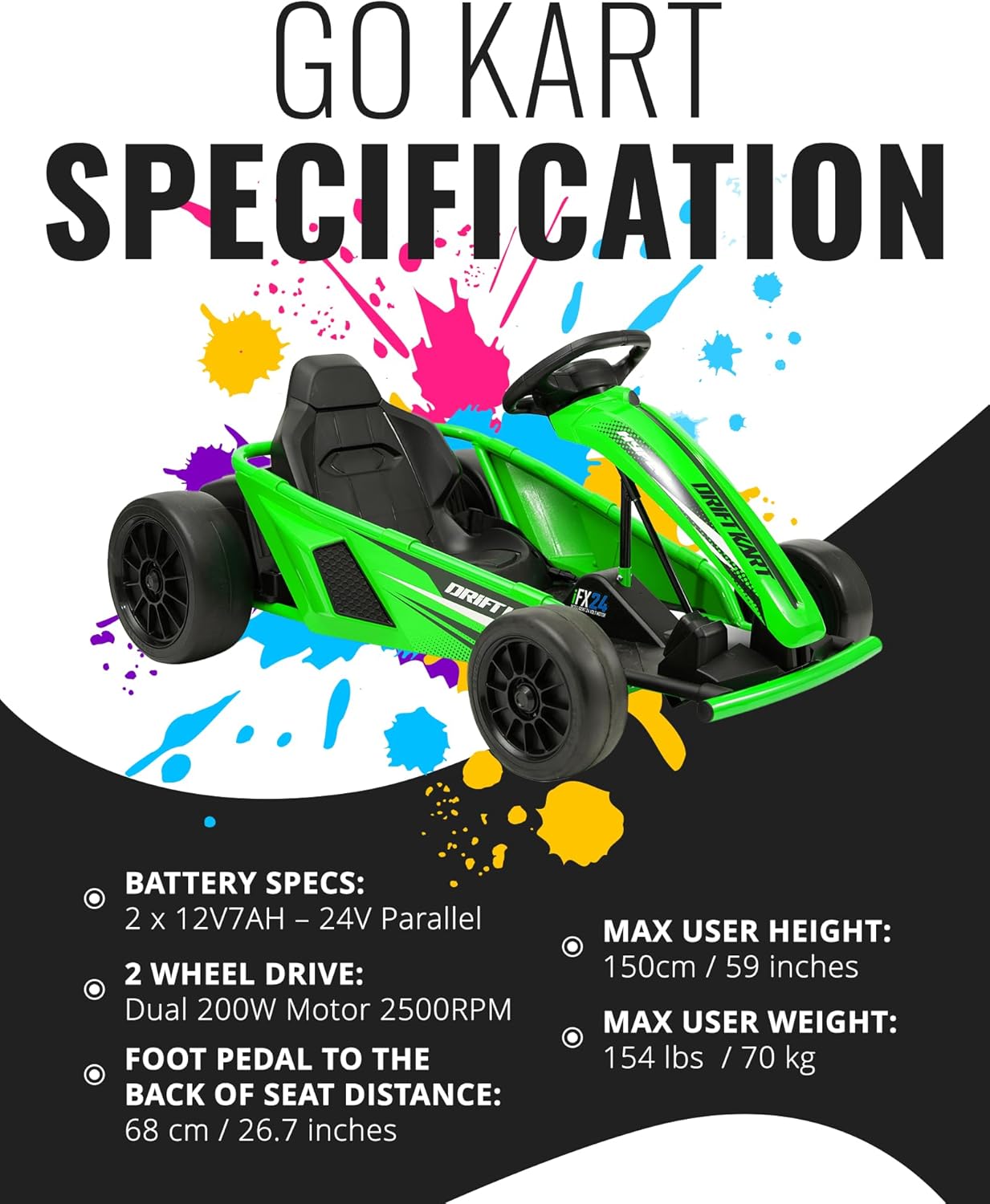
| Аккумулятор | 1 Lithium Ion battery (included), 2 x 12V7AH - 24V Parallel |
| Мотор | Dual 200W Motor 2500RPM (2 Wheel Drive) |
| Максимальный вес райдера | 154 фунта (70 кг) |
| Max User Height | 150 см / 59 дюйма |
| Foot Pedal to Back of Seat Distance | 68 см / 26.7 дюйма |
| Скорости | Forward Low: 5 mph, Reverse: 5 mph, Forward Max: 9 mph |
| Рабочая поверхность | Hard surfaces only |

8. Гарантия и поддержка
Hyper Toy Co is committed to providing high-quality products. This product comes with a standard manufacturer's warranty covering defects in materials and workmanship under normal use.
Информация о гарантии:
- Please refer to the warranty card included in your product packaging for specific terms, conditions, and duration.
- Сохраните документ, подтверждающий покупку, на случай гарантийных претензий.
Служба поддержки клиентов:
For technical assistance, parts replacement, or warranty inquiries, please contact Hyper Toys customer support:
- Webсайт: Visit the official Hyper Toys webсайт (см. упаковку продукта для URL).
- Электронная почта: [Insert Customer Support Email Here, if available in packaging]
- Телефон: [Insert Customer Support Phone Number Here, if available in packaging]


