Введение
This manual provides essential information for setting up, operating, maintaining, and troubleshooting your HP 17.3-inch Laptop. Designed for everyday productivity and entertainment, this laptop features a 13th Gen Intel Core i5 processor, Intel Iris Xe Graphics, 32GB DDR4 RAM, and a 512GB NVMe M.2 SSD, running on Windows 11 Home. Please read this guide thoroughly to ensure optimal performance and longevity of your device.

This image displays the HP 17.3-inch laptop from an angled view, highlighting its dimensions: 17.3 inches (diagonal screen), 0.78 inches (height), 10.15 inches (depth), and 15.78 inches (width). It also indicates a weight of 4.60 lbs and a battery life of up to 6 hours and 45 minutes of mixed usage.
Что в коробке?
Проверьте наличие всех предметов в упаковке:
- Ноутбук HP 17
- Адаптер питания переменного тока Smart, 45 Вт
- Плакат установки

This image illustrates the contents included with the HP 17 Laptop: the HP 17 Laptop itself, a 45 W Smart AC power adapter, and a setup poster.
Настраивать
1. Первоначальное включение
- Connect the 45 W Smart AC power adapter to the laptop's power port and then to a power outlet.
- Откройте крышку ноутбука и нажмите кнопку питания, которая обычно находится на клавиатурной панели.
- Follow the on-screen instructions to complete the initial Windows 11 Home setup, including language selection, region, and user account creation.
2. Подключение к Wi-Fi
- During the Windows setup, you will be prompted to connect to a Wi-Fi network. Select your network from the list.
- Enter the Wi-Fi password if required and click 'Connect'.
- If you skip this step, you can connect later via the Windows Settings: Go to Начинать > Настройки > Сеть и интернет > Wi-Fi.
Операционная
Базовая навигация
- Клавиатура: Use the full-size keyboard for typing and input.
- Сенсорная панель: The large click pad supports multi-touch gestures for navigation, scrolling, and zooming.
Характеристики производительности
- Процессор: The 13th Gen Intel Core i5-1335U processor provides efficient performance for daily tasks and multitasking.
- Графика: Integrated Intel Iris Xe Graphics enhance visual experiences for streaming and light creative work.
- Связь: Built-in Wi-Fi 6 ensures fast and reliable wireless internet access.

The HP 17 Laptop is shown with its screen displaying several open applications, including a video conference, a spreadsheet, and a chat window, demonstrating its multitasking capabilities powered by the Intel Core i5 processor and Intel Iris Xe Graphics.
Использование батареи
- The laptop offers up to 6 hours and 45 minutes of mixed usage on a single charge.
- HP Fast Charge technology allows for quick recharging of the battery.
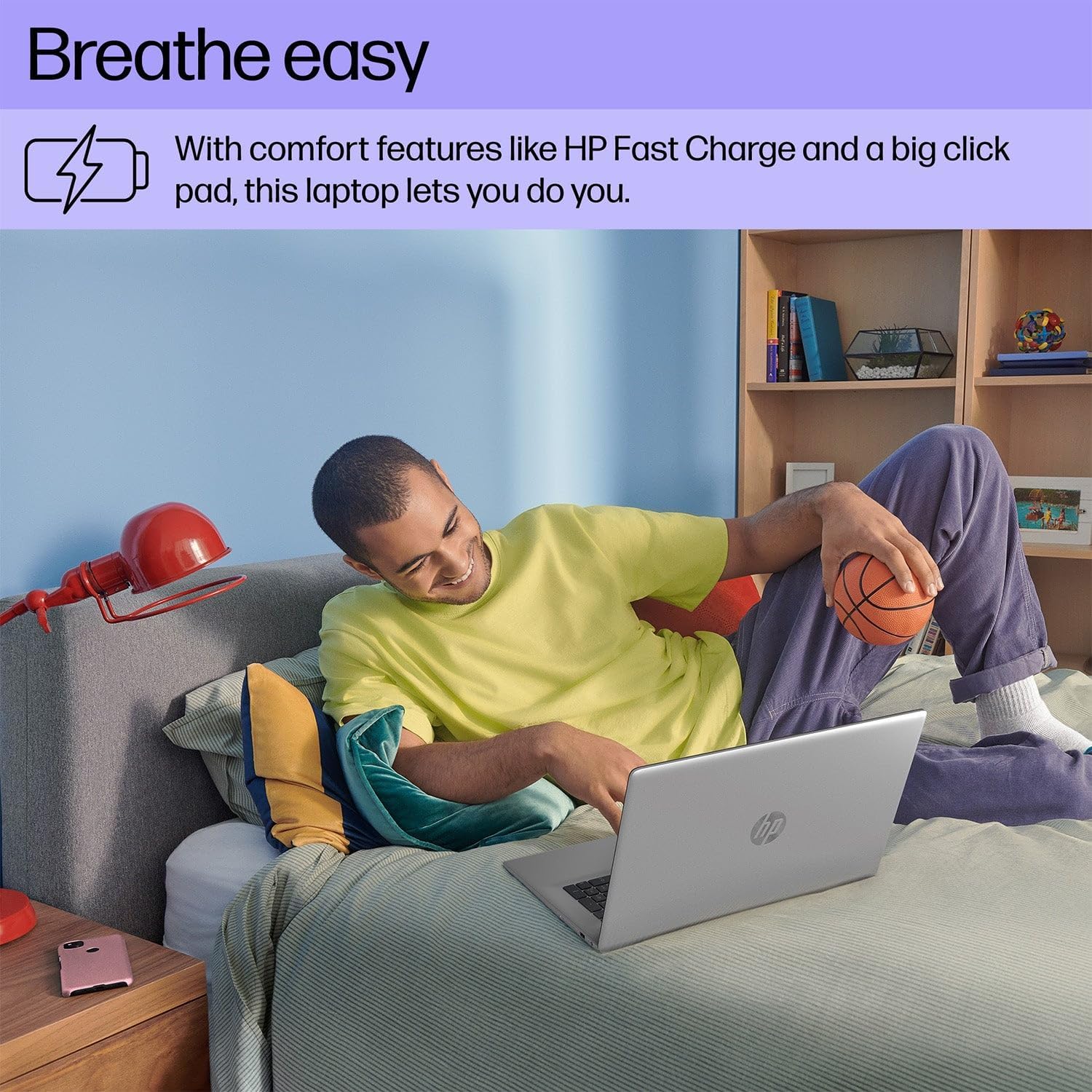
A person is shown comfortably using the HP 17 Laptop while relaxing on a bed, highlighting the laptop's design for comfortable use, including features like HP Fast Charge and a large click pad.
Обслуживание
Уборка
- Используйте мягкую, безворсовую ткань, слегкаampДля очистки дисплея смочите его водой или очистителем для экранов.
- Для очистки клавиатуры и корпуса используйте мягкую сухую ткань. Избегайте использования агрессивных химикатов.
Уход за аккумулятором
- Avoid extreme temperatures when storing or operating the laptop.
- Для обеспечения оптимальной работоспособности аккумулятора избегайте его постоянной полной разрядки или 100%-ного заряда в течение длительного времени.
Обновления программного обеспечения
- Регулярно проверяйте наличие и устанавливайте обновления Windows, чтобы обеспечить стабильность системы. Перейдите по ссылке: Начинать > Настройки > Центр обновления Windows.
- Keep HP drivers and software updated using the HP Support Assistant application.

This image focuses on the HP 17 Laptop's screen, which displays a vibrant forest scene. The image also highlights the laptop's environmental certifications, including EPEAT Silver and ENERGY STAR ratings, indicating its construction with ocean-bound plastic and recycled materials.
Поиск неисправностей
Нет питания
- Убедитесь, что адаптер переменного тока надежно подключен к ноутбуку и рабочей розетке.
- Попробуйте использовать другую розетку.
- Если аккумулятор полностью разряжен, дайте ему зарядиться в течение нескольких минут, прежде чем пытаться включить устройство.
Проблемы с отображением
- If the screen is blank, ensure the laptop is powered on.
- Adjust screen brightness using the function keys (e.g., F2/F3 or similar icons).
- Перезагрузите ноутбук.
Проблемы с подключением (Wi-Fi/Bluetooth)
- Ensure Wi-Fi or Bluetooth is enabled in Windows Settings.
- Перезагрузите маршрутизатор/модем для устранения проблем с Wi-Fi.
- Забудьте о подключении к сети Wi-Fi и подключитесь к ней заново.
- Update network drivers via HP Support Assistant or Device Manager.

A user is depicted working on the HP 17 Laptop at an outdoor table, showcasing the laptop's portability and suitability for various environments.
Технические характеристики
| Особенность | Деталь |
|---|---|
| Бренд | HP |
| Номер модели | 17 |
| Размер экрана | 17.3 дюйма |
| Разрешение дисплея | 1920 x 1080 пикселей (1080p) |
| Операционная система | Windows 11 Домашняя |
| Процессор | Процессор Intel Core i5-1335U 13-го поколения (до 4.6 ГГц) |
| БАРАН | 32 ГБ DDR4 SDRAM |
| Хранилище | 512 ГБ NVMe M.2 SSD |
| Графический процессор | Графика Intel Iris Xe |
| Технология связи | Bluetooth, USB, Wi-Fi 6 |
| Размер кэша | 12 МБ |
| Форм-фактор | Ноутбук |
| Тип экрана | Non-Touchscreen |
Гарантия и поддержка
Информация о гарантии
Your HP 17.3-inch Laptop comes with a standard manufacturer's warranty. The duration and terms of the warranty may vary by region. Please refer to the warranty card included with your product or visit the official HP webПодробную информацию о гарантии, действующую в вашем регионе, можно найти на соответствующем сайте.
Техническая поддержка
Для получения технической помощи, загрузки драйверов или дополнительной поддержки посетите официальный сайт службы поддержки HP. website or contact HP customer service. Have your product's serial number ready when seeking support.
Поддержка HP Webсайт: support.hp.com