1. Введение
This manual provides detailed instructions for the installation, operation, maintenance, and troubleshooting of your XPG CORE Reactor II VE 650W Power Supply Unit (PSU). Please read this manual thoroughly before using the product to ensure proper functionality and safety.
2. Информация по технике безопасности
- Перед установкой, извлечением или чисткой блока питания всегда отключайте шнур питания от розетки.
- Не открывайте блок питания casinг. Высокий объемtages are present inside, which can cause electric shock. The warranty will be void if the casing открыт.
- Устанавливайте блок питания в хорошо проветриваемом помещении, вдали от источников тепла, прямых солнечных лучей и влаги.
- Ensure all cables are securely connected. Loose connections can cause damage to components.
- Use only the modular cables provided with this PSU. Using third-party cables may cause damage and void the warranty.
- Данный продукт предназначен исключительно для использования в компьютерных системах. Не используйте его для каких-либо других целей.
3. Содержимое упаковки
Убедитесь, что все перечисленные ниже предметы присутствуют в упаковке вашего продукта:
- XPG CORE Reactor II VE 650W Power Supply Unit
- Modular Cable Set (including 12V-2x6 cable)
- Шнур питания переменного тока
- Крепежные винты
- Краткое руководство пользователя

Image: The XPG CORE Reactor II VE 650W power supply unit shown with its retail box, modular cables, AC power cord, and quick start guide.
4. Продукт закончилсяview
The XPG CORE Reactor II VE 650W is an 80 PLUS Gold certified power supply compliant with Intel's ATX 3.1 specifications. It features a fully modular design and an FDB (Fluid Dynamic Bearing) fan for efficient and quiet operation.

Изображение: Лицевая сторона view of the XPG CORE Reactor II VE 650W power supply, showcasing its fan grille and XPG branding.

Image: The rear panel of the XPG CORE Reactor II VE 650W power supply, featuring the AC power inlet and the main power switch.

Image: A close-up of the modular cable connection panel on the XPG CORE Reactor II VE 650W PSU, showing labeled ports for Motherboard, CPU & VGA, 12V-2x6, and SATA & Molex connectors.
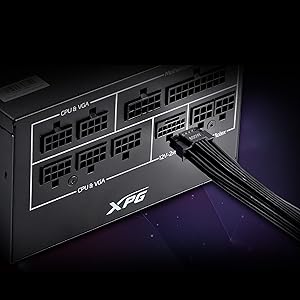
Изображение: Подробный view of the 12V-2x6 connector port on the XPG CORE Reactor II VE 650W PSU, designed for next-generation graphics cards.
5. Настройка и установка
Follow these steps to properly install your XPG CORE Reactor II VE 650W PSU into your computer system:
- Подготовьте свою систему: Убедитесь, что компьютер полностью выключен и отсоединен от розетки. Откройте корпус компьютера.
- Удалите старый блок питания (если применимо): Disconnect all cables from your old PSU and remove it from the case.
- Установите новый блок питания: Insert the XPG CORE Reactor II VE 650W PSU into the designated PSU bay in your computer case. Secure it with the provided mounting screws.
- Подключите необходимые кабели:
- Подключите 24-контактный кабель ATX к материнской плате.
- Connect the 4+4-pin or 8-pin EPS/CPU cable(s) to your motherboard's CPU power connector(s).
- Connect the appropriate PCI-E (6+2-pin) or 12V-2x6 cable(s) to your graphics card(s).
- Подключите кабели питания SATA к накопителям (жестким дискам, твердотельным накопителям) и оптическим приводам.
- Connect Molex cables to any peripherals requiring them.
Ensure all modular cables are firmly seated into both the PSU and the respective components.
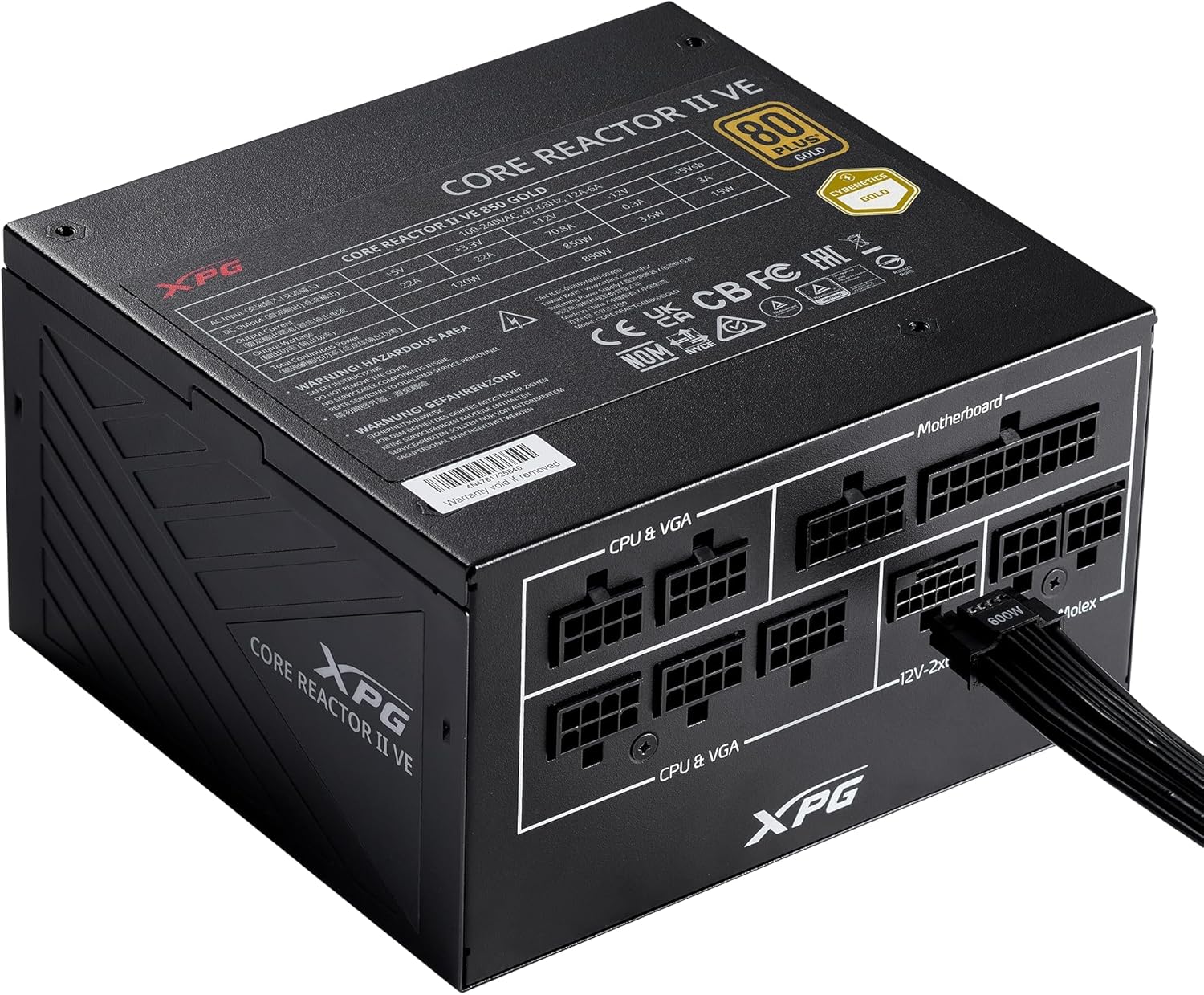
Image: The XPG CORE Reactor II VE 650W power supply with a 12V-2x6 cable connected to its modular port, illustrating a typical cable connection.
- Управление кабелями: Аккуратно проложите кабели, чтобы улучшить циркуляцию воздуха и внешний вид корпуса.
- Закройте корпус и подключите питание: Close your computer case. Connect the AC power cord to the PSU's inlet and then to a wall outlet.
- Включение питания: Flip the power switch on the back of the PSU to the 'ON' position and power on your computer.
6. Инструкция по эксплуатации
The XPG CORE Reactor II VE 650W PSU operates automatically once installed and powered on. It features an FDB fan with intelligent fan control, which adjusts its speed based on the PSU's temperature and load to maintain optimal cooling and minimize noise.
The PSU is designed to provide stable and reliable power to your system. No user intervention is typically required during normal operation.
7. Техническое обслуживание
To ensure the longevity and optimal performance of your XPG CORE Reactor II VE 650W PSU, consider the following maintenance tips:
- Удаление пыли: Periodically clean the fan grille and the interior of your computer case to prevent dust buildup. Dust can impede airflow and lead to overheating. Use compressed air for this purpose, ensuring the system is powered off and unplugged.
- Проверка кабеля: Периодически проверяйте все модульные кабельные соединения, чтобы убедиться в их надежности.
- Среда: Operate the PSU in a clean, dry, and well-ventilated environment.
8. Поиск Неисправностей
If you encounter issues with your XPG CORE Reactor II VE 650W PSU, refer to the following common troubleshooting steps:
- Нет питания:
- Убедитесь, что шнур питания переменного тока надежно подключен как к блоку питания, так и к розетке.
- Убедитесь, что выключатель питания на задней панели блока питания находится в положении «ВКЛ».
- Проверьте работоспособность розетки, подключив к ней другое устройство.
- Confirm that the 24-pin ATX and 4+4-pin/8-pin EPS/CPU cables are correctly and firmly connected to the motherboard.
- Нестабильность системы/Случайные отключения:
- Ensure all power cables to components (motherboard, CPU, GPU, drives) are securely connected.
- Check for proper ventilation within your computer case. Overheating can cause instability.
- If you have recently added new components, ensure the 650W output is sufficient for your total system load.
- Вентилятор не вращается:
- The FDB fan features intelligent control and may not spin at low loads or temperatures. This is normal operation.
- If the fan does not spin under heavy load and the PSU feels excessively hot, contact support.
- Необычные шумы:
- A slight coil whine can sometimes occur under specific loads; this is generally not indicative of a fault.
- If you hear grinding or scraping noises, power off the system immediately and contact support.
Если эти шаги не помогут решить вашу проблему, обратитесь за дополнительной помощью в раздел «Гарантия и поддержка».
9. Технические характеристики
Key technical specifications for the XPG CORE Reactor II VE 650W PSU:
| Особенность | Спецификация |
|---|---|
| Номер модели | COREREACTORIIVE650G-BKCUS |
| Выход Втtage | 650 Вт |
| Сертификация эффективности | 80 PLUS Gold, CYBENETICS Gold |
| Стандарт ATX | ATX 3.1 / EPS v2.92 |
| Форм-фактор | АТХ |
| Метод охлаждения | Air (FDB 120mm Fan) |
| Конструкция блока питания | Полный модульный |
| Размеры продукта (Д x Ш x В) | 5.86 x 5.9 x 3.38 дюймов (140x150x86 мм) |
| Вес товара | 5.07 фунта |
| Типы соединителей | ATX, Molex, PCI Express, SATA, 12V-2x6 |
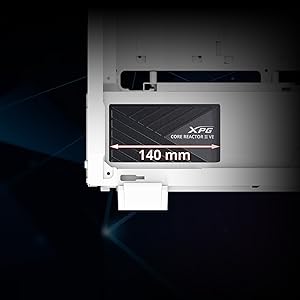
Image: A diagram illustrating the compact 140mm length of the XPG CORE Reactor II VE power supply, highlighting its compatibility with various PC cases.

Image: Visual representation of the multiple protection mechanisms integrated into the PSU, including OPP (Over Power Protection), OVP (Over Voltage Protection), SIP (Surge & Inrush Protection), SCP (Short Circuit Protection), UVP (Under Voltage Protection), OCP (Over Current Protection), OTP (Over Temperature Protection), and NLO (No Load Operation).
10. Гарантия и поддержка
For warranty information, technical support, or service inquiries regarding your XPG CORE Reactor II VE 650W PSU, please visit the official XPG website or contact their customer support directly. Details can typically be found on the product packaging or the manufacturer's official support pages.
Сохраните документ, подтверждающий покупку, на случай гарантийных претензий.


