1. Введение и окончаниеview
The Buffbee Sound Machine & Alarm Clock is a versatile 2-in-1 device designed to enhance your sleep and wake-up experience. It combines a high-quality sound machine with a precise digital alarm clock, offering a range of features to create a peaceful environment and ensure timely waking.

Image 1.1: The Buffbee device highlighting its dual functionality as a sound machine and an alarm clock.
Основные характеристики:
- 2-в-1 Функциональность: Combines a sound machine and a digital alarm clock in one compact unit.
- 18 успокаивающих звуков: Includes 5 white noises, 3 fan sounds, and 10 nature sounds (ocean, lullaby, waves, rain, thunderstorm, stream, croaks, bird chirps, summer night, campfire) to aid sleep and relaxation.
- Регулируемая яркость дисплея: Clock face brightness can be dimmed from 0% to 100% to suit your preference.
- Точный контроль громкости: Offers 30 levels of volume adjustment for optimal sound output.
- Таймер сна: Set the sound machine to automatically turn off after 15, 30, 60, 90, or 120 minutes, or allow continuous play.
- 7-цветный ночник: Features a soothing colored light at the base with 7 color options and ON/OFF functionality.
- Высококачественный динамик: Equipped with a 5W speaker for rich, detailed sound.

Изображение 1.2: Спереди view of the Buffbee Sound Machine & Alarm Clock, displaying the time and the top control panel.
2. Настройка
2.1 Распаковка и содержимое
Carefully remove the Buffbee Sound Machine & Alarm Clock from its packaging. Verify that all components are present:
- Buffbee Sound Machine & Alarm Clock unit
- Адаптер питания (USB-кабель и сетевой адаптер)
- Руководство пользователя (этот документ)
2.2 Подключение питания
The device is powered by an electrical cable.
- Insert the small end of the USB power cable into the DC IN port on the back of the Buffbee unit.
- Plug the larger end of the USB cable into the provided wall adapter.
- Подключите сетевой адаптер к стандартной электрической розетке.
The device will power on automatically, and the digital display will illuminate.
2.3 Установка времени
Upon initial power-on or after a power outage, you may need to set the correct time.
- Нажмите и удерживайте Время установлено button (usually indicated by a clock icon) on the top panel until the hour digits begin to flash.
- Используйте +/- buttons (or arrow buttons) to adjust the hour.
- Нажмите Время установлено Нажмите кнопку еще раз, чтобы переключиться на минутную регулировку.
- Используйте +/- кнопки для настройки минут.
- Нажмите Время установлено нажмите кнопку еще раз для подтверждения и выхода из режима установки времени.
3. Инструкция по эксплуатации
3.1 Sound Machine Function
The Buffbee Sound Machine offers 18 soothing sounds to help you relax and sleep.

Изображение 3.1: Внутренний вид view illustrating the upward-firing speaker for enhanced sound quality.
Воспроизведение звуков:
- Нажмите Звуковой режим button (often a music note icon) to cycle through the available sound categories (White Noise, Fan Sounds, Nature Sounds).
- Используйте Next/Previous Sound buttons (arrow icons) to select a specific sound within the chosen category.
- The sound will begin playing automatically.
Регулировка громкости:
The device features 30 levels of precise volume control.
- Нажмите Увеличение громкости (+) or Звук тише (-) buttons to increase or decrease the sound volume.

Image 3.2: Illustration of the auto-off timer and 30-level precise volume control features.
Установка таймера сна:
The sleep timer allows the sound machine to turn off automatically after a set duration.
- Нажмите Таймер button (often an hourglass icon) repeatedly to cycle through the available timer options: 15 minutes, 30 minutes, 60 minutes, 90 minutes, 120 minutes, or continuous play (indicated by 'ON' or no timer display).
- The selected timer duration will be displayed briefly on the screen.
3.2 Функция будильника
The Buffbee device functions as a digital alarm clock with customizable wake-up sounds.
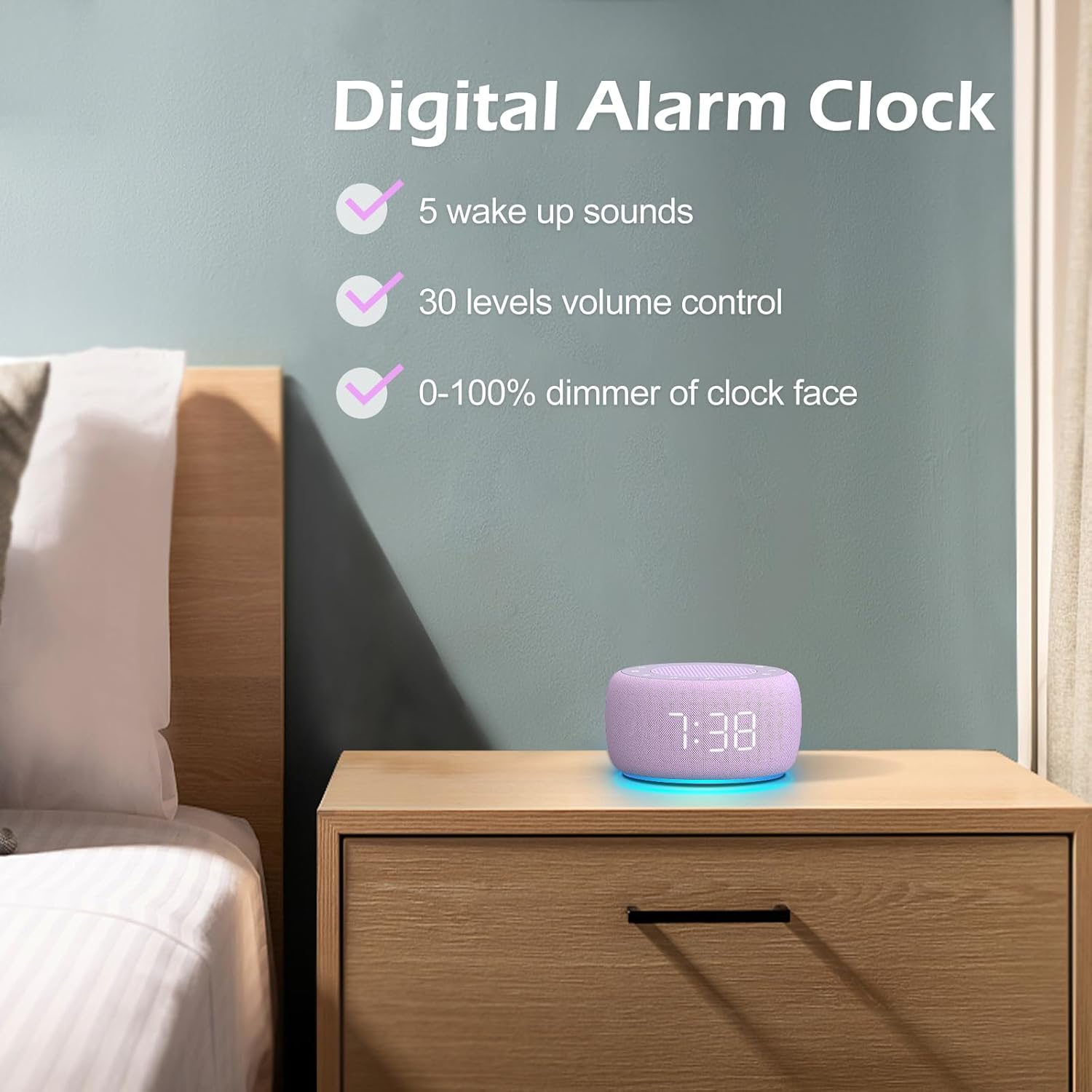
Изображение 3.3: оконченоview of the digital alarm clock features, including wake-up sounds, volume control, and display dimmer.
Установка будильника:
- Нажмите и удерживайте Будильник установлен button (often an alarm clock icon) until the alarm hour digits begin to flash.
- Используйте +/- кнопки для настройки часа будильника.
- Нажмите Будильник установлен Нажмите кнопку еще раз, чтобы переключиться на минутную регулировку.
- Используйте +/- кнопки для настройки минут будильника.
- Нажмите Будильник установлен button one more time to confirm the alarm time.
- After setting the time, you can select the wake-up sound by pressing the Выбор звука button (if available, or use +/- buttons while alarm sound is flashing). There are 5 wake-up sounds available.
- Нажмите Будильник установлен button again to activate the alarm. An alarm icon will appear on the display.
Функция повтора:
Когда прозвучит сигнал будильника, нажмите кнопку Вздремнуть button (usually a large button on top or a dedicated snooze icon) to temporarily silence the alarm for a few minutes (typically 9 minutes). The alarm will sound again after the snooze period.
Выключение будильника:
Чтобы полностью отключить будильник, нажмите кнопку. Включение / выключение будильника button (often the same as the Alarm Set button, or a dedicated toggle). The alarm icon will disappear from the display.
3.3 Display & Light Functions
Регулировка яркости дисплея:
The digital display brightness can be adjusted from 0% (completely dark) to 100% (brightest).

Image 3.4: Demonstration of the 0-100% display dimmer feature, showing various brightness levels.
- Нажмите Диммер button (often a sun icon) repeatedly to cycle through different brightness levels.
- Держите Диммер button to smoothly adjust the brightness from 0% to 100% and vice versa. Release the button at your desired brightness.
Использование ночника:
The device features a colored night light at its base with 7 color options.

Image 3.5: The Buffbee device showcasing its 7-color night light feature in a bedroom setting.
- Нажмите Свет button (often a light bulb icon) to turn the night light ON.
- Нажмите Свет Нажимайте кнопку несколько раз, чтобы переключаться между 7 доступными цветами.
- Нажмите Свет button one more time after cycling through all colors to turn the night light OFF.
4. Техническое обслуживание
4.1 Очистка
To maintain the appearance and functionality of your Buffbee device:
- Перед чисткой всегда отключайте устройство от розетки.
- Для протирки наружных поверхностей используйте мягкую, сухую, безворсовую ткань.
- Не используйте абразивные чистящие средства, воски или растворители, так как они могут повредить отделку.
- Избегайте попадания влаги в отверстия.
4.2 Хранение
Если устройство не используется в течение длительного времени, храните его в прохладном, сухом месте, вдали от прямых солнечных лучей и экстремальных температур.
4.3 Предупреждения о безопасности
Пожалуйста, соблюдайте следующие меры безопасности:
- Этот продукт не является игрушкой. Хранить в недоступном для детей месте.
- Handle with care to avoid electric shock. Do not expose the device to water or excessive moisture.
- Use within recommended noise exposure limits to prevent hearing damage.
- Не пытайтесь разбирать или ремонтировать устройство самостоятельно. По всем вопросам обслуживания обращайтесь к квалифицированному персоналу.
5. Поиск Неисправностей
If you encounter issues with your Buffbee Sound Machine & Alarm Clock, please refer to the following common problems and solutions:
| Проблема | Возможная причина | Решение |
|---|---|---|
| Устройство не включается. | Отсутствие подключения к источнику питания или неисправный адаптер. | Ensure the power cable is securely plugged into the device and the wall outlet. Try a different outlet. |
| Нет звука из динамика. | Volume is too low or muted. Incorrect sound selected. | Увеличьте громкость с помощью Увеличение громкости (+) button. Ensure a sound is selected and not paused. |
| Сигнализация не срабатывает. | Alarm is not set or not activated. Alarm volume is too low. | Verify that the alarm time is set correctly and the alarm icon is displayed. Increase the alarm volume (if separate from main volume). |
| Дисплей слишком тусклый или слишком яркий. | Display dimmer setting is incorrect. | Нажмите или удерживайте Диммер button to adjust the brightness to your preference. |
| Ночник не работает. | Night light is turned off. | Нажмите Свет button to turn on and cycle through colors. |
6. Технические характеристики
Detailed technical specifications for the Buffbee Sound Machine & Alarm Clock (Model BK11):
| Особенность | Спецификация |
|---|---|
| Бренд | БАФФБИ |
| Номер модели | БК11 |
| Цвет | Фиолетовый |
| Материал | Пластик |
| Источник питания | Проводной электрический |
| Размеры продукта | 14.3 x 11.2 x 7.7 см (5.6 x 4.4 x 3.0 дюймов) |
| Вес товара | 322 грамм (0.71 фунта) |
| Выход динамика | 5W |
| Параметры звука | 18 Soothing Sounds (5 White Noise, 3 Fan, 10 Nature) |
| Уровни громкости | 30 точных уровней |
| Диммер дисплея | 0-100% Adjustable Brightness |
| Цвета ночного света | 7 цветов |
| Параметры таймера сна | 15, 30, 60, 90, 120 minutes, or Continuous Play |
| Wake-up Sounds | 5 Alarm Sounds |
7. Гарантия и поддержка
7.1 Информация о гарантии
This product comes with a standard manufacturer's warranty. Please refer to the product packaging or the seller's webНа сайте можно ознакомиться с конкретными условиями гарантии, включая срок действия и детали покрытия.
7.2 Поддержка клиентов
For any questions, technical assistance, or warranty claims, please contact Buffbee customer support through the retailer's platform or the official Buffbee website. Have your product model number (BK11) and purchase details ready when contacting support.


