1. Введение
Thank you for choosing the DOOMAY Digital Alarm Clock. This compact and modern alarm clock is designed for convenience and reliability, featuring an LCD display, adjustable volume, snooze function, weekend mode, and indoor temperature display. This manual provides detailed instructions to help you set up and operate your new alarm clock effectively.

Рисунок 1: Передняя часть view of the DOOMAY Digital Alarm Clock.
2. Содержимое упаковки
- DOOMAY Digital Alarm Clock (1 unit)
- AAA Batteries (2 units)
- Руководство по эксплуатации (данный документ)
3. Настройка
3.1 Установка аккумулятора
The DOOMAY Digital Alarm Clock is powered by two AAA batteries. These batteries are included in the package.
- Найдите крышку батарейного отсека на задней панели будильника.
- Чтобы открыть отсек, сдвиньте крышку вниз.
- Вставьте две батарейки типа ААА, соблюдая правильную полярность (+ и -), как указано внутри отсека.
- Установите на место крышку батарейного отсека, сдвинув ее вверх до щелчка.

Рисунок 2: Назад view with battery compartment and control buttons.
Примечание: When the display flashes '8888' and the clock beeps, it indicates that the batteries are low and need to be replaced.
4. Инструкция по эксплуатации
The DOOMAY Digital Alarm Clock offers various functions for timekeeping, alarming, and environmental monitoring. Refer to the buttons on the back of the clock for settings.
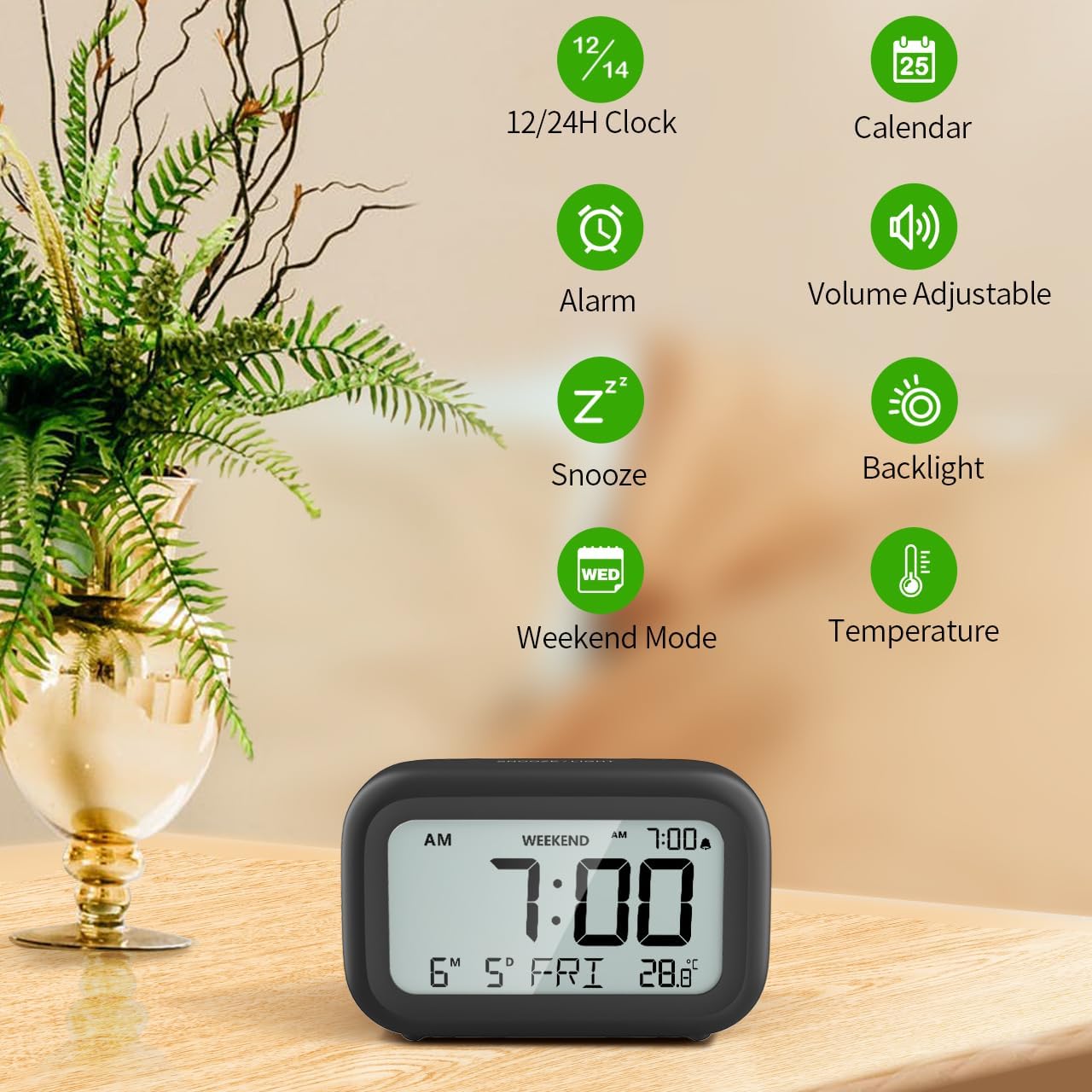
Рисунок 3: Болееview of clock features.
4.1 Установка времени и даты
Чтобы установить текущее время и дату:
- Нажмите и удерживайте НАБОР button (usually represented by a clock icon or '12/24H' button) on the back of the clock until the numbers on the display begin to flash.
- Используйте + и - buttons to adjust the flashing value (Year, Month, Day, Hour, Minute).
- Нажмите НАБОР button again to confirm the setting and move to the next value.
- Once all values are set, the display will stop flashing. The day of the week will automatically update based on the date.
For a visual guide, refer to the video below, specifically from 0:18 for Date Setting и 0:32 for Time Setting.
4.2 Настройка будильника
To set your alarm time:
- Нажмите ТРЕВОГА button (bell icon) on the back of the clock. The alarm time will appear and flash.
- Используйте + и - buttons to adjust the desired alarm hour and minute.
- Нажмите ТРЕВОГА button again to confirm the alarm setting.
- To turn the alarm ON or OFF, simply press the ТРЕВОГА button once. An alarm icon will appear on the display when the alarm is active.
For a visual guide, refer to the video below, specifically from 0:13 for turning alarm ON/OFF и 0:37 for Alarm Setting.
4.3 Функция повтора
When the alarm sounds, gently touch the СНУЗ / СВЕТ button located on the top of the clock. This will activate the snooze function, providing an additional 9 minutes of sleep before the alarm sounds again. You can repeat this process multiple times.

Figure 4: Activating the snooze function.
To turn off the alarm completely after it sounds, press any button on the back of the clock.
For a visual guide, refer to the video below, specifically from 0:46 for Snooze function.
4.4 Weekend Mode
The Weekend Mode allows you to set the alarm to only sound from Monday to Friday, preventing it from disturbing you on weekends.
- Нажмите ВЫХОДНЫЕ button (calendar icon) on the back of the clock to toggle Weekend Mode ON or OFF.
- When Weekend Mode is active, 'WEEKEND' will be displayed on the screen, and the alarm will be automatically disabled on Saturday and Sunday.

Figure 5: Weekend Mode and Alarm Volume Levels.
For a visual guide, refer to the video below, specifically from 0:50 for Weekend Mode ON/OFF.
4.5 Функция подсветки
The clock features a convenient 5-second on-demand backlight for viewing the time in low-light conditions.
- Simply touch the СНУЗ / СВЕТ button on the top of the clock to activate the backlight.
- The backlight will illuminate for approximately 5 seconds and then automatically turn off to conserve battery life.

Figure 6: Backlight in use.
For a visual guide, refer to the video below, specifically from 0:54 for 5 Seconds Backlight.
4.6 Отображение температуры
The clock displays the indoor temperature. You can switch between Celsius (°C) and Fahrenheit (°F) units.
- Нажмите ° C / ° F button on the back of the clock to toggle between Celsius and Fahrenheit.

Figure 7: Indoor Temperature Display.
4.7 12/24 Hour Time Format
You can switch the time display between 12-hour (with AM/PM indicator) and 24-hour formats.
- Нажмите 12/24ч button on the back of the clock to switch between the two formats.
For a visual guide, refer to the video below, specifically from 0:58 for 12/24Hr Time Format Switchable.
4.8 Регулировка громкости сигнала тревоги
The alarm clock offers two volume levels for the alarm sound: LOW (70dB) and HIGH (85dB).
- While setting the alarm, or when the alarm is sounding, you can cycle through the volume levels by pressing the appropriate button (often the + or - button, or a dedicated volume button if available). Refer to the icons on the back of your clock.
For a visual guide, refer to the video below, specifically from 0:42 for 2 Levels of Volume Adjustable.
Operating Instructions Video Guide
Video 1: Comprehensive guide on setting up and operating the DOOMAY Digital Alarm Clock. This video demonstrates battery installation, setting time and date, alarm functions, snooze, weekend mode, backlight, and volume adjustment.
5. Техническое обслуживание
- Уборка: Протрите часы мягкой сухой тканью. Не используйте абразивные чистящие средства или растворители.
- Замена батареи: Replace batteries when the low battery indicator appears (flashing '8888' and beeping). Always use new AAA batteries.
- Хранилище: При длительном хранении часов извлеките батарейки, чтобы предотвратить их протечку.
6. Поиск Неисправностей
| Проблема | Возможная причина | Решение |
|---|---|---|
| Дисплей часов пустой или тусклый. | Батарейки разряжены или установлены неправильно. | Замените батарейки новыми батарейками типа ААА, соблюдая правильную полярность. |
| Сигнализация не срабатывает. | Alarm is not activated or Weekend Mode is ON. | Press the ALARM button to activate. Check if Weekend Mode is active and disable if necessary. |
| Неверное время/дата. | Not set correctly or batteries were removed. | Для установки времени и даты следуйте инструкциям в разделе 4.1. |
| Backlight does not stay on. | Это нормальная работа. | The backlight is designed to illuminate for 5 seconds to conserve battery life. It is not a continuous backlight. |
7. Технические характеристики
- Модель: 5293Б
- Тип дисплея: Цифровой LCD
- Источник питания: 2 батарейки ААА (в комплекте)
- Размеры продукта: 4.29"W x 2.72"H (approx. 10.9cm x 6.9cm)
- Материал: Акрилонитрилбутадиенстирол (АБС)
- Функции: Alarm, Snooze, Weekend Mode, Indoor Temperature (°C/°F), 12/24H Time Format, 5-second Backlight
- Громкость будильника: 2 levels (70dB, 85dB)
- Вес товара: 4.48 унций (приблизительно 127 г)
8. Гарантия и поддержка
DOOMAY products are manufactured with high-quality materials and craftsmanship. For any questions, concerns, or technical support regarding your DOOMAY Digital Alarm Clock, please contact the seller or refer to the product listing on the platform where it was purchased. Please retain your proof of purchase for warranty claims.


