1. Введение
This manual provides essential instructions for the safe and efficient operation of your RONGTA SE4770 Rugged PDA Barcode Scanner. This device is a high-performance mobile handheld terminal designed for various applications including retail, warehouse management, logistics, and inventory control. It combines the functionality of an Android 11 smartphone with an integrated Zebra SE4770 barcode scanner, offering robust performance and durability.
Перед использованием устройства внимательно ознакомьтесь с данным руководством и сохраните его для дальнейшего использования.
2. Продукт закончилсяview
2.1 Компоненты устройства
The RONGTA SE4770 features a rugged design with a 6-inch HD touch screen and an integrated barcode scanner. Key components include:
- Передний дисплей: 6-inch FHD+ 1080P HD screen for clear visual interaction.
- Задняя панель: Integrated Zebra SE4770 barcode scanner, camera, and battery compartment.
- Боковые кнопки: Power button, volume controls, and dedicated scan buttons.
- Порты: Порт USB-C для зарядки и передачи данных.

Рисунок 2.1: Вид спереди и сзади view of the RONGTA SE4770 PDA Barcode Scanner, showing the display and rear scanner module.
2.2 Основные характеристики
- Операционная система: Android 11 for a familiar and versatile user experience.
- Процессор: Octa-core 2.0GHz CPU for high performance and stability.
- Память и хранение: 4GB RAM + 64GB ROM, expandable via microSD card (not included).
- Отображать: 6-inch FHD+ (1080P) HD touch screen, visible in strong outdoor light, supports multi-touch with gloves or wet hands.
- Сканер штрих-кода: Integrated Zebra SE4770 for fast and accurate scanning of 1D, 2D, and QR barcodes, even if blurred, dirty, or worn.
- Прочность: IP68 rated for water and dust resistance, and 1.5m drop resistance.
- Аккумулятор: 5000mAh large capacity battery with QC3.0 18W fast charging. Features a SuperCap power change solution for seamless battery swaps without shutdown.
- Связь: 2.4G/5G Dual-band Wi-Fi, 4G Full Network support, and Bluetooth 5.1.
- Камера: 1600W+500W Pixel Camera (details on usage in Operating Instructions).
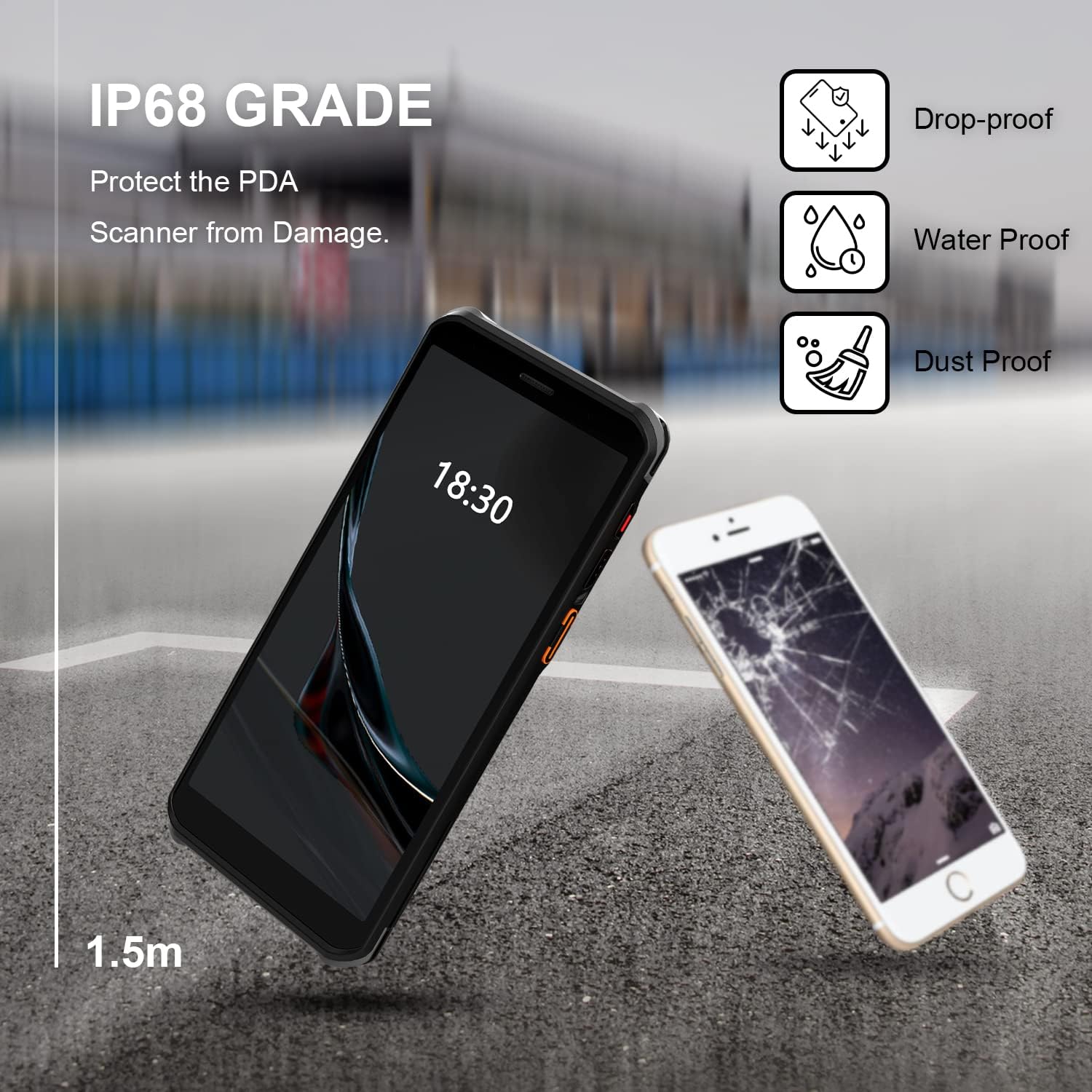
Figure 2.2: The RONGTA SE4770 PDA is designed with IP68 water and dust resistance and 1.5m drop protection, ensuring durability in demanding environments.

Figure 2.3: The device supports 2.4G/5G Dual-band WIFI and Bluetooth 5.1 for reliable wireless connectivity.
3. Настройка
3.1 Распаковка и первоначальный осмотр
Carefully remove all components from the packaging. Verify that all items are present and undamaged. The package should include the RONGTA SE4770 PDA, a USB-C cable, a power adapter, and a hand-strap belt.
3.2 Установка и зарядка аккумулятора
- Найдите батарейный отсек на задней панели устройства.
- If the battery is not pre-installed, insert the 5000mAh Lithium-Ion battery, ensuring correct orientation.
- Надежно закройте батарейный отсек.
- Connect the USB-C cable to the device's charging port and the other end to the power adapter. Plug the adapter into a power outlet.
- Allow the device to charge fully before first use. The 18W fast charging feature will expedite this process.

Figure 3.1: The device charging, indicating battery status.
3.3 Включение/выключение питания
- Для включения: Press and hold the Power button on the side of the device until the RONGTA logo appears on the screen.
- Чтобы выключить: Press and hold the Power button until the power options menu appears. Select 'Power Off'.
- Начать заново: Нажмите и удерживайте кнопку питания, пока не появится меню параметров питания. Выберите «Перезапустить».
3.4 Первоначальная настройка Android
Upon first power-on, follow the on-screen prompts to complete the initial Android 11 setup. This typically includes selecting your language, connecting to a Wi-Fi network, setting up a Google account (optional), and configuring security settings.
4. Инструкция по эксплуатации
4.1 Использование сканера штрих-кода
The RONGTA SE4770 is equipped with a high-performance Zebra SE4770 scanner capable of reading various 1D, 2D, and QR barcodes.
- Open an application that requires barcode input (e.g., inventory management software, POS application).
- Point the scanner window, located on the top rear of the device, towards the barcode.
- Press one of the dedicated scan buttons on the side of the device. A red aiming beam will appear.
- Align the aiming beam with the center of the barcode. The device will emit a beep or vibrate upon successful scan, and the data will be entered into the active field of your application.

Figure 4.1: A user scanning a package barcode using the RONGTA SE4770 PDA.

Figure 4.2: The SE4770 Zebra scanner in use, demonstrating fast and accurate scanning in a warehouse environment.
4.2 Навигация по Android 11
The device operates on Android 11, providing a familiar interface. Use touch gestures to navigate:
- Кран: Чтобы выбрать элемент или открыть приложение.
- Проведите пальцем по экрану: Для прокрутки списков или переключения между главными экранами.
- Масштабирование сведением пальцев: Чтобы увеличить или уменьшить масштаб изображений и web страниц.
- Уведомления: Проведите пальцем вниз от верхней части экрана, чтобы получить доступ к уведомлениям и быстрым настройкам.
4.3 Связь
Устройство поддерживает различные варианты подключения:
- Wi-Fi: Go to Settings > Network & internet > Wi-Fi to connect to available wireless networks. Supports 2.4GHz and 5GHz bands.
- Bluetooth: Go to Settings > Connected devices > Connection preferences > Bluetooth to pair with Bluetooth-enabled devices like headsets or printers.
- Мобильные данные (4G): If equipped with a SIM card slot (check device specifications), insert a compatible SIM card to access mobile data.
4.4 Использование камеры
The device includes a camera for capturing images or videos. Open the Camera application from the home screen or app drawer. Tap the screen to focus and press the shutter button to take a photo or start/stop video recording.
5. Техническое обслуживание
5.1 Очистка устройства
Для поддержания оптимальной производительности и внешнего вида:
- Wipe the screen and device body with a soft, lint-free cloth.
- Для стойких пятен слегка разотритеampПротрите ткань водой или средством для чистки экранов. Избегайте агрессивных химикатов и абразивных материалов.
- Ensure the scanner window is clean and free of dust or debris for accurate scanning.
5.2 Уход за аккумулятором
Proper battery care extends the lifespan of your device:
- Charge the battery regularly using the provided charger.
- Избегайте частой полной разрядки аккумулятора.
- If storing the device for an extended period, charge the battery to approximately 50% and store in a cool, dry place.
- The SuperCap power change solution allows for hot-swapping batteries without device shutdown, ensuring continuous operation.
5.3 Обновления программного обеспечения
Periodically check for software updates to ensure your device has the latest features and security patches. Go to Settings > System > System update.
6. Поиск Неисправностей
This section addresses common issues you might encounter with your RONGTA SE4770 PDA.
| Проблема | Возможная причина | Решение |
|---|---|---|
| Устройство не включается | Разряжена или разряжена батарея; неисправность устройства. | Charge the device for at least 30 minutes. If it still doesn't power on, contact support. |
| Сканер не считывает штрихкоды. | Dirty scanner window; incorrect aiming; unsupported barcode type; application issue. | Clean the scanner window. Ensure the aiming beam covers the entire barcode. Verify the barcode type is supported. Restart the scanning application or the device. |
| Проблемы с подключением Wi-Fi/Bluetooth | Вне зоны действия сети; неверный пароль; помехи. | Move closer to the Wi-Fi router or Bluetooth device. Re-enter the password. Restart Wi-Fi/Bluetooth on the device. |
| Устройство работает медленно или не отвечает | Слишком много запущенных приложений; мало места на диске; программный сбой. | Close unnecessary applications. Clear cache. Restart the device. Consider a factory reset if issues persist (backup data first). |
7. Технические характеристики
Detailed technical specifications for the RONGTA SE4770 PDA Barcode Scanner:
- Размеры продукта: 3.03 x 0.51 x 6.41 дюйма
- Вес товара: 10.6 унции
- Аккумуляторы: Требуется 1 литий-ионный аккумулятор (входит в комплект)
- Источник питания: Питание от батареи
- Производитель: РОНГТА
- Совместимые устройства: Desktop, Laptop, Smartphone (for data transfer/management)
- Технологии подключения: Bluetooth, Wi-Fi (2.4G/5G Dual-band), 4G
- Операционная система: Андроид 11
- Процессор: Восьмиядерный 2.0GHz
- Память: 4 ГБ ОЗУ
- Хранилище: 64 ГБ ПЗУ
- Размер экрана: 6 inches FHD+ (1080P) HD Touch Screen
- Сканер: Zebra SE4770 (1D, 2D, QR)
- Прочность: IP68 Water and Dust Resistant, 1.5m Drop Protection
- Емкость аккумулятора: 5000мАч
- Зарядка: QC3.0 18W Fast Charge
8. Гарантия и поддержка
For warranty information and technical support, please refer to the documentation included with your purchase or visit the official RONGTA website. If you encounter any issues not covered in this manual, please contact RONGTA customer service for assistance.


