1. Введение
This manual provides detailed instructions for the setup, operation, and maintenance of your DreamSky DS2201 Wooden Digital Alarm Clock. Designed for bedrooms, this electric desk clock features large, easy-to-read numbers, a convenient USB charging port, and adjustable settings for alarm volume and display brightness. Please read this manual thoroughly to ensure proper use and to maximize the functionality of your device.
2.Основные характеристики
- Большой цифровой дисплей: Features 1.8-inch large numbers for clear visibility from a distance.
- Регулируемая яркость: Offers 5 levels of display brightness, including an 'OFF' option, to suit various lighting conditions.
- Запасная батарея: Requires 2 AAA alkaline batteries (not included) to maintain alarm function during power outages. The display will not illuminate when operating on battery power alone.
- Настраиваемый будильник: Provides 5 levels of adjustable alarm volume, suitable for both light and heavy sleepers. The alarm sounds for 2 minutes.
- Функция повтора: A dedicated snooze button on the top allows for an additional 9 minutes of sleep.
- USB-порт зарядки: Includes a convenient USB port for charging smart devices and other gadgets.
- Летнее время (DST): Equipped with a manual DST button for easy time adjustments.
- Wood Décor Design: A sleek wooden finish integrates well with various room aesthetics.
3. Содержимое упаковки
При распаковке убедитесь, что все перечисленные ниже предметы присутствуют и находятся в хорошем состоянии:
- DreamSky DS2201 Деревянный цифровой будильник
- Адаптер питания 5 В/1 А
- Руководство пользователя (этот документ)

Figure 3.1: Package contents including the alarm clock, power adapter, and user manual.
4. Настройка
4.1 Подключение питания
- Connect the provided 5V/1A power adapter to the DC 5V port on the back of the alarm clock.
- Подключите адаптер питания к стандартной электрической розетке. Загорится дисплей часов.

Figure 4.1: Powering the clock and using the USB charging port.
4.2 Установка батареи (резервной)
For alarm backup during power outages, install 2 AAA alkaline batteries (not included) into the battery compartment on the back of the clock. The display will not be active when running on battery power alone; only the alarm function is maintained.
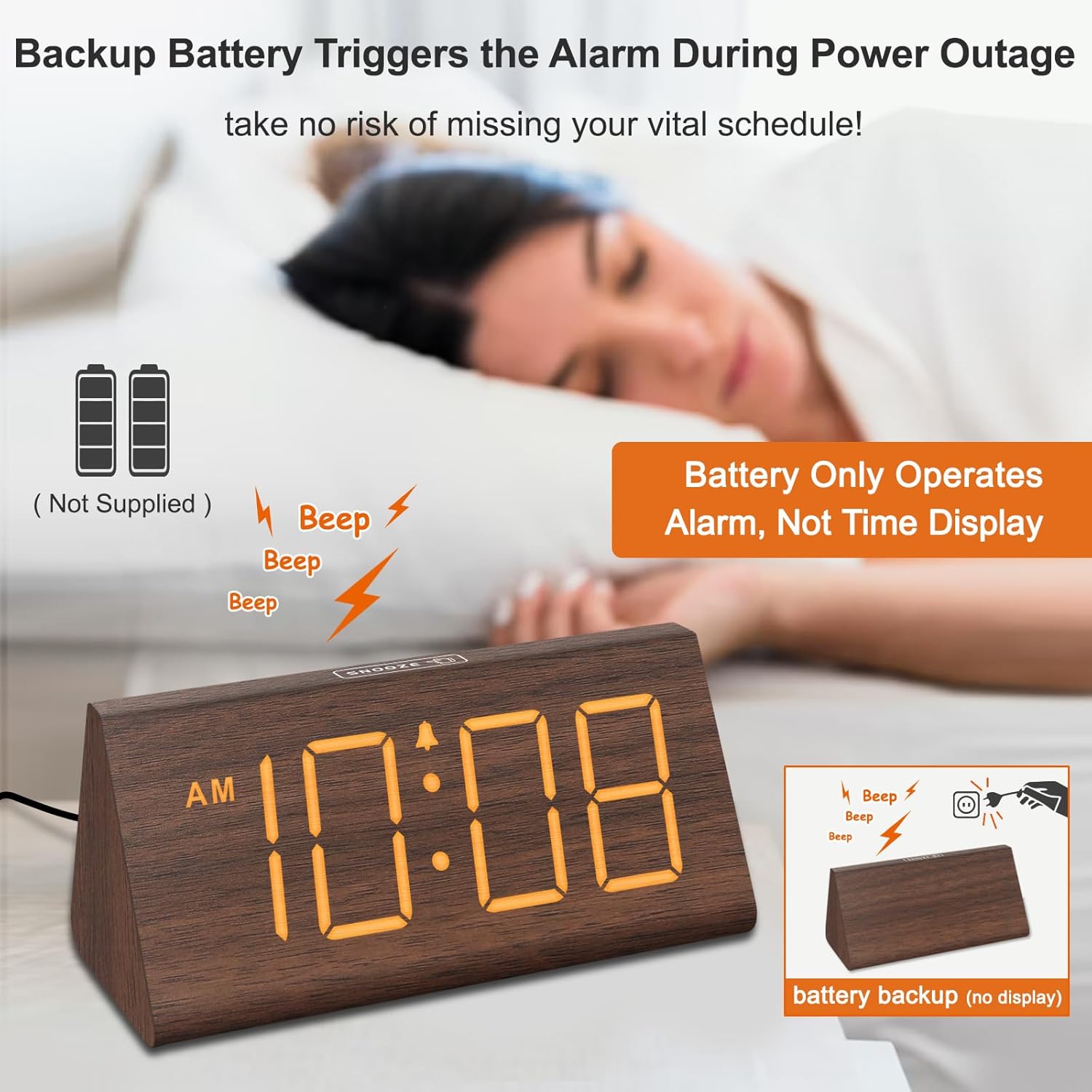
Figure 4.2: Battery compartment for alarm backup.
5. Инструкция по эксплуатации
5.1 Установка времени
- Нажмите УСТАНОВИТЬ ВРЕМЯ Кнопка на задней панели часов. Цифры часов начнут мигать.
- Используйте + и - кнопки для настройки часов.
- Нажимать УСТАНОВИТЬ ВРЕМЯ Чтобы установить минуты, нажмите кнопку еще раз. Цифры минут начнут мигать.
- Используйте + и - кнопки для настройки минут.
- Нажимать УСТАНОВИТЬ ВРЕМЯ Для подтверждения и выхода из режима установки времени необходимо повторить действие в третий раз.
- Чтобы переключиться между 12-часовым и 24-часовым форматом, нажмите кнопку 12 / 24HR кнопка.
5.2 Настройка будильника
- Нажмите БУДИЛЬНИК Кнопка. Цифры, отображающие время будильника, начнут мигать.
- Используйте + и - кнопки для настройки часа будильника.
- Нажимать БУДИЛЬНИК Чтобы установить минуты будильника, нажмите кнопку еще раз. Цифры минут начнут мигать.
- Используйте + и - кнопки для настройки минут будильника.
- Нажимать БУДИЛЬНИК Для подтверждения и выхода из режима настройки будильника повторите действие в третий раз.
- To turn the alarm ON or OFF, press the ВКЛ/ВЫКЛ кнопка. Когда будильник активен, на дисплее появится значок тревоги.
5.3 Функция повтора
Когда прозвучит сигнал будильника, нажмите кнопку SNOOZE button located on the top of the clock to temporarily silence the alarm for 9 minutes. The alarm will sound again after 9 minutes. To turn off the alarm for the day, press any button on the back of the clock.

Figure 5.1: Snooze button and alarm volume control.
5.4. Регулировка яркости
Нажмите ДИММЕР button on the back of the clock to cycle through 5 levels of brightness (L01 to L05) and an 'OFF' option for the display.

Figure 5.2: Display brightness levels.
5.5 Регулировка громкости
Используйте ГРОМКОСТЬ+ и VOL- buttons on the back of the clock to adjust the alarm volume across 5 available levels.
5.6 Летнее время (DST)
To activate or deactivate Daylight Saving Time, press the DST ВКЛ / ВЫКЛ button. When activated, the time will advance by one hour, and 'DST' will appear on the display. Press again to revert to standard time.
5.7 USB-порт для зарядки
The USB port on the back of the clock can be used to charge compatible smart devices. Simply connect your device's USB charging cable to the port.
6. Техническое обслуживание
- Clean the clock's surface with a soft, dry cloth.
- Избегайте использования абразивных чистящих средств, растворителей или агрессивных химикатов, так как они могут повредить покрытие.
- Держите часы вдали от прямых солнечных лучей, экстремальных температур и высокой влажности.
7. Поиск Неисправностей
| Проблема | Возможная причина | Решение |
|---|---|---|
| Дисплей выключен или тусклый. | Power adapter not connected; brightness set to OFF or lowest level; running on battery backup. | Ensure the power adapter is securely plugged in. Press the ДИММЕР button to adjust brightness. Remember, the display does not light up when on battery backup. |
| Сигнализация не срабатывает. | Alarm is not activated; alarm volume is too low. | Нажмите ВКЛ/ВЫКЛ button to activate the alarm (check for alarm icon on display). Adjust volume using ГРОМКОСТЬ+. |
| Время неверное. | Время установлено неправильно; настройка летнего времени неверна. | Follow instructions in section 5.1 to set the time. Check DST setting using the DST ВКЛ / ВЫКЛ кнопка. |
| USB-зарядка не работает. | Device not compatible; cable faulty; clock not powered. | Ensure your device is compatible with USB charging. Try a different USB cable. Verify the clock is connected to AC power. |
8. Технические характеристики
- Бренд: DreamSky
- Модель: ДС2201
- Тип дисплея: Цифровой
- Источник питания: Проводной электрический
- Размеры продукта: 5.96 дюймов (Ш) x 2.7 дюйма (В)
- Материал: Древесина
- Вес товара: 11.1 унции
- Аккумуляторы: 2 AAA batteries required (not included, for alarm backup only)
- Связь: USB
9. Гарантия и поддержка
Your DreamSky DS2201 Wooden Digital Alarm Clock comes with a 1 год гарантии на замену.
Для получения поддержки клиентов или по любым вопросам обращайтесь:
Электронная почта: info@dreamsky4u.com


