Введение
This manual provides comprehensive instructions for the installation, operation, maintenance, and troubleshooting of the Grandstream GDS3712 Single Button HD IP Video Door System. Please read this manual thoroughly before attempting to install or operate the device to ensure proper functionality and safety.
The Grandstream GDS3712 is an HD IP Video Door System designed for secure access control and monitoring. It features powerful video resolution, robust construction, and SIP video streaming capabilities, making it suitable for various security applications.
Информация по безопасности
При установке и эксплуатации соблюдайте следующие меры предосторожности:
- Убедитесь, что все силовые соединения надежно закреплены и соответствуют местным электротехническим нормам.
- Не подвергайте устройство воздействию экстремальных температур, влажности или прямых солнечных лучей.
- Избегайте размещения устройства вблизи сильных электромагнитных полей.
- Используйте только те принадлежности, которые указаны производителем.
- Не пытайтесь вскрывать или ремонтировать устройство самостоятельно. По всем вопросам обслуживания обращайтесь к квалифицированному персоналу.
- Во время установки используйте соответствующие средства индивидуальной защиты (СИЗ).
Содержимое упаковки
Проверьте наличие всех предметов в посылке:
- Grandstream GDS3712 Unit
- Монтажный кронштейн и винты
- Жгут проводов
- Quick Installation Guide (This manual serves as the detailed guide)
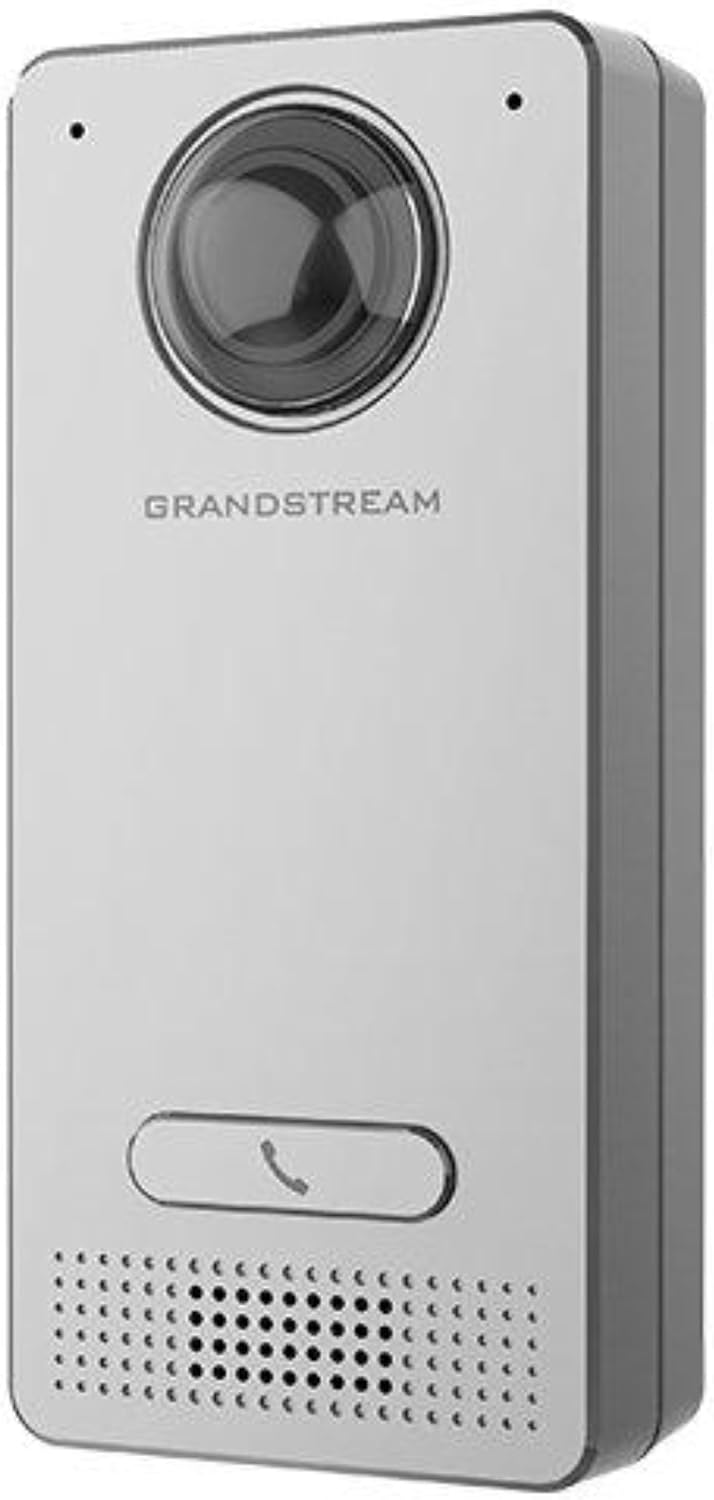
Image: Grandstream GDS3712 unit with included mounting accessories.
Продукт болееview
The GDS3712 is a robust IP video door system designed for reliable access control and surveillance. Key features include:
- Видео высокой четкости: Supports resolutions up to 1080p for clear visual identification.
- Integrated Relays: Two relays for electric lock and alarm output, and two alarm inputs for exit buttons and door sensors.
- SIP Compatibility: Enables video streaming to NVRs, video intercom stations, IP phones, and smartphones simultaneously.
- Прочная конструкция: Металл casing provides weatherproof and vandal-resistant protection.
- Широкое поле View: Built-in hemispheric camera offers 180-degree wall-to-wall coverage.

Изображение: Спереди view of the GDS3712, highlighting the camera lens, call button, and speaker/microphone grille.
Установка и настройка
1. Установка устройства
- Выберите место: Select a suitable outdoor or indoor location, ensuring clear line of sight for the camera and easy access for visitors. Consider mounting height for optimal facial recognition.
- Подготовьте проводку: Route necessary Ethernet (PoE recommended) and control wiring through the wall to the mounting point.
- Надежный кронштейн: Use the provided screws to securely attach the mounting bracket to the wall.
- Подключение проводки: Connect the Ethernet cable to the GDS3712's RJ45 port. If using external power, connect the power adapter. Connect alarm inputs/outputs and electric lock relays as required. Refer to the wiring diagram in the full technical datasheet for detailed connections.
- Прикрепить устройство: Carefully align the GDS3712 unit with the mounting bracket and secure it in place.
2. Первоначальная конфигурация сети
- Включение питания: Apply power to the GDS3712. The device will boot up.
- Откройте для себя устройство: Use Grandstream's GDS Manager software or a network scanner to discover the GDS3712's IP address on your local network.
- Доступ Web Пользовательский интерфейс: Откройте web browser and enter the device's IP address. Log in using the default credentials (usually admin/admin).
- Настройте параметры сети: Set a static IP address, subnet mask, gateway, and DNS server if required by your network.
- Обновление прошивки: Check for and install the latest firmware updates from the Grandstream website for optimal performance and security.
3. Регистрация SIP-аккаунта
- Navigate to the SIP settings in the web UI.
- Configure the SIP server address, SIP User ID, Authenticate ID, and Password as provided by your SIP service provider or IP PBX administrator.
- Ensure the SIP status shows "Registered" after applying settings.
Инструкция по эксплуатации
1. Звонок
- Visitor Initiated Call: A visitor presses the single call button on the GDS3712. The device will dial the pre-configured SIP extension(s).
- Receiving Call: The call can be received on a compatible IP phone, video intercom station, or smartphone application.
2. Дистанционное открывание двери
- During an active call, the recipient can enter a DTMF code (e.g., a PIN) on their receiving device to trigger the electric lock relay, opening the door.
- The specific DTMF code is configured in the GDS3712's web интерфейс.
3. Video Monitoring
- The GDS3712's video stream can be accessed via an NVR, compatible IP video phone, or a dedicated surveillance application.
- Refer to your NVR or surveillance software documentation for instructions on adding an IP camera.
4. Alarm Inputs/Outputs
- Вход сигнала тревоги: Connect an exit button or door sensor to the alarm input ports. These can trigger events such as initiating a call or sending an alert.
- Выход тревоги: The alarm output can be configured to activate external devices (e.g., a siren) based on specific events detected by the GDS3712.
Обслуживание
- Уборка: Periodically clean the camera lens and the device's exterior with a soft, damp ткань. Не используйте агрессивные химикаты или абразивные чистящие средства.
- Обновления прошивки: Регулярно проверяйте Грандстрим. website for new firmware versions. Keeping the firmware updated ensures optimal performance, security, and access to new features.
- Проверка кабеля: Periodically inspect all cables and connections for signs of wear or damage.
- Резервная конфигурация: It is recommended to regularly back up the device's configuration settings through the web интерфейс.
Поиск неисправностей
| Проблема | Возможная причина | Решение |
|---|---|---|
| Устройство не включается. | No power, faulty power adapter, or PoE issue. | Check power source, power adapter, and PoE switch/injector. Ensure cables are securely connected. |
| Невозможно получить доступ web интерфейс. | Неправильный IP-адрес, проблема с сетевым подключением или брандмауэр блокирует доступ. | Verify IP address. Check network cable. Ensure device and computer are on the same network segment. Temporarily disable firewalls. |
| SIP account fails to register. | Incorrect SIP server details, wrong credentials, or network issues preventing SIP communication. | Double-check SIP server address, user ID, and password. Verify network connectivity to the SIP server. Check firewall settings. |
| No video stream. | Network bandwidth issues, incorrect video settings, or NVR/client configuration. | Check network load. Verify video encoding settings in the GDS3712 web UI. Ensure NVR/client is configured correctly to receive the stream. |
| Door lock does not open remotely. | Incorrect DTMF code, relay wiring issue, or lock malfunction. | Verify the DTMF code in the GDS3712 settings. Check wiring between the GDS3712 and the electric lock. Test the electric lock independently. |
Технические характеристики
| Особенность | Деталь |
|---|---|
| Модель | GDS3712 |
| Производитель | Грандстрим |
| Разрешение видео | До 1080p |
| Реле | 2 (for Electric Lock and Alarm Out) |
| Входы тревоги | 2 (for Exit button and Door sensor) |
| Камера | Hemispheric, 180-degree coverage |
| Casing | Metal, Weatherproof, Vandal Resistant |
| Потребляемая мощность | 3 Вт |
| Вес товара | 6 унции (170 граммов) |
| Тип предупреждения | Только движение |
Гарантия и поддержка
Информацию о гарантии можно получить на официальном сайте Grandstream. website or the warranty card included with your product. Technical support can be obtained through Grandstream's official support channels, including their webИнформация о сайте, базе знаний и контактные данные службы поддержки клиентов.
Always provide your product model number (GDS3712) and serial number when contacting support.


