Введение
This manual provides detailed instructions for the Strex Bluetooth 2-in-1 Transmitter and Receiver, Model SP173. This versatile device allows you to wirelessly transmit or receive audio signals, enhancing your audio experience with various devices.
The Strex Bluetooth adapter supports both Передатчик (TX) и Приемник (RX) modes, utilizing Bluetooth 5.0 technology for stable, high-quality audio transmission.
Содержимое упаковки
- Strex Bluetooth 2-in-1 Audio Transmitter/Receiver
- Кабель питания Micro USB
- Аудиокабель AUX 3.5 мм
- Кабель 3.5 мм - RCA
- Руководство пользователя (этот документ)

Устройство перешлоview
Familiarize yourself with the various components and ports of your Strex Bluetooth adapter.

- Переключатель Вкл/Выкл: Включает и выключает устройство.
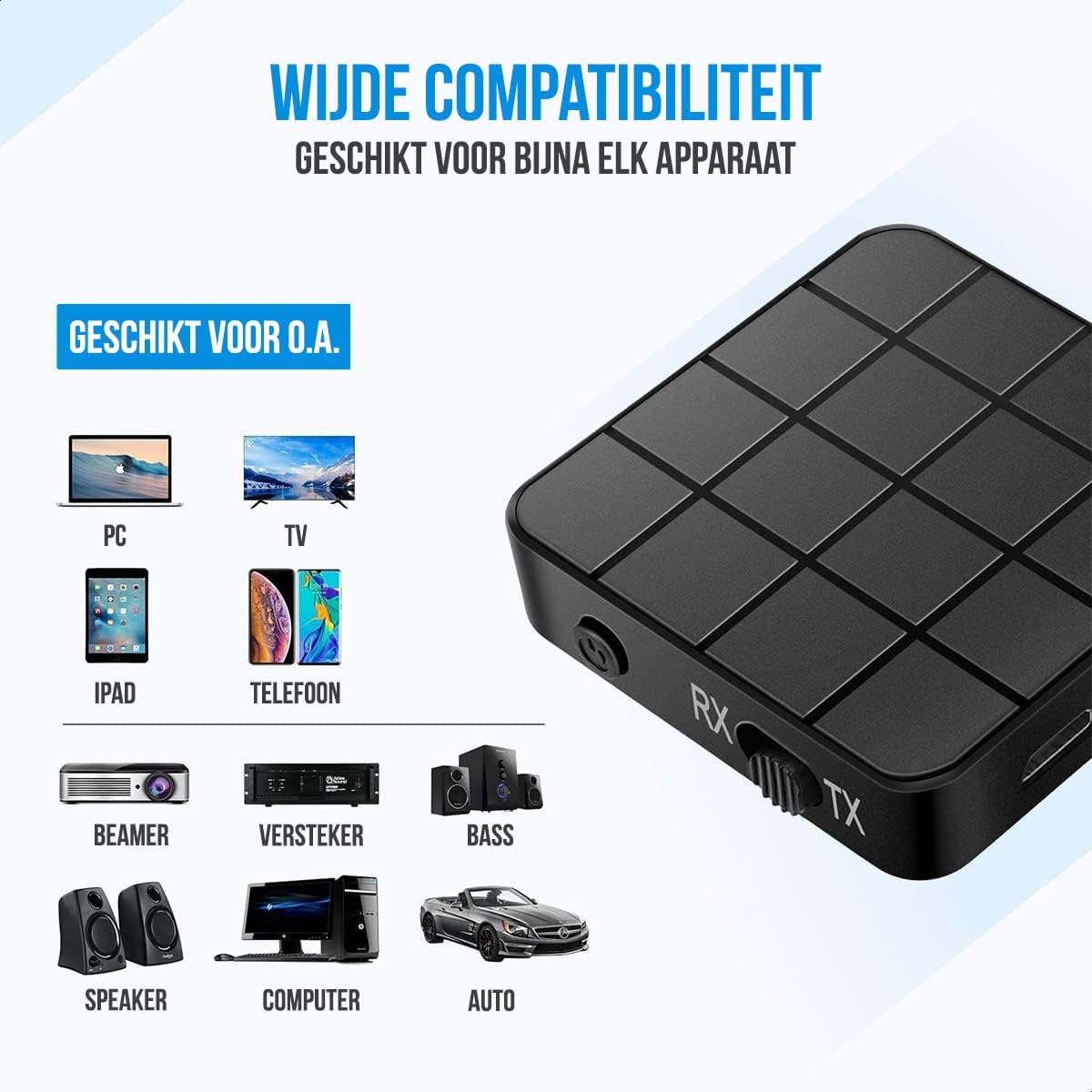
- Переключатель режимов (приём/передача): Selects between Receiver (RX) and Transmitter (TX) modes.
- Светодиод состояния: Indicates power, pairing, and connection status.
- Порт зарядки Micro USB: Для зарядки внутренней батареи.
- Аудиовход/выход 3.5 мм: Connects to audio sources or output devices using the provided cables.
Настройка и эксплуатация
Зарядка устройства
Before first use, ensure the device is fully charged. Connect the Micro USB power cable to the charging port on the adapter and the other end to a USB power source (e.g., computer USB port, USB wall adapter).
- Полная зарядка занимает примерно 90 минуты.
- The device provides up to 6-8 часа of continuous playtime on a single charge.

Режим приемника (RX)
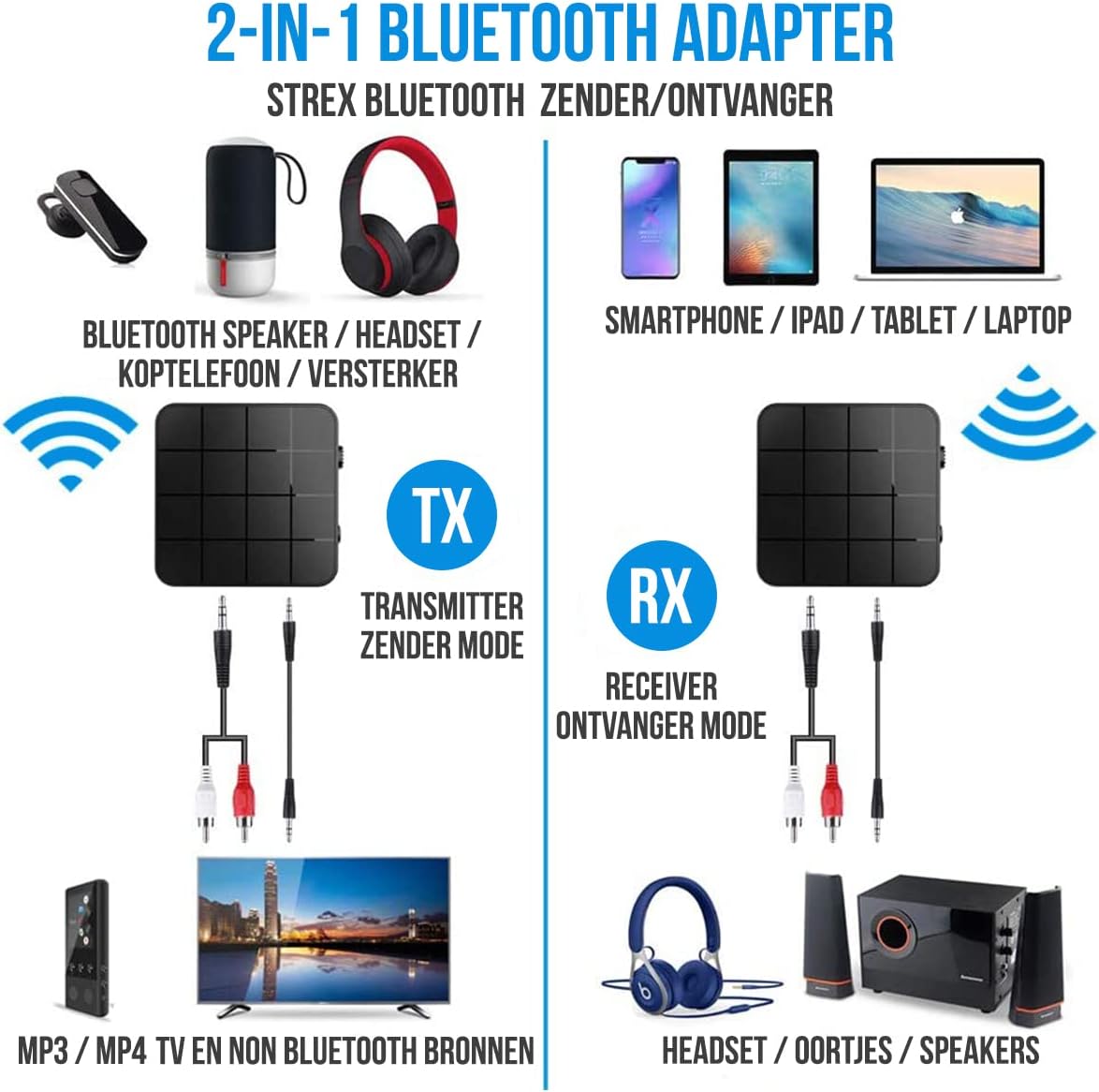
In RX mode, the Strex adapter receives audio wirelessly from a Bluetooth-enabled device (e.g., smartphone, tablet) and outputs it to a non-Bluetooth audio system (e.g., wired speakers, car stereo).
- Переключите устройство на Режим RX using the mode selector switch.
- Connect the Strex adapter to your non-Bluetooth audio system using either the Кабель AUX 3.5 мм или Кабель 3.5 мм на RCA.
- Power on the Strex adapter. The Status LED will indicate pairing mode (typically blinking blue).
- On your Bluetooth-enabled device (e.g., smartphone), go to Bluetooth settings and search for available devices. Select "Strex" (or similar name) to pair.
- Once paired, the Status LED will show a solid blue light. You can now stream audio from your device to your audio system.

Режим передатчика (TX)
In TX mode, the Strex adapter transmits audio wirelessly from a non-Bluetooth audio source (e.g., TV, PC, old stereo system) to a Bluetooth-enabled receiving device (e.g., Bluetooth headphones, Bluetooth speakers).
- Переключите устройство на Режим передачи using the mode selector switch.
- Connect the Strex adapter to your non-Bluetooth audio source (e.g., TV's audio output) using either the Кабель AUX 3.5 мм или Кабель 3.5 мм на RCA.
- Power on the Strex adapter. The Status LED will indicate pairing mode.
- Переведите ваши Bluetooth-наушники или колонки в режим сопряжения.
- The Strex adapter will automatically search for and connect to nearby Bluetooth receiving devices. Once connected, the Status LED will show a solid light.
- Ensure your Bluetooth headphones/speakers are unpaired from any other devices (e.g., smartphone) before attempting to pair with the Strex adapter in TX mode.

Important Notes on Operation:
- The adapter cannot simultaneously send and receive audio. It must be set to either TX or RX mode.
- For optimal performance, ensure the adapter is within 10 meters (33 feet) of the connected Bluetooth device.
- Bluetooth 5.0 provides HD Audio with minimal latency, but some older Bluetooth devices may experience slight synchronization differences.
Обслуживание
- Уборка: Для чистки устройства используйте мягкую сухую ткань. Не используйте жидкие чистящие средства или аэрозоли.
- Хранилище: Храните устройство в прохладном, сухом месте, вдали от прямых солнечных лучей и экстремальных температур.
- Уход батареи: Чтобы продлить срок службы аккумулятора, избегайте его частой полной разрядки. Регулярно заряжайте устройство, даже если оно не используется в течение длительного времени.
Поиск неисправностей
- Нет питания:
Ensure the device is charged. Connect it to a power source using the Micro USB cable and allow it to charge for at least 15 minutes before attempting to power on.
- Cannot Pair in RX Mode:
Make sure the adapter is in RX mode. Ensure your smartphone/tablet's Bluetooth is enabled and it is searching for new devices. If previously paired, try unpairing and re-pairing. Keep the devices within 10 meters.
- Cannot Pair in TX Mode:
Verify the adapter is in TX mode. Ensure your Bluetooth headphones/speakers are in pairing mode and are not connected to any other device. Some devices may require you to manually initiate pairing on the adapter (refer to Status LED indications).
- Нет аудиовыхода/входа:
Check all cable connections (3.5mm AUX or RCA) are secure. Ensure the volume on both the adapter and the connected audio device is turned up. Confirm the correct input/output source is selected on your audio system/TV.
- Задержка звука/Плохое качество:
Ensure devices are within range and there are no significant obstructions. Reduce interference from other wireless devices. While Bluetooth 5.0 minimizes lag, some older audio sources or receiving devices might introduce slight delays.
Технические характеристики
| Номер модели | СП173 |
| Версия Bluetooth | Bluetooth 5.0 (A2DP, AVRCP in Receiver mode) |
| Режимы работы | Передатчик (TX) и приемник (RX) |
| Связность | 3.5mm AUX, RCA (via 3.5mm to RCA cable) |
| Дальность беспроводной связи | До 10 метров (33 фута) |
| Тип батареи | Литий-полимерный |
| Емкость аккумулятора | 200 мАч |
| Время игры | Примерно 6-8 часа |
| Время зарядки | Примерно 90 минут |
| Размеры (Д x Ш x В) | 4.4 x 4.4 x 1.2 см (1.73 x 1.73 x 0.47 дюймов) |
| Масса | 18 грамма (0.63 унции) |
| Материал | Пластик |
| Совместимые устройства | Smartphones, Tablets, PCs, TVs, Audio Systems, Headphones, Speakers |

Информация по безопасности
- Не выбрасывайте батарейки в огонь. Батарейки могут взорваться.
- Держите устройство вдали от воды и чрезмерной влажности.
- Не заряжайте устройство рядом с легковоспламеняющимися материалами.
- The device has an operating range of 10 meters and may interfere with other wireless devices within this range.
- Always adhere to local regulations for the disposal of electronic waste.
Гарантия и поддержка
Specific warranty details are not provided in this manual. For warranty information or technical support, please refer to the product packaging or contact Strex customer service through their official webсайт или розничный продавец, где был приобретен товар.