1. Введение
The SIIG Thunderbolt 4 Docking Station (Model: JU-DK0U11-S1) is designed to expand the connectivity of your laptop, providing a comprehensive workstation solution. This docking station offers 15 ports, enabling connections for multiple displays, peripherals, network, and power through a single Thunderbolt 4 cable. It supports high-speed data transfer and versatile display configurations for both Mac and Windows systems.

Image 1.1: SIIG Thunderbolt 4 Docking Station (JU-DK0U11-S1) overview.
2. Содержимое упаковки
Проверьте наличие всех предметов в посылке:
- SIIG Thunderbolt 4 Docking Station (JU-DK0U11-S1)
- Адаптер питания 150 Вт
- Кабель Thunderbolt 4
- Руководство пользователя

Image 2.1: Contents included in the SIIG Thunderbolt 4 Docking Station package.
3. Продукт закончилсяview
3.1 Порты передней панели
- 3.5mm Stereo Out: Для наушников или внешних динамиков.
- Слот для карты SD 3.0: Supports SD 3.0 UHS-1 memory cards up to 2TB.
- USB-A 3.2 Gen 1 (5Gbps) Ports (x2): For connecting USB-A peripherals, supporting 5V/0.9A charging.
- Порт Thunderbolt 4: For connecting Thunderbolt 4 devices or displays.
- Кнопка питания: Чтобы включить или выключить док-станцию.

Изображение 3.1: Подробно view of the front panel ports.
3.2 Порты на задней панели
- DC Power Jack (20V/7.5A): Подключается к прилагаемому адаптеру питания мощностью 150 Вт.
- Thunderbolt 4 Port (Host PD 60W): Connects to your laptop via the Thunderbolt 4 cable, providing up to 60W power delivery.
- Микрофонный вход 3.5 мм: Для подключения внешнего микрофона.
- Micro SD (TF) 3.0 Card Slot: Supports Micro SD (TF) 3.0 UHS-1 memory cards up to 2TB.
- USB-A 2.0 (480Mbps) Ports (x2): For connecting USB-A peripherals, supporting 5V/1.5A charging.
- Порт Gigabit Ethernet: Для проводного сетевого подключения.
- Выход DisplayPort: Для подключения внешнего дисплея.
- Выход HDMI: Для подключения внешнего дисплея.
- Thunderbolt 4 Ports (x2): For connecting additional Thunderbolt 4 devices or displays, providing 45W power delivery.

Изображение 3.2: Подробно view of the rear panel ports.
4. Инструкции по настройке
- Подключите питание: Plug the included 150W power adapter into the DC Power Jack on the rear of the docking station, then connect it to a power outlet.
- Подключение к хост-ноутбуку: Use the provided Thunderbolt 4 cable to connect the Thunderbolt 4 Host port (60W PD) on the rear of the docking station to your laptop's Thunderbolt 4 or USB-C port.
- Включение питания: Press the power button on the front panel of the docking station. The power indicator LED should illuminate.
- Подключить дисплеи: Connect your monitors to the available DisplayPort, HDMI, and Thunderbolt 4 output ports on the docking station. Refer to the 'Display Configuration' section for supported setups.
- Подключите периферийные устройства: Подключите USB-устройства, кабель Ethernet и аудиоустройства к соответствующим портам док-станции.
5. Инструкция по эксплуатации
5.1 Конфигурация дисплея
The docking station supports various display setups, including single 8K or quad 4K displays, utilizing Thunderbolt 4 and DisplayLink technology. Ensure DisplayLink drivers are installed for optimal performance, especially for additional displays beyond native Thunderbolt outputs.
- Single Display Output: Supports up to 8K resolution.
- Двойной вывод изображения: Supports up to 2x 4K resolution via two Thunderbolt 4 ports.
- Quad Display Output: Achieved by combining two Thunderbolt 4 ports with the DisplayPort and HDMI ports, enabling four 4K displays.

Изображение 5.1: Примерample of a quad display setup using the docking station.

Image 5.2: Display compatibility and resolution matrix for Windows and Mac M1/M2 systems.
5.2 Подача питания
Док-станция обеспечивает питание подключенных устройств:
- Зарядка ноутбука: Up to 60W Power Delivery (PD) to the host laptop via the Thunderbolt 4 host port.
- Порты Thunderbolt 4: Each of the three downstream Thunderbolt 4 ports provides up to 45W of power.
- USB-A Fast Charging: Two USB-A 5Gbps ports support 5V/0.9A charging, and two USB-A 2.0 ports support 5V/1.5A charging.

Image 5.3: Power delivery capabilities of the docking station.
5.3 Передача данных
Experience high-speed data transfer for efficient workflow:
- Удар молнии 4: Up to 40Gbps data transfer speed, 8 times faster than USB 3.0.
- USB-A 3.2 Gen 1: Up to 5Gbps data transfer speed.
- Устройство для чтения карт памяти: Supports SD 3.0 UHS-1 and Micro SD (TF) 3.0 UHS-1 with data transfer rates up to 104MB/s.
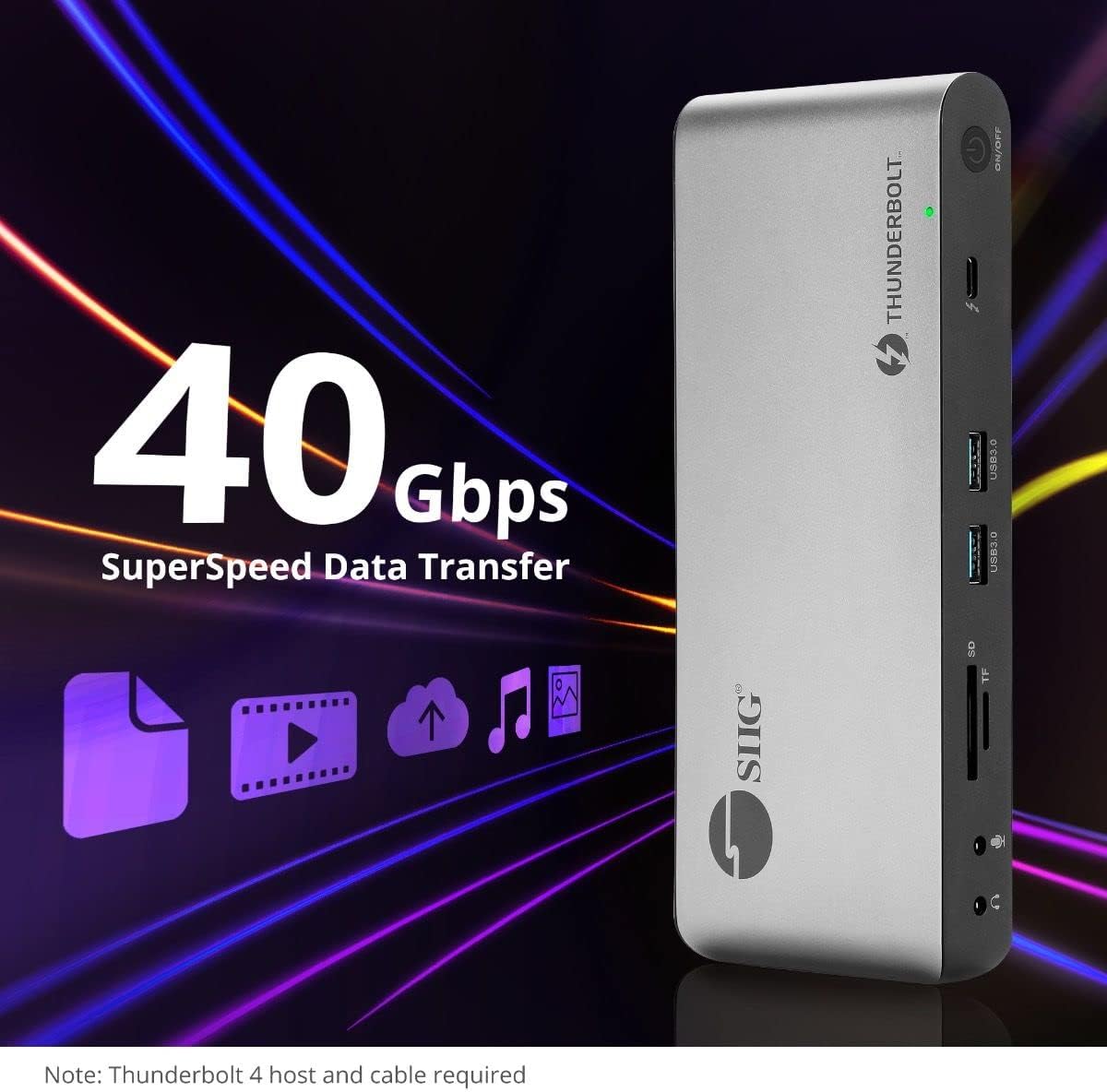
Image 5.4: High-speed data transfer capabilities.
6. Совместимость
The SIIG Thunderbolt 4 Docking Station is broadly compatible with various systems:
- Операционные системы: Mac M1/M2/M3 Pro & Max, Intel chip Macs, Windows PCs (Intel/AMD/Snapdragon), and Chromebooks.
- Обратная совместимость: Fully compatible with Thunderbolt 3, USB4, and USB-C equipped computers.
7. Техническое обслуживание
Чтобы обеспечить долговечность и оптимальную производительность вашей док-станции, следуйте следующим рекомендациям по обслуживанию:
- Уборка: Use a soft, dry cloth to clean the exterior of the device. Avoid liquid cleaners or solvents.
- Вентиляция: Убедитесь, что док-станция установлена в хорошо проветриваемом помещении, чтобы предотвратить перегрев. Не закрывайте вентиляционные отверстия.
- Хранилище: Храните устройство в прохладном, сухом месте, вдали от прямых солнечных лучей и экстремальных температур.
- Умение обращаться: Не роняйте устройство и не подвергайте его сильным ударам.
8. Поиск Неисправностей
If you encounter issues with your SIIG Thunderbolt 4 Docking Station, refer to the following common problems and solutions:
- Нет питания:
- Убедитесь, что адаптер питания надежно подключен как к док-станции, так и к работающей розетке.
- Verify the power button on the docking station is pressed and the power indicator LED is on.
- Display Issues (No Signal/Incorrect Resolution):
- Check all display cables (HDMI, DisplayPort, Thunderbolt) are securely connected to both the docking station and the monitors.
- Ensure your laptop's display settings are configured correctly to detect and extend/mirror displays.
- For multi-display setups, especially beyond two monitors, ensure DisplayLink drivers are installed and up to date on your operating system.
- Verify your monitors support the selected resolution and refresh rate.
- Периферийные устройства не обнаружены:
- Ensure USB devices are properly connected to the docking station's USB ports.
- Try connecting the peripheral directly to your laptop to confirm it is functional.
- Restart the docking station and your laptop.
- Перегрев:
- Ensure the docking station is placed in an area with adequate airflow and not covered.
- Reduce the number of high-power devices connected if possible, or consider using a cooling pad if persistent.
- Медленная передача данных:
- Ensure you are using Thunderbolt 4 certified cables for Thunderbolt connections.
- Verify the connected device supports the expected transfer speeds.
9. Технические характеристики
| Особенность | Деталь |
|---|---|
| Номер модели | ДЖУ-ДК0У11-С1 |
| Размеры продукта | 3.27 x 7.8 x 1.14 дюйма |
| Вес товара | 15.4 унции (0.96 фунта) |
| Всего портов | 15 (including 7 USB ports) |
| Подключение к хосту | Thunderbolt 4 (USB-C) |
| Видеовыходы | 1x HDMI, 1x DisplayPort, 3x Thunderbolt 4 (USB-C) |
| Максимальное разрешение дисплея | Single 8K@30Hz, Quad 4K@60Hz |
| Подача питания (хост) | До 60 Вт |
| Power Delivery (Downstream TB4) | До 45 Вт на порт |
| Скорость передачи данных | Thunderbolt 4: 40Gbps, USB-A 5Gbps: 5Gbps |
| Ethernet | Гигабитный Ethernet |
| Кардридер | SD 3.0 UHS-1, Micro SD (TF) 3.0 UHS-1 (up to 2TB) |
| Аудио порты | 3.5mm Stereo Out, 3.5mm Mic In |
| Совместимая ОС | Mac M1/M2/M3 Pro & Max, Intel Macs, Windows, Chromebooks |
| Цвет | Черный |
| СКП | 662774045689 |
10. Гарантия и поддержка
SIIG products are designed for reliability and performance. For warranty information and technical support, please refer to the documentation included with your product or visit the official SIIG webсайт. Сохраните чек о покупке на случай гарантийных претензий.


