1. Продукт закончилсяview
The Nuvance K22 Outdoor Smartwatch is a versatile and robust device designed for daily use and outdoor activities. It features a 45mm touch screen, IP67 waterproof rating, and is compatible with both Android and iOS devices. This manual provides detailed instructions on how to set up, operate, and maintain your smartwatch to ensure optimal performance.

Изображение 1.1: Передний view of the Nuvance K22 Outdoor Smartwatch, showcasing его прочная конструкция и цифровой дисплей.
2.Основные характеристики
- Мульти-спортивный режим: Track 8 different activities including hiking, running, cycling, yoga, and more.
- Мониторинг здоровья: Accurate heart rate, blood pressure, SpO2 (blood oxygen saturation), and sleep monitoring.
- Отслеживание активности: Встроенный шагомер, счетчик калорий и трекер пройденного расстояния.
- Коммуникация: Call function, alarm, and notifications for messages and social media.
- Прочность: водонепроницаемость IP67asing (not suitable for swimming/showering), shatterproof case, and hardened glass.
- Удобство: Music control, remote camera activation, and current weather information.
- Длительный срок службы батареи: Up to 15 days of active use and 30 days in standby mode.

Изображение 2.1: Visual representation of the smartwatch's robust features, including its durable casing, hardened glass, and water/dust resistance, making it suitable for outdoor use.
3. Начало работы
3.1 Содержимое упаковки
Проверьте комплектацию на наличие следующих предметов:
- Nuvance K22 Smartwatch
- Зарядный кабель
- Руководство пользователя (этот документ)
3.2 Зарядка умных часов
Before first use, fully charge your smartwatch. Connect the charging cable to the charging port on the back of the watch and plug the USB end into a power adapter (not included) or a computer's USB port. A full charge takes approximately 2.5 hours.
3.3 Установка и сопряжение приложения
To unlock the full potential of your Nuvance K22 Smartwatch, you need to download and install the corresponding application on your smartphone. The smartwatch is compatible with Android 4.4 or higher and iOS 8.0 or higher.
- Scan the QR code in the manual or search for the app name (usually mentioned in the quick start guide or on the watch screen) in your phone's app store (Google Play Store for Android, Apple App Store for iOS).
- Загрузите и установите приложение.
- Включите Bluetooth на вашем смартфоне.
- Open the app and follow the on-screen instructions to pair your smartwatch. Ensure the smartwatch is powered on and near your phone during the pairing process.
- Once paired, you can access clear statistics of your activities and customize watch settings through the app.
4. Управление умными часами
4.1 Навигация и интерфейс
The Nuvance K22 Smartwatch features a full touch screen for easy navigation. Swipe left, right, up, or down to access different functions and menus. Press the side buttons for specific actions like power on/off or returning to the home screen.
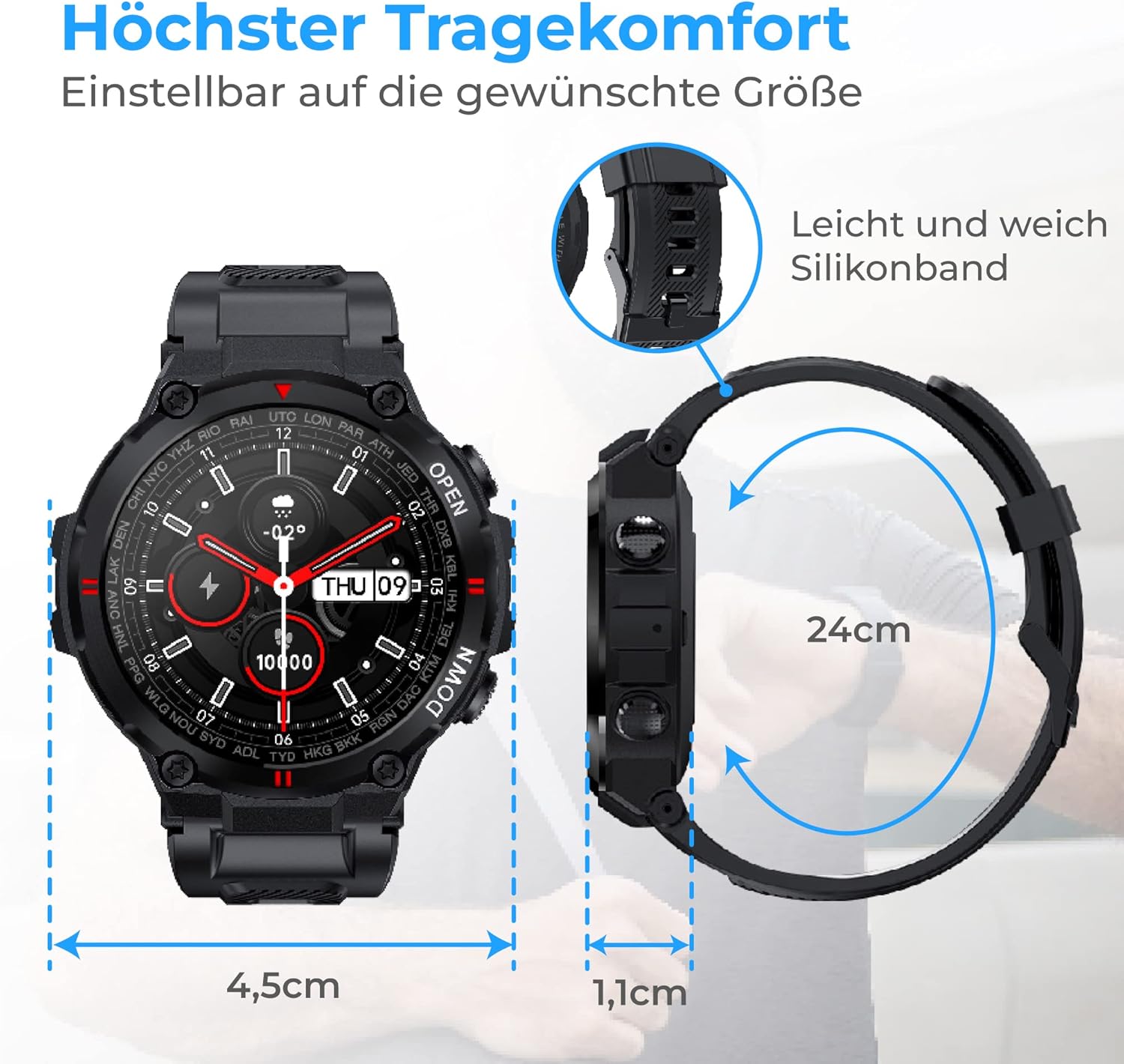
Изображение 4.1: The smartwatch dimensions (4.5cm width, 1.1cm thickness) and the flexible 24cm silicone band, designed for maximum wearing comfort.
4.2 Функциональность вызова
With the integrated call function, you can make calls directly from your smartwatch or record incoming calls. The watch features a speaker for clear audio.
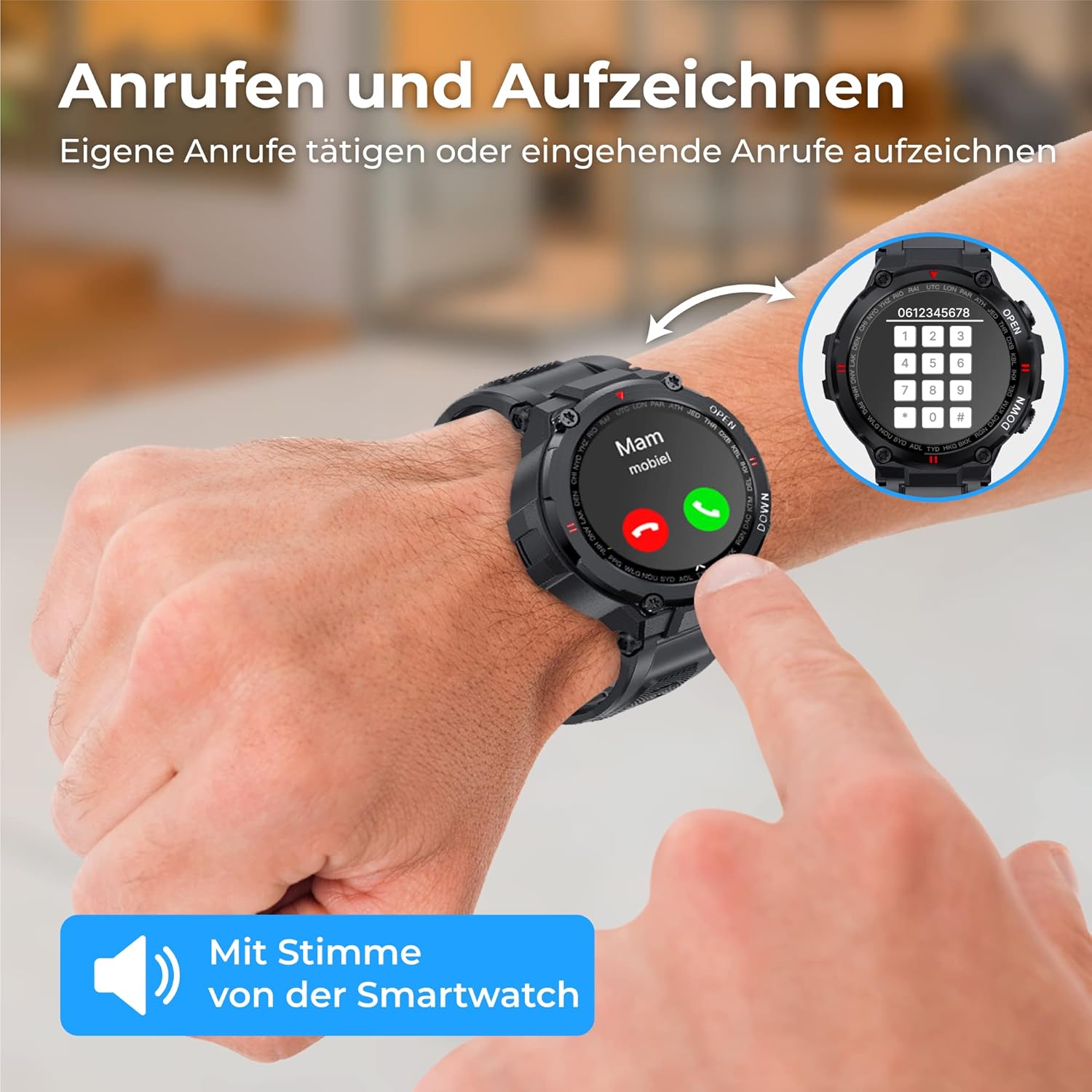
Изображение 4.2: A user interacting with the smartwatch to make or receive a call, highlighting the direct call functionality from the wrist.
4.3 Уведомления
Receive notifications for messages, social media updates, and emails directly on your smartwatch. The vibration mode alerts you to incoming messages and calls.

Изображение 4.3: The smartwatch showing a WhatsApp notification, demonstrating its ability to display messages and alerts from connected social media and email applications.
4.4 Мониторинг здоровья
The smartwatch is equipped with an intelligent sensor to accurately measure various health metrics.
- Частота сердечных сокращений: Monitor your heart rate continuously to optimize workouts and track your cardiovascular health.
- SpO2 (кислород крови): Измерьте уровень насыщения крови кислородом.
- Артериальное давление: Keep track of your blood pressure readings.
- Мониторинг сна: Gain insights into your sleep patterns, including deep sleep, light sleep, and awake times, to improve sleep quality.
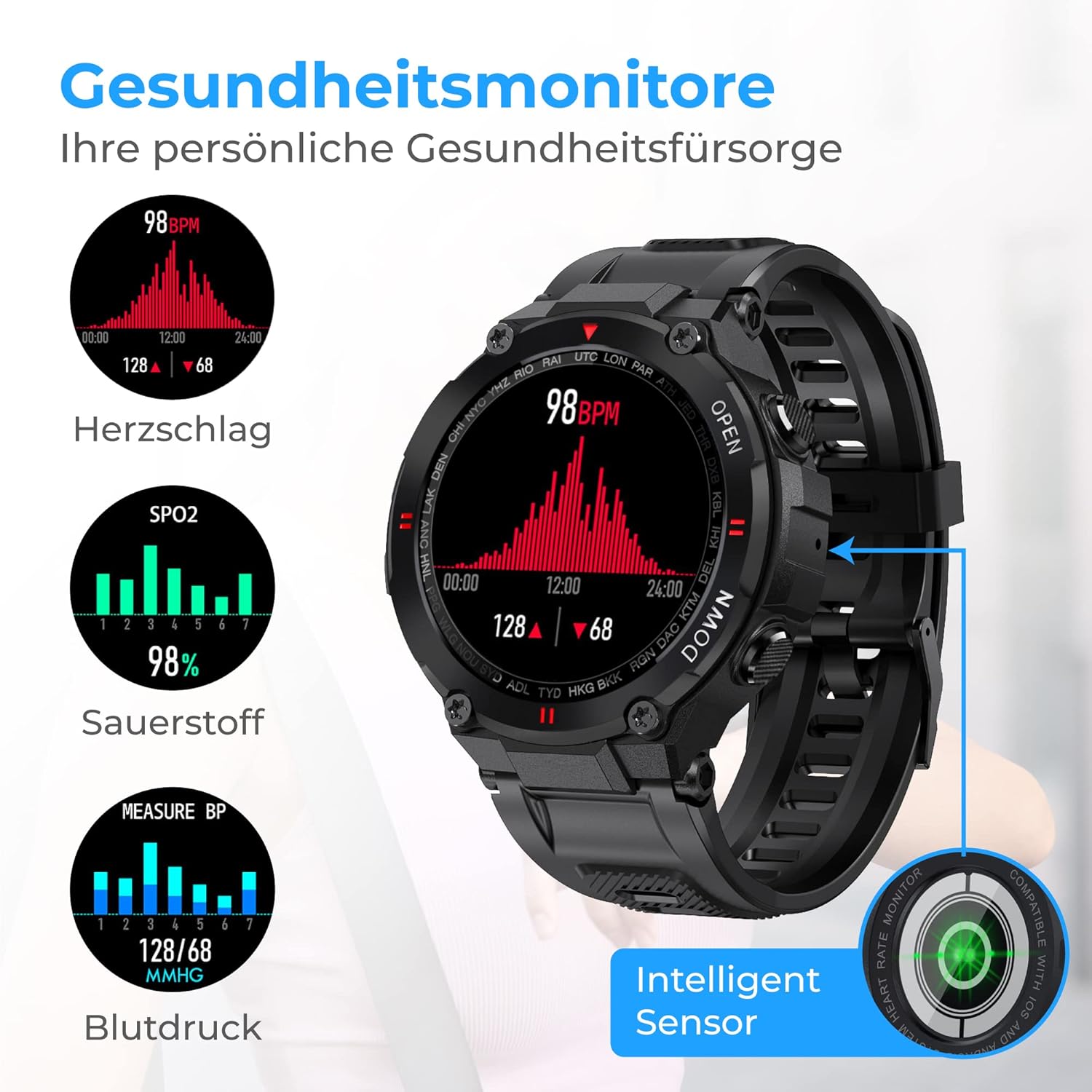
Изображение 4.4: The smartwatch interface showing real-time health data, including heart rate (BPM), blood oxygen saturation (SpO2), and blood pressure (mmHg) readings.

Изображение 4.5: The smartwatch displaying sleep analysis, categorizing sleep into deep sleep, light sleep, and awake periods, helping users understand and improve their sleep rhythm.
4.5 Отслеживание активности
The Nuvance K22 helps you stay active and reach your fitness goals.
- Pedometer & Distance: Tracks your steps and distance covered throughout the day.
- Счетчик калорий: Оценивает количество сожженных калорий на основе вашей активности.
- Мульти-спортивный режим: Select from 8 different activities (hiking, running, yoga, cycling, treadmill, mountain climbing, spinning) to track specific workout data.
4.6 дополнительных функций
- Управление музыкой: Control music playback directly from your smartwatch.
- Удаленное управление камерой: Shake the smartwatch or tap the screen to remotely trigger your phone's camera.
- Информация о погоде: Get current weather updates and forecasts directly on your watch face.

Изображение 4.6: The smartwatch demonstrating its additional features: remote camera control, displaying current weather conditions, and controlling music playback.
5. Аккумулятор и зарядка
The Nuvance K22 Smartwatch is equipped with a powerful 400mAh battery, providing excellent endurance.
- Время зарядки: Полная зарядка занимает примерно 2.5 часа.
- Активное использование: Up to 15 days of battery life for the average user.
- Режим ожидания: Up to 30 days of battery life when used only in standby mode.
To charge, connect the magnetic charging cable to the back of the watch and a USB power source. Ensure the contacts are clean and dry before charging.

Изображение 5.1: Visual representation of the smartwatch's battery performance: 2.5 hours charging time, 15 days active use, and 30 days standby mode.
6. Уход и обслуживание
6.1 Водонепроницаемость (IP67)
The Nuvance K22 Smartwatch has an IP67 waterproof rating, meaning it is protected from dust and can withstand immersion in water up to 1 meter for up to 30 minutes. It is suitable for daily activities like hand washing or light rain.
Важный: The IP67 rating does нет make the watch suitable for swimming, showering, diving, or exposure to hot water/steam, as this can compromise the seals and cause damage.
6.2 Очистка
Чтобы почистить умные часы, аккуратно протрите их мягкой тряпкой.amp cloth. Do not use harsh chemicals, abrasive cleaners, or solvents, as these can damage the watch's finish and components. Ensure the watch is dry before charging.
7. Поиск Неисправностей
| Проблема | Возможная причина | Решение |
|---|---|---|
| Часы не включаются | Низкий заряд батареи; Кнопка питания нажата недостаточно долго | Charge the watch for at least 30 minutes; Press and hold the power button for 3-5 seconds. |
| Невозможно подключиться к телефону | Bluetooth off; App not open; Watch too far; App permissions missing | Ensure Bluetooth is on; Open the app and follow pairing steps; Keep watch close to phone; Grant necessary app permissions. |
| Уведомления не получены | App not running in background; Notification permissions off; Do Not Disturb mode on watch/phone | Ensure app is running; Check app notification settings on phone; Disable Do Not Disturb mode. |
| Неточные данные о состоянии здоровья | Watch not worn correctly; Sensor dirty; Excessive movement | Ensure watch is snug on wrist; Clean the sensor on the back; Remain still during measurements. |
8. Технические характеристики
| Особенность | Спецификация |
|---|---|
| Бренд | NV Nuvance |
| Номер модели | К22 |
| Цвет | Черный |
| Операционная система | Android Wear 2.6 (Compatible with Android 4.4+ and iOS 8.0+) |
| Размер экрана | 1.28 дюйма |
| Связность | Bluetooth |
| Особые возможности | Call Function, Current Weather Information, Sleep Monitor, Health Monitoring, Dust and Water Resistant |
| Совместимые устройства | Смартфон, Планшет |
| Тип батареи | 1 литий-ионный (в комплекте) |
| Рейтинг водонепроницаемости | IP67 |
9. Поддержка и гарантия
For any questions, technical support, or warranty claims, please contact Nuvance customer service through the platform where you purchased the product. Please refer to your purchase receipt for specific warranty terms and conditions.
Nuvance is committed to providing quality products and customer satisfaction. For more information about Nuvance products, visit their official channels or the retailer's webсайт.


