1. Продукт закончилсяview
The weBoost Drive Reach Overland is a powerful cell phone signal booster designed for off-road vehicles. It enhances 5G and 4G LTE signals for all major U.S. carriers, including Verizon, AT&T, and T-Mobile, ensuring improved connectivity in remote and challenging environments. This manual provides essential information for the proper installation, operation, and maintenance of your device.

Изображение: Полный weBoost Drive Reach Overland kit, showcasing the booster, outdoor antenna, indoor antenna, and associated cables and mounting hardware.
2. Содержимое упаковки
Убедитесь, что все перечисленные ниже компоненты включены в ваш комплект:
- Overland Antenna
- 13-inch Mast Extension
- Cell Signal Booster (Drive Reach)
- Блок питания от прикуривателя
- Folding Mount with Hardware
- Внутри антенны
- Коаксиальные кабели
- Хомуты для кабеля

Image: An organized display of all components included in the weBoost Drive Reach Overland kit, labeled for easy identification.
3. Настройка и установка
Правильная установка имеет решающее значение для оптимальной производительности. weBoost Drive Reach Overland system operates by capturing weak outside signals, amplifying them, and rebroadcasting them inside your vehicle.
3.1 System Components and Function

Image: A visual representation of how the weBoost system functions, showing the interaction between cell towers, the outside antenna, the booster, and the inside antenna.
- Внешняя антенна: Communicates with nearby cell towers to send and receive signals.
- Drive Reach Booster: Amplifies the signal received from the outside antenna.
- Внутренняя антенна: Broadcasts the amplified signal throughout your vehicle for use by your mobile devices.

Image: A vehicle with the outside antenna mounted, depicting its role in receiving signals from cell towers.

Image: The booster unit, typically installed inside the vehicle, shown amplifying the cellular signal.

Изображение: Низкопрофильноеfile inside antenna, positioned to distribute the boosted signal within the vehicle cabin.
3.2 Mounting Options for Overland Antenna
The versatile folding mount allows for multiple installation configurations to suit your vehicle and preferences.

Image: The multi-position folding mount, demonstrating its ability to adjust and lock the antenna in various angles.
- Полюс Крепление: Attach the antenna to a cylindrical bar or pole. Hardware is included.
- T-Slot Mount: Secure the antenna to a T-slot channel, common on many roof racks. Hardware is included.
- Fixed Mount: For a permanent installation directly to a flat surface. Hardware is included.

Image: Close-up of the pole mount hardware, designed for secure attachment to vehicle racks or bars.

Image: Close-up of the T-slot mount hardware, illustrating its compatibility with T-slot channels.
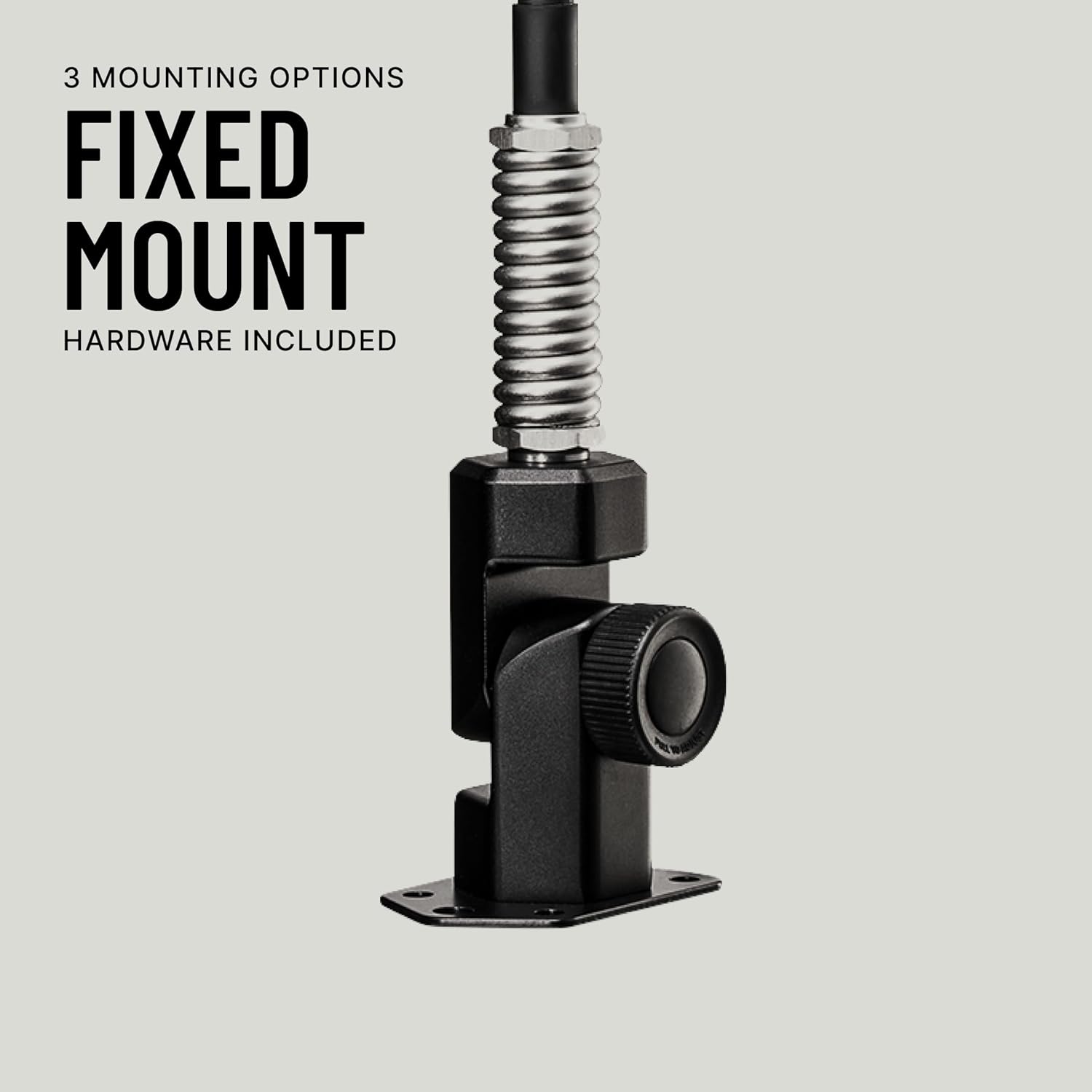
Image: Close-up of the fixed mount hardware, suitable for direct surface attachment.
3.3 Пошаговая установка
Follow these general steps for installation. Refer to the weBoost App for detailed, model-specific instructions and installation aids.
- Mount Outside Antenna: Choose a mounting location on your vehicle (e.g., roof rack, bumper) that provides maximum clearance and is as far as possible from other antennas. Secure the Overland Antenna using one of the provided mounting options.
- Route Antenna Cable: Carefully route the coaxial cable from the outside antenna into the vehicle's interior, avoiding sharp bends, pinches, or areas of high heat. Ensure the cable is secured to prevent damage.
- Mount Booster: Install the Drive Reach Booster unit in a secure, well-ventilated location inside the vehicle, such as under a seat or in the trunk. Ensure it is away from direct sunlight and moisture.
- Mount Inside Antenna: Position the inside antenna where you typically use your phone, ensuring it is at least 18 inches from where you will use your phone and at least 20 inches from the booster unit. The inside antenna should be separated from the outside antenna by as much distance as possible, both horizontally and vertically, to prevent oscillation.
- Подключите питание: Connect the power supply to the booster and then plug it into your vehicle's 12V cigarette lighter socket. The booster will power on automatically.

Изображение: weBoost mobile application interface, available on iOS and Android, offering installation guidance and signal strength monitoring.
4. Инструкция по эксплуатации
4.1 Включение
Once all components are connected and the power supply is plugged into your vehicle's 12V accessory port, the booster will automatically power on. A green light on the booster indicates it is functioning correctly.
4.2 Optimal Phone Placement
For best results, keep your mobile device within 18 inches of the inside antenna. The closer your device is to the inside antenna, the stronger the boosted signal it will receive.
4.3 Индикаторы сигналов
The booster unit features an LED indicator. A solid green light indicates normal operation. Refer to the weBoost App or the full user manual for specific meanings of other light patterns (e.g., flashing lights, different colors) which may indicate system issues or oscillation.
5. Уход и обслуживание
5.1 Генеральная уборка
Keep the booster unit and antennas clean and free from dust and debris. Use a soft, dry cloth for cleaning. Avoid using harsh chemicals or abrasive cleaners.
5.2 Component Durability
The weBoost Drive Reach Overland components are designed for rugged use. The outdoor antenna is IP66-rated for dust and water protection and tested to military standards for shock and vibration resistance, ensuring reliable performance in challenging off-road conditions.

Изображение: weBoost overland antenna shown in a harsh, snowy environment, highlighting its robust construction and resistance to extreme weather conditions.
5.3 Проверки подключения
Periodically check all cable connections to ensure they are secure and free from damage. Loose connections can degrade performance.
6. Устранение распространенных неполадок
Если у вас возникли проблемы с вашим weBoost Drive Reach Overland, consider the following troubleshooting steps:
- Улучшение при отсутствии сигнала:
- Убедитесь, что все кабели надежно подключены.
- Verify the power supply is properly plugged in and the booster's LED is green.
- Increase the separation distance between the outside and inside antennas.
- Check the outside antenna's position for obstructions and ensure it has a clear line of sight to cell towers.
- Прерывистый сигнал:
- Confirm that the inside antenna is not too close to the booster unit.
- Ensure the outside antenna is stable and not moving excessively during vehicle operation.
- Check for any physical damage to cables or connectors.
- Booster LED Indicator Issues:
- If the LED is red or flashing, it may indicate oscillation (feedback between antennas). Increase antenna separation.
- If the LED is off, check the power connection and the vehicle's 12V outlet.
For more detailed troubleshooting, consult the weBИспользуйте приложение Outs или обратитесь в службу поддержки клиентов.
7. Технические характеристики
| Спецификация | Деталь |
|---|---|
| Номер модели | 472061 |
| Размеры продукта | 20.75 x 11.5 x 3.75 дюйма |
| Вес товара | 6.73 фунта |
| Класс диапазона частот | Четырехдиапазонный |
| Стандарт беспроводной связи | Радиочастота |
| Особые возможности | Powerful Outdoor Antenna, Versatile Mounting Bracket, Wide Coverage, Long-lasting Performance, One-time Installation |
| Идентификатор FCC | ПВО460061 |
8. Гарантия и поддержка клиентов
8.1 Информация о гарантии
The weBoost Drive Reach Overland comes with a Двухлетняя гарантия from the date of purchase. Additionally, weBoost offers a 30-дневная гарантия возврата денег. For warranty claims or returns, please contact customer support.
8.2 Поддержка клиентов
weBoost provides expert U.S.-based customer support. If you have questions or require assistance, you can reach us through:
- The weBост приложение
- Онлайн чат
- Поддержка по телефону
- Поддержка по электронной почте
The weBoost Drive Reach Overland is FCC approved (FCC ID PWO460061) and compatible with all U.S. carriers.
9. Видеоресурсы
No official product videos from the seller were available in the provided data to embed in this manual. Please refer to the weBОост webсайт или weBoost App for instructional videos and additional resources.


