Введение
This manual provides essential information for setting up, operating, and maintaining your Apple iPad (10th Generation). The iPad features an all-screen design, a 10.9-inch Liquid Retina display, the powerful A14 Bionic chip, Wi-Fi 6 connectivity, and advanced cameras. It is designed for everyday tasks, creativity, and staying connected.
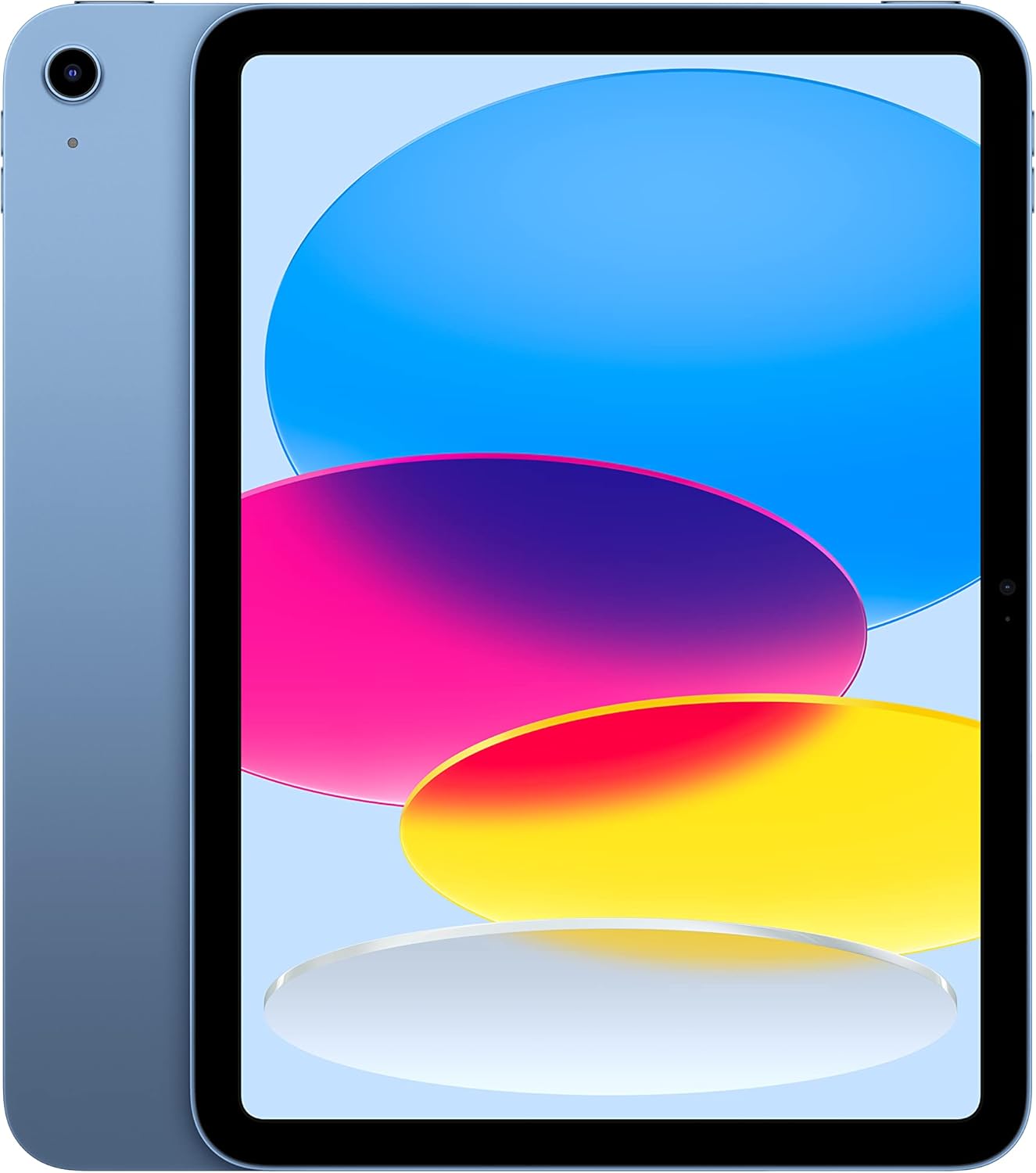
Image: The Apple iPad (10th Generation) in blue, showcasing its full-screen display and sleek design.
Что в коробке?
Verify that all items are present in your iPad packaging:
- iPad (10-го поколения)
- Зарядный кабель USB-C (1 метр)
- Адаптер питания USB-C мощностью 20 Вт

Image: A visual representation of the items included in the iPad packaging: the iPad device, a USB-C charging cable, and a 20W USB-C power adapter.
Настраивать
- Включение питания: Нажмите и удерживайте верхнюю кнопку, пока не появится логотип Apple.
- Начальная конфигурация: Следуйте инструкциям на экране, чтобы выбрать язык, регион и подключиться к сети Wi-Fi.
- Передача данных (необязательно): If you have a previous iPad or iPhone, you can transfer your data during setup.
- Apple-ID: Войдите в систему, используя свой Apple ID, или создайте новый. Это необходимо для загрузки приложений, использования iCloud и других сервисов Apple.
- Настройка Touch ID: Configure Touch ID for secure unlocking and purchases.
- Зарядка: Connect the USB-C Charge Cable to the iPad's USB-C port and the 20W USB-C Power Adapter, then plug it into a power outlet.
Использование iPad
Отображать
The iPad features a 10.9-inch Liquid Retina display with True Tone technology. True Tone automatically adjusts the display's color and intensity to match the ambient light, providing a more natural viewопыт.

Image: An illustration of the iPad's key features, including the 10.9-inch Liquid Retina display, Landscape Ultra Wide front camera, and the A14 Bionic chip.
Сенсорный идентификатор
Touch ID is integrated into the top button of your iPad. It allows you to securely unlock your device, sign in to apps, and authorize purchases with Apple Pay using your fingerprint.
- Разблокировать: Place your registered finger on the top button.
- Apple Pay: Double-press the top button and then place your finger on it to authenticate a payment.
Камеры
The iPad is equipped with advanced cameras:
- Фронтальная камера: Landscape 12MP Ultra Wide camera with Center Stage and Smart HDR 3. Center Stage автоматически удерживает вас в кадре во время видеозвонков.
- Назад Камера: 12MP Wide camera with Smart HDR 3, capable of recording 4K video at 24, 25, 30, or 60 frames per second.
Связность
The iPad supports Wi-Fi 6, providing fast and reliable wireless internet access for streaming, downloading, and browsing.
Производительность и хранение
Powered by the A14 Bionic chip with a 6-core CPU, 4-core graphics, and a 16-core Neural Engine, the iPad delivers robust performance for various applications, from immersive games to photo and video editing. It is available with 64GB or 256GB storage options.
Срок службы батареи
The iPad offers up to 10 hours of web surfing on Wi-Fi or video playback. When using cellular data (on Wi-Fi + Cellular models), battery life is up to 9 hours.
Аксессуары
Enhance your iPad experience with compatible accessories (sold separately):
- Apple Pencil (1-го поколения): Transforms your iPad into a digital canvas and note-taking device. Requires a USB-C to Apple Pencil Adapter.
- Magic Keyboard Folio: Features a two-piece design with a detachable keyboard and protective back panel that attach magnetically.

Image: The Apple iPad (10th Generation) shown with the Magic Keyboard Folio and Apple Pencil, demonstrating its versatility for productivity and creativity.
Обслуживание
To ensure the longevity and optimal performance of your iPad, follow these maintenance guidelines:
- Уборка: Для очистки экрана и корпуса используйте мягкую безворсовую ткань. Избегайте абразивных материалов и агрессивных химикатов.
- Температура: Operate and store your iPad within recommended temperature ranges (0° to 35° C / 32° to 95° F). Avoid extreme heat or cold.
- Обновления программного обеспечения: Regularly update iPadOS to the latest version to benefit from new features, security enhancements, and bug fixes. Go to Settings > General > Software Update.
- Управление хранилищем: Периодически пересматриватьview and manage your storage to free up space. Go to Settings > General > iPad Storage.
Поиск неисправностей
If you encounter issues with your iPad, consider the following common troubleshooting steps:
- Устройство не отвечает: If your iPad is unresponsive, force restart it. Press and quickly release the volume up button, press and quickly release the volume down button, then press and hold the top button until the Apple logo appears.
- Проблемы с подключением к Wi-Fi:
- Убедитесь, что Wi-Fi включен в настройках.
- Перезагрузите ваш Wi-Fi-роутер.
- Забудьте о сети и подключитесь заново.
- Разряд батареи: Проверьте использование батареи в разделе «Настройки» > «Батарея», чтобы определить приложения, потребляющие значительное количество энергии. При необходимости отрегулируйте настройки или включите фоновое обновление приложений.
- Проблемы с приложением: If an app is not working correctly, try closing and reopening it. If the problem persists, delete and reinstall the app.
Для более подробного устранения неполадок или решения проблем, сохраняющихся постоянно, посетите официальный сайт поддержки Apple. webсайт или обратитесь в службу поддержки клиентов Apple.
Технические характеристики
| Особенность | Деталь |
|---|---|
| Название модели | iPad (10-го поколения) |
| Номер модели товара | MPQ93LL/A |
| Отображать | 10.9-дюймовый дисплей Liquid Retina с технологией True Tone |
| Разрешение дисплея | 2360 x 1640 пикселей |
| Чип | A14 Bionic chip (6-core CPU, 4-core graphics, 16-core Neural Engine) |
| Емкость памяти | 256 GB (also available in 64GB) |
| Задняя камера | 12MP Wide camera with Smart HDR 3, 4K video recording |
| Передняя камера | Landscape 12MP Ultra Wide with Center Stage and Smart HDR 3 |
| Срок службы батареи | Up to 10 hours (Wi-Fi), Up to 9 hours (Cellular) |
| Соединитель | USB-C |
| Размеры (В x Ш x Г) | 9.79 x 7.07 x 0.28 дюйма (248.6 x 179.5 x 7 мм) |
| Масса | Модель Wi-Fi весом 1.05 фунта (477 г) |
| Compatible Apple Pencil | Apple Pencil (1st generation) - requires USB-C to Apple Pencil Adapter |
| Производитель | Яблоко |
| Дата первой доступности | 18 октября 2022 г. |
Гарантия и поддержка
Your Apple iPad (10th Generation) is covered by Apple's standard limited warranty. For detailed information regarding warranty terms, coverage, and service options, please refer to the warranty documentation included with your product or visit the official Apple Support webсайт.
For technical assistance, troubleshooting guides, and additional resources, please visit the Поддержка Apple website for iPad.
Важные примечания
This manual provides general instructions. For the most up-to-date information and advanced features, always refer to the official Apple iPad User Guide available digitally on your device or Apple's webсайт.


