Введение
This manual provides detailed instructions for the installation, operation, and maintenance of your INKBIRD IVC-001W 15CM Inline Duct Fan with Smart Controller. This system is designed to provide efficient ventilation, deodorization, dehumidification, and temperature regulation for various indoor environments.
Перед использованием изделия внимательно ознакомьтесь с данным руководством, чтобы обеспечить его безопасную и оптимальную работу.
Информация по безопасности
Соблюдайте следующие меры предосторожности, чтобы предотвратить травмы или повреждение устройства:
- Электробезопасность: Ensure the power supply matches the fan's requirements. Do not operate with damaged cords or plugs.
- Установка: Install the fan in a stable location, ensuring proper duct connections to prevent air leaks.
- Обслуживание: Перед чисткой или выполнением любого технического обслуживания отключите питание.
- Дети и домашние животные: Храните устройство в недоступном для детей и домашних животных месте.
- Среда: Do not expose the fan or controller to water or extreme temperatures.
Компоненты продукта
The INKBIRD IVC-001W package includes the following:
- 1 x INKBIRD IVC-001W Inline Duct Fan (15CM / 6-inch)
- 1 x Wi-Fi Enabled Smart Controller
- 1 x Temperature and Humidity Probe
- 1 х Шнур питания
- Крепежные элементы (например, ремни, винты)
- Руководство пользователя (этот документ)
Настройка и установка
Follow these steps to properly install your INKBIRD Inline Duct Fan:
- Распаковка: Осторожно извлеките все компоненты из упаковки. Осмотрите их на предмет повреждений.
- Установка вентилятора: Secure the inline duct fan in your desired location (e.g., within a grow tent, basement, or kitchen ductwork). Use the provided mounting hardware to ensure it is stable and vibration-free.
- Соединительные воздуховоды: Connect appropriate ducting to both ends of the fan. Ensure all connections are sealed to prevent air leakage and maximize efficiency.
- Монтаж контроллера: Choose a convenient location for the smart controller. It can be wall-mounted or placed on a flat surface.
- Подключение контроллера: Connect the fan to the smart controller using the provided cable. Then, connect the temperature and humidity probe to the controller.
- Подключение питания: Plug the power cord into a standard electrical outlet. The controller screen should illuminate.
- Настройка Wi-Fi: Download the INKBIRD app on your smartphone. Follow the in-app instructions to connect the smart controller to your Wi-Fi network. This enables remote control and monitoring.

Image: The INKBIRD IVC-001W Inline Duct Fan connected to flexible ducting, shown in an indoor growing environment.

Изображение: Подробный view of the duct fan illustrating the direction of air flow (inlet and outlet) and its connection to ductwork.
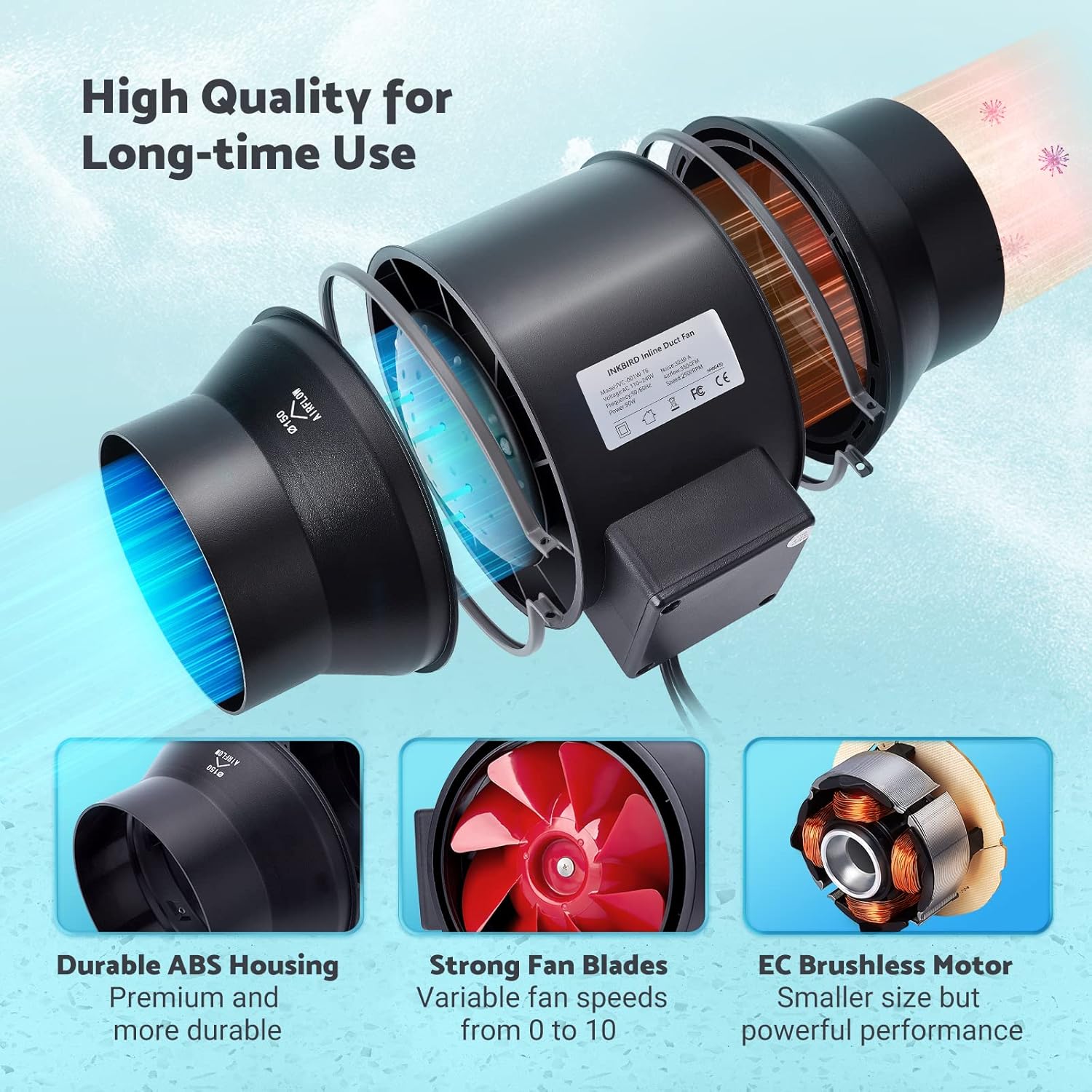
Image: The Wi-Fi enabled smart controller displaying temperature and humidity readings, with its probe connected.
Инструкция по эксплуатации
The INKBIRD IVC-001W offers multiple operating modes for flexible environmental control.
Интерфейс контроллера
The smart controller features a high-definition VA screen displaying current temperature, humidity, fan status, and settings. Buttons on the controller allow for direct interaction.

Изображение: Подробный view of the smart controller's screen, showing temperature, humidity, and fan speed settings, along with its physical buttons.
Режимы работы
You can select from Automatic, Manual, or Timer modes:
- Автоматический режим:
- Set desired temperature and humidity ranges.
- The fan will automatically adjust its speed (0-10) to maintain these preset conditions.
- Ideal for maintaining a consistent environment without constant manual adjustment.
- Ручной режим:
- Manually set the fan speed from 0 (off) to 10 (maximum).
- The fan will operate at the selected speed until manually changed or turned off.
- Режим таймера:
- Program up to 6 individual operating times per day.
- For each time slot, you can customize the start time, running length, and fan speed.
- This mode allows for precise scheduling of ventilation cycles.

Image: Screenshot of the INKBIRD smartphone app demonstrating the Automatic Mode interface, where users can set temperature and humidity thresholds.

Image: Screenshot of the INKBIRD smartphone app demonstrating the Manual Mode interface, allowing users to set a specific fan speed.

Image: Screenshot of the INKBIRD smartphone app demonstrating the Timer Mode interface, where users can schedule multiple fan operations throughout the day.
Smart App Features
The INKBIRD app provides enhanced control and monitoring capabilities:
- Дистанционное управление: Adjust settings and change modes from anywhere.
- Мониторинг: View Данные о температуре и влажности в режиме реального времени.
- История: Access historical temperature and humidity data.
- Сигнализация: Receive notification messages on your phone if detected temperature/humidity reaches preset alarm values.
- Блокировка от детей: Enable the child lock function via the app or by pressing the '+' and '-' buttons simultaneously on the controller for 2 seconds to prevent unintended changes.
- ЭКО-режим: The controller supports ECO mode for power saving.
Основные характеристики
- Efficient Air Movement: Provides 350 CFM air volume and 2500 RPM fan speed for effective ventilation, deodorization, dehumidification, and temperature regulation.
- Тихая работа: Features an energy-efficient EC motor, producing only 32 dB of noise during operation (measured at 3 meters from the fan connected to a 1-meter duct).
- Переменная скорость вентилятора: Fan speed is adjustable from 0 to 10, allowing precise control over airflow.
- Прочная конструкция: Built with a durable ABS housing and strong fan blades for long-term use.
- Multi-Fan Control: The smart controller can connect and control two INKBIRD fans simultaneously.
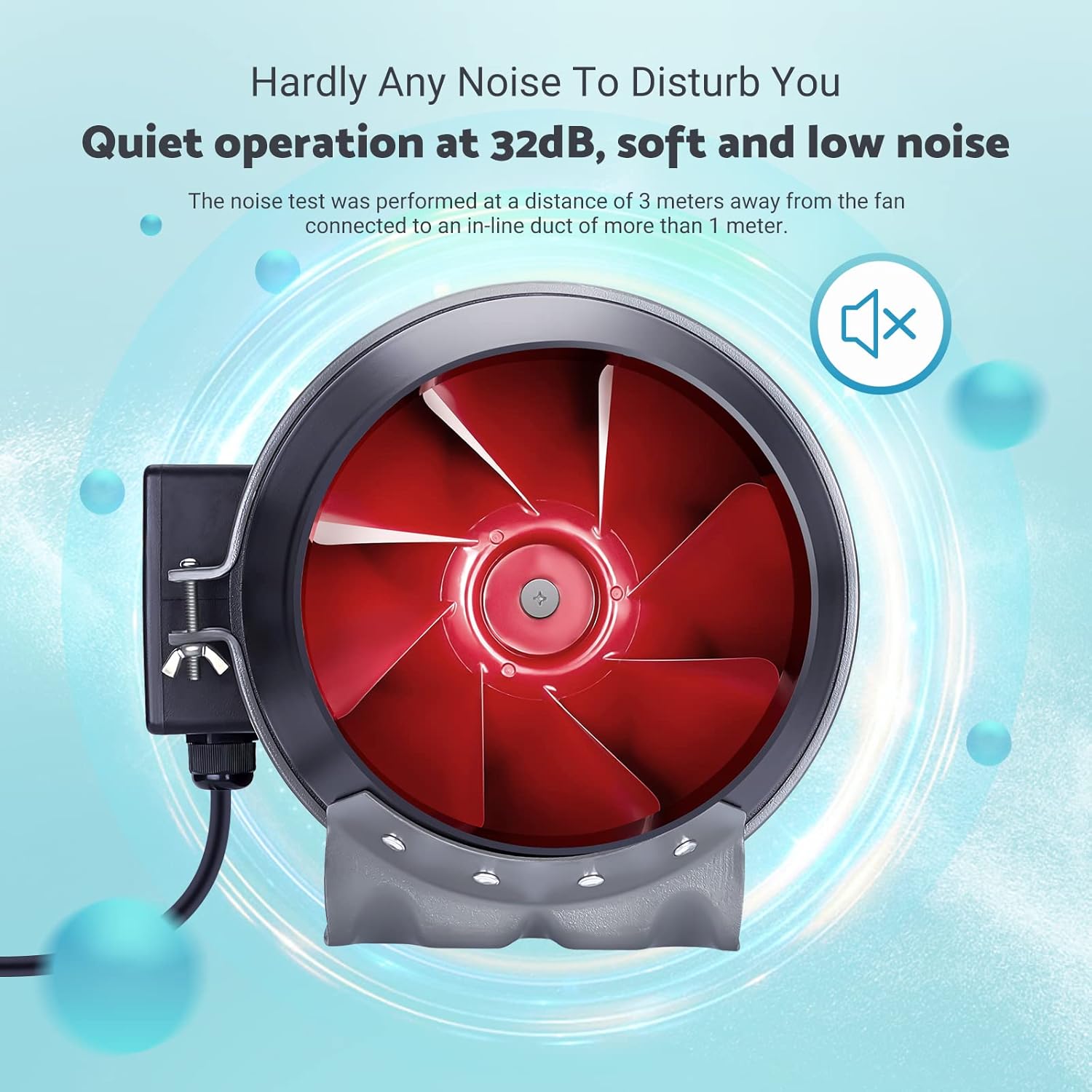
Image: The inline duct fan highlighting its multifunctional capabilities: ventilation, deodorization, humidity regulation, and temperature regulation.

Изображение: Внутренний view of the fan, emphasizing its quiet operation at 32 dB, with the red fan blades visible.
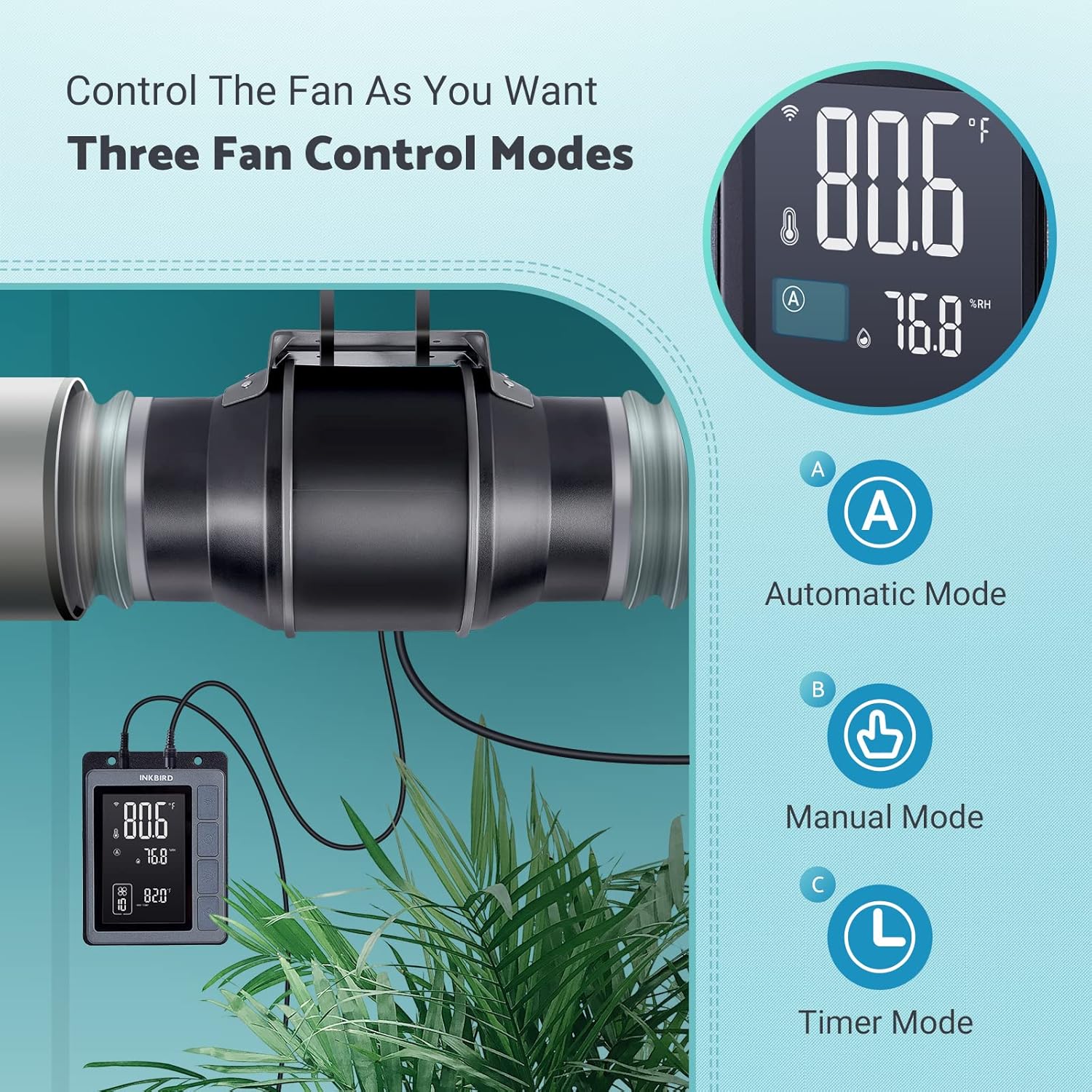
Image: An exploded diagram of the fan, highlighting its durable ABS housing, robust fan blades, and the efficient EC brushless motor.
Обслуживание
Regular maintenance ensures the longevity and efficiency of your INKBIRD Inline Duct Fan.
- Отключение питания: Always unplug the fan from the power source before performing any cleaning or maintenance.
- Внешняя очистка: Wipe the exterior of the fan and controller with a soft, damp Ткань. Не используйте абразивные чистящие средства или растворители.
- Очистка лопастей вентилятора: Periodically inspect the fan blades for dust and debris accumulation. If necessary, carefully remove the fan from the ducting and gently clean the blades with a soft brush or cloth. Ensure no moisture enters the motor housing.
- Очистка зонда: Keep the temperature and humidity probe clean and free from obstructions to ensure accurate readings.
- Проверка воздуховодов: Regularly check the ducting for any blockages, tears, or loose connections that could impede airflow.
Поиск неисправностей
If you encounter issues with your INKBIRD Inline Duct Fan, refer to the following common problems and solutions:
| Проблема | Возможная причина | Решение |
|---|---|---|
| Вентилятор не включается. | No power supply; loose connection; child lock enabled. | Check power cord connection and outlet. Ensure fan cable is securely connected to the controller. Disable child lock via app or controller buttons. |
| Вентилятор работает, но поток воздуха слабый. | Ducting blockage; fan speed set too low; air leaks in ducting. | Inspect ducting for obstructions. Increase fan speed setting. Check duct connections for leaks and seal if necessary. |
| Неточные показания температуры/влажности. | Probe is dirty or obstructed; probe is placed in an unsuitable location. | Clean the probe. Relocate the probe to an area that accurately represents the environment you wish to monitor. |
| Проблемы с подключением к Wi-Fi. | Неверный пароль от Wi-Fi; роутер находится слишком далеко; помехи в сети. | Verify Wi-Fi password. Move controller closer to the router. Restart router and controller. Ensure 2.4GHz Wi-Fi network is used. |
| Вентилятор шумный. | High fan speed; loose mounting; debris in fan blades. | Reduce fan speed. Ensure the fan is securely mounted. Disconnect power and inspect/clean fan blades. |
Технические характеристики
| Особенность | Деталь |
|---|---|
| Бренд | Чернильная птица |
| Модель | ИВК-001W |
| Диаметр вентилятора | 15CM (6-inch) |
| Объем воздуха | 350 куб. футов в минуту |
| Скорость вентилятора | 2500 об/мин (макс.) |
| Уровень шума | 32 дБ (на расстоянии 3 метров) |
| Томtage | 24В |
| Ватtage | 50 Вт |
| Источник питания | Проводной электрический |
| Материал | Пластик (корпус из АБС) |
| Тип крепления | Настенное крепление |
| Особые возможности | Timer, Wi-Fi Smart Controller, Temperature & Humidity Control, Child Lock, ECO Mode |
| Длина шнура питания | 150 см (59 дюйма) |
| Fan to Controller Cord Length | 240 см (94.5 дюйма) |
| Длина зонда | 250 см (98.43 дюйма) |
| Размеры продукта | 35D x 26.7W x 28H сантиметров |

Image: A technical diagram illustrating the dimensions of the inline duct fan, smart controller, and the temperature/humidity probe, including cable lengths.
Гарантия и поддержка
The INKBIRD IVC-001W Inline Duct Fan comes with a Гарантия 2 год с даты покупки.
For technical support, warranty claims, or further assistance, please contact INKBIRD customer service through their official webсайт или контактную информацию, указанную на упаковке вашего продукта.
Вы также можете посетить Магазин Inkbird на Amazon для получения дополнительной информации о продукте и ресурсов поддержки.


