1. Введение
The NVAHVA A68 Translation Earbuds are designed to provide a seamless audio experience with advanced real-time translation capabilities. These earbuds feature an invisible, lightweight design for comfort, especially for side sleepers, and support various translation modes, meeting recording, and call translation. This manual will guide you through the setup, operation, and maintenance of your device.
2. Содержимое упаковки
Пожалуйста, убедитесь, что все перечисленные ниже предметы включены в ваш пакет:
- 2 x Earbuds
- 1 х чехол для зарядки
- 1 x зарядный кабель Type-C
- 3 пары амбушюр (S/M/L)
- 1 х Руководство пользователя
- 1 x App Code Card
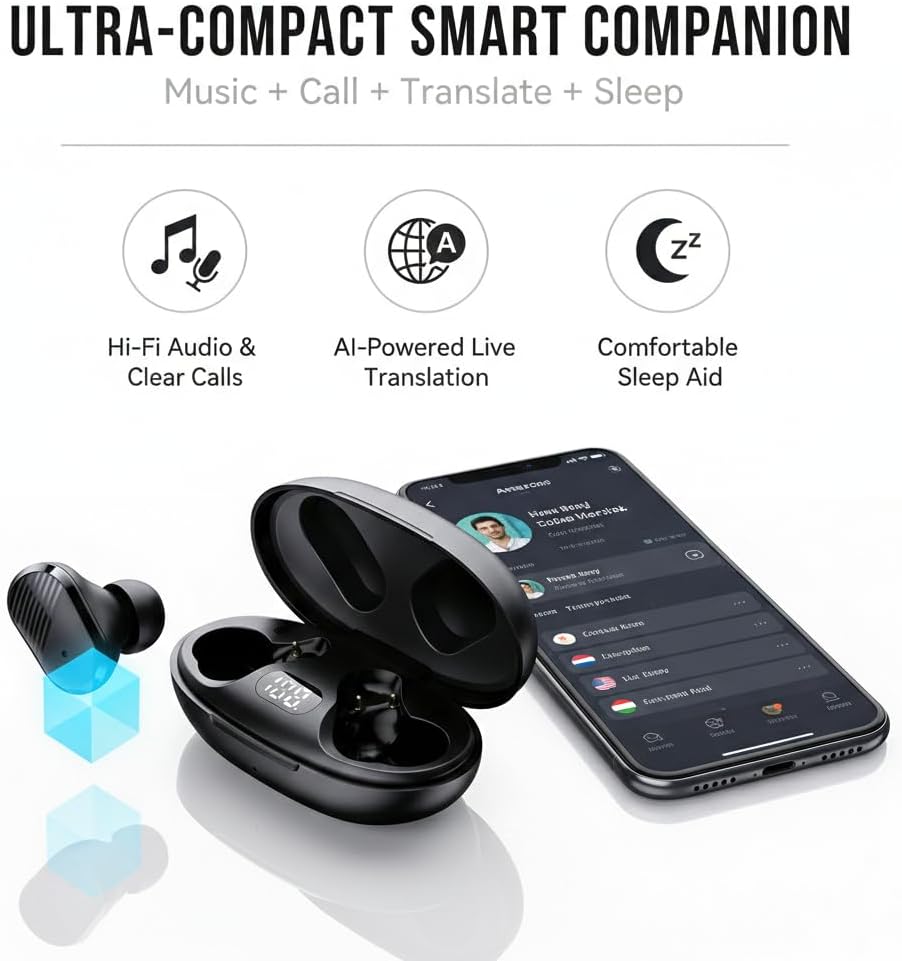
Image: NVAHVA A68 Earbuds, charging case, and accessories.
3. Продукт закончилсяview
The NVAHVA A68 earbuds are designed for versatility, offering high-fidelity audio, AI-powered translation, and a comfortable fit for extended wear, including during sleep.

Изображение: Оверview of the NVAHVA A68 as an ultra-compact smart companion.
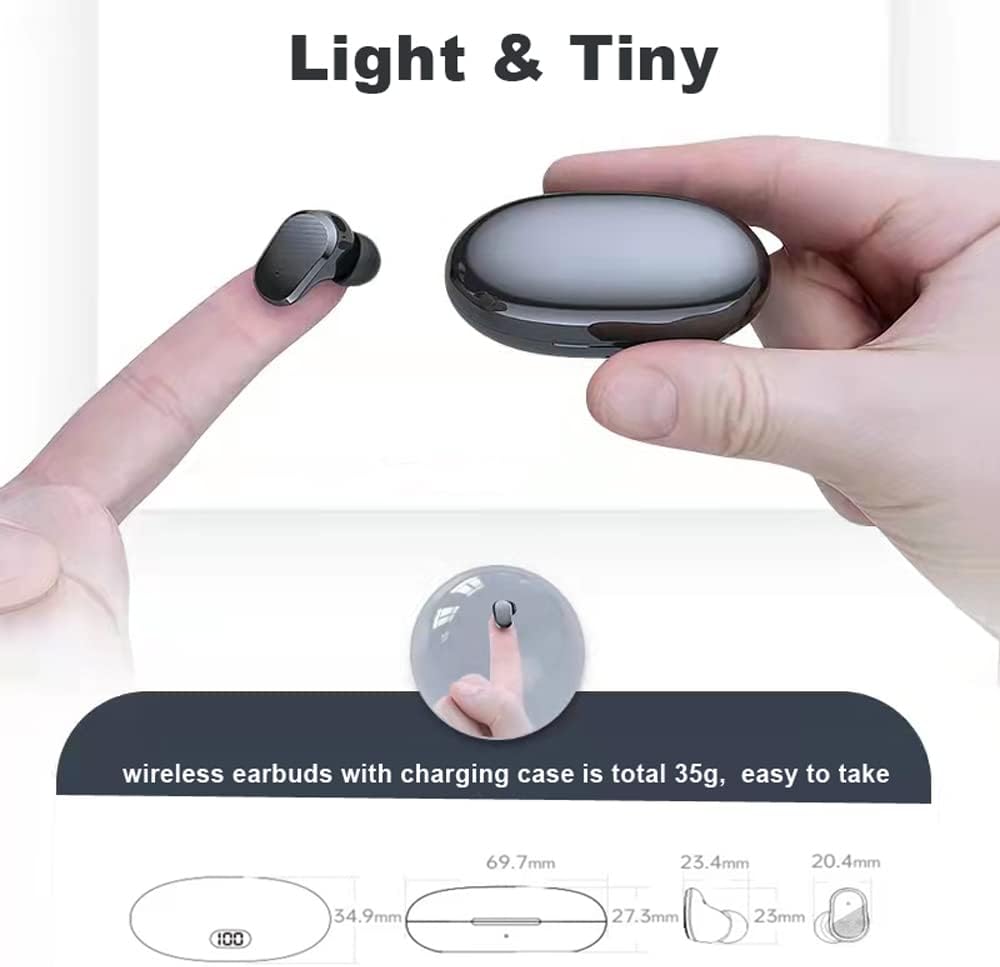
Image: The lightweight and compact design of the earbuds and charging case.
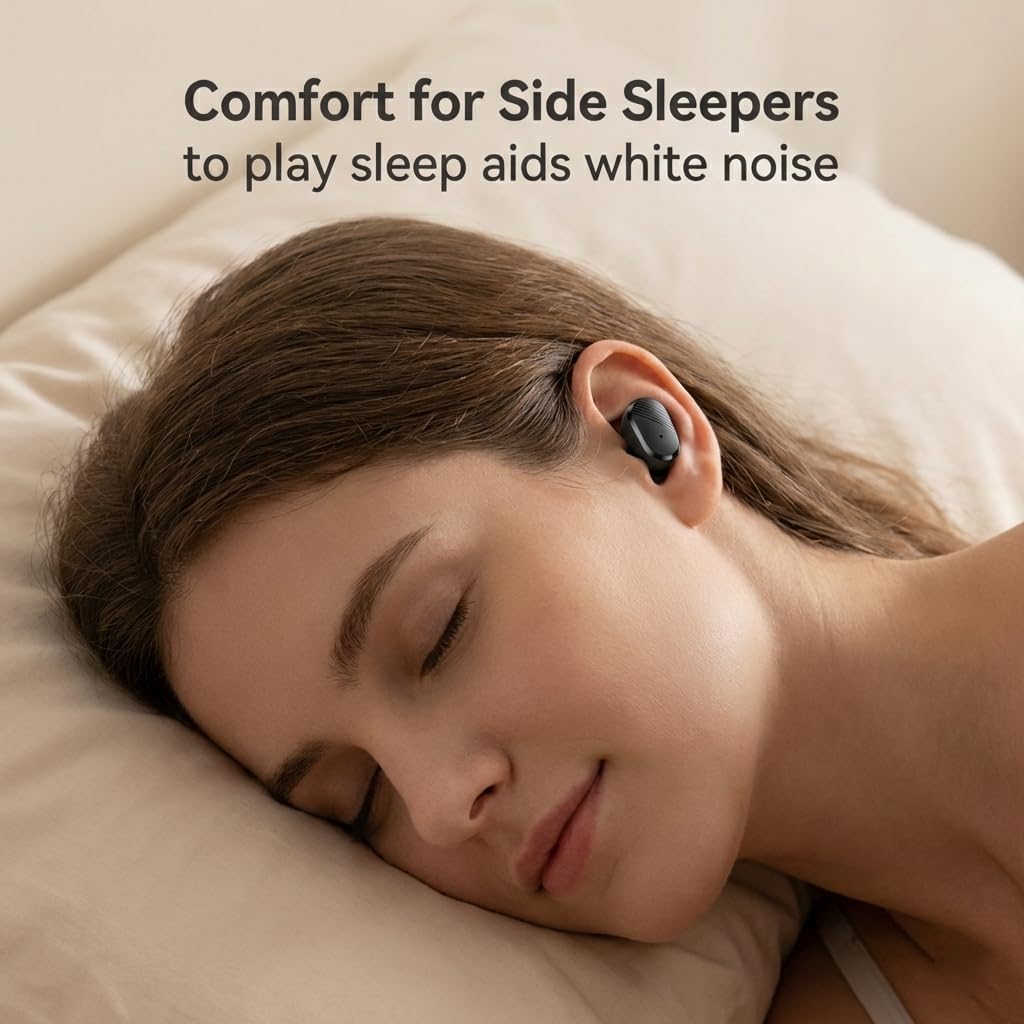
Image: Earbuds designed for comfort, even for side sleepers.
Видео: Оверview of the NVAHVA A68 Invisible Wireless Earbuds, showcasing their small size and features.
4. Руководство по установке
4.1 Зарядка наушников и кейса
Before first use, fully charge the earbuds and charging case. Connect the provided Type-C charging cable to the charging case and a USB power source. The digital display on the case will indicate the charging status. A full charge takes approximately 2 hours. The earbuds provide 4-6 hours of continuous use, with the charging case extending total usage to 20-24 hours.
4.2 Загрузка и установка приложения
To utilize the full translation features, download the companion application:
- Open a QR code scanning function on your smartphone (e.g., your phone's browser or a dedicated QR scanner app).
- Scan the QR code found on the included App Code Card or in the physical user manual. This will direct you to the app download page.
- Select the appropriate download link for your mobile phone system (Android or Apple).
- Follow the on-screen prompts to download and install the application. You may need to grant permission for installation from external sources.
- Once installed, open the 'AI Cool' app.
Video: Step-by-step guide on downloading and installing the NVAHVA AI Translation Earbuds application.
4.3 Bluetooth-соединение
Чтобы подключить наушники к смартфону:
- Ensure the earbuds are charged and removed from the charging case to enter pairing mode.
- On your smartphone, go to 'Settings' and enable 'Bluetooth'.
- In the Bluetooth device list, select the NVAHVA A68 (or similar name like 'AIWA' or 'TWS') to pair.
- Open the 'AI Cool' app. On the home screen, click 'Add Device'.
- You may be prompted to enter a binding code. This code is typically found on the cover of the AI Cool user guide. If not available, contact customer support. For built-in devices, a binding code may not be required.
- Once connected, you can begin using the app's features.
5. Инструкция по эксплуатации
5.1 Основные сенсорные элементы управления
Наушники оснащены сенсорными элементами управления для различных функций:
- Воспроизведение/Пауза: Коснитесь один раз
- Ответить/положить трубку: Коснитесь один раз
- Активировать голосового помощника: Hold button for approximately 2 seconds
- Отклонить вызов: Hold button for approximately 2 seconds
- Следующий / предыдущий трек: Knock L/R earbud 3 times
- Увеличение/уменьшение громкости: Knock L/R earbud twice

Image: NVAHVA A68 Earbuds touch control functions.
5.2 Режимы перевода
The AI Cool app offers several translation modes:
- Simul Mode (Face-to-Face): For natural conversations where both parties wear an earbud and speak simultaneously. The earbuds provide real-time interpretation.
- Speaker Mode (Earbud + Mobile): One person wears an earbud, and the other speaks into the smartphone. The app translates and plays the audio through the earbud, facilitating quick interactions.
- Listen Mode (Two Earphone Mode): Both individuals wear earbuds, and the device recognizes and translates short sentences, enabling smooth and natural conversations.

Image: Face-to-face simultaneous translation mode.

Image: Earbud + Mobile mode for two-way conversation.

Image: Two Earphone Mode for free talk translation.
5.3 AI Meeting Assistant
The built-in Meeting Recorder feature provides real-time transcription and AI summarizing, ideal for international conferences and academic settings.

Image: Meeting Recorder function for transcription and summarizing.
5.4 Call Translation
The earbuds support audio and video call translation on third-party applications like WhatsApp and Zoom, facilitating communication for remote teams and international connections. Note that this feature may require additional charges.

Image: Audio and video call translation in action.
5.5 Офлайн-перевод
For situations without internet access, Offline Translation packs are available for a one-time purchase ($9.99 lifetime buyout). These packs ensure translation functionality in remote areas or during travel. Supported languages include Chinese, English, German, Japanese, Korean, Hindi, Thai, Spanish, French, and Russian.

Image: Using offline translation during air travel.
6. Техническое обслуживание
To ensure the longevity and optimal performance of your NVAHVA A68 earbuds:
- Уборка: Регулярно протирайте наушники и зарядный чехол мягкой сухой тканью. Избегайте использования едких химикатов или абразивных материалов.
- Ушные вкладыши: Clean the eartips with a damp При необходимости используйте ткань и мягкое мыло. Перед повторной установкой убедитесь, что они полностью высохли.
- Хранилище: Когда наушники не используются, храните их в зарядном футляре, чтобы защитить от пыли и повреждений. Храните их в прохладном, сухом месте, вдали от прямых солнечных лучей и экстремальных температур.
- Водостойкость: The earbuds are water-resistant. However, they are not waterproof. Avoid submerging them in water or exposing them to heavy rain. Dry them thoroughly if they get wet.
7. Поиск Неисправностей
If you encounter issues with your NVAHVA A68 earbuds, refer to the following common solutions:
| Проблема | Возможное решение |
|---|---|
| Earbuds not pairing/connecting to phone |
|
| Нет звука или низкая громкость |
|
| Translation not working or incorrect |
|
| App voice prompts are in a foreign language |
|
| Наушники выпадают или вызывают дискомфорт. |
|
8. Технические характеристики
| Особенность | Деталь |
|---|---|
| Название модели | А68 |
| Бренд | НВАХВА |
| Технология связи | Беспроводная связь (Bluetooth 5.3) |
| Диапазон Bluetooth | 10 метра |
| Контроль шума | Звукоизоляция |
| Разъем для наушников | USB-C (для зарядного чехла) |
| Срок службы батареи (наушники) | 5 Hours (continuous AI translation/music) |
| Общее время работы от аккумулятора (с чехлом) | 20-24 часа |
| Время зарядки | 2 часов |
| Метод контроля | Прикосновение, Голос |
| Материал | Акрилонитрилбутадиенстирол (АБС) |
| Вес изделия (наушники) | 34 Grams (total for both earbuds and case) |
| Уровень водонепроницаемости | Водостойкий |
| Тип аудиодрайвера | Динамический драйвер |
| Размер аудиодрайвера | 10 миллиметра |
| Сопротивление | 32 Ом |
| Форма наушника | Бутон |
| Особые возможности | Lightweight, Noise Isolation, Surround Sound, Sweatproof, Real-time Translation |
9. Информация по технике безопасности
Пожалуйста, прочтите и соблюдайте следующие правила техники безопасности, чтобы предотвратить травмы или повреждение вашего устройства:
- Do not expose earbuds or charging case to extreme temperatures, direct sunlight, or high humidity.
- Избегайте падений, ударов и разборки устройства.
- Хранить в недоступном для детей и домашних животных месте.
- Do not use the device while driving or in situations where you need to be aware of your surroundings.
- Длительное воздействие громких звуков может привести к повреждению слуха. Отрегулируйте громкость до среднего уровня.
- Используйте только прилагаемый зарядный кабель и сертифицированный адаптер питания.
10. Гарантия и поддержка
For warranty information, please refer to the documentation provided at the time of purchase or contact your retailer. If you require technical assistance or have questions not covered in this manual, please contact the seller or manufacturer directly for support.


