1. Продукт закончилсяview
This manual provides instructions for the JENSEN USB 3.1 Type-C cable, model JU832CC3V. This cable is designed for efficient data transfer and charging of compatible devices. It features reversible connectors and supports data transfer speeds up to 5 Gigabits Per Second (Gbps).
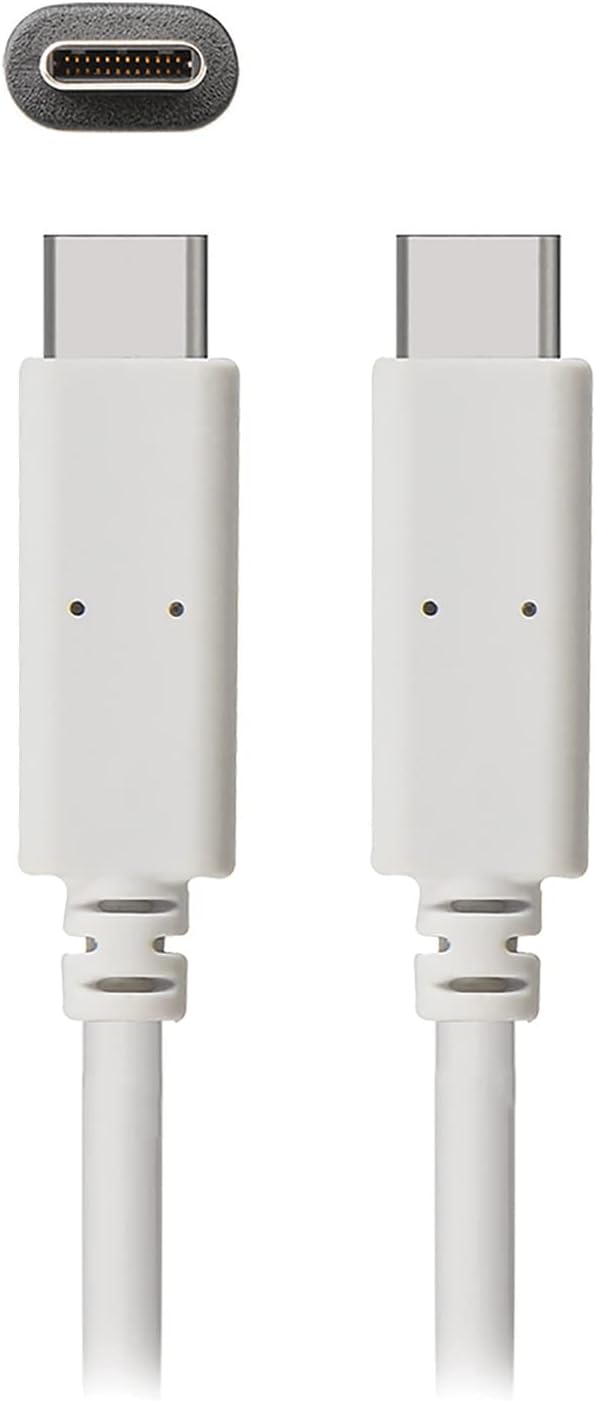
Изображение 1: The JENSEN USB 3.1 Type-C cable, showcasing its durable, reversible connectors. This image displays both ends of the white cable, highlighting the USB-C connector design.
Основные характеристики:
- USB 3.1 Type-C Compatibility: Ensures broad compatibility with modern devices.
- Durable Molded Ends: Designed for longevity and reliable connection.
- Гибкий кабель: Allows for easy routing and reduces strain.
- Reversible Connectors: Enables convenient plug-in without concern for orientation.
- Высокая скорость передачи данных: Supports up to 5 Gbps for fast file синхронизация.
2. Настройка и подключение
The JENSEN USB 3.1 Type-C cable is designed for simple plug-and-play operation. No special drivers or software are required for basic functionality.
Подключение кабеля:
- Определить порты: Locate the USB Type-C port on your host device (e.g., computer, power adapter) and the peripheral device (e.g., smartphone, external hard drive).
- Вставьте разъем 1: Gently insert one end of the JENSEN USB 3.1 Type-C cable into the USB Type-C port of your host device. The reversible design means there is no "up" or "down" orientation.
- Вставьте разъем 2: Insert the other end of the cable into the USB Type-C port of your peripheral device. Ensure both connections are secure.
Once connected, your devices should automatically recognize the cable for charging or data transfer, depending on their capabilities and configuration.
3. Инструкция по эксплуатации
3.1. Зарядные устройства
To charge a compatible device using the JENSEN USB 3.1 Type-C cable:
- Connect one end of the cable to a USB Type-C power adapter or a powered USB Type-C port on a computer.
- Connect the other end of the cable to your device requiring charge.
- Verify that your device indicates it is charging. Charging speed may vary based on the power source and device specifications.
3.2. Передача данных
To transfer data between compatible devices using the JENSEN USB 3.1 Type-C cable:
- Connect one end of the cable to a USB Type-C port on your computer or host device.
- Connect the other end of the cable to your peripheral device (e.g., external hard drive, smartphone).
- Your computer or host device should recognize the connected peripheral. Follow the operating system's prompts to access and transfer files.
Note: The cable supports USB 3.1 Gen 1 speeds, offering data transfer rates up to 5 Gbps. Actual transfer speeds may vary based on connected devices and file типы.
4. Техническое обслуживание
Proper care will extend the life of your JENSEN USB 3.1 Type-C cable.
- Уборка: Для протирки кабеля и разъемов используйте мягкую сухую ткань. Избегайте использования агрессивных химикатов или абразивных материалов.
- Хранилище: Храните кабель в прохладном, сухом месте, вдали от прямых солнечных лучей и экстремальных температур. Не скручивайте кабель в тугую бухту и не сгибайте его под острым углом во избежание внутренних повреждений.
- Умение обращаться: При подключении и отключении кабеля всегда держитесь за корпус разъема, а не тяните за сам кабель.
5. Поиск Неисправностей
If you encounter issues with your JENSEN USB 3.1 Type-C cable, consider the following:
- Устройство не заряжается:
- Убедитесь, что оба конца кабеля надежно подключены.
- Verify that the power adapter or USB port is functional and providing sufficient power.
- Test the cable with another compatible device or power source to isolate the issue.
- Медленная передача данных:
- Confirm that both connected devices support USB 3.1 (or higher) for optimal speeds.
- Ensure the ports on both devices are USB 3.1 compatible. Connecting to a USB 2.0 port will limit speeds to USB 2.0.
- Check for other active processes on your computer that might be consuming bandwidth.
- Прерывистое соединение:
- Осмотрите разъемы на наличие видимых повреждений или загрязнений.
- Попробуйте подключиться к разным портам на ваших устройствах.
Если проблемы сохраняются, обратитесь в раздел поддержки для получения дополнительной помощи.
6. Технические характеристики

Изображение 2: Retail packaging for the JENSEN USB 3.1 Type-C cable, highlighting key features such as 3ft length, reversible connectors, and 5 Gbps data transfer.
| Номер модели | JU832CC3V |
| Бренд | Йенсен |
| Тип разъема | USB Type C (штекер-штекер) |
| Тип кабеля | USB 3.1 |
| Скорость передачи данных | До 5 гигабит в секунду (Гбит/с) |
| Длина кабеля | 3 футов (приблизительно 0.91 метра) |
| Цвет | Белый |
| Совместимые устройства | Chargers, Personal Computers, and other USB Type-C enabled devices |
| Специальная характеристика | Data Transfer, Reversible Connectors |
| Производитель | VOXX INTERNATIONAL |
| Размеры продукта | 2.95 x 0.12 x 5.91 дюйма |
| Вес товара | 0.704 унции |
| СКП | 044476141812 |
7. Гарантия и поддержка
This JENSEN product is manufactured by VOXX INTERNATIONAL. For information regarding warranty coverage, terms, and conditions, please refer to the warranty documentation included with your purchase or visit the official Jensen webсайт.
For technical support or customer service inquiries, please contact the manufacturer directly. Contact information can typically be found on the product packaging or the official Jensen support portal.
You can visit the Jensen Store for more products and information: Магазин Jensen на Amazon


