1. Введение
Welcome to the user manual for your Yamaha TW-ES5A True Wireless Sport Earbuds. These earbuds are designed to provide high-quality audio with features tailored for an active lifestyle, including advanced noise cancellation, ambient sound modes, and a waterproof design. Please read this manual thoroughly to ensure proper use and maintenance of your device.

2. Что в коробке
Убедитесь, что в комплект поставки входят все следующие предметы:
- TW-ES5A Earbuds (Left and Right)
- Защитный чехол для зарядки
- USB-кабель для зарядки переменного тока
- 5 sets of Eartips (XS, S, M, L, XL)
- 4 sets of Stabilizer Ear Fins (XS, S, M, L)

3. Продукт закончилсяview
The Yamaha TW-ES5A earbuds are designed for comfort and performance. Familiarize yourself with the earbud and charging case components.
Дизайн наушников

Each earbud features a compact design with integrated controls and a stabilizer ear fin for a secure fit during physical activity. The earbuds are lightweight, weighing approximately 0.28 ounces each.
Зарядный футляр
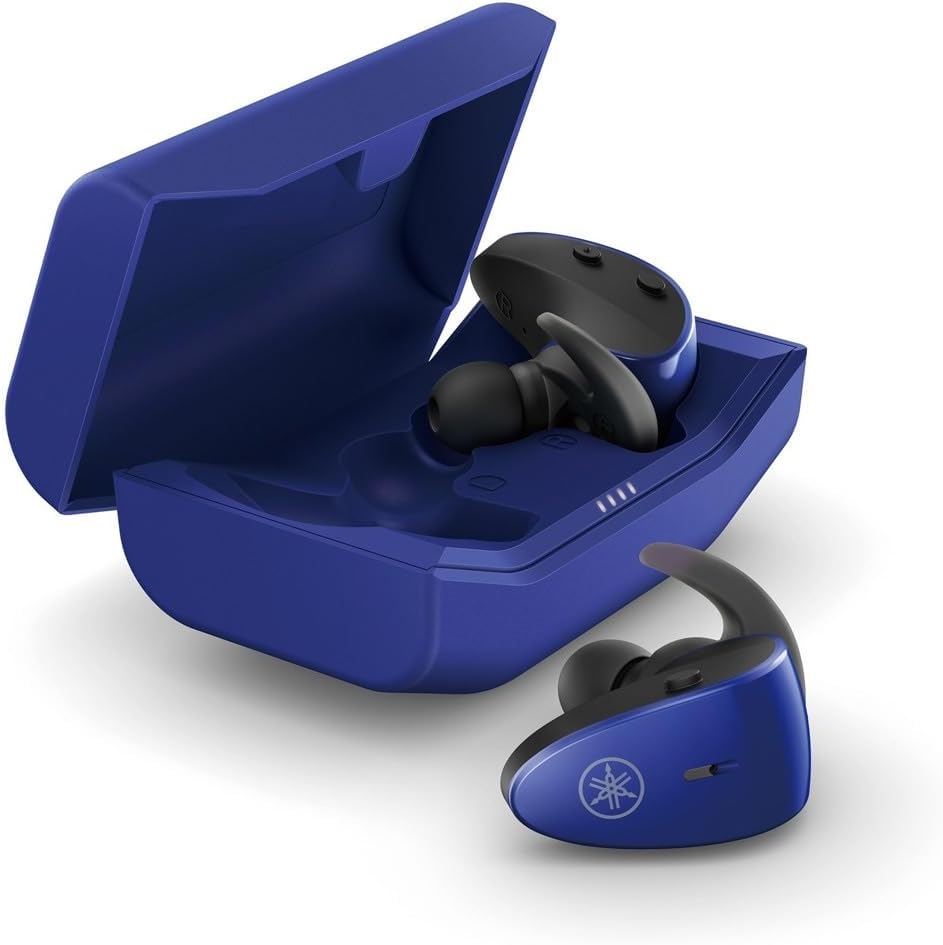
The protective charging case not only stores your earbuds but also recharges them, providing extended battery life. LED indicators on the case show the charging status.
Водонепроницаемая функция
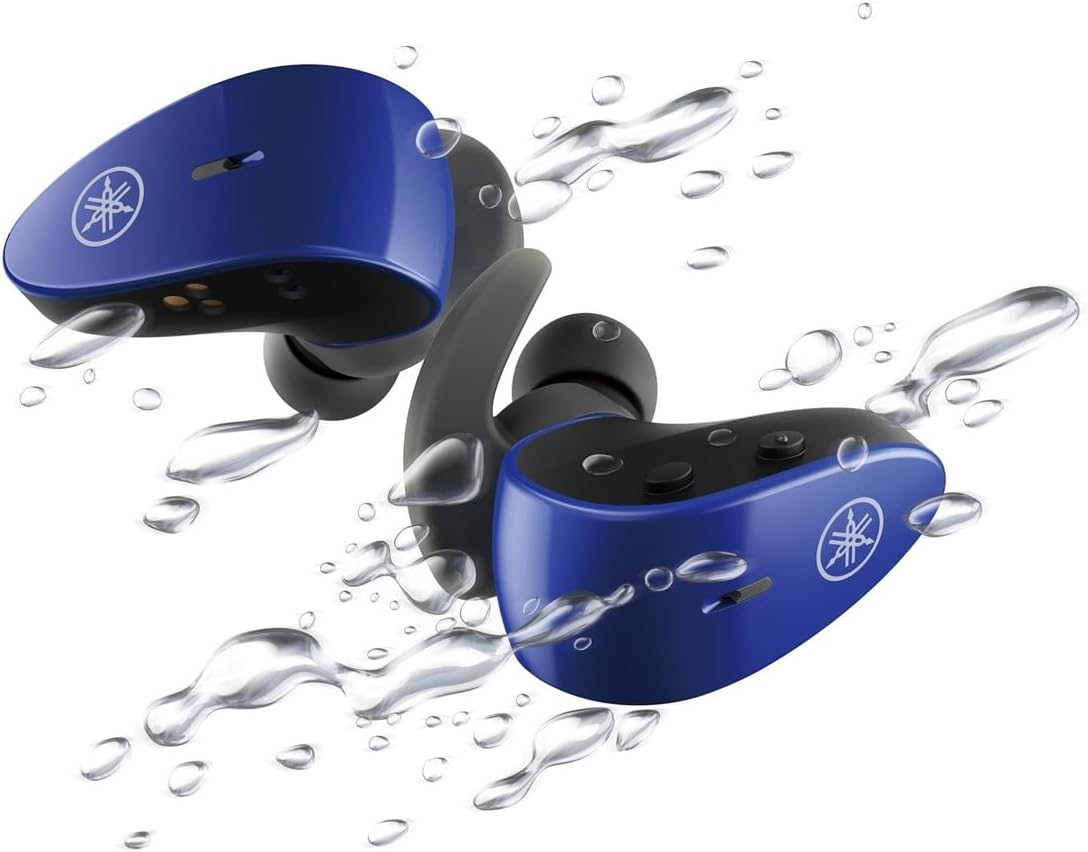
With an IPX7 waterproof rating, these earbuds are protected against immersion in water up to 1 meter for 30 minutes, making them ideal for workouts and outdoor activities.
Официальное видео о продукте
4. Настройка
4.1 Зарядка наушников и кейса
- Поместите наушники в зарядный футляр. Убедитесь, что они правильно установлены; светодиодные индикаторы на наушниках загорятся, подтверждая начало зарядки.
- Connect the USB A-C charging cable to the charging case and then to a USB power source (e.g., computer, USB wall adapter).
- The charging case LEDs will indicate the charging status. A full charge provides up to 34 hours of total battery life (earbuds + case).
4.2 Selecting Eartips and Stabilizer Ear Fins
For optimal sound quality, comfort, and a secure fit, it is crucial to select the correct size of eartips and stabilizer ear fins.
- Ушные вкладыши: Experiment with the 5 provided sizes (XS, S, M, L, XL). The correct size should create a good seal in your ear canal, blocking out external noise and providing rich bass.
- Stabilizer Ear Fins: Choose from the 4 provided sizes (XS, S, M, L). The fin should fit snugly into the concha of your ear, preventing the earbud from falling out during movement.
4.3 Сопряжение по Bluetooth
- Откройте зарядный кейс. Наушники автоматически перейдут в режим сопряжения (светодиоды начнут мигать).
- На вашем устройстве (смартфоне, планшете, ноутбуке) перейдите в настройки Bluetooth и включите Bluetooth.
- Искать available devices and select "Yamaha TW-ES5A" from the list.
- После подключения светодиоды на наушниках перестанут мигать, и ваше устройство подтвердит подключение.
- При последующем использовании наушники будут автоматически подключаться к последнему сопряженному устройству после извлечения из футляра.
5. Инструкция по эксплуатации
The TW-ES5A earbuds feature touch controls for various functions.
5.1 Включение/выключение питания
- Включение питания: Откройте чехол для зарядки, и наушники включатся автоматически.
- Выключение: Поместите наушники обратно в зарядный кейс и закройте крышку. Они автоматически выключатся.
5.2 Воспроизведение музыки
- Воспроизведение/Пауза: Нажмите один раз на любой наушник.
- Следующий трек: Дважды нажмите на правый наушник.
- Предыдущий трек: Дважды нажмите на левый наушник.
- Увеличить громкость: Трижды нажмите на правый наушник.
- Убавить звук: Трижды нажмите на левый наушник.
5.3 Управление вызовами
- Ответить/завершить вызов: Нажмите один раз на любой наушник.
- Отклонить вызов: Нажмите и удерживайте любой наушник в течение 2 секунд.
5.4 Режимы управления шумом
The TW-ES5A offers two noise control modes:
- Активное шумоподавление (ANC): Снижает уровень окружающего шума, обеспечивая захватывающий опыт прослушивания.
- Окружающий звук: Allows you to hear your surroundings while listening to audio, enhancing awareness.
Режимы переключения: Press and hold the touch control on the left earbud for 2 seconds to cycle between ANC, Ambient Sound, and Off modes.
5.5 Голосовой помощник
Activate your device's voice assistant (Siri or Google Assistant) by pressing and holding the touch control on the right earbud for 2 seconds. This allows for hands-free control of your device.
6. Техническое обслуживание
6.1 Очистка
- Regularly clean the earbuds, eartips, and charging contacts with a soft, dry, lint-free cloth.
- Remove eartips and wash them with mild soap and water if necessary. Ensure they are completely dry before reattaching.
- Не используйте абразивные чистящие средства или растворители.
6.2 Хранение
- Всегда храните наушники в зарядном футляре, когда не используете их, чтобы защитить их и сохранить заряженными.
- Храните устройство в прохладном, сухом месте, вдали от экстремальных температур и прямых солнечных лучей.
7. Поиск Неисправностей
If you encounter issues with your TW-ES5A earbuds, try the following solutions:
| Проблема | Возможная причина | Решение |
|---|---|---|
| Earbuds won't power on | Низкий заряд батареи | Поместите наушники в зарядный футляр и полностью зарядите их. |
| Невозможно подключиться к устройству | Bluetooth off, earbuds not in pairing mode, or previously paired device interference | Ensure Bluetooth is on. Open case to enter pairing mode. Forget device on your phone and re-pair. Turn off Bluetooth on other nearby devices. |
| Нет звука или низкая громкость | Volume too low, improper fit, or earbud obstruction | Increase volume on earbuds and device. Adjust eartips for a secure seal. Clean earbud mesh. |
| Качество связи плохое | Microphone obstruction or environmental noise | Ensure microphone is clear. Try moving to a quieter environment. |
| Наушники часто отключаются | Distance from device, interference, or low battery | Keep earbuds close to your device. Avoid strong electromagnetic interference. Charge earbuds fully. |
Если проблема не устранена, обратитесь к разделу «Гарантия и поддержка» для получения дополнительной помощи.
8. Технические характеристики
Key technical specifications for the Yamaha TW-ES5A True Wireless Sport Earbuds:
| Особенность | Деталь |
|---|---|
| Название модели | ТВ-ES5A |
| Технология связи | Bluetooth 5.2, Qualcomm aptX Adaptive TrueWireless Mirroring with Clear Voice |
| Уровень водонепроницаемости | IPX7 (водонепроницаемый) |
| Контроль шума | Active Noise Cancellation, Ambient Sound |
| Срок службы батареи | Up to 34 hours total (earbuds + charging case) |
| Вес товара | 0.28 унции (на один наушник) |
| Размеры продукта | 1.32 x 2.78 x 0.67 дюйма |
| Тип аудиодрайвера | Динамический драйвер |
| Поддерживаемые кодеки | AptX Adaptive, AAC |
| Совместимые устройства | Android, Laptops, Mac Book, Tablets, iPhone |
| Особые возможности | Android Phone Control, iOS Phone Control, Fast Charging, Microphone included, Sweatproof, Volume Control, Sports & Exercise, Lightweight, Wireless, Firm Secure Fit |
9. Гарантия и поддержка
Подробную информацию о гарантии, регистрации продукта и технической поддержке можно найти на официальном сайте Yamaha. webили обратитесь в службу поддержки клиентов. Сохраните чек на случай предъявления гарантийных претензий.
Вы также можете рассмотреть возможность покупкиasing extended protection plans for your device. Details on available protection plans can often be found at the point of purchase or on the retailer's webсайт.


