Введение
This manual provides detailed instructions for the safe and efficient operation, installation, and maintenance of your PowerDrive 2000 Watt Power Inverter, Model PWD2000P. This device converts 12V DC power from your vehicle battery into 110V AC power, allowing you to operate various AC devices and charge electronic devices on the go. Please read this manual thoroughly before using the inverter.
Важная информация по безопасности
Всегда соблюдайте следующие меры предосторожности, чтобы предотвратить травмы или повреждение инвертора или подключенных к нему устройств:
- Не открывайте инвертор casinг. Внутри нет деталей, подлежащих обслуживанию пользователем.
- Обеспечьте достаточную вентиляцию вокруг инвертора. Не закрывайте вентиляционные отверстия.
- Держите инвертор вдали от воды, влаги и легковоспламеняющихся материалов.
- Подключайте инвертор только к источнику питания постоянного тока напряжением 12 В.
- Do not exceed the inverter's rated power output (2000 Watts continuous, 4000 Watts surge).
- Перед подключением устройств переменного тока всегда подключайте инвертор к аккумулятору.
- Отключайте инвертор от аккумулятора, когда он не используется.
- Этот продукт содержит химические вещества, известные в штате Калифорния как вызывающие рак и врожденные дефекты или другие нарушения репродуктивной функции. Мойте руки после обработки.
Компоненты продукта
The PowerDrive 2000 Watt Power Inverter comes with the following components:
- PowerDrive 2000 Watt Power Inverter unit
- 39-inch heavy-duty installation cables (red for positive, black for negative)
- Съемный ЖК-экран
- Монтажные кронштейны

Рисунок 1: Передний view of the PowerDrive 2000 Watt Power Inverter, showing the digital display, power button, Bluetooth indicator, four AC 120V outlets, one USB-C port, and one USB-A port. The unit features a durable yellow and black casing with ventilation grilles.

Рисунок 2: Надview of the PowerDrive 2000 Watt Power Inverter with key dimensions (14.54" length, 9.8" width, 4.25" height) and included accessories. The image displays the inverter unit, red and black 39-inch battery cables, and a 12-foot remote LCD cable.
Настройка и установка
Правильная установка имеет решающее значение для производительности и безопасности инвертора. Внимательно следуйте этим шагам:
- Выберите местоположение: Select a dry, well-ventilated area for mounting the inverter. Ensure it is away from direct sunlight, heat sources, and any flammable materials. The mounting brackets can be used to secure the unit.
- Подготовьте аккумулятор: Ensure your vehicle's battery is a 12V DC system. Turn off the vehicle and any accessories.
- Соединительные кабели:
- Подключите красный (positive) cable to the положительный (+) клемма инвертора.
- Подключите черный (negative) cable to the отрицательный (-) клемма инвертора.
- Подключите другой конец красный кабель к положительный (+) terminal of the vehicle battery.
- Подключите другой конец черный кабель к отрицательный (-) terminal of the vehicle battery.
Важный: Always connect the inverter terminals first, then the battery terminals. Ensure connections are tight and secure.
- Connect Remote LCD (Optional): If desired, connect the removable LCD screen to the inverter using the provided cable. This allows for remote monitoring and control.
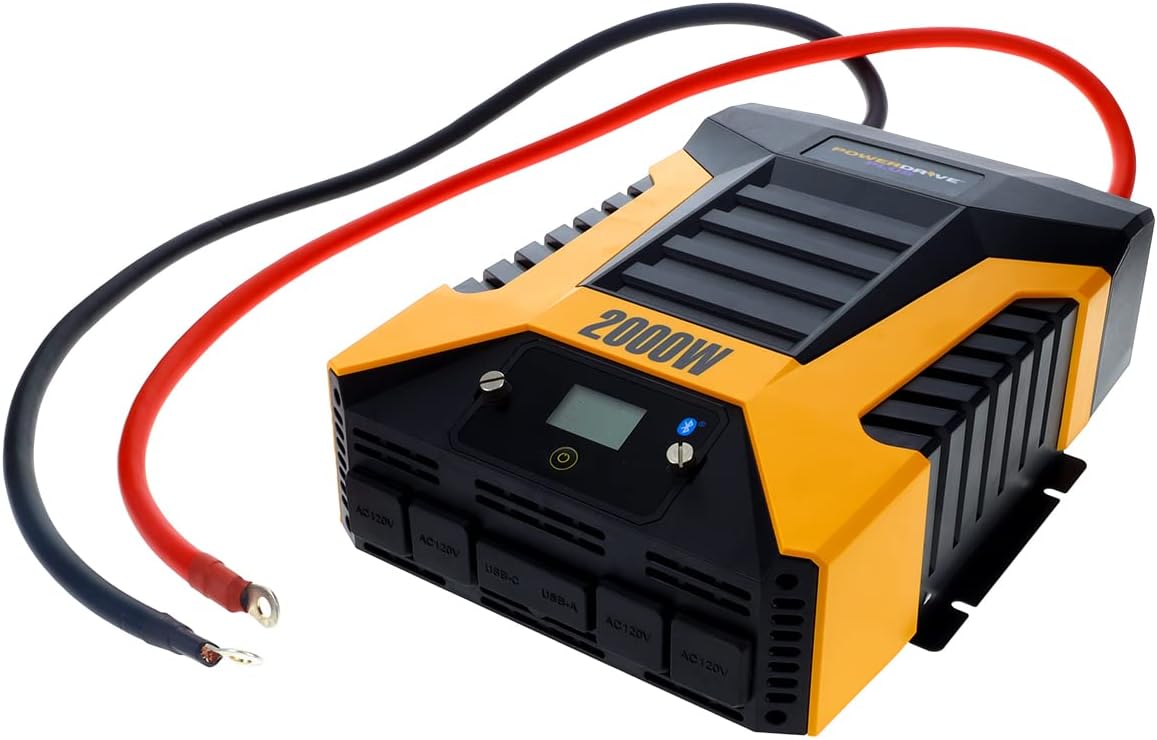
Рисунок 3: The PowerDrive 2000 Watt Power Inverter with the red positive and black negative battery cables securely connected to its terminals, ready for connection to a vehicle battery. This illustrates the correct cable attachment for power input.
Инструкция по эксплуатации
Once installed, the inverter is ready for operation:
- Включение: Press the power button on the inverter's front panel or on the remote LCD screen. The digital display will illuminate, showing battery voltagе и выходная мощностьtage.
- Подключение устройств: Plug your AC devices into the four 3-prong AC outlets. For charging smartphones and tablets, use the standard USB 2.4 Amp port or the fast-charging USB-C 3.0 Amp порт.
- Мониторинг: The digital display provides real-time information on battery voltage, output power (watts), and any error codes.
- Беспроводная технология Bluetooth:
- Загрузите бесплатно PowerDrive Plus app from your smartphone's app store (compatible with Android and iOS).
- Enable Bluetooth on your smartphone and pair it with the inverter.
- The app allows you to remotely monitor battery voltage, output power, and product temperature. You can also set up protections like undervoltage and overload, and power the inverter on/off from a distance.
- Выключение: Press and hold the power button until the display turns off, or use the PowerDrive Plus app. Disconnect devices before turning off the inverter.

Рисунок 4: Крупный план спереди view of the PowerDrive 2000 Watt Power Inverter, highlighting its four AC 120V outlets, one USB-C port, and one USB-A port. These ports provide versatile power options for various electronic devices and appliances.

Рисунок 5: A smartphone screen showing the PowerDrive Plus application interface. The app displays real-time data such as output power (842 watts), battery power percentage (88%), battery voltage (12.6 VDC), and output voltage (120 VAC), along with temperature readings and control options.
Обслуживание
To ensure the longevity and optimal performance of your PowerDrive inverter, follow these maintenance guidelines:
- Содержать в чистоте: Регулярно протирайте внешнюю поверхность инвертора сухой мягкой тканью. Не используйте жидкие чистящие средства или растворители.
- Вентиляция: Ensure the cooling fan vents are clear of dust and debris. The high-speed cooling fan automatically activates when needed and is designed for quiet operation.
- Кабельные соединения: Periodically check that all cable connections to the battery and inverter terminals are secure and free from corrosion.
- Хранилище: При длительном неиспользовании храните инвертор в прохладном, сухом месте, отсоединив его от аккумулятора.

Рисунок 6: Задний view of the PowerDrive 2000 Watt Power Inverter, showcasing its two high-speed cooling fans and the robust battery input terminals. Proper airflow through these fans is essential for maintaining optimal operating temperature.
Поиск неисправностей
Если у вас возникли проблемы с инвертором, ознакомьтесь со следующими распространенными проблемами и решениями:
| Проблема | Возможная причина | Решение |
|---|---|---|
| Нет выходной мощности / Инвертор не включается |
|
|
| Инвертор часто отключается. |
|
|
| На цифровом дисплее отображается код ошибки. | Конкретное условие ошибки (например, перенапряжение)tagе, под-томtage, overload, short circuit) | Refer to the PowerDrive Plus app or contact customer support for specific error code interpretations and solutions. Address the underlying issue (e.g., reduce load, check battery). |
Технические характеристики продукта
| Особенность | Деталь |
|---|---|
| Бренд | PowerDrive |
| Номер модели | PWD2000P |
| Непрерывная мощность | 2000 Вт |
| Мощность импульса | 4000 Вт |
| Vol входtage | 12 В постоянного тока |
| Выход Voltage | 110 В переменного тока |
| Розетки переменного тока | Four 3-prong outlets |
| USB-порты | Один USB 2.4 Amp, One USB-C 3.0 Amp |
| Связность | Bluetooth Wireless Technology (PowerDrive Plus App compatible) |
| Отображать | Digital display (removable LCD screen) |
| Охлаждение | Высокоскоростной вентилятор охлаждения |
| Вес товара | 9 фунта |
| Размеры продукта | 5.7 x 17 x 12 дюйма |
Гарантия и поддержка
For warranty information, technical support, or service inquiries, please contact PowerDrive customer service. Keep your purchase receipt as proof of purchase.
For additional resources and frequently asked questions, visit the official PowerDrive website or refer to the PowerDrive Plus app.


