Введение
The Baseus Desktop Fan is a versatile 2-in-1 cooling solution designed for office and personal use. It can be easily clipped onto a monitor or used as a stand-up desk fan, providing efficient cooling while saving space. This manual provides detailed instructions for setup, operation, maintenance, and troubleshooting to ensure optimal performance of your device.
Key features include a bladeless design for gentle airflow, three adjustable speeds, a touch screen interface, and a flexible mounting system compatible with various monitor types.
Характеристики продукта
- Конструкция 2 в 1: Functions as both a monitor clip-on fan and a stand-up desk fan, optimizing space and providing flexible cooling options.
- Baseus Coology System: Delivers powerful and consistent airflow through an elongated outlet design, covering a wider area for effective cooling.
- Adjustable Speeds & Touch Control: Features three adjustable fan speeds and a responsive touch screen interface for easy operation.
- Регулируемое направление воздушного потока: Manually adjust the airflow direction within a 0 to 90-degree range to customize cooling.
- Надежное крепление: Equipped with a triangle-shaped adjustable silicone stand and gravitational hinge for a sturdy grip on monitors with thickness from 0.2 to 0.8 inches (5mm-20mm).
- Питание от USB: Comes with a Type-C charging cable, allowing it to be powered by any compatible USB power source.
- Конструкция без лезвий: Provides a smooth, gentle, and natural breeze, reducing harsh airflow and promoting a healthier environment.

Figure 1: Comparison illustrating the smooth airflow of the bladeless fan versus the stiff airflow of traditional bladed fans.
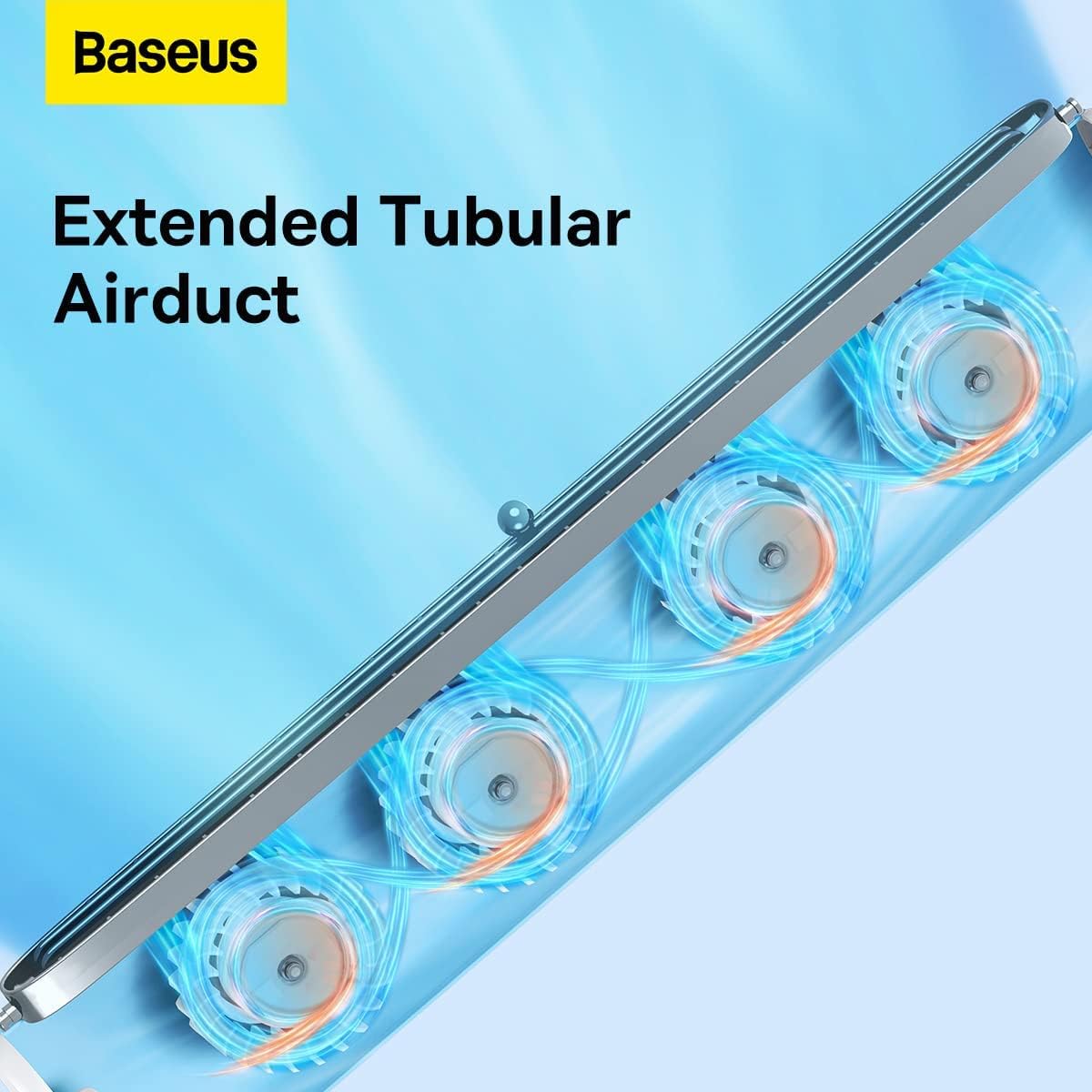
Figure 2: Detail of the harmonica-like wind outlet, designed for efficient and wide-range air distribution.

Figure 3: Illustration of the extended tubular airduct, which provides a wider range of wind outlet for comprehensive cooling.
Настраивать
Monitor Clip-on Installation
- Ensure your monitor's thickness is between 0.2 to 0.8 inches (5mm-20mm).
- Open the gravitational hinge on the back of the fan.
- Carefully place the fan on top of your monitor, ensuring the silicone stand securely grips the top edge and the hinge rests against the back.
- Adjust the angle of the fan as needed for optimal airflow.
- Connect the Type-C charging cable to the fan and a USB power source.

Figure 4: The Baseus Desktop Fan securely clipped onto a monitor, providing personal cooling.

Figure 5: The gravitational hinge provides a sturdy and adaptable grip for various monitor types.

Figure 6: The fan is compatible with multi-sized monitors, including narrow-bezel screens, curved screens, and laptops.
Stand-Up Desk Fan Setup
- Detach the fan from the monitor if it is currently clipped on.
- Place the fan vertically on a flat, stable surface. The integrated stand will provide stability.
- Connect the Type-C charging cable to the fan and a USB power source.

Figure 7: The Baseus Desktop Fan in its stand-up configuration, ideal for use on any flat surface.
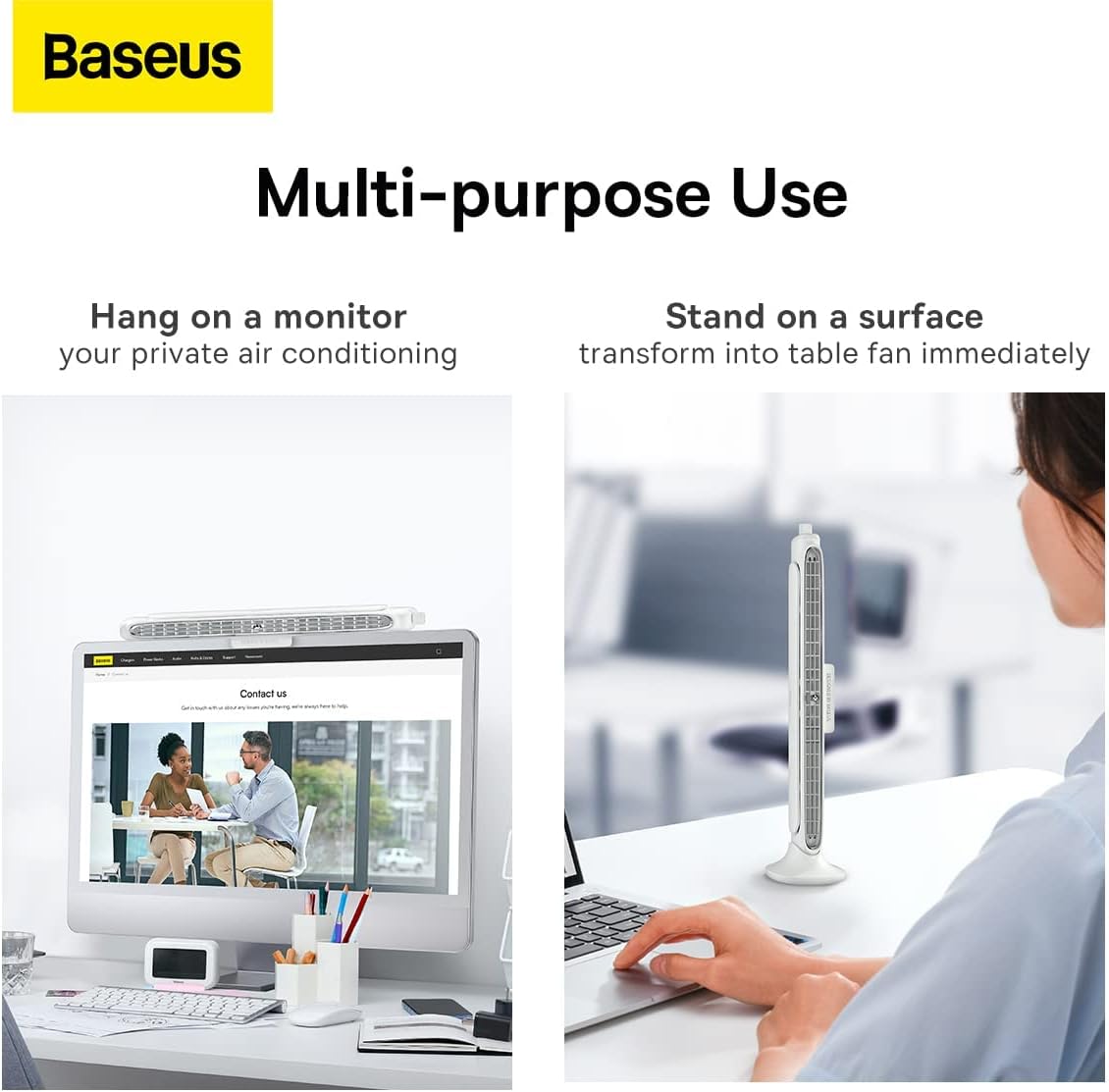
Figure 8: The fan offers multi-purpose use, functioning as both a monitor-mounted and a stand-up desk fan.
Инструкция по эксплуатации
Включение/выключение питания
- Ensure the fan is connected to a power source via the Type-C cable.
- Locate the power button/touch interface on the fan.
- Press the power button or tap the touch interface to turn the fan on or off.
Регулировка скорости вентилятора
- The fan features three adjustable speeds.
- Use the touch screen interface or dedicated speed control button (if present) to cycle through the speed settings (Low, Medium, High).
- Some models may feature stepless adjustment via a rotary knob. Rotate the knob to increase or decrease wind speed.

Figure 9: Stepless adjustment allows precise control over wind speed, from soft to strong.
Регулировка направления воздушного потока
- The fan allows for manual adjustment of the airflow direction.
- Gently tilt the fan body to direct the airflow within its 0 to 90-degree adjustable range.
Обслуживание
Уборка
- Before cleaning, ensure the fan is powered off and disconnected from the power source.
- Протрите внешнюю поверхность вентилятора мягкой сухой тканью.
- For dust accumulation in the air outlet, use a soft brush or compressed air to gently clear it.
- Не используйте абразивные чистящие средства, растворители и не погружайте вентилятор в воду.
Хранилище
- В периоды, когда вентилятор не используется, храните его в прохладном, сухом месте, вдали от прямых солнечных лучей и экстремальных температур.
- Keep the fan in its original packaging or a protective cover to prevent dust buildup.
Поиск неисправностей
| Проблема | Возможная причина | Решение |
|---|---|---|
| Вентилятор не включается. | Not connected to power source; Power source issue; Cable damaged. | Ensure Type-C cable is securely connected to both the fan and a working USB power source. Try a different USB port or power adapter. Check cable for damage. |
| Слабый поток воздуха. | Fan speed set too low; Air outlet blocked; Dust accumulation. | Increase fan speed. Ensure nothing is obstructing the air outlet. Clean any dust from the air outlet. |
| Необычный шум во время работы. | Fan not placed on a stable surface; Internal obstruction; Dust buildup. | Ensure the fan is on a flat, stable surface. Check for any foreign objects near the air intake/outlet. Clean the fan thoroughly. If noise persists, contact customer support. |
| Сенсорные элементы управления не реагируют. | Temporary software glitch; Power cycle needed. | Disconnect the fan from power for 30 seconds, then reconnect and try again. |
Технические характеристики
| Атрибут | Ценить |
|---|---|
| Бренд | Базеус |
| Модель | B0B39GPWX2 |
| Цвет | Белый |
| Размеры продукта | 4.72 х 2.99 х 14.17 см |
| Вес товара | 760 г |
| Мощность / Втtage | 1.77 Вт |
| Материал | Акрилонитрил-бутадиен-стирол |
| Количество скоростей | 3 |
| Уровень шума | 42 дБ |
| Особые возможности | Без лезвия |
| Источник питания | Corded Electric (USB Type-C) |
| Тип крепления | Monitor Mount, Tabletop |
Гарантия и поддержка
Baseus offers comprehensive support for its products:
- Политика бесплатного возврата в течение 30 дней: Если вы не удовлетворены своей покупкой, вы можете вернуть ее в течение 30 дней и получить полный возврат средств.
- 180-дневная ограниченная гарантия: The product is covered by a 180-day limited warranty from the date of purchase, covering manufacturing defects.
- Пожизненная поддержка: Baseus provides lifetime customer support with a guaranteed 12-hour response time for inquiries.
For warranty claims, technical assistance, or any other support needs, please contact Baseus customer service through their official channels or the retailer where the product was purchased.


