Введение
This manual provides detailed instructions for the operation and maintenance of your Kuephom Portable Bluetooth CD Walkman. Designed for versatility, this device supports CD, Bluetooth, USB, and AUX playback, featuring anti-skip protection and a built-in speaker. Please read this manual thoroughly before use to ensure proper functionality and longevity of your device.
Содержимое упаковки
Убедитесь, что все перечисленные ниже предметы включены в ваш пакет:
- CD player X 1
- Наушники х 1
- Аудиокабель х 1
- Кабель для зарядки х 1
- Pouch X 1
Продукт болееview

Figure 1: Kuephom Portable Bluetooth CD Walkman and its accessories, including earbuds, audio cable, charging cable, and pouch.

Figure 2: Detailed diagram illustrating the various buttons and ports on the Kuephom Portable CD Walkman, including volume controls, playback buttons, mode selection, Bluetooth transmit, USB slot, AUX in jack, earphone jack, and speaker.
Настраивать
Зарядка устройства
The CD player has a built-in rechargeable lithium battery. Before first use, fully charge the device.
- Connect the provided USB charging cable to the charging port (DC 5V) on the device.
- Connect the other end of the USB cable to a compatible USB power source (e.g., wall charger, power bank, car charger, or computer USB port).
- The charging indicator light will illuminate during charging and turn off when fully charged. A full charge takes approximately 4 hours.

Figure 3: The portable CD player connected to a power source via its USB charging cable, demonstrating various charging options.
Включение/выключение питания
Сдвиньте ВКЛ/ВЫКЛ switch located on the side of the device to turn it on or off.
Вставка компакт-диска
- Сдвиньте ОТКРЫТЬ switch to open the CD compartment cover.
- Carefully place a CD (CD, CD-R, CD-RW, MP3, WMA, WAV formats supported) onto the spindle with the label side facing up.
- Gently press the center of the CD until it clicks into place.
- Close the CD compartment cover firmly until it latches.
Video 1: Demonstration of inserting a CD into the Kuephom Portable CD Player and closing the compartment. This video also shows the supported disc formats.
Connecting Headphones or External Speakers (AUX)
For private listening or connecting to non-Bluetooth devices:
- Insert the 3.5mm jack of your headphones into the Разъем для наушников.
- To connect to external speakers or a car audio system, use the provided 3.5mm audio cable. Insert one end into the Разъем AUX In on the CD player and the other end into the AUX input of your external device.

Figure 4: The portable CD player connected to a car's audio system via an AUX cable, demonstrating its use in a vehicle with anti-shock protection for uninterrupted playback.
Инструкция по эксплуатации
Базовое воспроизведение
- Нажмите Воспроизведение/Пауза button (►▮▮) to start or pause playback.
- Нажмите Следующий button (►►) to skip to the next track.
- Нажмите Предыдущий button (◄◄) to go to the beginning of the current track or the previous track.
- Нажмите Останавливаться кнопку (■), чтобы остановить воспроизведение.
- Отрегулируйте громкость с помощью Том+ и Vol- кнопки.
Функциональность Bluetooth
The device supports two-way Bluetooth connection:
Bluetooth Transmitting (Connecting to Bluetooth Headphones/Speakers)
- Ensure the CD player is powered on and a CD is inserted.
- Нажмите Bluetooth-передача button (labeled "TRANSMIT" or "BT" on some models) to enter Bluetooth transmitting mode. The Bluetooth icon on the display will flash.
- Переведите наушники или динамик Bluetooth в режим сопряжения.
- The CD player will automatically search for and connect to nearby Bluetooth devices. Once connected, the Bluetooth icon will stop flashing.

Figure 5: The portable CD player actively transmitting audio via Bluetooth to both headphones and a separate Bluetooth speaker, illustrating its wireless output capability.
Bluetooth Receiving (Connecting to Smartphone/Laptop)
- Нажмите Режим BT button (labeled "BT" or "MODE" on some models) to switch the CD player into Bluetooth receiving mode.
- На своем смартфоне, планшете или ноутбуке включите Bluetooth и выполните поиск доступных устройств.
- Select "Kuephom CD Player" (or similar name) from the list of devices to pair.
- Once connected, you can play audio from your smart device through the CD player's built-in speaker.
Video 2: This video demonstrates the Bluetooth playback feature, showing the CD player connecting to a smartphone to stream audio, highlighting its versatility as a Bluetooth speaker.
Other Playback Modes
- Воспроизведение через USB: Вставьте USB-накопитель в USB-слот. The player will automatically switch to USB mode and begin playing compatible audio files.
- Функция повтора: Нажмите Повторить Кнопка для переключения между режимами повтора (например, повторить один, повторить все).
- A-B Repeating: Нажмите АБ button to set a starting point (A) and an ending point (B) for a section of audio to repeat. Press again to clear.
- Регулировка скорости: Используйте Регулировка скорости buttons (labeled "SPEED" or "SPEED +/-") to increase or decrease the playback speed. This feature is particularly useful for language learning.
- Программирование воспроизведения: Refer to the detailed product diagram (Figure 2) for the "PROG." button if available on your model for custom track sequencing.
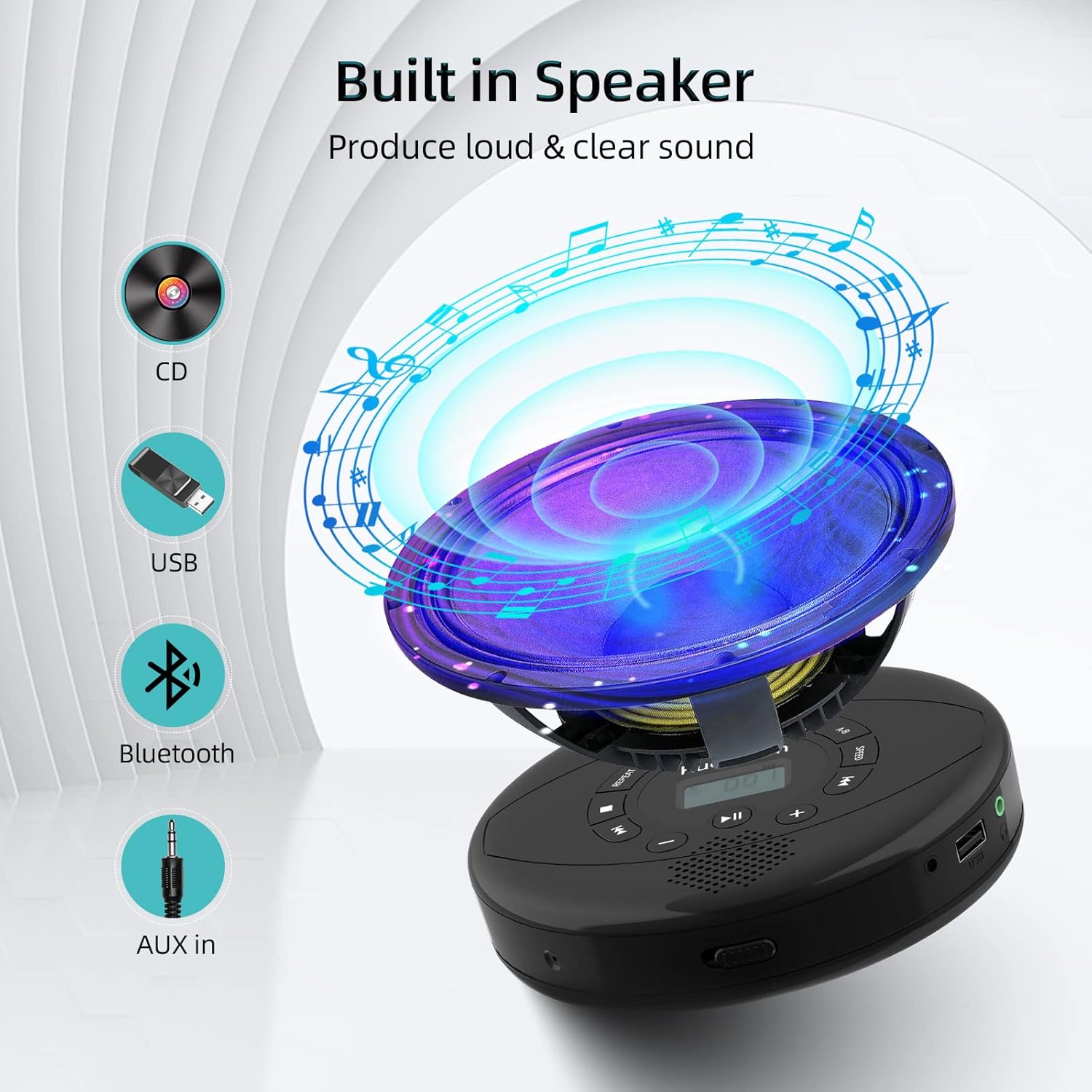
Figure 6: Illustration of the built-in speaker and the various audio input options supported by the device, including CD, USB, Bluetooth, and AUX in.
Обслуживание
- Поддерживайте чистоту устройства, протирая его мягкой сухой тканью. Избегайте использования абразивных чистящих средств и растворителей.
- Не подвергайте устройство воздействию экстремальных температур, прямых солнечных лучей или высокой влажности.
- Handle CDs by their edges to prevent scratches and smudges. Clean CDs with a soft, lint-free cloth, wiping from the center outwards.
- Если устройство не используется в течение длительного времени, храните его в прохладном, сухом месте.
Поиск неисправностей
| Проблема | Возможная причина | Решение |
|---|---|---|
| Устройство не включается. | Батарея разряжена. Выключатель питания выключен. | Полностью зарядите устройство. Убедитесь, что переключатель ВКЛ/ВЫКЛ находится в положении «ВКЛ». |
| Компакт-диск пропускает или не воспроизводится. | CD is dirty, scratched, or damaged. Device is unstable. | Clean the CD. Try another CD. Ensure the device is on a stable surface or utilize its anti-skip protection during movement. |
| Нет звука из наушников/динамиков. | Volume is too low. Headphones/speakers not properly connected. Incorrect mode selected. | Increase volume. Re-insert headphone/AUX cable firmly. Ensure correct mode (CD, Bluetooth, USB, AUX) is selected. |
| Сбой сопряжения по Bluetooth. | Device not in pairing mode. Bluetooth device too far. Interference. | Ensure the CD player is in Bluetooth transmitting/receiving mode. Move devices closer. Turn off other Bluetooth devices to reduce interference. |
Технические характеристики
| Особенность | Деталь |
|---|---|
| Размеры продукта | 5.7 x 5.7 x 1.2 дюйма |
| Вес товара | 1.21 фунта |
| Номер модели | PM10-Black |
| Аккумулятор | 1 литий-полимерный аккумулятор (входит в комплект) |
| Бренд | Куэпхом |
| Технология связи | Bluetooth, Вспомогательный, USB |
| Поддерживаемые форматы | CD, CD-R, CD-RW, MP3, WMA, WAV |
| Специальная характеристика | Portable, Anti-Skip, Built-in Speakers |
Гарантия и поддержка
For warranty information or technical support, please refer to the contact details provided with your purchase or visit the official Kuephom webСохраните чек о покупке в качестве подтверждения покупки на случай предъявления гарантийных претензий.


